← All articles
Published December 15, 2024
How to install custom nodes manually
1.9K views2 reactions4 comments on CivitAI13 collected
custom nodesresource guideinstall guide
I should name this how to install my node but it works for all custom nodes xD
Install a Custom Node
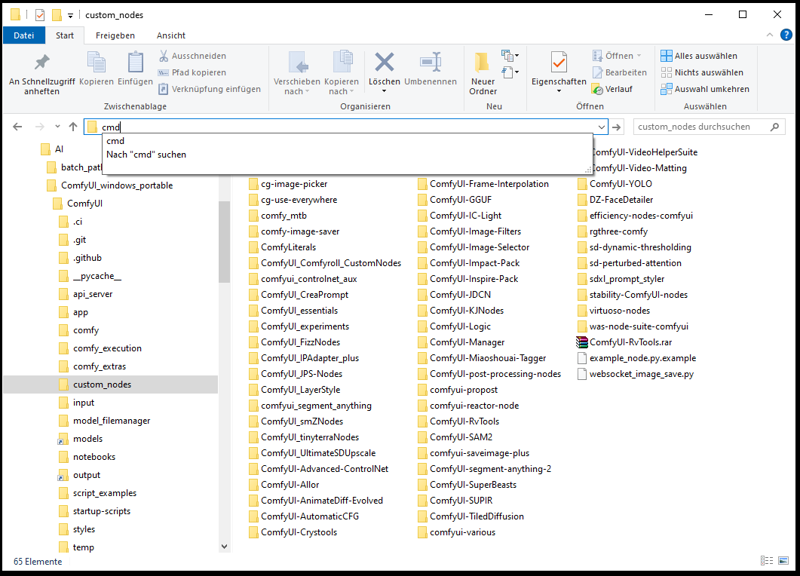
open your windows exporer and navigate to the custom node folder e.g.:
D:\AI\ComfyUI_windows_portable\ComfyUI\custom_nodes
enter cmd in the search bar to open a command prompt
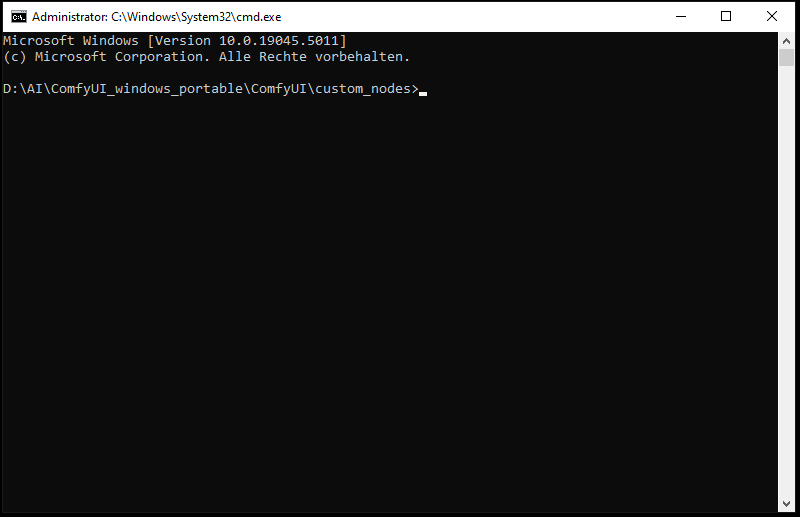
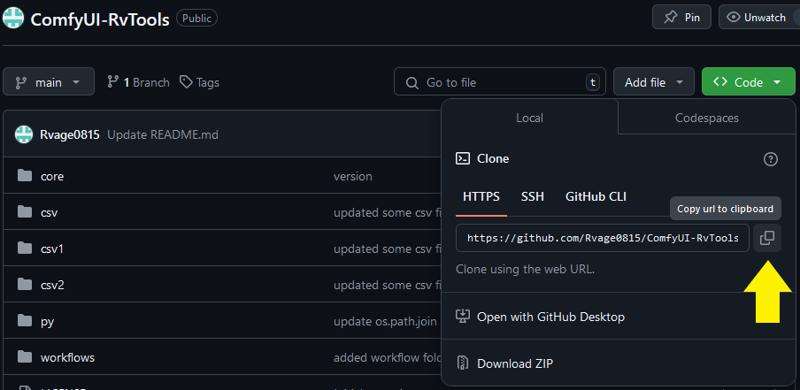
visit git hub, click on the button on which the yellow arrow points to copy the address
in the cmd you've already opened enter git clone and paste (right mouse button) the adress like this:
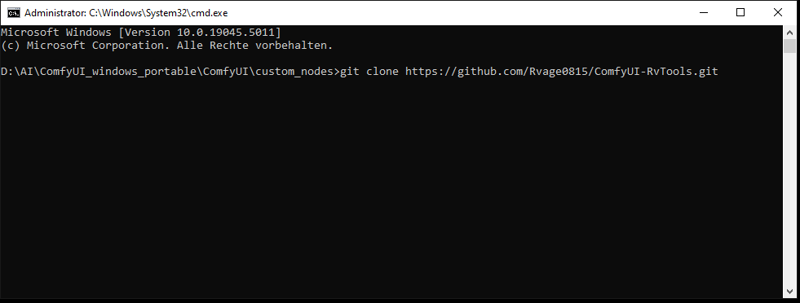
hit enter, wait until its finished and restart comfyui
Update a Custom Node
to update a custom node you can use the comfyui manager or navigate to the custom node folder, open a command prompt and type:
git pull
thats it... easy peasy