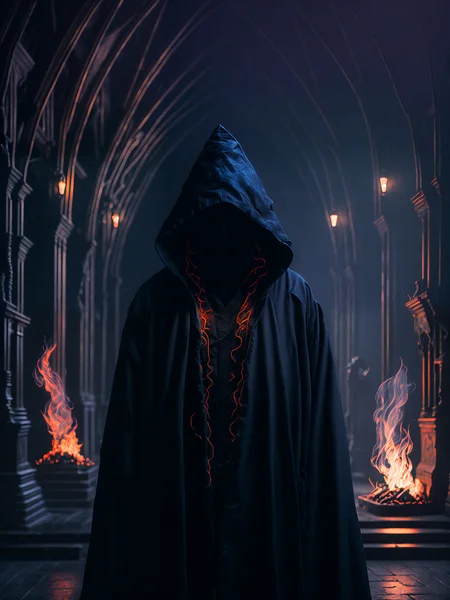

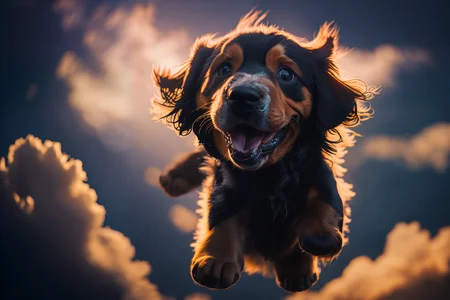
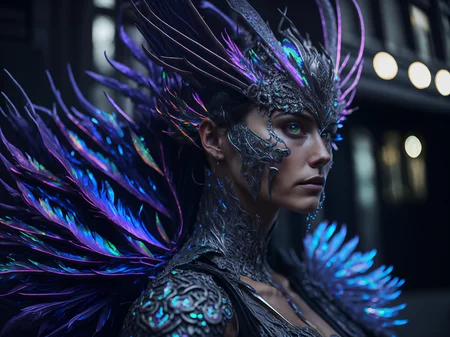
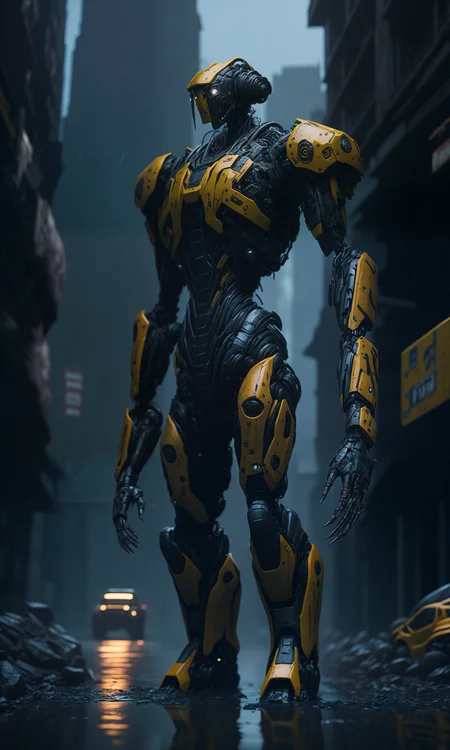
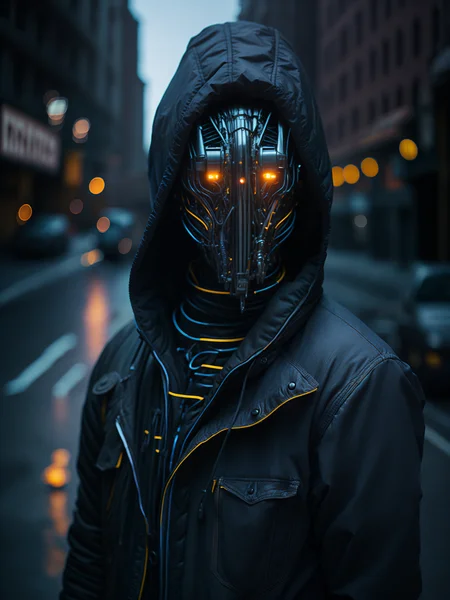

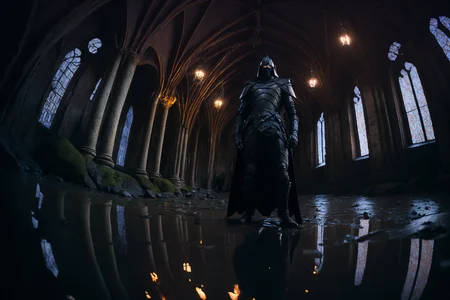
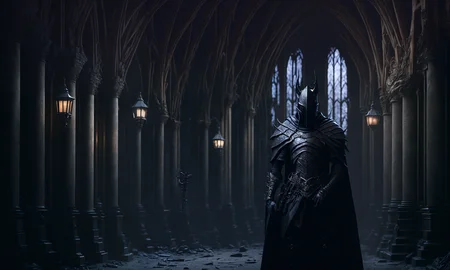
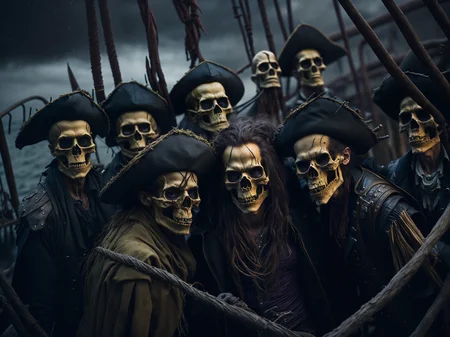
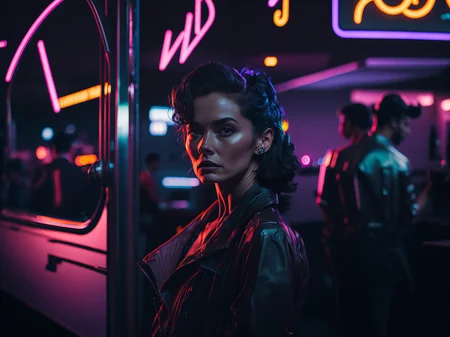
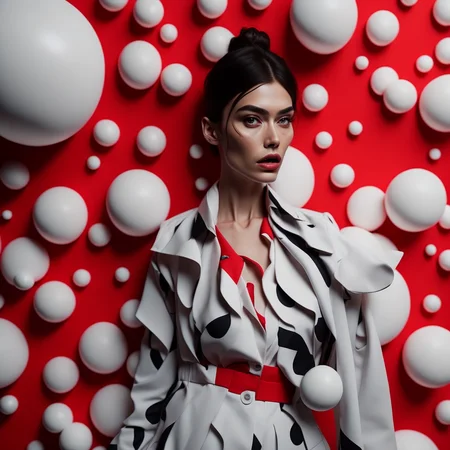
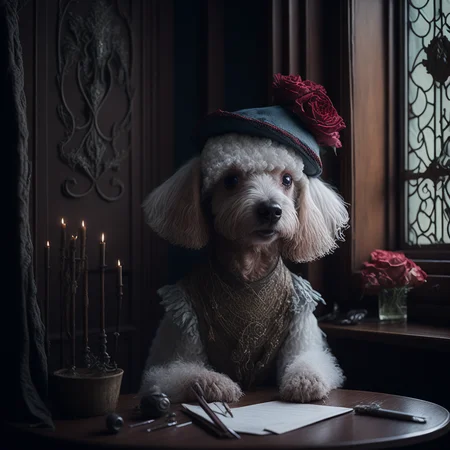
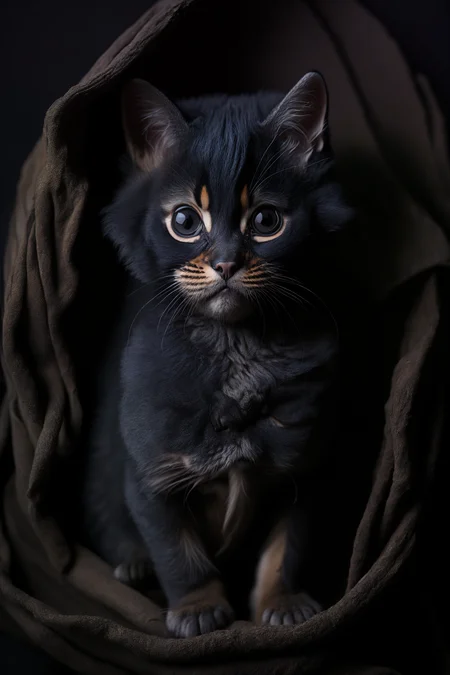
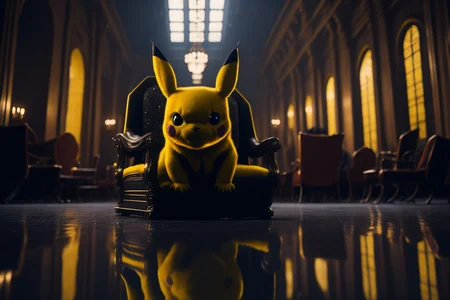
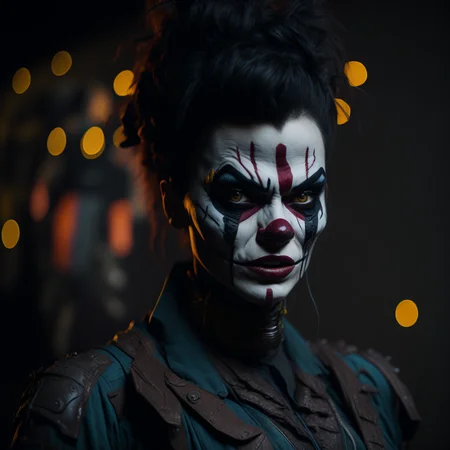

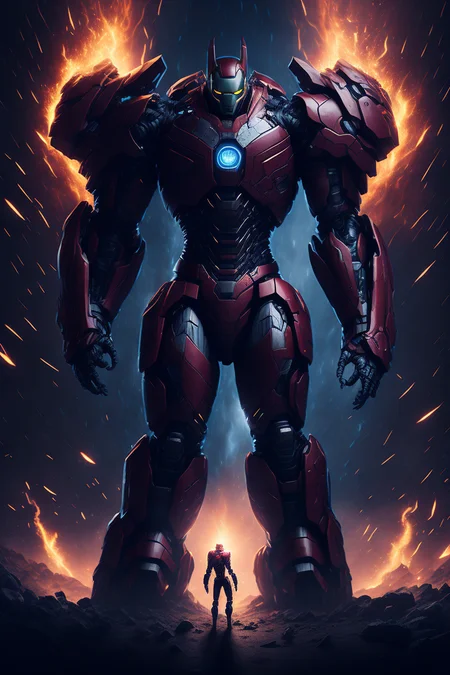
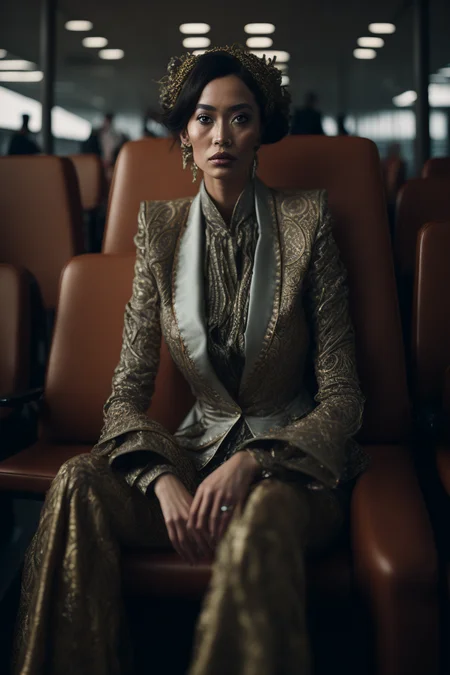
Welcome to Illuminati Diffusion v1.1! This state-of-the-art text-to-image diffusion model is fine-tuned to produce high-quality, aesthetically pleasing synthetic images. Based on Stable Diffusion 2.1, it offers enhanced depth, contrast, and color, thanks to extensive training on a diverse dataset.
Key Features and Updates:
Model Version: Built on the robust Stable Diffusion 2.1 framework, ensuring top-notch performance and compatibility.
ControlNet Support: Enhanced functionality with ControlNet integration. Get the details and instructions at ControlNet SD2.1 on Hugging Face.
Essential Downloads: To fully utilize the model, download these critical negative embeds along with the main file, and add them to your AUTOMATIC1111 webui embeddings folder:
Optimal Image Settings: For best results, use settings between 768-1024 / 1152 for some seeds and prompts. Occasionally, 1280x768 or 768x1280 may also yield excellent outcomes.
User Guidance: Check out example images for inspiration. This fully finetuned model doesn't require specific trigger words. Feel free to experiment with various prompts and settings.
License Flexibility: Under the CreativeML OpenRAIL-M license, there are no restrictions on the use of the Illuminati Diffusion v1.1 model. Feel free to use it for both personal and commercial projects.
Usage Freedom: Host or use the model on any platform, commercial or non-commercial. The model is designed for wide accessibility and versatility.
Commercial Use: Outputs generated from the model can be freely used for commercial purposes, regardless of team size or project scope.
Description
V1.1 Changes -
- Moved to Civitai
- Continued training with offset noise
- New negative embed
FAQ
Comments (150)
1st :)
Love your work, thanks the release!!
This is just magical
Here's the famed new fancy model everybody is talking about, great work!
when i swichting to this ckpt,
RuntimeError: expected scalar type Float but found Half
idk how to fixed it
and when i put lora into prompt, it stops working.
Are you trying to use it with a textual inversion based on v1.5 ?
Make sure you have this startup args in webui-user.bat
--xformers --no-half --no-half-vae
This is likely a requirement if you're using 2.1 on your GPU
@IlluminatiAI Hello. Initially-there is-XFormers-NO-HALF. But when I click Create, I get a float error
"Token to your
assert not opts.use_old_emphasis_implementation, 'Old Emphasis Implementation Not Supported for Open Clip'
Asserterror: Old Emphasis implementation note supported for Open Clip "
This is the error. If you have any information, I would be glad if you could help. thanks.
And of course congratulations for this model. Health for your efforts.
Problem is solved.
"Use Old Emphasis Implementation.
Use Old Carras Scheduler Sigmas (0.1 to 10). "
He worked when he left these parties empty.
@adf0421 use lora for models 2.0
I am getting this error when trying to generate
<urlopen error [SSL: CERTIFICATE_VERIFY_FAILED] certificate verify failed: self signed certificate in certificate chain (_ssl.c:997)>
**It seems it is related to the LDSR Upscaler.. I can use ESGRAN-4x fine but the output isn't optimal, and if I turn it LDSR down to 1 I can use it, but it also gives me a deformed generation.
Setting any upscaler to one is basically no upscale - meaning to say you are just doing a straight up img2img run on the input. I can't say with a fair amount of confidence that this is not something linked to Illuminati Diffusion, but a general problem as LDSR is a model in it's own right.
@IlluminatiAI thank you for the feedback. I have Topaz Labs Gigapixel, I am going to try upscaling with just that and see if I can run it without any upscaler. I am currently getting my personal best generations with your model so I am happy regardless.
Since past 1 month, I've been only using Illuminati Diffusion. Goes with everything.
no need for a config file?
They're all the same - if you have the latest AUTOMATIC1111 webui, it will just load it automatically for you. I didn't realise so many wouldn't be on it. I've uploaded a YAML
@IlluminatiAI What about a VAE? Do we need one for this model?
Very high quality and flexible. Good job.
The major quirk I've noticed after some testing is that human faces look a bit wonky and unappealing.
Looking to resolve with LoRA specifically trained for this model.
You mean the faces don't look super generic polished perfect asian and white human fantasy? There are a TON of models that can get you a perfect anime doll or what have you. I think it's great that this one has wonky and "unappealing" humans in it. Just like real humans, we are a actually a bunch of wonky and unappealing peoples. I hear you though, sometimes you just want to have the idealized faces and bodies on your AI creations. Good luck IlluminatiAI with the LoRA.
I'm finding it makes faces a bit too long, cheekbones are exaggerated. The model has an eating disorder.
modules.devices.NansException: A tensor with all NaNs was produced in Unet. This could be either because there's not enough precision to represent the picture, or because your video card does not support half type. Try setting the "Upcast cross attention layer to float32" option in Settings > Stable Diffusion or using the --no-half commandline argument to fix this. Use --disable-nan-check commandline argument to disable this check. (how to fix?)
Try editing the webui-user.bat file in Notepad so it says this: "set COMMANDLINE_ARGS= --no-half" ...meaning add " --no-half" after "set COMMANDLINE_ARGS=" ...This worked for me just now. I had the same error.
why doesn't LORA work in your model?
This is a SD 2.1 768 model - I assume you're trying to use a 1.5 LoRA
@IlluminatiAI I've tried using kohya's gui, making a LORA on SD 2.1 with V2 and V-params ticked, using a dataset of only 768*768 images, and still having no luck. So I don't think it's that straightforward
Liked, so i can downlaod it when i'm done gaming and toy with it XD
Excellent model. Can any one tell me if he was able to use Controlnet with this model?
Did you try?
Is there a way to get this to not do gaunt looking faces? It tends to lean towards supermodel sort of styles: IE. super thin, gaunt, over exaggerated, angular faces, pointed chin, no chins.
thats because its made with images stolen from midjourney, which only makes those stupid faces
would be better if this model didn't have tendencies to create product shot-like images
Why does it need 3 different negative embeddings? Care to explain what they do? What happens if we don't use them? Can this model also generate "normal" images or only high contrast?
i tried to find out, but did not really do (but could load them) but now, a short time later, the embeddings get skipped from loading when i start A1111. What can I do? they belong into the embeddings folder, where the other textural inversions go right?
No, you don't need to use them. But images usually come out better if you use nfixer. nrealfixer make the image darker, more "film like", grittier.
@mech4nimal This model is trained on V2.1. You need to have a 2.1 model loaded to use these embeddings
The discord link is expired!
Clearly trained with midjourney images, it outputs very stupid faces, plastic, elongated, anorexic, just like MJ does
yeah. Because MJ is known for generating "stupid, plastic elongated anorexic" faces.
Is this model was training with Midjourney Images?
Some of my results with the 3 Negative Embeddings and the model, the results look so similar to Midjourney, I'm a experience Midjourney user & Stable diffusion, so it's really cool the mimic of style, Or it's just this contrast training that give that feeling? What do you think people?
I'm interested in knowing the answer as well
Can we have a 1.5 version?
A model with a very particular style that I'd hesitate to tag as "general purpose". A detailed prompt will result in the same human face across every seed, which might be good if you are looking for consistency, but not if you want variety.
Are VAE's a thing with 2.1?
also have this question
2.1 uses the most current VAE
@IlluminatiAI Thanks! I don't know which one that is, but I'll try to look into it.
I only got black images :(, anyone know this issue?
Try to enable this option from the : Settings/ n Stable Defusion / Upcast cross attention layer to float32
@ZAGA3d It worked! Thank you!
not funtion!
I get this error when trying the sample knight bloodborne image:
mat1 and mat2 shapes cannot be multiplied (154x1024 and 768x96)
i got exactly same error when try to use it with control net.
If you're trying to use controlnet with this model, note that this is an SD 2.1 model and controlnet isn't updated yet for use with it. You can try a different 1.5 based model.
Hi, I have the same issue. Have you found a way to get it working? Thanks
Please see the description which has been updated with a link for 2.1 controlnet. More limited than what you're probably used to, however, it is an option now :)
any idea how to make it work with controlnet i keep getting following RuntimeError: mat1 and mat2 shapes cannot be multiplied. It doesn't matter what resolution or option i change it doesn't work together
Controlnet doesn't work with SD 2.1 models
Controlnet was trained on SD 1.5 and this is a 2.1 model so it won't work together for now. Controlnet has a pull request for updating with 2.1 training data but no one has updated it yet.
thank you for your response guys... if you have any updates on this please let me know
Today's your day. Get the up to date webui-controlnet extension. get this canny model. https://huggingface.co/thibaud/controlnet-canny-sd21/tree/main . copy the 2.1 yaml in the cnet folder to match the new canny model's name. Enjoy canny on 2.1 models!
@FlowwolF Thanks!
Any idea how to leverage embeds in colab?
Very pretty results....But this model has a serious eating disorder. All women looks facial features that look very skinny, and muscly.
When I try to use my Lora I get a runtime error.
You're probably trying to use a 1.5 LoRA on a 2.1 model
Would be VERY helpful if you provide context for the fixer embeddings you provide - and clear up the runtime issues some users see with Loras. We can't keep up with everything (intellectually) - in the SD space, c'mon =)
Awesome 🤩
You will add the model to HuggingFace?
what VAE is better to use with that model?
now we need someone to make it re-learn anatomy by training it on nudes in order to completely fix what stability broke
Or just use a model from a creator who wanted to make a model that can do nudes.
Hi, how to install the illuminatiDiffusionV1_v11.yaml file?
Looks fantastic! Any plan to have a diffusers version? Thanks a lot to share this with the community.
It seems like this model is biased toward dark/black background. I tried to add white background to positive prompt, and dark, black to negative, but it still generates dark background. Anyone knows how can I improve this?
Try removing "nrealfixer" from the Negative Prompt.
Same here. I just get really dark images. I've tried removing the "nrealfixer' from the negative prompts, but makes no difference. By far NOT my favorite model.
How would it be possible to train a Lora based off of this? or would that be out of question for specific subjects?
@twindenis Get the kohya-ss gui from bmaltais on github. Then check out the Illuminati Diffusion model from huggingface. Point the kohya-ss gui to illuminati diffusion and then put in your training parameters and dataset. That should be it.
Which values of offset noise did u use for training?
Default 1.0
Just about everything in this model is aesthetically pleasing. I'm wondering did you also use some sort of image classifier to drop out bad aesthetic images?
Default is actually 0.1, if you were to use 1.0, everything would basically be black - also more training with offset noise = a darker model. Yes. aesthetic scoring was utilized to remove the worst images. (was also used as a tool to find the worst inputs for the negative embedding training)
@IlluminatiAI sorry i meant 0.1 yeah. for Aesthetic scoring did u had to use an extension or something? I really dont know how to code and it would be really helpful if i knew how to use one, How did you do it?
How do I load them negative prompt files?
Drop them in your AUTOMATIC1111 embeddings folder
@IlluminatiAI but then how do I load them?
@nutronic On negative prompt just type the filename example: nrealfixer, nfixer
@xoxogoofy Thanks :)
@IlluminatiAI 为什么我找不到这个文件夹,他们在哪里
@473302123711 stable-diffusion-webui\embeddings
I get this error:
NansException: A tensor with all NaNs was produced in Unet. This could be either because there's not enough precision to represent the picture, or because your video card does not support half type. Try setting the "Upcast cross attention layer to float32" option in Settings > Stable Diffusion or using the --no-half commandline argument to fix this. Use --disable-nan-check commandline argument to disable this check.
I have the yaml file in the same folder as well as the 3 embeddings installed.
Any ideas?
go to settings and check the "Upcast cross attention layer to float32" box =)
use --no-half-vae in webui-start.bat
Everyone says use no half - if you can you'll be better enabling xformers. Unless you have absolutely no choice, pcast cross attention layer to float32 is terrible, uses much more VRAM.
Somehow or... maybe I'm missing something here,
whenever I switch to your checkpoint, all my other embedding files disappear(also become unusable too) but only your "nartfixer" show up?
Because the embeddings made for 1.5 models do not work on 2.1 models
Why can't I merge this model with other models?
probably bc its trained on v2.1 not 1.5 so maybe not compatible with 1.5 models or control net, theres a lora called epi_noiseoffset that is similar maybe it can help get the results u are looking for
@MikeHawk_ Thanks!
@MikeHawk_ it is actually compatible with a particular version of controlnet now and despite there being a LoRA that does some offset noise, you can't compare my model with a LoRA - that was probably trained on at most hundreds of images, this model isn't far off of 100k. If literally all you care about is the contrast and nothing else whatsoever, go with the LoRA
hires fix not working.. how to fix this problem?
If highres fix doesn't work, something to do with your config, it's just a model like any other
idk why this is popping up but i installed all files and still get this error: changing setting sd_model_checkpoint to Illuminati Diffusion v11.ckpt [cae1bee30e]: AttributeError
Traceback (most recent call last):
File "E:\StableDiffusin\stable-diffusion-webui\modules\shared.py", line 568, in set
self.data_labels[key].onchange()
File "E:\StableDiffusin\stable-diffusion-webui\modules\call_queue.py", line 15, in f
res = func(*args, **kwargs)
File "E:\StableDiffusin\stable-diffusion-webui\webui.py", line 146, in <lambda>
shared.opts.onchange("sd_model_checkpoint", wrap_queued_call(lambda: modules.sd_models.reload_model_weights()))
File "E:\StableDiffusin\stable-diffusion-webui\modules\sd_models.py", line 488, in reload_model_weights
state_dict = get_checkpoint_state_dict(checkpoint_info, timer)
File "E:\StableDiffusin\stable-diffusion-webui\modules\sd_models.py", line 262, in get_checkpoint_state_dict
res = read_state_dict(checkpoint_info.filename)
File "E:\StableDiffusin\stable-diffusion-webui\modules\sd_models.py", line 248, in read_state_dict
sd = get_state_dict_from_checkpoint(pl_sd)
File "E:\StableDiffusin\stable-diffusion-webui\modules\sd_models.py", line 197, in get_state_dict_from_checkpoint
pl_sd = pl_sd.pop("state_dict", pl_sd)
AttributeError: 'NoneType' object has no attribute 'pop'
What is this error?
RuntimeError: mat1 and mat2 shapes cannot be multiplied (308x1024 and 768x320)
you are trying to use a controlnet if i'm not mistaken, that's what I get when try to use one. Haven't figured out the error yet but I'd bet it has to do with SD2.1
I'm getting the same when I add in the epiNoiseoffset_v2 LORA. Removing it makes this work once more for me. I'm not using controlnet at this point in time.
Just checked epiNoiseoffset_v2 LORA page and it's based on SD1.5 and this is based on SD2.1
It's a model that can make some interesting outputs, but I think there are a few issues with it that need to be addressed by the model maker.
Firstly, this model has a propensity to create yellow/blue green lighting (especially yellow) and leans heavily toward a very similar and almost singular lighting/color scheme. It's almost like whatever images it was trained with are heavily bleeding into every output. Yes you can prompt around this, but it really isn't desirable as that does limit its ability to make it suit to an individuals style, and trying to prompt out the yellow can also cause some wonky colors, like things that should be yellow, looking more like a yellowish green, and things that shouldn't be yellow, having yellow for no reason.
Basically, if someone is using this model, it's easy to tell, because outputs look a lot like if you had a photographer with the same style, which means it's going to go out of style real quick as people find their outputs of a variety of subjects just look too similar in style, even if they're entirely different subject matters. Again, you can counter this somewhat with additional prompting, but that will also affect the output by having to add words you otherwise wouldn't need, so it's a bit of a crutch.
In many cases the way it does lighting can be too dark or too high contrast. I understand that darkness is the point, and again it can be prompted around somewhat, but I think it needs some kind of tweaking in this regard.
It also has a propensity to create something almost like compression artifacts in dark areas of images, like a JPG saved on a low setting. I don't know what causes this, and it's not always present, but I think if they used JPEG's for training, the dark images may have not contained enough data and had compression artifacts from JPG not being able to display the full range of tonal gradation, which seems to have gotten baked in with the training.
My suggestion is training should be redone with at least native 16 bit, if not 32 bit images, especially because it's a dark focused model. One has to keep in mind during training that the AI see's the raw data of an image. So even if it's too dark to see artifacts normally with the naked eye, the training will see it and bake those compression patterns into how it functions.
I know this is built on SD 2.1, which probably didn't have high bit images in mind when training, but whatever additional images might have been used to create this model should be scrapped and similar but minimum native 16 bit images used in their place, which should vastly increase the output quality of the model in general.
I in fact, did not use jpgs or training.
Also, if you want to donate training resource for multiple A100's yes, I'll train at float32 to have enough VRAM. Train at native float16? I trained at BF16.
Are you using the recommended setting of cfg 4 for generating?
2.1 Didn't have high bit images in mind? It was trained on 16bit images like 1.5 was, there are no high dynamic range images in any of the training, the technology does not support it.
The Automatic 1111 web UI folder was not found,The embeddings folder in the root directory can not be read
Very good model, but there is a common tendency of fixed small eyes and high cheekbones on Asian/japan/korea/china faces, hope the next version can improve.
Next version will improve but it's very easy to work around this with prompting, just as you would if you'd like to have those features and had to prompt /for/ them.
The config file doesn't work, I'm using INVOKE and I tried everything..... I have the embeds taken, I put the config along the model file i put it also in the specified folder of invoke and nothing works. the model doesn't load...
ERROR: LatentDiffusion.__init__() missing 1 required positional argument: 'personalization_config'
I'm having the exact same problem...same error..
CONTROLNET doesn't working with this mod,I download the sd2.1 controlnet,No errors report, but it doesn't work
lora not work too
my fault,in settings/controlnet, change cldm_v15.yaml by cldm_v21.yaml,worked
LoRA works too if you use a 2.1 LoRA because if you look at the model version that's right there just under the download button, you'll see this is a 2.1 model.
I am also unable to get the model to load in Invoke, following all the normal model loading procedures required from the UI without success ??
Any ideas would be appreciated.
Look into converting to diffusers
So we cannot use LoRA such as KoreanDollLikeness? I got the error RuntimeError: mat1 and mat2 shapes cannot be multiplied (77x1024 and 768x128)
is your Lora based on SD 2.1 . Since the model is based on 2.1 , your LoRa must be 2.1 based
why i can not use this model.When I render with this model, the rendered image is all black and nothing, right
This is a common problem for some people on 2.1 models. You should be able to fix this by adding "--no-half" to the cmd arguments in webui-user.bat
Or if you GPU supports xformers, just enable it. Your generation will be faster. The reason you didn't run into this issue before is because you didn't use a 2.1 model before.
Pretty results, but the model has a tendency to make very long people, even on 768x768 square sizes. It's also very dark, not very illuminated in fact.
For those having issue, here are the trigger words if its not working by <filename> for you:
nfixer.pt - nfixer-271
nartfixer.pt - wer
nrealfixer.pt - nfixernext
Does anyone have instructions as to wether these are supposed to be use one at a time or all in the negative prompt at the same time? What is supposed to be the different between them?
This is only required for Invoke, AUTO1111 just uses filenames.
So does this mean it doesnt work with SD 1.5?
How would it work with Stable Diffusion 1.5?
A Stable Diffusion 1.5 model is an older version of stable diffusion.
This is a Stable Diffusion 2.1 model meaning to say it will load as such, will require 2.x LoRAs and the 2.x version of controlnet if you want to use that.
I love this model. I'm wondering if you could add some explanation on what each of the negative embeddings affect. I have played around with adding all, or just one or two. Like, if I put just nartfixer, I would assume it has something to do with non-photographic images. Thanks for all the work that went into this!
bro for some reason i cant replicate any pic i get really bad results even with just putting the image in png info and sending it to txt2img
Are you using the neg embeds? nfixer and nrealfixer/nartfixer? Make sure you're generating at minimum of 768x768, anything below that won't look nice. If your GPU allows it, use hires fix.
Congrats Civitai!! Republish all the images of this model is a great decision!! Thanks!!
you know why it got removed? there's been a lot of models ive seen disappear
@XiP420 I heard they sold exclusive rights to a paid service.
Why did this model pop up once again the new models list?
when new update? any plans for SDXL?
Can you please enable the model to allow it to be used for civitai's online image generation? Thank you for your consideration.
Done, not sure if you're able to use the negs though?
@cacoe Thank you for enabling it 👍. Unfortunately, it appears that Civitai online generator does not support SD2.1 models yet 😭.
But thank you for your effort, it is much appreciated 🙏.
Details
Files
illuminatiDiffusionV1_v11.safetensors
Mirrors
illuminatiDiffusionV1_v11.safetensors
illuminatiDiffusionV1_v11.safetensors
IlluminatiDiffusion.safetensors
illuminatiDiffusionV1_v11.safetensors
pcia_illuminati1_1.safetensors
illuminatiDiffusionV1_v11.safetensors
illuminatiDiffusionV1_v11.safetensors
illuminatiDiffusionV1_v11.safetensors
llmntdffsn.safetensors
llmntdffsn.safetensors
illuminatiDiffusionV1_v11.safetensors
illuminatiDiffusionV1_v11.safetensors
illuminatiDiffusionV1_v11.safetensors
illuminatiDiffusionV1_v11.safetensors
illuminatiDiffusionV1_v11.safetensors
IlluminatiDiffusion.safetensors
illuminatiDiffusionV1_v11.safetensors
illuminatiDiffusionV1_v11.safetensors
illuminatiDiffusionV1_v11.safetensors
illuminatiDiffusionV1_v11.safetensors
illuminatiDiffusionV1_v11.safetensors
illuminatidiffusionv1.1.safetensors
illuminatiDiffusionV1_v11.yaml
Mirrors
mangledMerge_v2.yaml
pseudofreedommerge_v10.yaml
aZovyaRPGArtistTools_sd21768V1.yaml
charhelperFineTuned_v1.yaml
ushioAnime_v1.yaml
yiffai2322_yai2214.yaml
djzInkPunkV21_0.yaml
djzGrimKnightsV21_0.yaml
prettyGirlsNextDoor_v80.yaml
prettyGirlsNextDoor_v90.yaml
prettyGirlsNextDoor_v51.yaml
prettyGirlsNextDoor_v60.yaml
bow_v10.yaml
uberRealisticPornMerge21_v1.yaml
graphicArt_Beta.yaml
mangledMerge_v3.yaml
oxigien2ProSD21Hires_v3Lite.yaml
waifuDiffusion15Beta2_v10.yaml
sdartCompleteEdition_v1Base21.yaml
milfShaper_ponysd21V10.yaml
sdartEncapsulated_base21.yaml
jaksWoolitizeImage_woolitizeSD21768px.yaml
ultraCmodel_ultraCModel.yaml
yiffai2322_yai2214Safetensors.yaml
yiffai2322_yai2220Safetensors.yaml
yiffai2322_yai2322.yaml
jaksClayitization_clayitizationSd21.yaml
jaksCreepyCritter_sd21768px.yaml
jaksNaturitizeImage_naturitizeSD21768px.yaml
graphicArt_Beta11.yaml
prettyGirlsNextDoor_v10.yaml
prettyGirlsNextDoor_v20.yaml
allureaiBetaV03.yaml
insanity21768_zphyrinsanity.yaml
remember21768_zphyrremember.yaml
uberRealisticPornMerge21_v2.yaml
cthughaTokyo_step4000.yaml
waifuDiffusionBeta03_beta3.yaml
sdartUnMythical_base21.yaml
charhelperFineTuned_fineTunedV1.yaml
perpetualDiffusion10_v10Moon.yaml
rmadaMergeSD21768_v60.yaml
macarolusDiffusionSD21_v1.yaml
sdartCosmicHorrors_base21.yaml
sdartSynesthesia_base21.yaml
kitchensink2safe_kitchensink2.yaml
kitchensink2nsfw.yaml
realismEngine_v10.yaml
pxl8V1_v1.yaml
kitchensinkver18_18.yaml
3dmdt1GeneralistModelHigh_v1.yaml
pulpDiffusion_Alpha.yaml
yiffai2322_yai2220.yaml
yiffai2322_yai2220F.yaml
vectorArt_Beta.yaml
vectorArt_pulpVectorBeta.yaml
conceptSheet_Alpha.yaml
djzDivineStatueV21_0.yaml
jaksWooditizeImage_wooditizeSD21768px.yaml
charhelperFineTuned_charhelperV2.yaml
charhelperFineTuned_charhelperV3.yaml
charhelperFineTuned_charhelperV4.yaml
sdartChaosOrder_base21.yaml
sdartAliceInDiffusion_base21.yaml
oxigien2ProSD21Hires_v2Pro.yaml
oxigien2ProSD21Hires_v3Epic.yaml
portraits21768_zphyrportraits.yaml
artius21_v10VAE.yaml
oxigien2ProSD21Hires_v2Ultra.yaml
kitchensink2fp16.yaml
dragonPortrait_v2.yaml
kitchensinkver18_18L.yaml
stickerArt_sticker.yaml
classicNegativeSD21_classicNegative768px.yaml
prmj_v1.yaml
oldPortraits.yaml
dragonPortrait_v1.yaml
sdartCompleteEdition_v2Base21.yaml
imagineV41_v10.yaml
prettyGirlsNextDoor_v70.yaml
ultraskin_09.yaml
syntheticCmodel_v1.yaml
illuminatiDiffusionV1_v11.yaml
Available On (1 platform)
Same model published on other platforms. May have additional downloads or version variants.