

🚀HarrlogosXL - Bringing Custom Text Generation to SDXL!🚀
Teaching Stable Diffsuion to spell, one LoRA at a time!
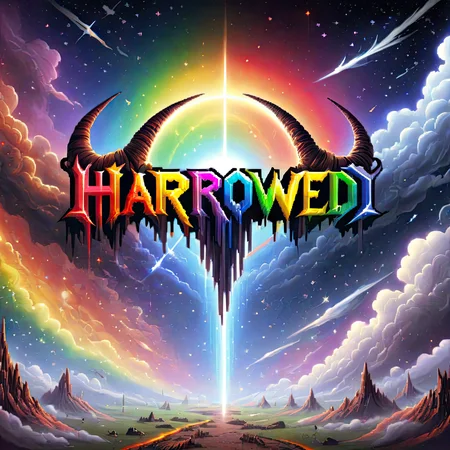
Harrlogos is an SDXL LoRA trained on my own art and graphic design work, unlocking the ability to generate custom text.
It does not require any control net, any img2img, or characters from fonts on the canvas.
All you need is the LoRA, and you're ready to go!
Versatile, Responsive, Powerful
The model comes with a plethora of styles, modifiers, and extra content built in, but that's only where it begins.
One of the greatest aspects of the model is how well and how seemlessly it works with almost any checkpoint, other LoRA, or even things like Stable Video Diffusion!
Using Harrlogos:
Harrlogos works with individual terms, separated by commas, in a specific order. You do not need all of these in every prompt, but this is the general format:
YOURTEXT text logo
Text Color: blue, teal, gold, rainbow, red, orange, white, cyan, purple, green, yellow, grey, silver, black
Accent Color
Background color
Style Modifiers: dripping, colorful, graffiti, tattoo, anime, pixel art, 8-bit, 16-bit, 32-bit, metal, metallic, spikey, stone, splattered, comic book, 80s, neon, 3D
Accent Modifiers: smoke, fire, flames, tentacles, hell, glow, horns, wings, halo, roots, embossed, blood, digital, ice, frozen, japanese, chrome, pastel, robotic, hearts, cute, egyptian, viking
Additional Content: cat, sword, owl, cat ears, cthulhu, sun, roses, clouds, space, stars, skeletons, demons, fog, trees, moon, skulls, bones, planet, earth, cherry blossom, pentagram, crosses, lightning, bolts, crown, circle, moth
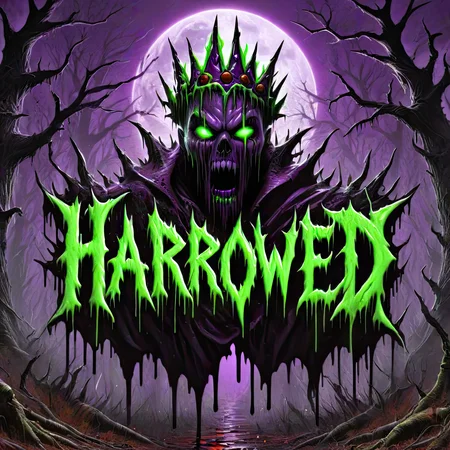
Example of a prompt with the resulting image:
HarroweD text logo, white, grey, red, spikey, splattered, dripping, blood, hell, crown

Helpful Tips/FAQ:
Harrlogos is trained on a 1024x1024 data set, so it works best at resolutions: 1024x1024, 1024x768, 768x1024, 768x768
You will not get the correct spelling of every word, every time. Some text may take multiple tries to get right
The model works best with single words, multiple words are very achievable but it may be more difficult
Try weighting the text in the prompt, ex: ("Harrowed":1.5) text logo, red, black....
There's two schools of thought in achieving the perfect Harrlogo - A. Brute force spam through seeds B. Find a good starting point and lock the seed in, then slightly asjust the other paramters up or down, which will create slight changes to the image.
With a fixed seed, raising or lowering the CFG, Steps, or even resolution will modify the image, potentially fixing things or correcting spelling.
In the negative prompt, consider things like: Double letters, repeating letters, malformed letters, and more than X letters. If your renders keep coming out with a specific double letter, also try putting that in the negatives.
This is a work in progress!
Description
Harrlogos v2.0 is here!
Activation words added:
3D, Neon, Egyptian, Pastel, Viking
FAQ
Comments (111)
I could not get this to work in any model. :( It works with certain words like "invasion" but not with other words like "zookeepers". I have about the same success rate without this Lora. Which is to say, not much.
Same for me
change the cfg start at 4 then incrementally go up to 10. worked in one of my use cases
It's not going to be perfect all the time, some text you will have to try a bit to get it perfect, but there's many things you can do to achieve that. One is, instead of rolling seed after seed, lock the seed in when you get something close to what you want, and adjust the parameters from there, as this often can "fix" an imperfect image. Raise/lower the CFG, steps, prompt, or some people have luck changing the resolution.
Instruction unclear, I've somehow created life and it hungers for flesh
Sounds to me like it's working as intended.
I am having trouble generating two words in once. Is there any suggestions for which model that the Lora works best with ?
It isn't as good as creating mulriple word images at this point, it's mostly trained to produce one word. That is certainly an aspect I'm working hard on improving.
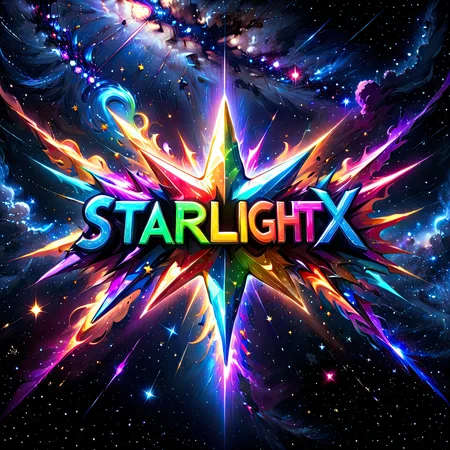
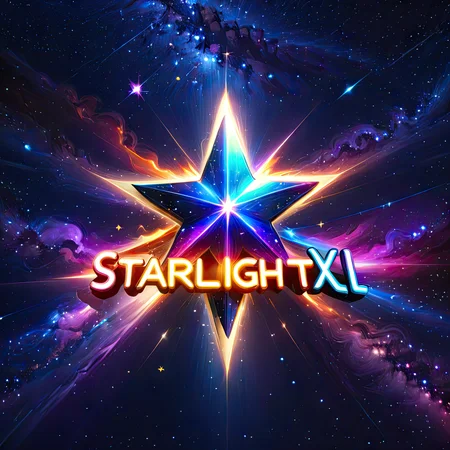
As far as which models to use with it, there's plenty! My favorite is Dynavision, but also there's StarlightXL, Wowv2, Fenris, Mohawk, and even LoRA's like Faeia's Ghost Style LoRA. Lots of the best combo's are still undiscovered i bet!
Try using the regional prompter extension for A1111 or the attention couple custom nodes for comfyui, and have different words for the prompts in each of the mask areas you want, I managed to get 4 legible words this way. Also it looks like some phrases work better than their components sometimes for some reason, I couldn't get the words "A Nap" to work, but "Take a nap" worked for me almost every time.
There`s a issue using numbers and letters
It's not a perfect science, certain text may take multiple seeds/tries, but as of v2.0 it is not trained to produce numbers, only text. Some people have figured out ways to produce them, so it is still possible.
Has anyone tried using this lora with a regional prompter to get text in different parts of the image/control where the text is in the image, or would inpainting be a better solution?
Regional prompter works really well: https://civitai.com/images/3433673 , https://civitai.com/images/3419503 , https://civitai.com/images/3420272
@Dever Thanks
bravo. all those shared look amazing. have to admit that its quite similar with ideogram and thats great. still no chance for 1.5, huh? btw any Cyrillic?
Yeah the user-submitted gallery is probably my favorite part of this, people do such awesome stuff.
I had never heard of ideogram, so I just went and tested it out. The front page seemed to indicate it could do text like my model's output, but when actually trying it, the output was abysmal. Sure, they can get the text in there with the right spelling and everything, but the images were at or below SD1.5 quality at least.
I do appreciate the info though.
Unfortunately this wouldn't work in 1.5. At least that I could figure out. My model needs SDXL's base ability for text to work.
No other languages at the moment, trying to get english as consistent as I can first, then probably numbers and multiple words, but once that's complete I am considering doing other language translations of it.
@HarroweD many thanks for such a broad reply
Fantastic work! Well done!
Thank you very much Reel!
I'm having some trouble creating text with double "E" in it. In my example, my nickname, "anoneemo". Getting very consistent: "anonemo, anoemo, annemo, ano-emo, anonemmo" and so on.
Can you please make the LoRA runnable on civitai?
Unfortunately with the way the sites licensing is set up I can't, but I've been talking with them about making changes that would allow me to. So hopefully I'll be able to soon!
@HarroweD I understand. Thank you for making the effort to make it happen.
@NoMansLand Happy to do it!
seems that text color not able, most of them comes white
Must be something wrong with your settings or prompt, as the rest of us have figured it out. What are you prompting it?
@DazMakeArt xx text logo,black. but batch4 comes 3 white word or even all white word
@manboro is that the whole prompt? if you look at the description of this model, you can see that you may provide quite a bit more context for the model to understand what you want. the less it has to guess the less chances it fills it with white or other unwanted aspects. give it a try :)
@eurotaku you right, but simple only word and color do create good image, just the color not so right. i mean balck color
@manboro The way that it's trained, the first color you put in the prompt should color the text, the second should color the accents, and the third will color the backround/everything else. It may switch what content gets what color from time to time, but usually it will work that way.
"HarroweD text logo, green, purple, black, ......"
The text should be green, with purple accents in the content, and a black background
@HarroweD other color should be ok, but black... i just try HarroweD text logo, black. and word color mainly white. should accent, bg color must be put in?
Super dupper nice LORA, worked perfectly fine for me dude!
Any plans to make this available for onsite generation now that civitai has added XL?
Working on that right now. There needs to be a change to the way the licensing works, but as soon as I can, I will!
@HarroweD im so hyped for it 😇💸
@HarroweD not sure if you know this or you have a problem with the license but you can allow onsite generation without changing other license conditions :)
@GetAiKOFi Unfortunately this is not the case, as the only way I can allow for on-site generation through CivitAI is if I also allow commercial use of the model as well, which I currently do not. I am working hard to get the model up for on-site generation anywhere that has licensing that allows me to! I will keep everyone posted as soon as anything changes.
@HarroweD just let us use it here 😭
I cant get the lora to show up on my stable diffusion.. All other loras show up except this one. Am I doing something wrong?
This LoRA only works with SDXL checkpoints. You likely have a SD 1.5 model selected, so it only shows you 1.5 LoRAs.
@HarroweD Ahh got it, thank you so much
@erikatakahashi You're welcome. I hope you enjoy the model!
When i use the stable-diffusion-webui interface tab for LoRA, he fills "<lora:Harrlogos_v1.1:1>" (v1.1 as you can see) in and it seems to work. When i use the original filename "<lora:Harrlogos_v2.0:1>" it doesn't work.
What did i oversee?
I'm guessing you use the updated a1111 webui. Have you checked under [settings/extra networks/When adding to prompt, refer to Lora by]. For me this fixed it. Some creators add metadata that changes the lora's name when called in promptbar. Which also causes lora's not to work when copying the prompt of the uploader. Hope this solves your issues!
How to use it on CivitAi? I cant find it.
Cause the creator doesn't allow for onsite generation right now, although he's working on it. If you don't have the computer to run it, there's multiple collabs or services that allow you to.
@DazMakeArt I only make prompts and images trough the website. I do not understand ecerything about AI offline. ( Not using Civitai )
I use to generate things when I'm in bed with my iPad Pro after I'm tired, or when I'm traveling by train (I move around a lot for my job), so the onsite generation offered by CivitAI is a godsend. It would be awesome to get the model be finally usable online for people like me! 🙏
@DazMakeArt which ones
all my loras are working but somehow this one isnt, its not showing up in the UI
Because this is a Lora XL. It's only going to show with an XL model loaded. If you can't run XL models then don't even bother. Wishing there was a non-XL version myself.
@lolatbannedfornothing138 If I could make it for 1.5 I would! Unfortunately the text capabilities are so weak that it just wouldn't work
@lolatbannedfornothing138 Thank you for explaining! Had no idea about XL Models.
How can I prompt to increase the size of the letters, so they are bigger? Thanks for an amazing Lora
"big text" "big logo" and alike added to the prompt might help, but, it's more or less luck of the draw.
Just wanted to give a thanks. Amazing LORA!! Totally makes SDXL commercially viable. You're a legend, thank you so much!!!!!
How to make long text?
Would be nice to be able to add symbols like @ or ! or to be more compatible with control nets
if only there was a SD 1.5 version of this....
If I could, I would! Unfortunately it just wouldn't work for 1.5, the SDXL base model gives me JUST enough text capability to work with.
@HarroweD ok
This seems to only work with well known words.
I can get a image with forks and 'fork' fine for example, but using someone with a not really common name or a phrase that's not well known and its impossible.
On one name I done a batch of 200 images, the best result was only 1 letter wrong..
annoying :(
There are a lot of techniques you can use to increase the chances/consistency of spelling. Try weighting the text in the prompt differently, or the LoRA itself. You can also either try bumping CFG, steps, or even resolution up and down, and if you land on a seed that's close, you can fix it on that seed before adjusting everything to "fix" it.
I know this is not a perfect science, and it is incredible difficult for me to increase the accuracy, which for just an SDXL LoRA, I'd say is not all that bad
Have you seen the gallery below that all of the generations are successful ? How possible that you cant get the desired word generated (even 1) in a 200 batch generation ? You should check you settings.. There must be a mistaken technique about your setup.
Trying some parameters, generated 1 in 5 batch. https://i.ibb.co/qxgxjCh/test1.png

I share your frustration. Overall, this Lora is very amazing, but sometimes it's incredibly infuriating. I have noticed that some words it hits better than others. Like even my name "Foxbite" hits maybe 6/10 times, but a friend of mine "Shroom", after like 200 generations, i never hit it 100% even once, even though "Shroom" is probably a more common word. It gave "SHAROM" / "SHOROM" like 150/200 times. I've done all the tricks like putting "SHAROM" in negative, increasing weights, locking seed and adjusting cfg/steps and all that jazz, but it just refused to make "SHROOM".
@HarroweD Ive tried all that sadly, I know its easy to assume users are being a bit silly or dont know what they doing when they have issues, and im FAR from an expert, but I would try all means before id make a post moaning, the lora is great and its fun to play around with, so kudos on your work of course!
Its just extremely hit or miss and miss more often then hit to be honest.
@simartem07 I literally said that some words are a very easy hit, I have plenty of pictures I could post below too that would make the LORA look like its a 100% hit rate to any spectators. But that would be cherry picking which I dont want to do when I have such trouble with alot of letter or word or phrase combos.
And no Im not doing anything wrong that I can see, the fact I can get some things to work so easily (i tested out the words in most of the pictures posted on this page to make sure i wasnt doing something wrong, and nearly all gave a good hit in a few seeds, so I then knew it was just a hugely random lora depending on the words)
And no offense but the picture you posted of LOKIPOKI to try prove a point is an awful picture, you can get the name to appear alright if you put the weight at like 2.0 and dont use a creative CFG at all, but then you might aswell go write the letters in MSpaint and it would be less ugly then the picture you posted. To try get it to look good, and still get a nice hit is where the work comes in.
Some words and phrases work fine and they look really cool and creative, others just Will Not Work, fullstop. Bar losing all creatively and style to force it very hard, which ruins the look, like the one you posted.
Which is very frustrating when trying various words and phrases (Ive noticed anything with repeating letters is the worst offender, even with careful use of negative prompts)
@LokiPoki1 I can understand your frustration about your case, but the image I posted was not about proving it is a masterpiece, but still acceptable when compared to have zero result in a 200 batch. 1/5 in a batch is still acceptable if you had a zero chance before. Most of the things in AI has now trying to develop and we used to be doing these things in 2d, 3d platforms Spending hours and days, before. if you believe for your case that unknown words can not be generated in this lora, why waste lots of time and energy for a 200 batch just use mspaint (that was your opinion that could generate better)if you believe you can still get a better result than a 2.0 weight prompt, it just would be more accurate, 1/5 is still a ℅20 success even if it can be classified ugly. I am not insisting on that, but even with a 2.0 weight prompt, with other dynamic parameters involved, we still will have endless combinations over each seed. For best results with the unknown words thing, xyz script would help a lot, with dynamic cfg, weight prompt and sampler related changes, even the model could be a dynamic parameter in this scenario. sorry for the cherry-pick result :-)
@HarroweD FFFFFFFIIING AWESOME!!!!!!!
I can get harrlogos to do fucking anything. I love this shit. 11/10, completely blew away my expectations. It makes good text and AMAZING logos
Just what I was looking for!
What is the best platform to run this on? I was running it on tensor.art , but its gone now. I have been doing stuff for work, and I need to get back to the results I was getting on tensor.
I am launching a platform soon that will allow for onsite generation with the model. It will be up/available within the next 2 weeks. Also, as you can see, the model is under a non-commercial license. My platform will offer commercial rights through the website, but if you want to use it for commercial purposes otherwise, you have to license it through me. Let me know if you'd like to!
@HarroweD if I can figure out how to make it more consistent I might be able to afford a license for it, but for now, its too random to actually use it for work. Right now I am only using it to make team art at work, not company based but more for "our team has a cooler logo than you" sorta stuff.
@r0adkill76 "I have been been using it for work"
"it's too random to use for work"
Have you seen the gallery? Looks like you just don't know how to use it lol
@AthenaShadow you may be right there, feel free to show me some good prompts for it. I am always up for learning from the masters, and I do not pretend to be anything other than a cheap knock off.
@r0adkill76 I'm not really sure how to help you there. The instructions on how to use it are clear as day in the lora description, and there's hundreds of examples in the gallery containing the metadata that you can literally copy and paste and just change the wording on lol
@AthenaShadow Maybe I am using a bad platform/checkpoint, what platform do you use?
@r0adkill76 I use it locally on Stable Diffusion A1111, HarroweD uses ComfyUI. Works great with both and the best results come from the Starlight checkpoint from my experience, though there are many others that it works with as well. You could try posting some of your prompts here and I can let you know what's wrong, as it's probably something to do with your prompt.
The model is now available for use on https://hartsy.ai, and with our discord bot!
Does this work with Pony Diffusion V6 XL? Can't tell if I'm just dumb or if it's not compatible.
PonyDiffusion works very differently, to the point where I'd say it's incompatible.
The recommended checkpoints are StarlightXL, PixelartXL, I've tested it and gotten amazing results with MixtapeXL, SonitusXL and Protovision
@DazMakeArt thanks for the reply. I had figured as much. I'll give those a go and see what I can make.
is there a way to force it to generate an app logo without text?
It's possible, I've seen people use the model to generate text-free images, but unfortunately I don't know of a good method to get the content from the model but not bring any text along with it. What I would suggest is trying to adjust the weights, either of the model itself or your prompt content.
It's an awesome lora for logos, best i've seen so far.
Some extra tips i can give:
- If the outputs generated are very similar, but has a difference of 1 letter (e.g i Redington instead of Reddington) put that as a negative. Really helped in my scenario.
- Some words have heavy influence on the image itself, e.g Jedi. Put things that seem out of context in negatives (e.g Lightsaber, Star Wars)
- When you find a great prompt, don't use the first good result. Stack up a massive queue of generations and go chill, come back and run through the results, (i often do 300-400 gens at a time) and come back to really awesome stuff.
This lora is really well trained compared to any other alternatives i've tried.
PLEEEEEEEEASE, make it avalaible on the website !
You can use the online generator at https://hartsy.ai
Or follow the link to our Discord and use our Discord Bot!
@HarroweD Thxs !
If it could generate Chinese, that would be great. I really hope the big shot can make a Chinese version
It struggles with the simple Roman alphabet sometimes, I think there's pretty much no hope for intricate Chinese characters until SD is more precise.
that seems to be the onl;y thing i can generate, jibberish...
Hello! Need good lora for Pony XL. Thanks!
Can you mix or merge LoRA's? I would love to see what happens if I merge this with my classicMovieposter LoRA.
Hello! Can you please tell me the size of the dataset? Is it possible to view it somewhere?
Love it! does this file go in the sd-webui-additional-netwrks being that its sdxl? or is it the lora webui-models, thnx
This is such an incredible model. You deserve a ton of credit. I would definitely contribute some $ if you would consider doing a version for PONY. I've tried it, and although it almost works, it doesn't get the prompted text. Regardless, keep up the great work.
Thank you, that really means a lot to me! Unfortunately I've taken a whack at training for pony, and I wasn't able to get any coherent results with it, it just does not like text whatsoever. I will definitely keep working on new models though, the latest is a Flux LoRA and is the best model I've ever made, so keep an eye out!
doesn't work please give proper instructions on how to use this model...
There's more than enough information provided to get results. Learn to read.
@ZUSIMO more talking about the fact that its impossible to print text using table diffusion, no methods work, unless ur skitzo
Is there a way to get an output without a text?
it never does any type of text on my side even if i try the same input the lora owner uses on he's image preview examples.
如何控制文字出现的位置
Hi!
Can I use your model for commercial purposes?
Could you provide a commercial license or clarify the terms for commercial use?
Thank you!
I kinda like it
But it really struggles with letter i, especially next to any letter that has a vertical line if it happens to be next to i (and I suppose l will have same problems).
Still thanks, I hope one of 1000 generations will get it!
Details
Files
Harrlogos_v2.0.safetensors
Mirrors
Harrlogos_v2.0.safetensors
Harrlogos_v2.0.safetensors
Harrlogos_v2.0.safetensors
Harrlogos_v2.0.safetensors
Harrlogos_v2.0.safetensors
Harrlogos_v2.0.safetensors
Harrlogos_v2.0.safetensors
Harrlogos_v2.0.safetensors
Harrlogos_v2.0.safetensors
Harrlogos_v2.safetensors
Harrlogos_v2.0.safetensors
Harrlogos_v2.0.safetensors
Harrlogos_v2.0.safetensors
Harrlogos_v2.0.safetensors
text-logo-50.safetensors
Harrlogos_v2.0 (2).safetensors
Harrlogos_v2.0.safetensors
Harrlogos_v2.0.safetensors
Harrlogos_v2.0.safetensors
Harrlogos_v2.0.safetensors
text-logo-50.safetensors
harrlogos-xl-finally-custom-text-generation-in-sd.safetensors
Harrlogos_v2.0.safetensors
Harrlogos_v2.0.safetensors
Harrlogos_v2.0.safetensors
Harrlogos_V20_XL_[HarroweD].safetensors
Available On (2 platforms)
Same model published on other platforms. May have additional downloads or version variants.