
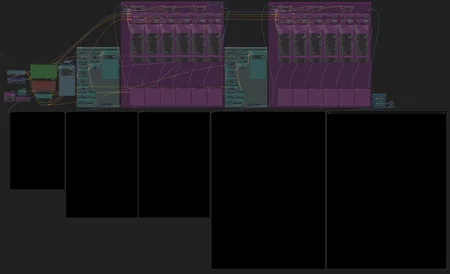



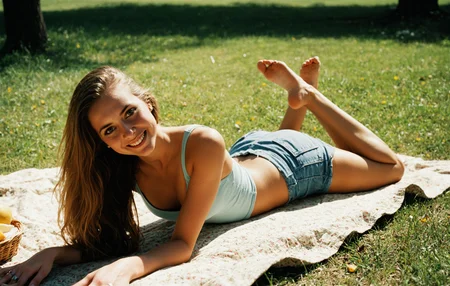

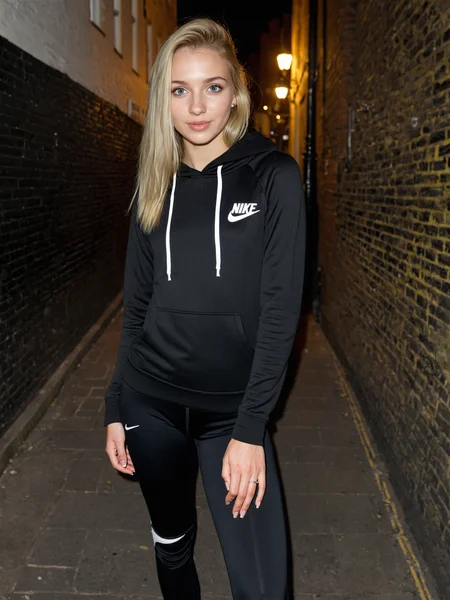

Here's a workflow for SDXL designed for creating highly detailed images in all styles, but primarily focused on female anatomy.
It's the result of my long hours of practice on ComfyUI, applying two upscaling passes intermixed with two detailer passes for various body parts. I tried to keep it as simple as possible, but it's a complex workflow that isn't necessarily easy for a new user to grasp.
Here's a list of the different models needed to use it:
Detection models (Folder also present in the archive provided with the workflow, put them in /models/ultralytics/bbox)
Xinsir Tiled Controlnet (rename it as "Xinsir_controlnet-tile-sdxl-1.0.safetensors")
Lora for Face detailer you can use your character's Lora instead of this one.
All nodes used should be able to be downloaded via the Manager but I have not tried with a fresh install, I will provide details if necessary.
You can change the aspect ratio for images of various formats, and a landscape true/false button is used to calculate tile sizes for upscaling.
I recommend a base image resolution between 1 and 1.2 megapixels, depending on your preferences, the output image will be 3x larger.
You can also mute/bypass the Grain filter at the end of the chain if you wish.
Leave a review or tip me if you wish, it will be greatly appreciated, I give you here all my experience and my know-how on ComfyUi in order to obtain the best possible images with SDXL.
I hope you have fun with it :)
Description
FAQ
Comments (18)
Hey, hoping to try soon but I'm getting: "SyntaxError: Unexpected non-whitespace character after JSON at position 4 (line 1 column 5)".
I believe I installed everything correctly and I'm on the latest version.
Unfortunately the latest version of Comfyui is completely broken, I recommend you go back to the previous one, I had to rollback and I am currently on 0.4.58
graam558 I rolled back and it works. Thanks! One more thing: the lora nodes are highlighted in red when I run a query (I suspect the names of the loras from the template don’t match mine downloaded from Civit); do you know where I can locate those specific hand, eye, etc. lora nodes and select the loras manually?
Or do you think it’s another issue?
For the detailers loras you just need to open the lora node via the point at the top left, and you can replace it with those of your choice of course, otherwise, you will find all the links to the loras that I used in the description on the workflow page.
graam558 Sorry I didn't see those collasped. Works perfectly, this is a fantastic workflow.
Due to recent ComfyUi updates the Resharpen node no longer works, so I removed this node from the workflow as it was not essential, if you want to update ComfyUi remember to remove Resharpen from your list of custom nodes. Have fun ;)
Thanks for sharing your workflow buddy!
Having issues with TiledDiffusion ,FastUnsharpSharpen and FastFilmGrain. It shows that im missing nodes, I click on open manager and they dont show up in the "missing" tab
This is strange, have you updated ComfyUI, all the nodes and restart UI ?
graam558 Yes, I will try to clone manually the missing nodes. But no success so far, might reinstall Comfy
Bucchioni I'm on the standalone version of ComfyUI and everything is up to date, I was also thinking about a possible conflict with other nodes, I hope you manage to solve your problem
Same here.
graam558 I've tryed the Standalone portable version, and I think its working now, tyvm! Now its time to replace my 4060Ti with only 8GB VRAM
Bucchioni erf yes 8GB is not enough but i'll publish a low end GC version if you need, it's a bit experimental. But i'm happy you resolve your pb anyway :)
10/10 workflow but no lora loader for likeness etc?
@waltuh_07 Thanks for your feedback, I preferred not to put any because everyone has their own preferences when it comes to loaders and the results are not necessarily good with tiled diffusion upscale, everyone is free to experiment but I would only recommend using loras on the first sampler depending on the type of lora used
Hey, it looks like a really great workflow that is generating realistic results. But after putting all models in iam always getting the error:
"FaceDetailer 'DifferentialDiffusion' object has no attribute 'apply'"
Any idea?
EDIT: Found the fix:
https://github.com/ltdrdata/ComfyUI-Impact-Pack/issues/1113
Can confirm that it works now!
Hole workflow generation to the final picture takes about 184sec on my 5070TI. Awesome workflow! Thanks for that. :)
Thank you very much for the solution. The results are even better using the parameter values from @MrSmith2025's examples.
However, it's better to replace the two eye detail blocks (as well as other paired elements) with the SEGS detailer, as is done in the latest versions of the @Gladas workflow.