









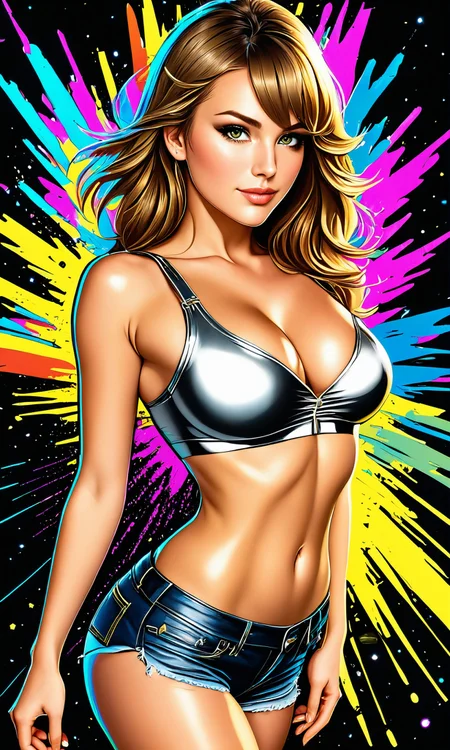



- You can DOWNLOAD this model as digital product or with Membership.
- This model is part of February 2025 models collection for AIxFun eStudio members.
- More cool models.
ℹ️ Babes XL 3.0 was trained with 43,000 images, with the same dataset from 💝 Babes 3.
ℹ️ Babes 1.1 - "basety style", Babes 2 - "abbe bi style", Sassy Girls - "sassy style", Midjourney - "midjourney style".
ℹ️ Cartoon styles:
othalama style, ronidu style, seviechan style, samdoesart style, thepit style, owler style, cherrmous style, arosen style, uodenim style, stanleylau style, amime styleℹ️ Recommended tags in the negative prompt: nose stud, piercing
ℹ️ Misc trigger words: wild nature, suicidegirl, interior design, digital art
ℹ️ Photography styles:
aleksei gilev style, andrew vasiliev style, elenok ella style, ivan kovalev style, jack metthey style, jiri tulach style, komrant style, marie dashkova style, mewel style, olga boyko styleHow it works?
Choose Product or Subscribe:
Get this model via a Ko-fi product, or
Join the appropriate membership tier:
Model released during current month: Current Month Content
If model released in previous months: All Months Content
You will be prompted to link your Hugging Face and Ko-fi emails.
Hugging Face access is checked by email, which might be different from your Ko-fi email. You will receive a link from Ko-fi to add the email and continue.Request Access on Hugging Face:
After you acquired product or subscription, you’ll receive a link to a gated Hugging Face repository.Click "Request Access".
Your access will be approved automatically within a minute.
Download & Use:
You can then download and use the model under the license provided in the repository (LICENSE.md).
Why I Created My Own Access Control
I have been a creator on Civitai since December 2022. My goal has always been to help make model training, design, and development a sustainable, professional activity, not only for myself, but for other creators too. Supporting people who want to create models professionally is good for users, for creators, for the entire community, including Civitai itself.
Civitai has shared some of this vision and has tried to create ways to support creators. Unfortunately, their current Creators Program has serious problems:
Civitai was deplatformed by payment processors and operates at a loss.
The current compensation model pays creators mainly for model usage in the generator.
Early Access limits paid access to only 15 days, after which models must be free.
Buzz extraction value has dropped to ~45% of its original worth, making withdrawals basically a 55% fee.
Bugs and creator feedback are ignored for months, and several team members who used to listen have left.
I believe this system is unfair, harmful, and exploitative. Creators should be able to:
Sell models without arbitrary time limits.
Pay a fair platform fee of 15% or less.
Civitai briefly tested a much better system called Clubs in early 2024, which worked well for creators, but it was canceled after backlash from a loud minority that opposed fair creator compensation. I have long hoped Civitai would fix these issues, as I’ve suggested in my articles:
But nothing has changed. Bugs remain unresolved, feedback is ignored, and I’ve lost optimism about Civitai’s willingness to improve.
That’s why I’ve decided to experiment with my own alternative access control system, a fairer way to share models with users who value my work.
Description
ℹ️ Babes XL 3.0 was trained with 43,000 images, with the same dataset from 💝 Babes 3.
ℹ️ Babes 1.1 - "basety style", Babes 2 - "abbe bi style", Sassy Girls - "sassy style", Midjourney - "midjourney style".
ℹ️ Cartoon styles:
othalama style, ronidu style, seviechan style, samdoesart style, thepit style, owler style, cherrmous style, arosen style, uodenim style, stanleylau style, anime styleℹ️ Recommended tags in the negative prompt: nose stud, piercing
ℹ️ Misc trigger words: wild nature, suicidegirl, interior design, digital art
ℹ️ Photography styles:
aleksei gilev style, andrew vasiliev style, elenok ella style, ivan kovalev style, jack metthey style, jiri tulach style, komrant style, marie dashkova style, mewel style, olga boyko styleFAQ
Comments (25)
How is this with rear view photos? When I tried this before it struggled with them
Yeah, it wasn't that good with the back side in my attempts either, Babes 3 is much better with that.
I will try to improve it in the next version.
Add onsite generation please 🫥
6,49 GB! How would that work?
@scarabthesecond747
This is XL model, they usually 6GB - and Civitai doesn't allow me to add it to image generator due to limitations.
I'm giving Civitai generation service another chance. Hopefully, users will try to understand how to use SD before reviewing models.
Thanks Alex. I think you’ll have better luck with XL on site. It’s generally better without the need for HiRes fix etc. if things aren’t working out, let us know 👍
@JustMaier
Images generated with the Civitai generator are missing resources and hashes in the PNG info.
So it's hard to know if any particular image was really using the resource it was published to, and which other resources were used.
I think that it might create a lot of confusion.
I'm loving the Babes XL 3.0 model, however I have run into some unusual issues when trying to inpaint faces with this model. Usually its subtle but sometimes it can be very dramatic (especially when inpainting on images not originally created with this mode). But this model seems to do a rather poor job matching the skin tone of the original image when inpainting. An extreme example can be seen here: https://civitai.com/posts/1123122 where I inpaint the face on a photo downloaded from a stock images site. You can very clearly see the edge of where the mask was drawn. I expect this to some degree with high denoising strength settings, but this one was done with only 0.5 denoising. Most other SDXL based models I've tried do a much better job with this. At 0.5 strength the mask edge is usually only really visible if you zoom in and look closely.
I guess that Babes XL 3.0 training causes it to behave a little bit differently from other XL models.
Unfortunately, Inpainting is not something that I can support.
In my opinion, you can find workarounds that would allow you to use Babes XL 3.0 with inpainting.
You can try using lower denoising, and possibly use layers blending and transparency, and other Photoshop magic.
In your example, you could have inpainted all the skin and it would have looked fine, in my opinion.
There is something particular that you are trying to do?
@alexds9 Not really trying to do anything specific other than add detail to faces ( and sometimes tweak things like eye color) on images I generate. I've tried using lower denoising and that does help when the effect is subtle, but in cases like the example where the difference is dramatic at this point, the best thing I can do is just use a different model. I was just wondering if you knew why this was happening. I didn't have this issue with Babes 2.0 either. Just this model for some reason.
@jesse244
I probably don't understand enough the problem, to speculate about the cause.
You are welcome to my Discord server - link in the description.
You can show more examples there, maybe I will be able to diagnose the issue after some time.
@alexds9 your models are awesome! would you be ok to share your training configs? they can be very helpful to others who are trying to learn.
You can contact me via my Discord server for extra info.
how load this model in mac apple silicon due to bf16 type?
You can run fp16 models but not bf16 models?
@alexds9 m2 chip on macOS doesn't support bf16 cause doesn't support on MPS yet. so I can't use bf16 models. I couldn't find any solution!
@nmsp
I had no idea there was such a problem.
I've already converted the model to fp16, now checking it, and will upload it, so it should be online very soon.
I don't see a way to verify that it indeed converted properly to fp16, I'll need to hear from you that it's working for you.
@nmsp
The fp16 version is online now, please let me know that it's working for you.
@alexds9 thank you, I will try it
@alexds9 It's work like a charm, thank you. I will post some generated images.
@nmsp
Great, thank you for letting me know.
I can't find a tool to check the type of the model for other models.
@alexds9 what do you mean?
@nmsp
I mean, I can't find any extension for Automatic 1111, so I can use it to check the model variable's type: bf16 or fp16. I'm not sure what my other models are using bf16 or fp16.