

















🚀 FLUX.2 [klein] 4B AIO | Sub-Second Image Generation
Ultra-Fast • 4-6 Steps • Text-to-Image + Image Editing • All-in-One • Apache 2.0
✨ What is FLUX.2 [klein] 4B AIO?
FLUX.2 [klein] 4B AIO is an All-in-One repackage of Black Forest Labs' newest compact image generation model. This version includes VAE, Text Encoder (Qwen3) and UNet in a single file – just load and go!
"Klein" means "small" in German – but this model is anything but limited. It delivers exceptional performance in Text-to-Image, Image Editing and Multi-Reference Generation, typically reserved for much larger models.
🔄 UPDATE
⚡ Flux2-klein-4B-AIO-NVFP4
Fast generation with blackwell in just a few seconds — even at 4 steps, and scales nicely with more steps 🚀
🕒 Performance
Prompt executed in 2.08 seconds
██████████████ 4 / 4 steps
~2.65 it/s
✅ Extremely fast
✅ Stable
✅ Great quality for a distilled setup
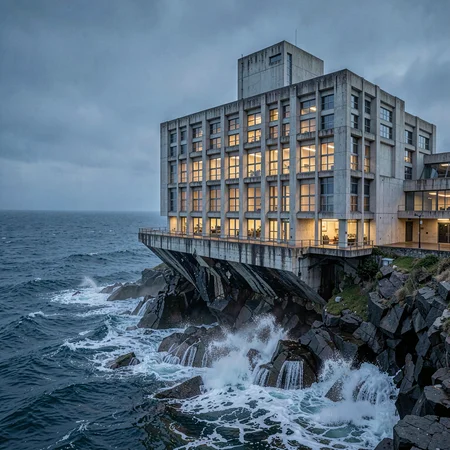
🖼️ Example Generation
Prompt:
Anime, powerful anime illustration with vibrant dark fantasy colors, one adult woman inspired by Jouryuu, tall imposing presence, long hair flowing dramatically, intense anime eyes, wearing an ornate battle-inspired dress referencing official visuals, heavy fabric and strong silhouette, standing confidently in a ruined temple environment, low-angle camera enhancing dominance, dramatic backlighting with red and violet tones, strong shadows, intense cel-shading, bold anime lineart, intimidating yet elegant presence, correct anatomy, no text, no watermark.
💡 This setup is optimized for speed, making it ideal for quick iterations, testing ideas, or just having fun generating without long wait times.
Have fun generating — and as always, thanks for all the feedback and support 🙌✨
📦 Available Versions
🟡 FP8-AIO (~7.7 GB) – Recommended for most users
Precision: FP8
UNet: FP8
Text Encoder: FP8
VAE: BF16
Best for: Most users, quick tests, everyday use, lowest VRAM
🔵 FP16-AIO (~15 GB) – For older GPUs
Precision: FP16
UNet: FP16
Text Encoder: FP16
VAE: BF16
Best for: Older GPUs (GTX 10xx, RTX 20xx), broadest compatibility
🟢 BF16-AIO (~15 GB) – Maximum quality
Precision: BF16
UNet: BF16
Text Encoder: BF16
VAE: BF16
Best for: RTX 30xx/40xx/50xx, professional/commercial work
🔴 NVFP4-AIO (~5.7 GB) – Maximum speed ⚡
Precision: NVFP4
UNet: NVFP4
Text Encoder: FP4-mix
VAE: BF16
Best for: RTX 50xx only, ultra-fast generations, Blackwell GPUs, low VRAM + extreme performance
🎯 Key Features
⚡ 4-6 Step Generation – Sub-second inference on modern hardware
📦 All-in-One – No separate VAE/Text Encoder download needed
🎨 Unified Architecture – T2I, I2I Editing & Multi-Reference in one model
📐 1024×1024 native – Optimized for this resolution
💾 Low VRAM – Runs on consumer GPUs with ease
📜 Apache 2.0 – Fully open for commercial use!
🔧 LoRA-compatible – Base version ideal for fine-tuning
⚙️ Recommended Settings
Steps: 4-6 (step-distilled, more steps ≠ better)
CFG: 1.0 ⚠️ CRITICAL!
Sampler: euler
Scheduler: simple (or "normal")
Resolution: 1024×1024 (native)
⚠️ CRITICAL: CFG Must Be 1.0!
This is a distilled model optimized for CFG 1.0. Higher CFG values will produce worse results!
✅ CFG 1.0 = Correct
❌ CFG 3.5+ = Wrong, will look bad
Additional Notes
4-6 Steps are optimal! The model was step-distilled for fast inference
No negative prompts needed – works but not required
Natural language prompts – Just describe what you want to see
📥 Installation (ComfyUI)
Quick Start
Download your preferred version (FP8/FP16/BF16)
Place in
ComfyUI/models/checkpoints/Load with the "Load Checkpoint" node
Generate!
Folder Structure
ComfyUI/
└── models/
    └── checkpoints/
        └── flux-2-klein-4b-bf16-aio.safetensors  (or fp16/fp8)
🎨 Example Prompts
Photorealistic
A professional photograph of a barista making latte art in a cozy
coffee shop, morning light streaming through windows, shallow depth
of field, shot on Sony A7III
Digital Art
A majestic dragon perched on a crystal mountain peak, aurora borealis
in the background, fantasy digital painting, highly detailed scales,
dramatic lighting
Product Photography
Minimalist product photo of a luxury perfume bottle on white marble,
studio lighting, reflection, commercial photography
💻 Capabilities
✅ What FLUX.2 [klein] 4B can do:
Text-to-Image (T2I) – High-quality image generation from text
Image-to-Image (I2I) – Single-reference editing
Multi-Reference – Multiple input images for controlled transformations
Text Rendering – Improved text rendering in images
Photorealistic – Professional photo quality
Artistic Styles – Diverse artistic styles
⚠️ Limitations:
Optimized for 1024×1024 (other resolutions possible but not optimal)
4B model – less detail than larger models for complex scenes
Distilled version – less output diversity than base models
🔧 Technical Details
Parameters: 4 Billion
Architecture: Rectified Flow Transformer
Text Encoder: Qwen3-based
Inference Steps: 4-6 (step-distilled)
Native Resolution: 1024×1024
Precision: BF16 / FP16 / FP8
License: Apache 2.0
🆚 Comparison: 4B vs 9B
FLUX.2 [klein] 4B
Parameters: 4B
VRAM: ~8-13 GB
GPU: RTX 3090/4070+
Quality: Very Good
License: Apache 2.0 ✅
Commercial Use: Yes!
FLUX.2 [klein] 9B
Parameters: 9B
VRAM: ~29 GB
GPU: RTX 4090+
Quality: Excellent
License: Non-Commercial ❌
Commercial Use: No
→ 4B is perfect for: Consumer hardware, commercial projects, fast iterations
❓ FAQ
Q: Do I need separate VAE/Text Encoder files?
No! AIO = All-in-One. Everything is included in a single file.
Q: Can I use this for commercial projects?
Yes! The 4B version is licensed under Apache 2.0.
Q: Why only 4-6 steps?
The model was step-distilled. More steps won't improve quality.
Q: Why must CFG be 1.0?
This is a distilled model optimized for CFG 1.0. Higher values will degrade output quality.
Q: FP8 vs BF16 – What's the difference?
FP8 is smaller and faster, BF16 has slightly better quality. For most applications FP8 is sufficient.
Q: Does this work with LoRAs?
Yes! Especially the Base version (non-distilled) is ideal for LoRA training.
Q: What's the difference to the 9B version?
9B has better quality but is non-commercial only. 4B is Apache 2.0!
🐛 Troubleshooting
Images look "washed out" or oversaturated
Check CFG – must be 1.0 for distilled model!
Use 4-6 steps
Poor text rendering
Be more specific in your prompt
Use simple, short text
Place text requirements at the beginning of the prompt
Colors look off
Try BF16 version instead of FP8
Ensure your monitor is properly calibrated
🙏 Credits
Original Model: Black Forest Labs Architecture: Rectified Flow Transformer Text Encoder: Qwen3 AIO Repackage: SeeSee21
Official Links:
📋 Changelog
v1.1 – January 2026 ⚡
🆕 Added NVFP4 AIO variant (RTX 50xx / Blackwell)
⚡ Ultra-fast inference (optimized for 4 steps)
🧠 Extremely low VRAM usage
🎯 Designed for maximum speed while keeping good image quality
v1.0 (January 2026)
Initial Release
BF16, FP16 and FP8 versions
All-in-One with VAE + Text Encoder + UNet
License: Apache 2.0 – Free for personal AND commercial use! 🎉
The fastest open-source image generation model for ComfyUI! ⚡
Download and start creating! 🚀
Description
FAQ
Comments (65)
I am using the FP8 AIO model and I keep getting the following error:
CLIPTextEncode
ERROR: clip input is invalid: None
If the clip is from a checkpoint loader node your checkpoint does not contain a valid clip or text encoder model.
I have updated Comfy UI to latest version 0.10.0 if that matters. Any idea how to solve this?
Thanks for your feedback, I will investigate the error.
I don't experience the error, but there must be a reason why it doesn't recognize the text encoder for you.
I connected an external CLIP and it worked.
same issue here, requestign a clip
I also tested FP16, and it gave the same error.
Thanks for all the info! I unfortunately can only get to testing this tonight. I’ll redownload ComfyUI without any custom nodes and try to reproduce the error. I suspect that the script I wrote isn’t setting the right parameters for ComfyUI to recognize the text encoder in the AIO version—I just don’t understand why it worked in my ComfyUI version.
Anyway, I apologize for the inconvenience and will try to fix the problem. In the meantime, I’ll delete the version from Civitai and re-upload it once the issue is resolved.
UPDATE 2:
After extensive debugging, I found the root cause of the issue - and it's NOT the model files!
The Problem:
The AIO models are correctly formatted. The issue is that ComfyUI's Flux2 class has the clip_target() method
returning None (marked as "TODO" in the code). This means ComfyUI currently does NOT support loading text encoders
from Flux2 AIO checkpoints - regardless of how the model is formatted.
When you load a Flux2 AIO checkpoint:
- ✅ UNET loads correctly
- ✅ VAE loads correctly
- ❌ Text Encoder is completely ignored (because of the missing implementation)
This is a ComfyUI limitation, not a model issue.
The relevant code in comfy/supported_models.py (line ~772):
```python
class Flux2(Flux):
def clip_target(self, state_dict={}):
return None # TODO ← This is the problem
Workaround (until ComfyUI fixes this):
You need to modify ComfyUI/comfy/supported_models.py and replace the clip_target() method in the Flux2 class. I've
submitted a GitHub issue with the fix:
👉 https://github.com/Comfy-Org/ComfyUI/issues/12032
Once ComfyUI implements this, the AIO models will work out of the box with the standard "Load Checkpoint" node.
I'll re-upload the models once this is resolved or provide a detailed guide on how to apply the fix manually. Sorry
for the confusion - I didn't realize my local ComfyUI had this method already implemented! because I wanted to create the AIO versions with comfyui first
UPDATE:
Thanks again for all the feedback! I wanted to give an update regarding the issue some of you have reported. When using the FP8/FP16 AIO model, some users ran into a CLIPTextEncode error, saying the clip input was invalid or the text encoder couldn’t be recognized.
I’ve realized that this might be caused by the script I wrote, which probably doesn’t set the right parameters for ComfyUI’s AIO version. I’m not entirely sure why it worked on my version, but to avoid confusion for everyone, I’ve deleted the current upload on Civitai.
I’ll redownload ComfyUI without any custom nodes tonight and try to reproduce and fix the problem. Once everything is working correctly, I’ll re-upload the model. Thanks for your patience!
tnx
No problem anymore, simply update to version v0.11.....
So, I'm now at the PC and will start troubleshooting.
For testing, I'm using a new ComfyUI version that I'm currently downloading:
Okay, I was able to reproduce the error!!!
error found
UPDATE 2:
After extensive debugging, I found the root cause of the issue - and it's NOT the model files!
The Problem:
The AIO models are correctly formatted. The issue is that ComfyUI's Flux2 class has the clip_target() method
returning None (marked as "TODO" in the code). This means ComfyUI currently does NOT support loading text encoders
from Flux2 AIO checkpoints - regardless of how the model is formatted.
When you load a Flux2 AIO checkpoint:
- ✅ UNET loads correctly
- ✅ VAE loads correctly
- ❌ Text Encoder is completely ignored (because of the missing implementation)
This is a ComfyUI limitation, not a model issue.
The relevant code in comfy/supported_models.py (line ~772):
```python
class Flux2(Flux):
def clip_target(self, state_dict={}):
return None # TODO ← This is the problem
Workaround (until ComfyUI fixes this):
You need to modify ComfyUI/comfy/supported_models.py and replace the clip_target() method in the Flux2 class. I've
submitted a GitHub issue with the fix:
👉 https://github.com/Comfy-Org/ComfyUI/issues/12032
Once ComfyUI implements this, the AIO models will work out of the box with the standard "Load Checkpoint" node.
I'll re-upload the models once this is resolved or provide a detailed guide on how to apply the fix manually. Sorry
for the confusion - I didn't realize my local ComfyUI had this method already implemented! because I wanted to create the AIO versions with comfyui first
No problem anymore, simply update to version v0.11.....
Something wrong with Civit? No files avaliable o_O
UPDATE:
Thanks again for all the feedback! I wanted to give an update regarding the issue some of you have reported. When using the FP8/FP16 AIO model, some users ran into a CLIPTextEncode error, saying the clip input was invalid or the text encoder couldn’t be recognized.
I’ve realized that this might be caused by the script I wrote, which probably doesn’t set the right parameters for ComfyUI’s AIO version. I’m not entirely sure why it worked on my version, but to avoid confusion for everyone, I’ve deleted the current upload on Civitai.
I’ll redownload ComfyUI without any custom nodes tonight and try to reproduce and fix the problem. Once everything is working correctly, I’ll re-upload the model. Thanks for your patience!
So, I'm now at the PC and will start troubleshooting.
For testing, I'm using a new ComfyUI version that I'm currently downloading:
UPDATE 2:
After extensive debugging, I found the root cause of the issue - and it's NOT the model files!
The Problem:
The AIO models are correctly formatted. The issue is that ComfyUI's Flux2 class has the clip_target() method
returning None (marked as "TODO" in the code). This means ComfyUI currently does NOT support loading text encoders
from Flux2 AIO checkpoints - regardless of how the model is formatted.
When you load a Flux2 AIO checkpoint:
- ✅ UNET loads correctly
- ✅ VAE loads correctly
- ❌ Text Encoder is completely ignored (because of the missing implementation)
This is a ComfyUI limitation, not a model issue.
The relevant code in comfy/supported_models.py (line ~772):
```python
class Flux2(Flux):
def clip_target(self, state_dict={}):
return None # TODO ← This is the problem
Workaround (until ComfyUI fixes this):
You need to modify ComfyUI/comfy/supported_models.py and replace the clip_target() method in the Flux2 class. I've
submitted a GitHub issue with the fix:
👉 https://github.com/Comfy-Org/ComfyUI/issues/12032
Once ComfyUI implements this, the AIO models will work out of the box with the standard "Load Checkpoint" node.
I'll re-upload the models once this is resolved or provide a detailed guide on how to apply the fix manually. Sorry
for the confusion - I didn't realize my local ComfyUI had this method already implemented! because I wanted to create the AIO versions with comfyui first
Thank you. I modified the file according to your recommendations, and everything worked perfectly.
You're a monster (in most good meaning), in way how you're doing all of this research! Even if I'm not a programmer, such things are very interesting to read, how people are creating things, how they are encountering problems, how they are solving them... It's very impressing!
I just want to say a big thank you to @bukinwow863 and @Renesi for your kind comments — they honestly made my day.
I’m really happy to hear that the recommendations worked for you, and I truly appreciate the positive feedback and encouragement. Reading comments like these is incredibly motivating and makes all the debugging, testing, and research absolutely worth it.
Thanks to everyone who took the time to test things, give feedback, and share their thoughts. This kind of exchange is exactly what makes the community awesome.
Have fun generating — and may the AI be with you 😊
No problem anymore, simply update to version v0.11.....
UPDATE 3:
There are currently three ways to use the AIO version. It turns out that the files themselves are completely fine — the actual issue is that ComfyUI does not recognize the text encoder in certain versions.
Fix 1: Follow the instructions from UPDATE 2.Fix 2: Update ComfyUI to the newer beta version from 2026-01-22, where this issue has already been fixed.
Fix 3: Wait for the next stable ComfyUI release after v0.10.0, which should also include this fix.
Thanks again to everyone for the great feedback. I apologize for any inconvenience this may have caused, and I hope you still have lots of fun generating.
May the AI be with you 😊
No problem anymore, simply update to version v0.11.....
A compact, versatile model. Excellent work. It looks like this will be my main model for the Klein 4B.
Thank you, I really appreciate that! Glad to hear it works well for you and that it fits nicely as a main model for Klein 4B. Have fun using it 🙂
am i missing something? i keep getting this error RuntimeError: mat1 and mat2 shapes cannot be multiplied (8192x64 and 128x3072)
Im using Forge do i need Forge neo or something? i have all the vae stuff set correctly and i have it set to Flux?
I'll try the fp8 model as i only have 8gb of vram and most likely my issue i guess
Thanks for your feedback! I think the “mat1 and mat2” error is most likely caused by a missing update on your side. At the moment, I can’t find a version that properly supports Flux2.klein, so I believe switching to ComfyUI would be the best option for now.
@SeeSeeLP thanks for reply, comfy ui is always a nightmare for me, nodes stop working frequently or other issues. ill have to figure out how to even load this into comfy
@beyondcashed282 No worries — ComfyUI can definitely be frustrating at first 😅
Here’s a simple way to get started and avoid most common issues:
1. Download ComfyUI (portable, NVIDIA)
I recommend using v0.10.0. Pick the version that matches your CUDA setup:
ComfyUI_windows_portable_nvidia.7z (default)
or cu126 / cu128 if you know your CUDA version
Download it, extract the archive, then go into the update folder and run:
update_comfyui.bat (run it once)
2. Install ComfyUI Manager (very important)
This makes handling nodes much easier.
Install Git (standalone) and keep the default Windows console option
Use Method 2 (for portable version) from ComfyUI-Manager
Download install-manager-for-portable-version.bat
Put it into the ComfyUI_windows_portable folder
Double-click it to install
3. Install the model
Download my model and place it here:
4. Start ComfyUI and load my workflow
Open ComfyUI, load the workflow from the Civitai page, and let ComfyUI Manager install missing nodes automatically.
If you get an error related to a “Save Image with Metadata” node, just remove it and replace it with a normal Save Image node — that’s totally fine.
That should get you up and running. Once it works once, it usually becomes much less painful 😄
Good luck, and happy generating — may the AI be with you ✨
I'll add that I'm using the fb16 model in ComfyUI on the following hardware:
Total VRAM 5806 MB, Total RAM 31486 MB
pytorch version: 2.10.0+cu130
xformers version: 0.0.34
Enabled fp16 accumulation.
Device: cuda:0 NVIDIA GeForce RTX 3060 Laptop GPU: native
Linux, Manjaro
Any chance of a 9B AIO?
@MiddlingMaker
At the moment, probably not — mainly because of licensing.
The 9B model is under the FLUX Non-Commercial License, and releasing an AIO would count as a derivative work.
On platforms like Civitai, creators can receive Buzz, which can later be converted into real money. That already falls into a commercial benefit, even if the model itself is free.
Because of that, I’d rather stay on the safe side and only release AIO versions for models with permissive licenses (like Apache 2.0).
If the 9B model ever gets a more permissive license or explicit permission for redistribution in this form, I’d be happy to reconsider 🙂
@SeeSeeLP No worries, thanks for the excellent workflow! I'm using your workflow, with 9B and a turbo LORA and getting great results at 20-25 steps
@MiddlingMaker Thanks for the info, I'll take a look at it
- All sampler/scheduler mixes work, as with flux.
- I didn't know that 9b was in
License: Non-Commercial ❌
Commercial Use: No
- I'll get some information because All my images are in 9b.
- as checkpoint 9b AIO is not present on CIVITAI... I have put everything here 😧.
@OleaSTeR
No worries 🙂
Using the 9B model itself is totally fine as long as you’re not making money with the results.
The Non-Commercial license mainly restricts redistribution and monetization, not personal or hobby use.
So generating images, testing samplers/schedulers, and posting results is okay — as long as it’s non-commercial.
The reason there is no 9B AIO checkpoint on Civitai is simply licensing.
Uploading an AIO would count as redistribution, and on Civitai that can indirectly become commercial because of Buzz → payout.
So your setup and images are fine 👍
I just can’t officially provide a 9B AIO here.
@SeeSeeLP
On TensorArt, Model 9B AIO has been free since its release. They don't mention anything about licenses. I don't know who's right !!!
@OleaSTeR when you phrase it like that... it is extremely interesting because what imagery was used to make these models? in house artist making 10,000 images using what?
notice they never show even a cross section of training data?? maybe they explain somewhere what was used
-- what we do know is how they made the first ones, and that was using a ton of art that they did not have permission for
-- so did they change this? lol (((show us the ingredients))) lol
@mystifying
But THEY... they don't need “authorization”...
Everyone and everything was stolen by them for the first models.
For the training data, they only start looking at what's in it, for cleaning purposes... and they find lots of pedophile stuff, for example 😡.who were then used to train their model
!!! .
@OleaSTeR uughhhhhhhh omg
🔄 UPDATE
⚡ Flux2-klein-4B-AIO-NVFP4
Fast generation with blackwell in just a few seconds — even at 4 steps, and scales nicely with more steps 🚀
🕒 Performance
Prompt executed in 2.08 seconds
██████████████ 4 / 4 steps
~2.65 it/s
✅ Extremely fast
✅ Stable
✅ Great quality for a distilled setup
Absolutely love this model, such a great fit for my Flux.2 Klein workflow.. I added this in my workflow's "Suggested Resources" section.. and you got 200 buzz from me.. keep up the good work!
OMG i love this!My 4060 8G could run it fast,the picture generation is crazy and keep the high quality.By the way the qwen3 supports Chinese input is very friendly and convince for me.
unreviewed model?
how can I generate NSFW images with it?
1. Get an unsensored text encoder, 2. Find NSFW Lora's for the 4B model, although there arnt on here so 3. use refrence images of NSFW poses so Flux will tranfer that pose.
@elevendr So text encoders are censored now? Damn, where do we find uncensored? Thnkxxx
@forum2233726 Huggingface of course
Also, you may need a anatomy fixer LoRA foe this model as I here's the Klein models are a bit mid at anatomy.
Helped me to create this cool video!
I may be stupid, but there is a problem: I downloaded the model, threw it in webu forge, selected it for generation, and it gives an error.-AssertionError: You do not have T5 state dict!
No, absolutely not. Your question is perfectly valid. While I'm not very familiar with Webu Forge and all its sub-versions, I would venture to say, without knowing your software version, that Webu Forge doesn't support the AIO version of Flux 2 Klein. The developers simply haven't programmed that functionality into their versions.
@SeeSeeLP Why does this version work: fluxFusionV24StepsGGUFNF4_V2NF4AIO. downloaded the encoder:t5xxl-unchained-f8.safetensors, error again-Error(s) in loading state_dict for IntegratedT5: size mismatch for transformer.shared.weight: copying a param with shape torch.Size([69328, 4096]) from checkpoint, the shape in current model is torch.Size([32128, 4096]).
Low-ram setups benefit from loading the TE, generating the embed (15MB) then unloading the TE before loading the DiT.
Somehow the OOP kids haven't grasped this yet because their minds have been corrupted by not learning how computers actually execute programs.
I try to help heal the world of this, but I'm not winning.
It remains beyond me, bigger model = better kitties. So how do u get bigger model? Meh, brain cell need to remain dormant, spend more money on gpu.
Thanks for the explanation. I get the idea behind encoding the prompt first and unloading/offloading the text encoder before running the DiT.
Current ComfyUI builds already handle a lot of this automatically with Dynamic VRAM and model offloading, so I probably won’t add extra low-VRAM instructions to the model card for now. I want to keep the page focused on the model itself and the recommended normal workflow.
宝贝们3070 8G+32GB内存,下载那个?