

NostalgiCam (18+)
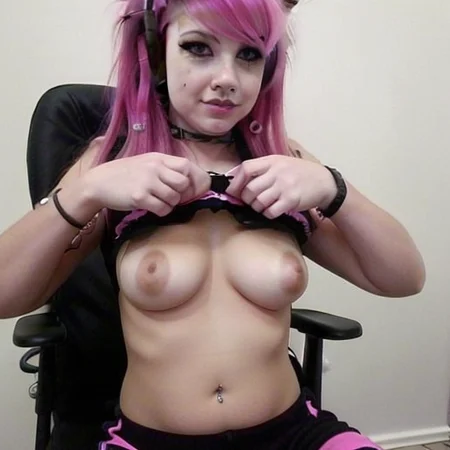
NostalgiCam will emulate the nostalgic style of old webcam photos / screencaps taken from webcam chat sites, such as Omegle, Chatroulette, etc.
Trained on real webcam screenshots across the internet
no captions needed during training (experimental)
trigger words are to help guide your images but do not correspond to the weights of the LoRa
thank you for the buzz to help me begin creating LoRas, which is something I always wanted to do but I struggled with <3
Description
FAQ
Comments (15)
-no captions needed during training (experimental) -trigger words are to help guide your images but do not correspond to the weights of the LoRa
Did some test with/without the trigger words (with the LORA at strength 1):
1- Just the LORA seem to stay close to the "original" image appearance with a little grainy effect.
2- Using the trigger words after a few steps keep the same appearance as "just the LORA", but with a better effect.
3- Using the trigger words for a few steps give a result similar as using the trigger words all the way, but with less grainy effect.
4- Using trigger words for all the steps, gives the expected grainy effect but can heavily affect the original image.
5- No LORA, for comparison.
2 and 4 seem to give the best results, but the other can still be useful.
wow you're the real mvp. thank you for this. now my question is how to get those trigger word effects with only the Lora alone..
@kaylazy Good question,,
Maybe check with peoples creating sliders, since their LORAs works (pretty well) without trigger words?
Not sure if it would really help but it might be worth a shot.
Ostis even made/tweaked a tool for sliders creation : https://github.com/ostris/ai-toolkit
Can you explain this syntax you are using? I never seen one that is like [:keyword::5], can't find any info on this, how does it work? Does it control after which step or for how many steps keyword is active?
@alicepelle It's called "Prompt transformation", it does indeed control what keyword(s) to use before and after a certain step.
Basically, if you had something like "photo of a [dog:cat:5]", your prompt would be "photo of a dog" for the first 5 steps, then will be "photo of a cat" for the rest of the generation.
In the case of [keyword::5], you would have your keyword for the first 5 steps then nothing for the remaining one (while [:keyword:5] would be the other way around, nothing for the first 5 steps then your keyword added after)
If you want more info, I got the tips from this rentry page (made when SD became opensource), in "Guide 1" : https://rentry.org/RentrySD/#111-automatic1111s-webui
And there is a another detailed explanation on reddit : https://www.reddit.com/r/StableDiffusion/comments/10yypeh/comment/kiox5gn/?context=3 ((The post is about prompt transformation, the comment is about doing something similar with the LoRa's weight)
love this. I've been on this same pursuit for a webcam /old digital cam look with my BadQuality Lora. You got some great results.
We have gone so far up now we're going back down on purpose just for the kicks.
Love it. Love it so much.
When I sent one to my wife she showed my old actual pictures like this of hers, the future is now!
Edit: How could I add this effect after a faceswap? reactor doesn't blend at all it just use GFPGAN and makes the face plastic-y
Dropping the "Restore Face Visibility" slider to (near) zero does the trick for me. Awesome LoRA, by the way
Great question. I achieved that reducing the face restore value.
Will You uptade this to xl?
We need this in FLUX!
Sharing the dataset would be very useful, then we can train a LoRA for FLUX.
So grateful for this. Excellent! I love SD1.5 content. Take me back to the graininess of the 90's and early 00's ! <3
Any updated versions for Illus or anything??
Amazing
Details
Files
Available On (1 platform)
Same model published on other platforms. May have additional downloads or version variants.