


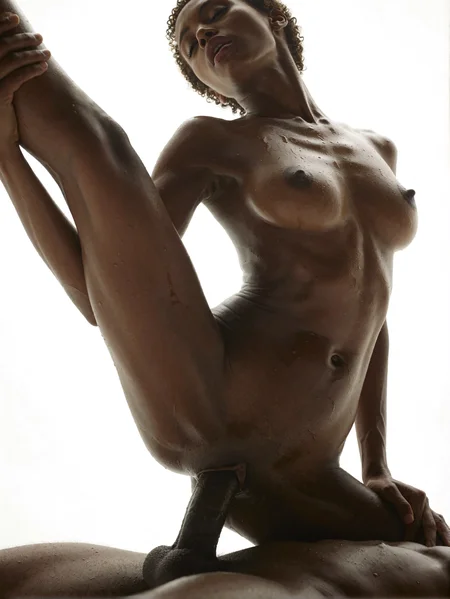


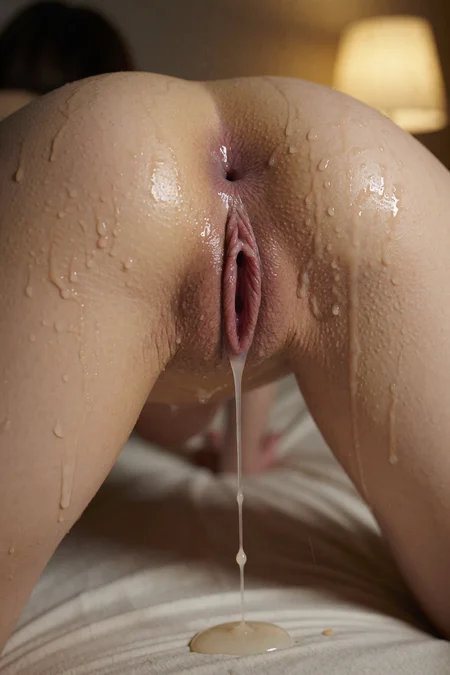


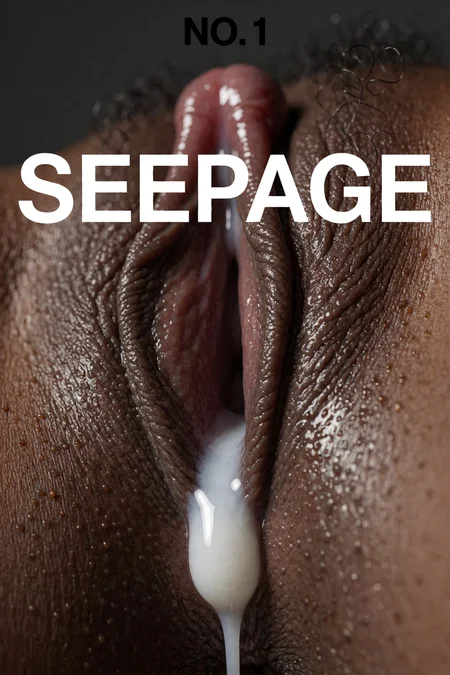
V4.3_EXP released...
This is based on realism and currently is under testing... More images will be uploaded later... V5 will come soon for more underrepresented concepts..
Strength: 0.8 -> 1 -> 1.2 -> 2
It's my first trained LORA based on KREA 2
V4.1 RELEASED!!
Better prompt adherance. FAR FAR BETTER realistic skins. Face expressions are here. Most things are better..
Things bad:
- Masturbation concept not defined completely
- Sometimes strange artifacts can come like in 2:3 you want a sexual image that requires width then change to 3:2...
- for censored (Asian JV), increase strength by 0.1 and try 1-2 times.
- feedback welcome as always, gonna upload more images.
V4:
Will be released in 1-2 days, one of my friends gave me access to his h100.. This time will work on better prompt adherence and get few issues resolved.
If getting weaker results then use strength of 1.5 or 2.
V3 Released!!!:
strength: 1-1.5
for jav use 1.2-1.5 so mosaic doesn't come.
Added: Asians, Blacks, realistic skins etc... (use to know better)
Recommendation use: https://huggingface.co/Beinsezii/Krea-2-Turbo-Projector-Scale-LoRA-Diffusers for better control with 0.01 (but it takes hit on quality just a little)
For better prompt adherence, increase strength a little of the second lora...
also, don't just write a thick cock between or somewhere.. write like a man then his cock so it understands.
Prompt adherence can be a hassle please use the above lora (0.01 weight) and next time I will try to make it better. V4 will take some time since gathering dataset, 200+images with 5k steps and training took a while and lots of cash from me, trained with RTX 6000 Pro.. Please give feedback since I am learning...
V3:
Will be out within 1-2 days, gotta arrange those gpus. Also, i got a massive uhd dataset i found somewhere, so this version should be most realistic and the best version.
TO BE FIXED:
- Mosaic Issues sometimes
- Asians to be added
- Blacks enhanced
- Better skin (sometimes skin looks plasticy)
V2 OUT:
Recommended:
- Strength: 1-1.5
- Do NOT USE conditioning node as it seems to be degrading the quality with the lora.
New Features:
Better SKIN, no need for KNP trigger TAG.
Added:
Detailed Pussy
Detailed Assholes
Different Poses
Different undressing styles
Male Cock
Sex (Basic)
Cowboy etc...
More things to come especially sex styles and art loras soon but :( it took 5 dollars to make this...
Please give Feedback.
Description
Better prompt adherence, better cum, slick etc...
Overall better, be mindful of strength.. most of the time is 1 but sometimes btw 1-1.5..
This one was not the final checkpoint as the final checkpoints are overfitting. Please check this one. I felt this was the best
FAQ
Comments (48)
May I know how many images you used in your dataset and how much training steps for your V4 version?
When you said expressions are included in v4.1, does it mean you have included/merged filter bypass? I think a lot of people are already using one and would want to know so to avoid stacking another filter bypass which could be bad.
No. I have added a complete dataset with manual captions for expressions. No bypass.
I didn’t add anything other than the dataset itself which btw required a lot of time for manual captioning, still not perfect but manageable
i tested it with filterbypassv3 and projector scale loras without any issues but they're completely unnecessary now compared to KNP v2
First good JAV generation i have seen. Good job. JAVs are the best at this nich. train on Rara Anzai, Aimi Yoshikawa, Rio Hamasaki.
Thank you for feedback and recommendation. Will add those.
v4 works great, just made a super simple workflow for it to replace the one I made for v2 — no longer need projector scale lora!
Version 4 looks great. Sadly bleeds into the face a bit when combining with a character lora.
Could you mention examples please so i can improve upon it thank you...
@19doorsside884 I just used it in combination with a self-trained character lora. from 0.6-1 character bleed starts and gets worse the higher. Its not crazy but there.
I concurred with other commenters that v4 prompt comprehension is definitely better than v3 but unfortunately it has problems with character bleed (likely caused by adding expressions). Unfortunate because character preservation has been this LoRA's biggest strength.
can you give example prompts please? What characters
In my testing i didn't see any character bleeding, hell i even did a private parody
I tried V4 with some of Turbo's built-in names and just V4. The bleeding is definitely there but I am really anal about likeness so it may not bother other people. I didn't see bleeding in the earlier versions.
I've been using your new model, and I absolutely love it—thank you so much! I'm also currently training a LoRA for the Krea2 model, mainly focused on NSFW/adult interactions. However, the models I'm outputting just aren't good enough. Do you have any tips or tricks you'd be willing to share? I'm sincerely looking forward to your reply!!!
Hey! Make sure your images are not too many and they are diverse with whatever lora you are creating. For captioning i would recommend doing manually as VLMs struggles a lot.
Tried v4, love it. I look forward to future updates. Thanks for sharing your lora.
v4.1 causes additional zoom in and crops out characters the higher you weight it.
working on fixing it
After testing version 4.1, I have to say it strikes me as an excellent all-in-one solution for Krea2—truly great work. However, the first thing I noticed is that it still lacks information on what a vagina looks like; I’ve actually had to use inpainting to fix that area. For the next version, I’d suggest improving the LoRA's ability to render various vaginal forms and colors—including features like a prominent clitoris or the "innie pussy" style that many of us prefer. When the character is posed in all fours, the vaginal orientation is rendered incorrectly (likely due to the aforementioned lack of data), and I imagine there is also a need for concepts involving inserted toys or the appearance of the vagina when spread open by fingers or other means. Thanks again for this fantastic work.
Thanks! Will do
@19doorsside884 Another detail that i confirm is that it tends to blur everything that isn't in the foreground. In a simple image where a girl with her legs spread is very close to the camera, her pelvis is sharp, but her torso, face, and the rest of the background are blurred, or in other words, have a bokeh effect.
i am pretty new to using comfyui
someone please can provide a workflow?
also the krea 2 also work with image 2 image?
basically, save one of these image on your desktop, then drag and drop the image into your comfyui, correct the models on the red node errors with your correct path, eventually go on manager and update missing custom nodes, and your go to go. Yes Krea 2 working on image2image, but you have to fine a specific already made worflow, no idea if this is present on Comfyui template, and porbably if is there is SFW, only, so do a bit of reserach here on Citivai type krea 2, then select on your research "worflow" you should see many of them. :)
Try creating a new folder and cursor project and paste this in. It's a one shot prompt my agent wrote after setting it up for me. I used windows and a 5090. ~60s for 1024x1024 generations. I used cursor's default composer 2.5 fast model.
# One-shot setup prompt — Krea2NsfwV4
Copy everything below the line and give it to another person, or paste it into an AI coding agent on **their** machine. Adapt paths and OS as needed.
---
## Prompt (copy from here)
Set up Krea2NsfwV4 locally: a Gradio text-to-image app that runs the Krea 2 NSFW V4 LoRA KNP v4.3_EXP) on top of Krea 2 Turbo using diffusers Krea2Pipeline). Goal: load the LoRA, auto-download the base model on first run, generate images from a browser UI, log load/generate timings, and optionally offload VRAM after each run.
Work on whatever OS, Python env, and GPU the user already has (Windows/macOS/Linux; conda or venv). Do not assume ComfyUI unless diffusers cannot run — prefer the diffusers path below.
### 1. Hardware check (do this first)
- GPU: NVIDIA with CUDA strongly recommended. Note VRAM (GB) and whether anything else is using the GPU.
- RAM: 32 GB+ recommended (base stack is ~33 GB on disk; offload uses system RAM).
- Disk: ~40 GB free for first-run Hugging Face download + LoRA + outputs.
- If VRAM ≤ 32 GB: you must use sequential CPU offload (not whole-model CPU offload). Full bf16 stack is ~33 GB and will not fit entirely on a 32 GB card.
- If VRAM ≥ 48 GB: try full GPU load first; fall back to sequential offload on OOM.
- If no CUDA: warn the user; CPU-only will be impractically slow.
Record GPU/RAM/driver in hardware_specs.txt in the project folder.
### 2. Get the LoRA (manual download — not on Hugging Face)
- Model page: https://civitai.red/models/2725430/krea-2-nsfw-v4
- Version: v4.3_EXP
- File: KNP_000003000.safetensors (~436 MB)
- Mirror API: https://civitai.com/api/v1/models/2725430
Place the file at:
```
<Krea2NsfwV4>/models/loras/KNP_000003000.safetensors
```
Create model_link.txt with one line: https://civitai.red/models/2725430/krea-2-nsfw-v4
### 3. Base model (auto-download on first load)
- Hugging Face repo: https://huggingface.co/krea/Krea-2-Turbo
- Loaded in code as: krea/Krea-2-Turbo via Krea2Pipeline.from_pretrained(...)
- Size: ~33 GB (transformer ~24 GB + Qwen3-VL text encoder ~8 GB + VAE ~0.5 GB)
- Cache location (default): ~/.cache/huggingface/hub/models--krea--Krea-2-Turbo/ (or %USERPROFILE%\.cache\huggingface\hub\... on Windows)
User does not need to download this manually unless they want offline/air-gapped setup (then mirror that HF repo into the cache or a local folder).
### 4. Python environment
Use the user’s existing conda env if it already has PyTorch + CUDA, or create a venv in the project.
Minimum packages:
```
torch>=2.5.0 # CUDA build matching their driver
diffusers>=0.39.0 # must include Krea2Pipeline
transformers>=4.50.0 # Qwen3VLModel
accelerate>=1.0.0
peft>=0.18.0
safetensors>=0.4.0
pillow>=10.0.0
gradio>=5.0.0 # 5.x: pass theme/css to gr.Blocks(); 6.x: check migration guide
```
Verify before building UI:
```python
from diffusers import Krea2Pipeline
from transformers import Qwen3VLModel
import gradio as gr
print("OK", gr.__version__)
```
### 5. Project layout to create (or copy from reference repo)
```
Krea2NsfwV4/
app.py # Gradio UI and launcher
model_loader.py # Krea2Pipeline + LoRA load/generate + timing helpers
models/loras/ # KNP_000003000.safetensors
outputs/ # generated PNGs
logs/ # run_YYYYMMDD.log (timings; prompts NOT logged by default)
tests/test_generate.py # smoke test
run.bat / run.sh # start UI
stop.bat / stop.sh # stop UI / free GPU
requirements.txt
model_info.txt # Civitai digest + prompt guide
example_prompts.txt # copy-paste prompts for this LoRA
```
Core inference settings (defaults):
| Setting | Value |
|---------|-------|
| Base | krea/Krea-2-Turbo |
| LoRA adapter name | knp |
| LoRA strength | 1.0 (1.0–1.5 for stronger) |
| Steps | 8 |
| CFG | 0.0 |
| Resolution | 1024×1024 |
| dtype | bfloat16 |
| Memory | enable_sequential_cpu_offload() if VRAM ≤ ~32 GB |
*model_loader.py must:**
- Find LoRA in models/loras/
- Load pipeline + load_lora_weights + set_adapters
- Expose format_duration() / timing fields for logs
- Return generation stats (duration, per-step, GPU before/after)
- Use sequential CPU offload on tight VRAM (never whole-model offload on 32 GB — it is ~7× slower)
UI must:
- Run on 127.0.0.1:7862 (change port if taken)
- Buttons: Load/Reload, Offload, Generate
- Checkbox: Keep model loaded (unchecked = unload after each gen to free VRAM)
- Show load time, last gen time, per-step time in status/logs
- Do not send prompts to any remote service; do not log prompt text unless user explicitly asks
Gradio version note: On Gradio 5.x, put theme= and css= on gr.Blocks(...), not launch(). On 6.x, check the migration guide.
### 6. Run sequence
```bash
cd Krea2NsfwV4
# optional: python -m venv .venv && source .venv/bin/activate (or .venv\Scripts\activate)
pip install -r requirements.txt # only if deps missing
python tests/test_generate.py # first run downloads ~33 GB; then one test image
python app.py # or run.bat / ./run.sh
```
Browser: http://127.0.0.1:7862 → Load / Reload model → paste prompt → Generate.
Example prompt (from this LoRA’s guide):
```
wide side profile shot, full body visible, nude adult woman standing in a messy bedroom, cheap smartphone camera, harsh direct flash, very realistic
```
More examples: see example_prompts.txt in the reference project.
### 7. Prompt rules (important for this LoRA)
- Short, punchy sentences — not long tag lists or “8k masterpiece cinematic”
- Formula: [camera angle] + [subject/action] + [detail] + [cheap camera / harsh flash] + "very realistic"
- Prefer geometric full-body angles (wide side profile, 45° front, overhead) — avoid POV
- Multiple people: “The first is… The second is…”
### 8. Done when
- [ ] LoRA file in models/loras/
- [ ] Smoke test writes PNG to outputs/ and prints load + generate duration
- [ ] UI loads without Gradio theme/css errors
- [ ] One successful generation from the UI
- [ ] logs/run_*.log records load_duration and generate_duration
- [ ] User told where base model caches and that first download is ~33 GB
### 9. Optional alternatives (only if diffusers path fails)
- ComfyUI + FP8 weights: https://huggingface.co/Comfy-Org/Krea-2 — often faster on 32 GB cards but different workflow.
- Do not install extra packages blindly; check conda/ComfyUI first per user preference.
Report back: GPU model, VRAM, memory mode used, first-load time, generate time (8 steps @ 1024²), and paths to LoRA + HF cache.
---
## End of prompt
Reference implementation (if the user has access): opensource-img-gen/Krea2NsfwV4/ in the sandbox repo.
The effect of pubic hair is the best and most realistic.
Forgive my ignorance, but does this act as a NSFW bypass for Krea 2?
do i need to use any specific trigger word in order to activate this lora or no trigger word strictly needed
It's great! my favorite bypass but... sometimes regardless of the resolution or strength of the lora, there's a kind of "deinterlacing" effect, especially on hair. How can I prevent this? 🤔
A few things to try:
- Krea2 likes to generate at 1920x1088 or larger; so any HD resolution where each side is divisible by 16 (yes, 16, not just 8) can help. This is because Krea2 uses a Qwen VL text encoder which natively splits all latents into 16 channels for processing.
- Speaking of Qwen technology; that crosshatch or "deinterlacing" pattern you see over the images is a by product of the default VAE. I got around this by using https://civitai.red/models/2739236/qwenimagevaeliquid1127 and the difference was astounding. (Just remember to use the default VAE for any image Encoding [img2img] because of that whole 16 channels thing I mentioned) Liquid1127 is just for the final Decoding step.
- Experiment with different samplers and schedulers. RES4LYF should be a required install for all ComfyUI users because it unlocks the bong_tangent scheduler ( it uses a tangent function to control the transition which allows the AI model to quickly define the main composition early on and spend the remaining steps refining fine details). Also try samplers than end with "cfg_pp" They're meant for lower guidance scales (like a 1.0 CFG Turbo model) while maintaining exceptional prompt adherence, producing less saturated/burnt colors, and drastically improving image invertibility.
- Make sure your workflow is using nodes that pass CLIP with the LoRAs and not just Model Only
Your Loras skin quality is exceptional but still need to improve on prompt adherence. Mystic XXX version got better prompt adherence but not great quality in realism skin. Please improve it next iteration.
working on it
Yeah, mystic xxx more plastic, this one more realistic but imo sometimes ignores half the prompt to just go and add dicks everywhere and when you're asking just for a girl and a man naked but not doing anything particular she will be sucking his dick or getting fucked, etc
Still, amazing work !
Tested multiple Loras to unlock krea 2, yours definitely hits the sweet spot. Great visual quality. In future iterations I would try adding even more concepts.
Don't even need other loras or abliterated text encoders, just this lora and you're pretty much good to go.
Thanks! I already have dataset, just refining and finding things to make the prompt adherence better. Krea2 is very very stubborn.
Please add handjob in a future version, there is absolutely no understanding: hanjob grip for a female character, every time mentioning: masturbation or jerking, the male character grabs his penis, even if the tags have his hands nailed to other places.
Working on it... Please give me sometime.
@19doorsside884 ОК, Agreed) And please don't forget about sperm, there's a damn shortage of it.
The penis in the picture I created actually has a mosaic pattern on it...
Try increasing strength...
i keep getting results with wet dripping skin.
bonus!
I even got this when I created my own lora. I think there was one or maybe two bath/wet skin pictures in the dataset, but it still causes many of my generations to come out with weird wet skin or large droplets on the skin. IDK if it's in the training or something inherent in Krea2.
The way I get around it is to use loraholic's wetness slider lora and set the strength to -3.
@DaveNotDavid I have this with other lora's as well, but not always. So i'm not sure if there's a trigger for it or if its something else, but the wetness slider does help.
@az420 not exactly, i switched over to mystic xxx getting better results with that.
Great job overall !
Oh thank you
Details
Files
KNPV4.1_pre.safetensors
Mirrors
KNPV4.1_pre.safetensors
KNPV4.1_pre.safetensors
KNPV4.1_pre.safetensors
KNPV4.1_pre.safetensors
147-KNPV41_pre.safetensors
KNPV4.1_pre.safetensors
KNPV4.1_pre.safetensors
KNPV4.1_pre.safetensors
KNPV4.1_pre.safetensors
Krea 2 NSFW v4.1 - Krea2 - 1-1.5str.safetensors
KNPV4.1_pre.safetensors
Krea 2 NSFW V4.safetensors
Krea2_KNPV_NSFW_V4.1_Exp_pre_19doorssid3884.safetensors
Krea 2 NSFW V4.safetensors
KNPV4.1_pre.safetensors
KNPV4.1_pre.safetensors
KNPV4.1_pre.safetensors
KNPV4.1_pre.safetensors
KNPV4.1_pre.safetensors
KNPV4.1_pre.safetensors
KNPV4.1_pre.safetensors