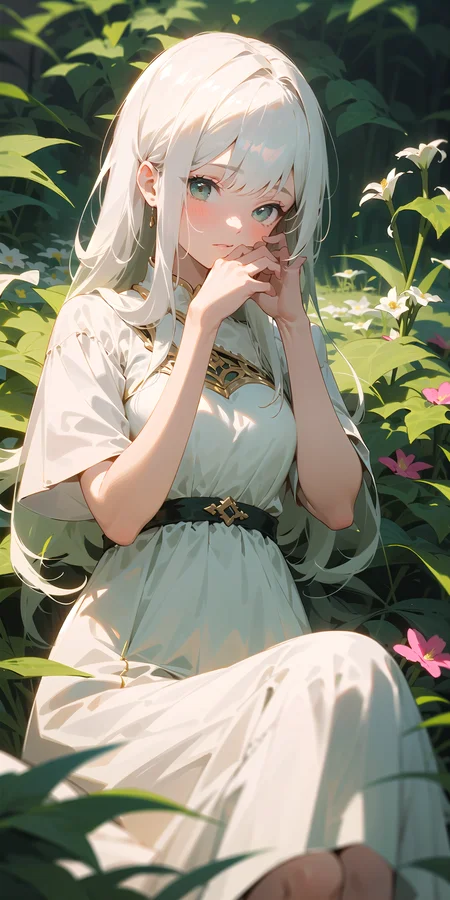
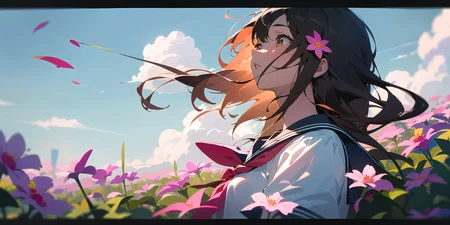


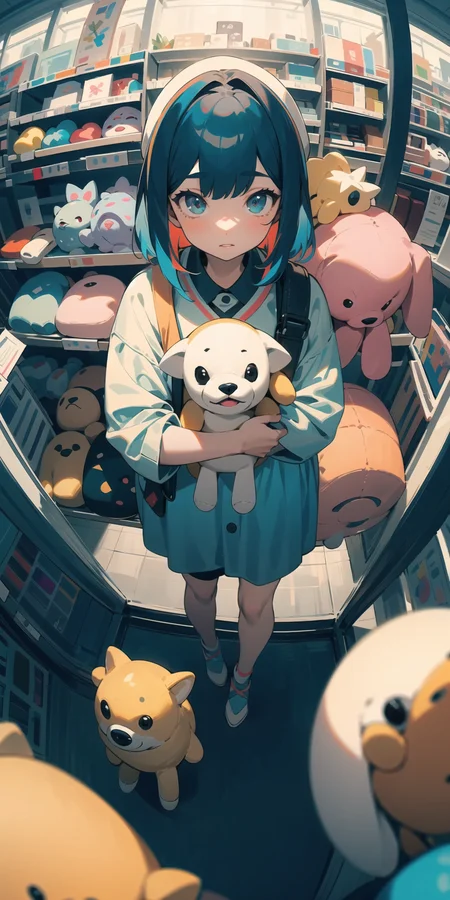


high quality anime style model.
Support☕ https://ko-fi.com/sfa837348
more info. https://huggingface.co/gsdf/Counterfeit-V2.0
Verson2.5 https://huggingface.co/gsdf/Counterfeit-V2.5
Verson3.0 https://huggingface.co/gsdf/Counterfeit-V3.0
EasyNegative https://huggingface.co/datasets/gsdf/EasyNegative
(Use clip: openai/clip-vit-large-patch14-336)
EasyNegative(Negative Embedding) https://huggingface.co/datasets/gsdf/EasyNegative
Official hosting for online AI image generator.
Description
FAQ
Comments (290)
Interesting to see Counterfeit V3.0 I thought the focus long shifted to Replicant based on WD 1.5's eventual release or whatever. So chief, what are the changes after 3 months of this model getting a sequel?
why does it ignore my prompts
Maybe in version 3.5 it will fix that issue. I Had the same issue when I typed in city and what came up was my character sitting on a desk hold and a tea cup.
Don't get me wrong. It's a good model and the way it does things and details it looks very great. But the fact that it ignores some important prompts such as color, background and other features. It makes you wonder if it has a mind of its own
Try to change individual prompts strength and see if it fix problem. example (1girl:1.1),(city:1.1)
Adjust number each time until it follow your prompt.
And don't use too much prompts, the more you use the less it follow them. Keep it simple and small for better results.
Good day, friends! I have encountered a problem where some images have strange black spots appearing on them, and I don't understand how to fix it.
I have tried entering prompts and negative prompts, setting DPM++ 2M, checking the Hires. fix box, and using 4x-AnimeSharp, but the issue persists.
Black blotches? That is definitely the result of the lack of VAE.
bro I got this problem in the version2.5 too, I think its a common problem
Same problem, is there not a VAE included in v3?
Instruction is not clear enough. How to use the openai/clip ?
I used this extension for the automatic1111 webui https://github.com/bbc-mc/sdweb-clip-changer
what's the difference between fp16 and fp32 ?
Use fp16; it's faster and uses less VRAM without noticible downsides.
fp16 (floating point 16 bits) uses less precise data structures than fp32, but unless you're training, merging, or trying to recreate something generated with fp32, there's no practical reason to use fp32.
Most open source community models are going to be f16. It's less precise, but faster.
Basically, if you're making anime waifus go with f16. If you're a scientist researching for your doctorate, use f32.
woc有3.0了,速速开整
好像2.5更好,也可能是我不会用
请问3.0 vae是什么?
@galeony 使用自然语言写prompt,TI也更新了EasyNegative2
Sorry i'm writing in japanese.
従来のアニメモデルは大体Danbooruのタッグような書き方ので、V3で急にopenai/clip-vit-large-patch14-336に変えたらDanbooru風なプロンプトが効かなくなっているじゃないかなと思っています。
And you should see The Trigger Words its "girl", not "1girl".
why v3 didnot get VAE3?
同问
测试多次原来还是 Counterfeit-V2.5.vae.pt才行!
you can use kl-f8-anime2
IDK if Civitai let me post my description about images or not...so yah, I will just post my test in this discussion.
I carried out a test for comparing V3.0 and V2.5. They used the same seed, the same settings and tiled diffusion, and tiled VAE for upscaling. I used clearVAE.
Disclaimer: I have little to no artistic background, so take this with a grain of salt.
The test concluded: 2 vertical, 2 horizontal, 1 lora, 1 NSFW.
My opinion:
1/ V3.0 is very difficult to work with LORA. Like extremely difficult. or it's just me, idk.
2/ V3.0 is easier for prompt controlling.
3/ V3.0 is more focused on character/person. While V2.5 is proned to detailed background and equilibrium with the character.
4/ V3.0 still has that art style as V2.5 so don't worry about the art changed that much (I think? lol)
5/ V3.0 - You might have a better result by using "normalized" prompt. This one I haven't tested yet so idk. The counterfeit's author did say this on their hugging face though.
That's my take. Personally I love both. V3.0 for character, V2.5 for detailed background and lora.
I'm sorry, but what is "normalized" prompt? Do you mean like human language prompt?😂
@NotAPersonJustACat to be fair, I don't know either lol. Hence, the double apostrophes.
For those wondering why prompting is failing
The best I can understand, from the little bit I've read, is that Counterfeit-v3.0 requires a new version of the CLIP processor — in simple terms, the part of the AI that evaluates the prompt words and turns them into numbers that can be passed on to the next part of the AI, the U-net.
Basically, it's like you're reading a series of novels, and when you get the next one it's in a different language, then you won't know how to convert that language into the concepts in your head until you learn that language.
The information to convert that language is what the openai/clip-vit-large-patch14-336 is: All the instructions the AI needs so that CLIP (the language processor) can convert your prompt words into token numbers that the U-net can understand and convert it into an image.
But, according to the README file for the CLIP patch, that version of CLIP is currently released only for research use, and any use other than that is beyond the scope of the patch. So, it seems odd that the creator(s) of Counterfeit would choose to train 3.0 to require that updated CLIP processor.
At least… That's what my understanding of it is. I could be totally off, though, so don't take my words as fact.
Can soomeone please help me? I downloaded the model to use it with Stable Diffusion Desktop, but the results are very different and ugly, using the same prompts, steps, etc. Idk what I am doing wrong
You need the VAE. I like this one https://huggingface.co/stabilityai/sd-vae-ft-mse-original/blob/main/vae-ft-mse-840000-ema-pruned.ckpt
But I believe most use https://huggingface.co/andite/anything-v4.0/blob/main/anything-v4.0.vae.pt with anime (I like the detail of 840k).
Name the file CounterfeitV30_v30.vae.pt and put it alongside the main file or just enable the VAE selector in the webui. I like doing the later as it lets me swap them out (sometimes things like Deforum like specific VAEs).
@jonshipman with "alongside" you mean in the stable-diffusion models' folder?
@angy2218581 Yes
@jonshipman Thank you very much! I'll try it out. Do you know where can I read more about stable diffusion desktop? I would love to learn how to do better stuff
@jonshipman I downloaded the vae and placed it in the models folder with the same name as the original model, with the extension you said, but I still got different results, I am even using the same seed. I got this result:
https://imgur.com/a/oDhy3o2
which is pretty different :(
@luciodipre367 did you select the vae in the webui interface? You need to go to ->settings->stable diffusion->SD Vae drop down menu. Select the vae you downloaded and then click apply settings.
@DreamsOfElectric Hi, I'm really sorry to bother you but I'm new in this field and I really need someone's help to understand some important things. So, I have installed stable-diffusion v1.4 on my pc via Git and I run the program on the browser using the link. What I would like to know is does it change anything if I use a program like this above "Counterfeit-V3.0" which is based on 1.5 even though I have 1.4 ? I guess not, right? It just means it's based on 1.5 instead of 1.4 (can you clarify my doubt, pretty please?).
@angy2218581 hi! sry I'm afraid I don't know the answer to your question. My best guess is it won't be an issue but I can't say for sure. I don't think there's any harm in trying. What's the worst that can happen? The auto1111 webui might just not render images for you. That's it. Feel free to experiment but if you're having black output images or bad render results you'll know the reason why.
@DreamsOfElectric Thank you! I'll try to download the 1.5 then. Are you using that too?
@angy2218581 yes I am using 1.5. I have a friend who's way better at this stuff than I am and he recommended 1.5 over 2.0.
@DreamsOfElectric Thank you very much for helping me out :)
@angy2218581 The SD 1.4 you downloaded is just a model that your run through Auto1111, it isn't like an overall standard diffusion program or anything like that. This is also a model just like SD 1.4. The model's are all completely independant of one another and you can switch between as many as you like (if they are downloaded and placed in the folder). Basically, you don't want to actually be using any of the standard SD 1.4, 1.5, 2.0 etc models, but one of the Model's from here. Download a bunch of them that have different styles that suit want you want to make and try them out.
@Dunnas Oh, thank you so much for the clarifications!!! If I may, I have one more question. Regarding the models that are trained on (for example) Lora etc... how do they work? Do I have to download both models?
@jonshipman @DreamsOfElectric I had the same problem, thanks for your help bro's!
There's Yoneyama Mai spelt all over this checkpoint. Not to mention it's stupidly overfitted. It just gives the exact same pose with same prompt different seeds. Even different prompts and settings give same poses.
Análisis en español de este genial modelo: https://youtu.be/Dw4LiGgR3hs
Spanish review of this great model!!
aguante stable diffusion en español papa!!!
Is this Version better than both the other versions ?
・I have utilized BLIP-2 as a part of the training process. Natural language prompts might be more effective.
・I prioritize the freedom of composition, which may result in a higher possibility of anatomical errors.
・The expressiveness has been improved by merging with negative values, but the user experience may differ from previous checkpoints.
・I have uploaded a new Negative Embedding, trained with Counterfeit-V3.0.
There's likely no clear superiority or inferiority between this and the previous embedding, so feel free to choose according to your preference.Note that I'm not specifically recommending the use of this embedding.
copied from huggingface. In general the composition and color palette are better, but anatomy is terrible, like 10/10 bad hand and distorted face.
@NotAPersonJustACat have you compared Counterfeit V2.5 and V2.0? If yes, could you tell which one is better in most situations?
I love this model. But will there be a 2GB model for 3.0 version? 5GB is quite a lot...
How do I use this specific clip openai/clip-vit-large-patch14-336 ?
I, too would like to know. There's no info on the huggingface page for it
Why the fuck does no one have this answer...?
Bro thinks im akinator
You can install https://github.com/bbc-mc/sdweb-clip-changer as an extension.
You might also need to modify it. I had to edit sdweb_clip_changer to change ".to(sd_model.cond_stage_model.transformer.device" to ".to('cuda')", so if you get an error about tensors being on the CPU, try that.
@Baughn thank you!!
@Baughn I'm inviting you to my child's first birthday
Figured it out: Use the link for the extension that Baughn gave https://github.com/bbc-mc/sdweb-clip-changer, once installed, reload the UI and scroll down to the settings. There you should see the CLIP Changer section where you should check "Enable CLIP Changer" and paste "openai/clip-vit-large-patch14-336" into the field asking to specify the CLIPTextModel. I applied it and the cmd window should start downloading some 1 gb+ model. While its downloading, maybe get the https://huggingface.co/hakurei/waifu-diffusion-v1-4/blob/main/vae/kl-f8-anime2.ckpt VAE. I got it from some other reply to a comment here and it seems to work well. Once the cmd window finishes downloading it will list all the things that are being loaded and "CLIPTextModel applied: openai/clip-vit-large-patch14-336" should be listed there. Enable the vae too by dragging it to the VAE folder and change it in the settings. I tried to replicate the images on display and they are basically the same with about the same level of detail.
@Schizolifting leave CLIPTokenizer blank? or paste it there too?
@smokeymillz alt account, yes that’s what I did anyway my bad
@Schizolifting @mohammadrajabwali Hey bud that's what I did, and it was successful, but now after one restart the Clip Changer section in settings tab is gone, you had a problem like that?
@StereoNostalgic218 No, I’m not sure what the problem is there. My bad bro I wish I knew how to fix that
@mohammadrajabwali No worries friend, it was a problem with Baughn's edit "cuda" suggestions, looks like reinstall and re-edit again fixed it. Thanks again for your explanation.
@StereoNostalgic218 That's why I said ''might", yes. It turns out to depend on whether or not you use --medvram / --lowvram, but as of a little while ago the extension handles it correctly, so nobody should need that hack anymore.
你好我是新手我非常困擾,請問我用的是Draw Things設備是ipad有辦法產生出這種細節的圖嗎?每次產生的臉的五官都歪的整體輪廓也沒線條,簡單來說非常簡陋,還是說Draw Things跑不出這種圖?
Draw Things不了解,Stable Diffusion (MAC也可安裝)靠的是NVIDIA顯卡算圖,基本建議是NV2060 4G RAM以上(4G算圖很慢,最好是30系列+12G)。另一種方式則是用GOOGLE COLAB / COLAB PRO 線上安裝算圖,但COLAB近期針對部分功能似乎開始收費了,安裝方式網路很多介紹
IPAD肯定不是很行,PC的高端显卡才够用,起码30系列
你好我是新手我非常困擾,請問我用的是Draw Things設備是ipad有辦法產生出這種細節的圖嗎?每次產生的臉的五官都歪的整體輪廓也沒線條,簡單來說非常簡陋,還是說Draw Things跑不出這種圖?
AI绘制图片最重要的一步是填写恰当的提示词,其次是配置恰当的参数。你需要参考模型作者上传的图片中附带的参数来填写和配置你的提示词与参数。
@yunleme 您好首先感谢你的回覆,但我有试过完全按照创作者的提示词及参数1:1的照着算上,但结果问题还是一样很简陋
@aaao0156357122 你应当发现了例图中有一个负面提示词是【EasyNegativeV2】,这也是一个被专门训练出来的嵌入式(embedding)模型。如果你不会使用这种类型的模型,那你应该移除掉这个提示词,并在负面提示词输入框中填写“(worst quality, low quality, normal quality:1.6)"这样的一段提示词。
有人能告诉我3.0版本用的啥vae吗,没在文档里找到3.0的vae,也没文档说明,复刻不出来原图。
Can anyone tell me what VAE is used in version 3.0? I couldn't find the VAE for version 3.0 in the documentation and there is no documentation explaining it, so I can't replicate the original image.
kl-f8-anime2
没有写的话应该是直接整合进模型了(猜测)
@Le_malins thanks!
用 2.5的vae ,另外还看到 也有用 vae-ft-mse-840000-ema-pruned.ckpt
有成功的吗?评论里几个VAE都试过了,还是和原图不一样。没有原图的光感和细节。还是说我的电脑有问题?
要放於/models/Stable-diffusion/models/VAE
@Le_malins thanks
@summerlala123611试试 kl-f8-anime2
@summerlala123611 我也是,复现不出来
@seq2193 帅,
@Acode kl-f8-anime2和v2.5的vae都试过了,和原图质感都不太一样,2.5偏灰,kl-f8-anime2更重
3.0 is very good model.
But I have only 1 matter of generated images.
Girl's face is very detailed and beautiful but,their nose are too instability.
They are Interrupted and increased in number.
Can you fix the nose of girls face like your CF2.5?
为什么用2.5的vae 跑不出来图 ,有大神指教下吗
试试这个vae:kl-f8-anime2
@wy89214356982 要放在 /models/Stable-diffusion/models/VAE
@wy89214356982 這個我試過結果變成模型那裏用不了
I don't know why there are some green light on my pictures which just like some pollution
Use vae: kl-f8-anime2
Same
Same here
You have to use a custom vae.
- Download it from here: https://huggingface.co/LarryAIDraw/kl-f8-anime2/resolve/main/kl-f8-anime2.ckpt
- Move it into your models/vae folder
- In settings, go to stable-diffusion, and select it as your default VAE
- Enjoy.
@Hexamidine hey, how do you know to use this VAE?
@Rongorongo I just followed other people's instructions.
@53rdturtle I use vae but it reduces the color brightness
same
Have you considered deploying your impressive model in Sinkin? It would make it more accessible for users like me who don't have the resources to run it locally. Thanks!
Please tell me how to make the character's face brighter than the nose and how to light it.
This model is trained way too hard in this matter, faces are really stubbornly shaded same way. I would recommend inpainting face with similar model.
@Ywinel Thank you for your response. I appreciate it.
It seems that I have been able to resolve this my issue recently by discovering Brightness Tweaker LoRA.
https://civitai.com/models/70034/brightness-tweaker-lora-lora?modelVersionId=74697
my sample is below
有成功复刻出原图的吗?你们用的什么Vae?
Have you successfully reproduced the original image? What Vae are you using?
其他都保持一致
用高饱和的vae效果更佳些,测试了一下
复刻不出来啊,光影和细节都会差一些(问题找到了,是EasyNegative不对,要用V2)
kl-f8-anime2
@epsychic V2版本在哪里呀 找不到能发个链接嘛
@linyingaiacgn57782 gsdf/Counterfeit-V3.0 at main (huggingface.co)
资源那一栏里,那个不可得模型是什么?能下载到吗?
Hello, can you upload version 3.0 without baking "vae".
您好,能上传没有烘培“vae”的3.0的版本。
请问为什么我用这个模型生成的图片,总有一些多余的绿色?
我没有用VAE和其他的插件,采样器也试了很多个的
me too
应该是环境的问题,我刚刚重新部署了一下,这个问题就好了。。
刚刚只是错觉,,还是有,无语了
我也有……蜜汁荧光绿块
我也是,找到解决办法踢踢我
我的也有,而且圖片感覺被 deep fried 了
也遇到这个问题,有知道怎么解决的告诉我一声
是不是用了badhand embedding
同遇到这个问题,有没有解决方法
HI! I was wondering if there are any restrictions regarding using the content for commercial use/purpose?
The license for any given model is always linked below its reviews on the right side of the page:
https://huggingface.co/spaces/CompVis/stable-diffusion-license
11. Accepting Warranty or Additional Liability. While redistributing the
Model, Derivatives of the Model and the Complementary Material thereof,
You may choose to offer, and charge a fee for, acceptance of support,
warranty, indemnity, or other liability obligations and/or rights
consistent with this License. However, in accepting such obligations, You
may act only on Your own behalf and on Your sole responsibility, not on
behalf of any other Contributor, and only if You agree to indemnify,
defend, and hold each Contributor harmless for any liability incurred by,
or claims asserted against, such Contributor by reason of your accepting
any such warranty or additional liability.
That said, nobody likes a grifter my dude, I recommend keeping free stuff free
@UnsignedLongshanks I think the OP was talking about the images produced with the model.
I get these weird green circles when generating images. Tried changing the prompts and sampling methods, but nothing helped. Has anyone had any similar issues?
配合一个VAE就好了
Try a new model or the normal model, emanoly pruned???
You have to use a custom VAE. kl-f8-anime works well.
@Hexamidine That worked really well! Thanks! <3
If anyone has trouble installing VAE, then use this https://civitai.com/models/23906/kl-f8-anime2-vae with this https://stable-diffusion-art.com/how-to-use-vae/
@Hexamidine Will reduce the saturation of the image
@VanOK Will reduce the saturation of the image
ı have this problem too how to u fix it?
is it me or is the vae too baked? the images generated are too sharp on low resolutions 512x832
me 2
same
orangemix VAE를 사용해보십시오. 원본 vae를 사용하려면 고해상도 업스케일을 사용하십시오.
更換別的VAE試
Same here. Seems like the issue is linked to the VAE embedded in the model. Just like another comment above, manually switching to other VAE resolved the issue for me although it might possibly affect the artstyle of the outcomes.
大佬们,请问为什么我出图会出现人身上长出来人的情况啊?分辨率的长宽只要有一项超过1000左右就会出现这种情况,图片特别宽多出来人能理解,但是完全一样的本站大佬们的数据复制进去而且modlora都一样还是会多出来人,或者在图片的四面八方十分平均的添加一堆五官,把图塞得满满的。。1000x1000以下的图就不会出现多人多五官。是什么问题导致的呢?使用了tiled diffusion,和tiled vae插件,就是那个分割放大的插件,插件原名好像叫multidiffusion-upscaler等等。
画布太大ai不会画整体了。用分块
分辨率太高是会出现多人多手多脚的情况,这跟AI训练的一些东西有关,所以还是先绘制低分辨率的,然后在调高比较好
可以尝试高分辨率修复,或者图生图来提高分辨率
别上来就大分辨率,用高清修复会好点,512*768的图基本不会有结构问题,再往上直出大图,增加高度就会出现人体结构错乱,增加宽度就会人数增加
先做小图,然后高清放大,你直接做太大的图AI会觉得你要画两张,于是就画了多个人
也有可能是你提示词太少了,AI用现有的提示词填充完画布还有多余的自由度,就会开始自由发挥。
可以尝试:1、增加提示词数量,限制AI发挥空间;2、减少画布大小,如果想要高清大图可以后面在图生图放大
分辨率问题,训练素材的分辨率一般都是512*512or512*768的,你可以使用高清重绘来放大分辨率
这种情况是分辨率太高了。一般画图长边不要超过512,想要高清图的话应该用高清修复功能,而不是调高分辨率
感谢兄弟们的解答。谢谢谢谢
分辨率太大了,追求高清可以看看这个视频,【拒绝低质量出图!3种快速提高AI绘画分辨率的方式,十分钟讲完!| StableDiffusion WebUI 保姆级攻略·高清修复优化细节无损放大教程】 https://www.bilibili.com/video/BV11m4y12727/?share_source=copy_web&vd_source=cb4a6bab509434517338c600fc983ebd
画布越大你的prompt就要更精确。如果人数大大超过你的预期,你可以尝试用一些除了人之外的东西占据空间。
负面词: extra head, extra body,
有关键词 rain 的情况下,画面里似乎一定会出现伞,在反向提示词添加 umbrella 也无法去除。这个有办法解决吗?
试试反向加权重,比如 Negative prompt: (Umbrella: 1.4)
@53rdturtle nice 解决了
how do i (Use clip: openai/clip-vit-large-patch14-336) as it says in the instructions?
did you ever figure this out?, found it on hugging face, no idea what it has to do with this checkpoint though.
@6framejab That thread no longer seems to exist. Also, does anyone know if CLIPChanger works properly with 1.6.x and the Stability Matrix launcher?
So I was playing around with this Model over on Playground.ai, and the character I'm testing is of a 70's theme so several of my results have a Gundam theme to them, I'm not complaining as I am a HUGE Gundam fan
Pics?
Guys, I wanted to ask, how can I get high-quality images with an upscale?
How to upscale images with a blurry background?
I get pretty unrealistic images after the upscale, and the background becomes sharp
generate the image u want, then whatever image u like, make sure you're using the same seed and regenerate it but this time using hires.fix and using the anime upscaler. Change the "upscale by" value to 2(multiplies ur current resolution by 2), do a .5 denoise and 0-10 steps
请问实例图中用的什么vae?看了很多评论,V2.5颜色明显偏灰,klF8Anime2VAE饱和度高,请参考我的对比图https://s2.loli.net/2023/06/15/7vMVAtFYyjZ3zGh.jpg

What vae used in the example figure? read a lot of comments, V2.5 color obviously gray, klF8Anime2VAE saturation is high, please refer to my comparison chart https://s2.loli.net/2023/06/15/7vMVAtFYyjZ3zGh.jpg
840000会好点

@higekibaka 非常感谢,实测一致 OVO!
有没发现直接用例图的 提示词 生出来的图会比例图少非常多的细节,花朵,衣服装饰物之类的,画面变的非常平淡,试了好几个例图的提示词都是这样。
@CHINGEL 可能没有启用hires.fix(高清修复)?,推荐高清修复步数15,重绘幅度0.57~0.6,算法选Latent系列
@1097611730304 我复制的例图的提示词,高清修复基本上我出图就开的,修复步数、重绘幅度这些例图提示词里都包含了的,就很费解,用lora:add detail 会好一点,但是不太协调
@1097611730304 开了高清修复之后出图好慢,是不是显卡不行,还是设置的问题
where are the EasyNegativeV2 in?
@Philuu thank you
trust me v1 better, v2 just add fix hand and may change pose if you used hand-neg already don't use it
my favorite model i love it!
But I don't know if it can be run on SDXL, but could you release it on an XL basis? This is the best model that I want to keep using even in XL..!
这是我最喜欢的模型我喜欢它!
但我不知道它是否可以在SDXL上运行,但是你能在XL的基础上发布它吗? 这是最好的型号,即使在 XL 中我也想继续使用......!
请问为什么生成出来的图片饱和度过高,用的示例中的txet生成的
我也是太鲜艳,效果很差,为什么
看着需要外挂VAE
可能是用的插件问题,也和主体画风有关系
感觉CF2.5要比CF3更加有用一些。CF2.5最大的弊端在于细节过多且无法控制,可以考虑使用CF2.5去融其他的模型。CF3舍弃了这一优势以后,比不过一些其他的动漫模型了
我倒觉得这样可以主次更清晰
想要一专属的VAE,能否分享
反向提示词里的EasyNegative是一个小的插件吗?有没有大佬看的懂这个是干什么用的
我也刚了解,应该是一个嵌入式模型,快捷写提示词用的吧
如果我的理解没有问题的话,EasyNegative是一个提示词合集,下载改嵌入式模型后丢到根目录的embeddings文件夹,之后直接在负面提示词里写改嵌入式模型的文件名就好了
这是一个Embeddings模型,下载放到embeddings文件夹就好,地址:https://civitai.com/models/7808
C站都有的 负面词的embeddings
非常感谢各位大佬
If you have a bug with colors being oversaturated or green spots appearing, then I can advise you to use a different VAE.
For example kl-f8-anime2, you need to download it, put it in the right folder and install it through the settings
It fixes that issue, but it gives me results with dull colors, and before, even though it had green spots, the colors looked vibrant
did you fix it? same thing is happening with me.
try something in VAE, it's have some error when you set it defaut by the way
thanks, but it's so weird that such a famous model have this issue , while other common model don't need specific vae. :p
one of the best models especially for Lora generations, everytime i generate with a Lora 80- 90% of the times it comes out looking insanely good
Good art the model produces, but the hands are horrible 90% of the time.
novelai's animevae.pt seems work.
about use clip:
https://huggingface.co/openai/clip-vit-large-patch14
https://huggingface.co/openai/clip-vit-large-patch14-336
TL;DR - may be more creativity
to use it in automatic1111 need to install: https://github.com/bbc-mc/sdweb-clip-changer
and also
You might also need to modify it:
".to(sd_model.cond_stage_model.transformer.device"
replace with
".to('cuda')"
in some cases original VAE can help with green artifacts
https://huggingface.co/gsdf/Counterfeit-V2.5/tree/main
PS: all info was here in discussions, just write it not to forget by my self.
model is nice, ty!
Hey, thanks for the tip.
I need to change these lines in the /extensions/sdweb-clip-changer/sdweb_clip_changer.py?
Anyone know what tag/prompt can get me coats like these in my outputs? I tried all sorts of coat descriptions but still can't get it. I'm not particularly AI savvy.
A late response, you've probably already figured it out. It's 'down jacket'. To be more specifc like in the image you sent it would be '(your initial prompt) open down jacket, white sweater (the rest of the prompt)'. Winter tags do help. Do not specify it too much though (sweater underneath down jacket / down jacket on top), it'll make things worse.
why make green two dots in all creating how to ı fix it?
我用作者的PNG文生图导入,也加了EasyN 反向词,但是我发现生成的图偏灰,请问是VAE模型的原因吗?这个模型需不需要加VAE啊?
yes, maybe u should choose another VAE model like 840000 other than animevae if u want pics more colorful.
有的没vae是会这样的
推荐一个VAE,Counterfeit-V2.5.vae.pt
can anyone guide me, about 2.5 checkpoint and vae folder wrt 3.0 please.
可以用2.5的vae吗
What is "Counterfeit-V3.0_fix_fp16.safetensors" on huggingface? Why is it now here
用下面留言的 CLIP changer 就可以几乎复刻了

我在留言中没找到啊,想问下怎么用CLIP changer,谢啦
Hello, I use Automatic1111 and try to repeat one of the pictures in the model description, but I can’t (some overexposure occurs (it looks normal in the preview, but when the image is ready, it’s as if a filter is applied to it)). CLIP changed to "openai/clip-vit-large-patch14-336", CLIP SKIP = 2, set the required seed and prompt with EasyNegativeV2. Maybe someone knows what the problem is or will try to help?
Illustration(all generation details also here):
https://i.imgur.com/NJYvIR6.jpeg

Are you on A1111 1.6.x? Were you able to get the Clip Changer extension to successfully download the new clip? I use Stability Matrix as my laucher/installer as they discontinued the old 1-click installer, and the console did not show it downloading the replacement CLIP model. Can you perhaps provide any assistance? I don't really want to have to go back to A1111 v1.5.x if at all possible.
Also, does the clip changer even support Xformers? that might be my problem.
Possible issues: restore face is enabled, image burning. With latter you can try antiburn extension
100% is the vae, you need to change your vae on settings, the one on the left sure is anything v4 vae.
most common used vae is, vae-ft-mse-840000-ema-pruned.vae
The VAE issure, i changed it to the vae used in counterfeit-v2.5, it looks more similar to the original img
If someone try to find how to make it just work - i finded video guide about it -
https://www.youtube.com/watch?v=Dw4LiGgR3hs&ab_channel=StableDiffusionenespa%C3%B1ol
And make sure you set vae from automatic (comment above) to vae-ft-mse-840000-ema-pruned.vae (AND APPLY SETTINGS)
The CFG scale probably needs to be reduced to 3.5 - 5.5
Hello, have you resolved it? I have the same problem as you.
@fangmGUge use vae, and don't use 2.0 value on negatives "bad quality" and similar, usually max stable is 1.5, anything over that can cause inestability
Hey guys! I'm new to this, and I wanted to see how to download my images?
there is an icon when you create the image that is at the right upper part of the image there you can dowmload the image
if you generated it on your pc you already have it downloaded in
\stable-diffusion-webui\outputs\txt2img-images
Hi, new to sd.
One thing I discover this model is different with other models in this website I tried is that: the model hash you download, and the upload image one is not the same.
the image uploaded one is: db6cd0a62d
but the model one is: CBFBA64E66
And I tried other models, all of them always have consistent model hash.
key words: model hash, png info
Still my favourite SD model.
I heard this model might be taken down soon. Is that true?
that is troubling, where did you hear that?
nvm, i guess it was for midjourney only, or some program like that.
What does this mean?
(Use clip: openai/clip-vit-large-patch14-336)
While I don't fully know the answer myself, but in Automatic1111's web-ui, under the "Interrogator" tab), the CLIP Model dropdown selector has a value of "ViT-L-14-336/openai". Running the interrogator with that selected produces a semi-conversational prompt instead of a booru prompt, so I'm guessing it has something to do with the kinds of prompts the author recommends to use with this.
Please tell me why my image always has green strokes, and how to solve it?
+1
+1
change vae
+1
change your vae, klF8Anime2VAE or vaeFtMse840000EmaPruned will solve the green strokes
+1
The most versatile anime model to date. Easily top-tier and no other model has come even remotely close. Poses, POVs, styles, people, nature, cities, clothes - you name it. It has everything in its dataset and even without loras it can produce fantastic results. S-tier. The only model I use even today on a regular basis.
Now I will download and try it out, I hope you are right, because so far all of the above I can only say about Pony. Really smart model that understands points of view, poses, perfectly understands the weight of different tags. She has only one drawback that there are not enough LORA for this model. For example, there are almost no Honkai Star Rail characters. The other models that I have so far tried, no offense to the authors, the most stupid and random, to make them draw something correctly is very difficult. I enter the correct tags positive, negative, put easynegative, and it draws normally, but only something simple. You want to make it a little more complicated? Like increase the weight of a certain tag? Get twisted bodies, hairy nipples, several bodies, strange elements of clothing, or very strange landscape elements....
I apologize for the large wall of text. I just wanted a place to vent))
@Sanko_96 every tag is unique so adding weight might work differently but generally it's in the 0.8-1.3 range. Below or above might result in heavy distortions. As for more complex things - it's all about ControlNET + Inpaint + Latent Couple, unfortunatelly. SD still can't do really complex things on its own without those tools.
On my MacBook, she cannot be retrieved. I have checked and she was indeed placed in the correct folder...
me too
Maybe you should download the 9GB file, which can be found by my M1 Max Macbook.
cool
This model is awesome
ثلوثعثعکثثعوثعت
I'm sure this model is a scam.
No one has posted a picture of this feeling. The comments are just saying no and how. The model hash of the image information posted by the producer is db6cd0a62d, but the actual model hash of this is cbfba64e66. Scammers!
Of course, you need to figure out a top model in order to work with her, but she works if someone thinks that this is not the case
The eyes look really weird, distorted, and low quality in nearly all the images I generate. I'm using ComfyUI. Is this a prompt issue or something else?
maybe a sampler issue, do try automatic1111 since it's a bit less convoluted and less chance of user error. It can also copy the prompt with "png info" and then you can see what you might be doing wrong. This model is very good, even in the age of AnimagineXL and PonyXL I keep using it.
The images made using the onsite generator look pretty bad. Is there something we need to add like a vae or something?
Eyes issues often comes from low quality VAE decoder. Use official VAE checkpoint which if full size 327Mb
vae-ft-mse-840000-ema-pruned
vae-ft-ema-560000-ema-pruned
(maybe will be useful for others)
Despite the fact that this model is already very old, it still has excellent quality. I think it can be called an immortal masterpiece. A beautiful stylish picture, excellent flexibility and variability, the lack of feminine focus inherent in many anime models...
Yes, it does not cope well with all prompts, but overall it is an outstanding anime model!
Was wondering if there's gonna be an update or future plan for xl or pony version?
I am still using Counterfeit-V3.0 (fp16/cleaned) as my main SD 1.5, but when I uploaded my work to CivitAI, I lost my Resources used storage...
Is there any way to fix this?
I use comfyui,can someone tell me where to find its workflow?
following
Why is my saturation so high and there are square pixel particles?
解决了吗
Is here a bug on counterfeit 2.5 page? only disable cross-post option can view some of the 2.5 model's images, otherwise nothing to show.
can this do NSFW?
为什么出来的图,饱和度特别高,过程我看都很正常 最后成图的时候就一下变得很艳
同样问题,做不到卖家秀那种颜色
可能是VAE的问题,尝试切换成kl-f8-anime2试试 https://civitai.com/models/23906/kl-f8-anime2-vae @hardforaname146
@Nen1y 捕捉大佬!!!最近一直在看您的课,收获颇深,帮助我解决了做独立游戏缺少美术素材的难题 qwq
@Nen1y 竟然见到了大佬本佬,赛博磕一个
Friends, I tried using prompt words in natural language and the result was indeed better, with fewer unnecessary lines. You might want to give it a try, but as a novice to SD, that's all I can figure out for now.
你可以试试用ai 帮你生成关键词
I love this model.
Care este fig marginile imaginii verzi?
Very poor information. Could you suggest settings for V3? Such as sampler, steps, vae, hires or not, prompt structure
I've managed to get some decent results out of these settings on ComfyUI.
Steps: 35, CFG: 5, Sampler: dpmpp_2m Scheduler: Karras
basic prompts seem to work fine with it. check out the images under the bot and look for prompts to work off if youre unsure.
Hope this helps
Why does it have some random green blurred spots on the images? Tried random CFG's, random sampling methods, but I still get green blurry spots on the image which is annoying me greatly - Any idea how to remove these?
Use another VAE (e.g.: 840000 ema) to fix it. They should update the description with this information asap
Idk, I've tried prompting humanly – got bad results with broken anatomy.
I've tried booru-style prompting – same.
I've tried generating with and without embedding, but still got too bad results. Also it doesn't follow my deep instructions like clothing details, so, I'll keep using knkLuminai.
Someone please make a merge of this with Illustrious
i find everyone have a blush on the face,it seems like a bit strange
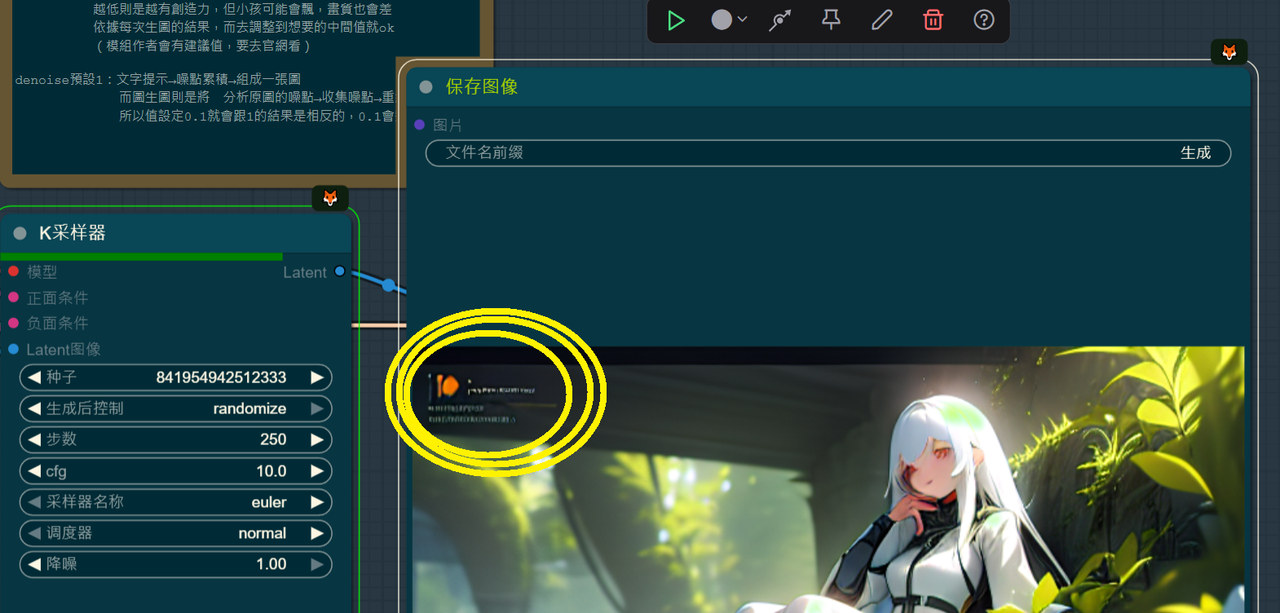
dont care
i get where you're coming from but just imagine the amount of images you gotta crop one by one, it takes a long time, and its unecessary work when you can just remove them with negative prompts
just using negative prompt to avoid this, nude
Cropping takes no time at all, even across 100s of pics if you know how to use editing software properly (then again, I guess they wouldnt be AI users if they did, hur dur). Also, the opinions of those who rely solely on negative prompts to fix all their problems should be completely disregarded lmfao
Happy New Year, Mate
Hope you are doing well :)
I appreciate that you point out this, but I have trained loras and some models but it's really exhausting thing to crop, adding tags, choosing correct resolution for image out of 600+ images removing watermark in every image is not possible as some image have crucial details there and i can't be removed.
Hasta tu propio modelo prr@, todavía que lo hace gratis, andas gritando como prr@
good
safetensor clip is in this branch : https://huggingface.co/openai/clip-vit-large-patch14-336/tree/refs%2Fpr%2F8
model.safetensors
From this pr : https://huggingface.co/openai/clip-vit-large-patch14-336/commit/32aef857e655710d7c25515da6decdb4b4026f44
cheers
There is a sense of curiosity and beauty
Details
Files
counterfeitV30_v30_pruned_fp32.safetensors
Mirrors
CounterfeitV30_v30.safetensors
75_CounterfeitV30_v30.safetensors
CounterfeitV30_v30.safetensors
Counterfeit-V3.0_fp32.safetensors
counterfitfp32.safetensors
Counterfeit-V3.0_fp32.safetensors
Counterfeit-V3.0_fp32.safetensors
CounterfeitV30_v30.safetensors
counterfeitV30_v30.safetensors
Counterfeit-V3.0_fp32.safetensors
counterfeitV30_v30.safetensors
CounterfeitV30_v30.safetensors
CounterfeitV30_v30.safetensors
Counterfeit-V3.0_fp32.safetensors
counterfeitV30_v30.safetensors
Counterfeit-V3.0_fp32.safetensors
counterfeitV30_v30.safetensors
counterfeitV30_v30_pruned_fp16.safetensors
Mirrors
CounterfeitV30_v30.safetensors
Counterfeit.safetensors
counterfeitV30_v30.safetensors
CounterfeitV30_v30.safetensors
CounterfeitV30_v30.safetensors
Counterfeit-V3.0.safetensors
counterfeitV30_v30.safetensors
CounterfeitV30_v30.safetensors
CounterfeitV30_v30.safetensors
76_CounterfeitV30_v30.safetensors
CounterfeitV30_v30.safetensors
CounterfeitV30_v30.safetensors
counterfeitV30_v30.safetensors
model.safetensors
SMECY.safetensors
聚星二次元标准.safetensors
CounterfeitV30_v30.safetensors
counterfeitV30_v30.safetensors
CounterfeitV30_v30.safetensors
Counterfeit-V3.0_fp16.safetensors
CounterfeitV30_v30.safetensors
HT2.safetensors
CounterfeitV30_v30.safetensors
CounterfeitV30_v30.safetensors
counterfeitV30_v30.safetensors
CounterfeitV30_v30.safetensors
CounterfeitV30_v30.safetensors
counterfeit-v30.safetensors
CounterfeitV30_v30.safetensors
CounterfeitV30_v30.safetensors
CounterfeitV30_v30.safetensors
CounterfeitV30_v30.safetensors
counterfeitV30_v30.safetensors
Counterfeit-V3.0_fp16.safetensors
counterfeitV30_v30.safetensors
CounterfeitV30_v30.safetensors
counterfeit-v3-0.safetensors
CounterfeitV30_v30.safetensors
Counterfeit v3.safetensors
CounterfeitV30_v30.safetensors
CounterfeitV30_v30.safetensors
CounterfeitV30_v30.safetensors
mysterious2-dim.safetensors
CounterfeitV30_v30.safetensors
Counterfeit-V3.0_fp16.safetensors
counterfeitV30_v30.safetensors
CounterfeitV30_v30.safetensors
CounterfeitV30_v30.safetensors
counterfeitV30_v30.safetensors
Counterfeit_v3.safetensors
CounterfeitV30_v30.safetensors
counterfeitV30_v30.safetensors
Counterfeit_v30.safetensors
CounterfeitV30_v30.safetensors
counterfeitV30_v30.safetensors
cartoon2d.safetensors
CounterfeitV30.safetensors
CounterfeitV30_v30.safetensors
CounterfeitV30_v30.safetensors
CounterfeitV30_v30.safetensors
Counterfeit-V3.0_fp16.safetensors
counterfeitV30_v30_1.safetensors
Counterfeit-V3.0_fp16.safetensors
Counterfeit-V3.0_fp16.safetensors
counterfeitV30_v30.safetensors
counterfeitV30_v30_1.safetensors
Available On (1 platform)
Same model published on other platforms. May have additional downloads or version variants.