


Am i Real - Photo Realistic Mix
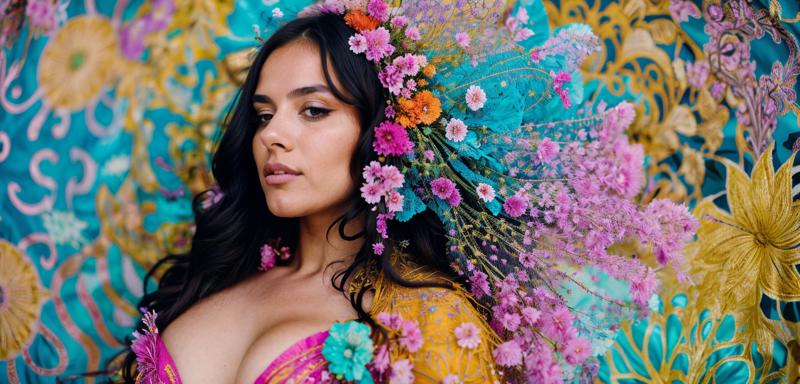
Thank you for all Reviews, Great Trained Model/Great Merge Model/Lora Creator, and Prompt Crafter!!! You can see what model to create "AmIReal" in "About this version"
Generate AmIReal in Seaart.ai
Try change the face with this Random Name Generator (at least a bit change)
Use this VAE : vae-ft-mse-840000-ema-pruned
for easy change the VAE or others go to "Settings", then put this in "Quicksettings list" in "User Interface" tab

And uncheck this part on your "stable diffusion" tab

Base Negative Prompt:
(3d, render, cgi, doll, painting, fake, cartoon, 3d modeling:1.4), (worst quality, low quality:1.4), child, deformed, malformed, bad teeth, bad hands, bad fingers, bad eyes, long body, blurry, duplicated, cloned, duplicate body parts, disfigured, extra limbs, fused fingers, extra fingers, twisted, distorted, malformed hands, mutated hands, mutated fingers, conjoined, missing limbs, bad anatomy, bad proportions, logo, watermark, text, copyright, signature, lowres, mutated, mutilated, artifacts, gross, uglySampling Method:
Euler a, Euler, DPM2 Karras, DPM2 a Karras, DPM2++ 2S Karras, DPM2++ 2M Karras, DPM2++ SDE Karras, DDIM, UniPCImage Size:
- You can use 512x512, 512x768 (normal)
- I like 640x1024 without HighRes Fix (Good)
- Up to 768x1152 without HighRes Fix (just need more generate for best result)
Thank you & Enjoy! Buy me a coffee
Description
FAQ
Comments (151)
Am i Real V1, My Photo Realistic Mix Model Out Now! Pls try it, review it and share your results, Thanks!
hi, congratulations on your launch. Can you give us some insights by answering the following questions 1,Can you explain the process you used to train your diffusion model?
2,How did you collect the photos that were used to train the model?
3,What parameters did you use during the training process? 5,Can you provide any advice or tips for someone who wants to create a realistic diffusion model?
4,Can you share any challenges you faced during the training process, and how you overcame them?
@connectvivek thanks mate!
1. well im not train this model, i just merging/mix it some of this great models
2. answer on number 1 (maybe i need to learn how to train a model)
3. im not using a mathematic for this, im zero about code, i only use the extension on web ui(super merger), just add different and sum weight. i only see the picture/result when merging, until i got what i want.
4.the challanges is my hardisk always full coz i keep lot of models, and sometimes out of memory :p. well for realistic the result for fingers always a big problem, and the hands too much up behind head, also mutation/malformed a bit too much and still in there, lol. i got problem with the result in 640x1024 without highres fix, so need to find out some models with good results within that size, so i find it thanks for that trained models, now my mix model have good result for that size (not perfect)
5. ahhh yes…,we need trained base photorealistic model in underwear, with less nude/nsfw/porn, in good anatomy, skin texture, fashion, sexy but more sfw outfit, coz for now if you want make photorealistic then must be mix with porn & nsfw.
thank you!
I have tried it, first result was damn good, then later images are mixed, for example i tried to use prompt and neg prompt as of museum girl, but got disorted images. but first image was really great. overall mixed review it is.
what´s the recommended VAE?
im using this VAE : vae-ft-mse-840000-ema-pruned
Am i Real V2, My Photo Realistic Mix Model Out Now! ;)
It looks promising!
@ghostpotato i hope so, pls try and make some review :)
@lostdog Is this unpruned? If not, could you please post the unpruned model? I want to try finetuning it.
@xkm this pruned 32, if im not wrong.., okay will try uploading...
This produces some pretty photorealistic faces, but it's next to impossible to get a full body portrait with it.
maybe try describe what in foot, and use size atleast weight 640
Can anyone help me with the skin?
I'm using the copy paste prompts with all same settings and seed but somehow getting real doll-like plastic fake skin
maybe the VAE, or u can share the result here....
I had this happen to me too, I freaked out for about 5 minutes before coming here. I found a comment from @lostdog in another thread that suggested I switch the VAE... and that fixed things immediately!
Author should probably make a mention of the suggested VAE in the model notes on this page. https://huggingface.co/stabilityai/sd-vae-ft-mse-original/blob/main/vae-ft-mse-840000-ema-pruned.ckpt is the one that worked for me.
AmIReal V3 out now! Early Access! ;)
sorry for taking so long, still need time to publish, im try a few V3 beta
Is there a link to this on Hugging Face? I'd like to use it as a base to train with on Dreambooth.
not yet upload on HF, i will upload it later...
Why the photo looks oversaturated with high-contrast on my photos?
can u post the result?
Double check that you've also selected the proper VAE (hypernetworks) file in the webui settings.
@Cragsand Which one? I have none and Automatic
@lostdog I will post one later
@brndk1911 use this vae: vae-ft-mse-840000-ema-pruned
@lostdog you saved me dude, thanks
@rjrjrjrjrjrj you're welcome :)
the more I look all the newest models the more sd 1.5 models still look way way better than sd 2.1768. its like they screwed something up with sd 2.1768. faces look horrible and long alien like. these look so good
i still not playing with sd2, still having fun with sd15, thanks for ur rewiew
Not nearly as many people finetuning and merging 2.1 models, I think that's why.
the 1.5 is a more wild model, it has lower resolution training that version 2 but less censorship. v2 instead received heavy censorship over human face training so it will never have the same output power. but for anything that is not human v2 will be better, landscapes, objects. stuff like that.
the power of 1.5 is that they didn't knew how to apply censorship tags. now they are learning so future models will be progressively more restrictive and worse at certain subjects
@dilectiogames ive also see the 2.1 model to be very woke. it will gravitate to a certain gender or race even specifying something completely different. i hate that shit. v1.5 for the win
V3 is great (higher/finer details, more positions, and better realism) but the main problem is the facial proportions, it look like a facelift and unnatural - V2 was better in this area.
hi thanks to try & review it, i will try to fix that.... :)
Does anyone know any Lora's or checkpoints like this with more focus on black skin? Finding it difficult to get consistency. (definitely trying this new version though for sure and I'll feed back)
i can't find it much on here civitai, only find this lora https://civitai.com/models/13193/pretty-black-girl or https://civitai.com/models/29096/michaela-coel
This is for V2:
I actually find that Hires fix produces worse faces but is less nude-obsessed! With hi-res fix I can actually dress up the character, without hires I can't for the life of me get rid of a bare midriff for example.
I'll test on V3 tomorrow.
thanks, i dunno about that, im rarely use hi-res fix, coz its taking too long to generate on my pc
@lostdog How do you train the models if your computer is so week? Using online service?
Thanks for all the work on this by the way, it's really the best photorealistic model I could find, and I see "faces are the same" as a feature, as it allows creating consistent character with varying clothes
Also managed to test V3. I'm having problems generating decent clothing now :( I used the same settings as I did on V2, was there any change to recommended prompt?
@spiochkrakow443 no im using auto1111 on my pc, thank you :)
@spiochkrakow443 hmm i think not, maybe thats becoz some new merge inside the model, i still use a random prompt on here, and try modified it if something strange on results
@lostdog I actually figured that one out. It seems V2 had a baked-inVAE so it'd produce very good results on it's own. V3 seems to require external VAE to be added, which I didn't know I have to do! Thanks for checking
Make sure to use VAE with V3!
Took me few hours to figure out why I was getting such terrible results with V3. It seems V2 had a baked-in VAE, but V3 does not. So make sure you use one for your V3 generations!
I do like v3 for the image quality and overall aesthetic however I still feel v2 is a bit more flexible when it comes to poses and action. That being said they're both incredible models! well done!
yup i agree v2 more flexible, i hope i can combine both in V4, thanks for review...:)
Can be a bit tricky to get good results out of the box.
TIP: Use another simpler model to get a decent base pose/scene then use this one with img2img and lower denoising strength to upscale and add photorealistic details. 😉
This custom tiling script is great for upscaling to higher resolutions when you've got limited VRAM: https://github.com/Coyote-A/ultimate-upscale-for-automatic1111
Why the images are not looking perfect in v3...
try use this vae: vae-ft-mse-840000-ema-pruned
@lostdog but why this one have zero downloads in the last moth??
And Also my face is coming correctly but the quality of the images is very dull....not as you have listed your images
@maheshdas0909897 you need to use VAE> HAd the same problem, wrote a post about it here: https://civitai.com/models/49463/am-i-real?commentId=142723&modal=commentThread
@lostdog might be a good idea to add this in big letters on top of description :)
@spiochkrakow443 okay thanks, will put it there :)
How to use Vae on Collab??
@lostdog @spiochkrakow443 can you plz let me know how to use vae on Collab??
@maheshdas0909897 well i never use it, but try this https://www.reddit.com/r/StableDiffusion/comments/104ghut/how_do_i_use_a_vae_with_google_colab/
@lostdog Explanation is not mentioned there
@maheshdas0909897 okay i will try find more info and put it here...
@lostdog yeah will wait for some time
@maheshdas0909897 The linked post has the explanation. If you are having problems just use V2 - it's as good and has VAE baked in so no problem
@spiochkrakow443 i got my solution on the same blog....with more realistic results as compared to V2...thanks to both of you for helping me ;)
I have used Realistic Vision v2 and AmIReal v2 both with same prompts multiple times. I can guarantee that your's produces best results with same settings. Now will try v3. Thank you for such a model :)
thanks for try and review, in V3 more realistic , but maybe a bit hard to use :)
V3 I keep getting the same girl face no matter what I change in the prompt. Other than that it is a great model.
Catalan man, produce pictures of women.
try emphasis the prompt man, or put woman/girl in negative
most realistic model I've ever used
thank you i hope i can make it more better :)
@lostdog, can you help me? It doesn't matter which LORA I use, the face is always the same, it doesn't seem to work, in other CPT they work normally. What can you tell me about?
hmm, i think on V3 its too much strong face profile, coz too much blend from many face LoRa, but i will check again...:)
try use AmIReal V2, i think more good for LoRa face
try using ROOP to change the face you want. You will have to do a work around like generate a body with features you like, then generate an image with a face you like, then in img2img, combine everything to make your final image/character. good luck.
This applies to this model, and probably most others: Try using ControlNet in "Reference" mode, you can even use a couple simultaneously. And try the random name generator in conjunction with that. I was able to get pretty good variety that way. Oh and I just found these LORAs: "Weight slider" and "hair length slider" (on this site) that also work great to dial in more variations or customizing.
Has a very strong face bias, seems to have a deeply imbedded face.
Yup, V4 still has the face issue, such a shame because this model is really flexible in other areas.
yup it is, i still don't know how put some random face while i keep this face style, thanks :)
@lostdog your model is one of the rare realistic models that can keep up with my random and complicated prompts, and it can survive using high CFG with the Dynamic thresholding extension without getting deep fried, if you fix that issue your model is a 10/10 for me.
@DannyDs thank you, i still need to find out how to fix that :)
what is the min. system requirments for genrating realistic images, pls tell me about any models which can run on low end specs, thank you
im not sure about that, but i think no requirment for generating realistic image, or you can use free generate website https://tensor.art/models/613619753057068126?source_id=nDe-p1nil0awovotbXb28xIi
This is a model for Stable Diffusion to do so. For the most part it doesn't have different requirements compared to running other models or things in Stable Diffusion. You could look up "minimum requirements" / what hardware you should get for SD, but you'd need a RTX 30 card if u don't. You could rent them like I do on vast.ai.
SD XL is right around the corner, do you have any plans to use it as the new base model?
If you do, do you have ideas for when the next version of Am I Real would come out? I wouldn't try to rush you.
im not try that SDXL XD, well if my memory or my pc enough to work with SDXL for sure i will do..., if not i must stop at SD1.5
@lostdog I understand, though it would suck if you stopped updating this model. I've gotten a lot of my best realistic photos with it.
@Oneechan69 cool, thank you! im glad if someone can get the best results :), yup i know, well let see later when the official release of XDSL and official from Web Ui too, dont stop making good results, im still updating this SD 1.5 amireal ;)
I want to start training my own model. Please advise the ideal computer specs to do that faster and more efficiently.
wow nice! but im not expert about computer specs, i think high end gaming spec will be great, more memory, vram, great gpu & cpu, but browse some more, or maybe someone in here can help
@lostdog Thanks will do more research on those elements you mentioned
You're already doing an amazing job creating these fantastic models. Could you advise where I should start?
I have no background in this but I do know what I want and how I want it, am just not exactly sure how to get started. I know there are a lot of videos on YouTube teaching about training your own model on Stable Diffusion, but I would highly appreciate if you could point me in the right direction given that you're already killing it
@sphiwe thank you! well i just start from merging anime (you can see in my profile), and i have no experience about it, i just like it i make different results with merging the model :). You can start with thinking the idea/concept, prepare data/images if u plan to train, or just browse civitai and then u can imagine "ohh this kind of model will be great if mix with that model" or "ohh this model need to enhance a bit with that model". lot of creators already make great models u can use as ingredients (if the model have permission to merge), and adjust it with LoRa/Lyco. my experience only train 200 images to enhance the realistic of AmIReal V4, and its not good as other trained model :p. well thats the story im not an expert ai too lol, all just my experimental mix to achive the concept :)
@lostdog Nice! Thanks a lot. Keep doing fantastic work
I assume you're super busy doing a lot of training with these models. I was wondering If I could have a one on one chat/session with you? I would like to know a few things
@sphiwe hi sure we can talk in discord add me: lostdogplay
Random name generator - great idea, thanks! so much more creative and interesting than recycling the same few ultra-cliche celebrities.
it can be a little unpredictable but you were right, it breaks facial bias pretty well, on several models I tried now. More people should check it out, add some variation to the AI gene pool.
cool! happy exploring :)
having really bad results with same prompts..i have no problem with others but this one.
try put the result so can see whats the problem
@lostdog i did check it out
okay i think thats a VAE problem, try using the SD MSE VAE
What is a good clip skip to use with this model for stability? 2,4?
i use 1
One of the most promising models I've ever tried, delivers top notch quality and perfection...Great work out there Creator❤️❤️
thank you!!!
Why am I getting bad artifacts with all images in V3-4, I followed settings in description, V2 looks better for me, any idea?
pls post the results so we can see...
@lostdog Ok nevermind, forgot apply settings lol, thanks !
@boccasporka999 okay cool! :)
I've been recently diving into training Loras and as such I tend to test them across multiple models ofc to see how they behave.
While doing that I've come across an issue with AmIReal 4.1 (didnt test 4 or 3) that I can't reproduce in my own merge I use most of the time or RealisticVision e.g.
The Image just gets burned heavily like pink/red skin, warped anatomy and so on. I am pretty sure the Lora isn't overtrained or so bcs even lowering it to like 0.5 or using the first epoch of it burns like this. Any idea what might cause this?
Because I know other Loras I found and used before work with your model but I just can't get mine to work
The Lora was trained on the base SD 1.5 model (no custom model) at 768x768 resolution, with AdamW, SNR and Scaled Weight Norms.
If that helps
@firedelta5 if "burned heavily like pink/red skin" maybe you forgot to select the right VAE
@lostdog I awlays use vae-ft-mse-840000-ema-pruned. basically the default nowadays and the one you also recommend.
@lostdog I've added a xyz grid photo where you can see the issue only with Am I real 4 and 4.1 the other checkpoints tested come out ok
v4.2 seems really good generating realistic images, but unfortunately it's not so good using Loras.
yup its for photo like image, the base model its so grainy & detailed skin texture, so maybe not good for lora
amazing random results, but sadly most of my face loras doesn't work well on this model
thanks, yup sorry, maybe you can try train with this model as base
Inpaint version please?
As I am writing this just noticed that there is a 4.3 version ! Was about to write how I love 4.2, that grain, character and grittyness, it's so different, quite the update, wasn't sure at first but now I love it. My only critique was the eyes, iris come out quite f up most of the time, but maybe it's fixed on the new version. Anyway, awesome work, AmIReal was always and is my favorite model out there !
So, is it fixed ? I want to understand whether 4.3 is better than 4.2
@codegix I dont see any difference
Oh you are actually getting images from this? I only get Error: Could not load the stable-diffusion model! Reason: 'Attention' object has no attribute 'to_to_k' It does not happen with other models.
V4.3 This version seems to work better with loras.
Nice improvement
extensive portfolio of manjaws went into the making of this
coz i merge woman and man model/lora
Amazing work as always, can you make a version for clip skip 2? because most of the lora's work on that and gives weird results with 1
Thanks! will find out how to do that...
i tried to generate the sample image using the generation text and the image looks the same except it looks super over saturated. any idea?
the VAE maybe
@lostdog that was it thanks!
So, conclusion is? which VAE has issue? The model info recommend to use VAE.
@codegix use this vae-ft-mse-840000-ema-pruned
Am I real, or as I call it, I can't believe it's not SDXL.
Hello, I've tried multiple times using several of the versions of this model you have available here , even attempted to duplicate the examples through Comfyui however none ever come close to what you show; many artifacts, over-saturation (and this is using the recommended vae for some of these models). Is there an issue with this model and Comfyui?
hmm im not using comfyui, but in A1111 if over saturation thats the VAE Problem
@lostdog I'm including the recommended VAE for the ones that don't have it already baked in and no matter what, still the same issue.
@lostdog a lot of the females seem androgynous, they don't really got any feminine features. maybe make one where the data is strictly only female and make a seperate version of the model just for males?
okay, will try to fix it...
I haven't tested it yet, but have you considered that maybe the model is more balanced now? Normally SD is heavily biased towards woman. You guys never had to use "male" on the negative. While if I'm trying to create men, I always have to use all the females tokens on the negative. But IDK just thinking...
@lostdog I personally think it looks good and more natural the way it is. My 2 cents is that most every other model on Civit is already heavily leaning into overly feminine characteristics and I like that yours is at least different, which I see as a good thing.
@lostdog Nah, man, the images I get look great and the women look plenty feminine. I think I agree with what @amazingbeauty is saying here (but I'm not entirely sure, it's quite the word salad) - people that have only been looking at AI generated people online for the past year expect these oversexualized images with all the possible features that make someone 'hot' and 'sexy' cranked up to a thousand. That's not what people look like. This looks great and does exactly what it says on the tin. Good job.
Looking at the sample pictures, I can see a couple that could be considered androgynous but most seem to be solidly feminine. I haven't tried this yet; but I wouldn't expect to have any problems.
Model look good, but using my custom lora on it of myself it gives me that "gigachad" chin look. (seems like event he females have a bit of that strong jawline also) Hard to prompt it out.
Tried training on it but it just errors out and is not having any of it. I used the same settings on other models (just changing model) and those all worked fine. I think something is broke with the weights.
This is standard and many do not get it. I am glad you do. Use face bounding box mask and inpaint to fix that. (I hope you use comfyui)
That's probably cause of some embedded lora OP added to his merge (or a model he used that already had a merged lora etc.). You can't do anything about it. I have the same problem: the model is building bulky hard squared shoulder women whatever your lora is.
I can't get the same output in my own workflow! I recreated the same settings from SeaArt. In there the models are fine, just like in the provide pictures. What am I doing wrong?
This is still one of my fav models do to its detailed ethnic facial features. It creates some of the most accurate East Asian and realistic Filipina faces ever!