
Hello ♥
for whatever reason you want to show me appreciation, you can: ❤️Ko-Fi❤️
___________________
This is just a simple and classic Workflow for ComfyUI to create Animations with AnimateDiff.
I have seen on Ko-fi that 60% of the visitors have downloaded this workflow there, so I am uploading it here in a slightly improved version.
If you would like to see more workflows, even more complex ones, please let me know :)
Maybe you want to test my RUN - Motion Lora?
If you use a normal SD 1.5 Checkpoint, please use the LCM Lora
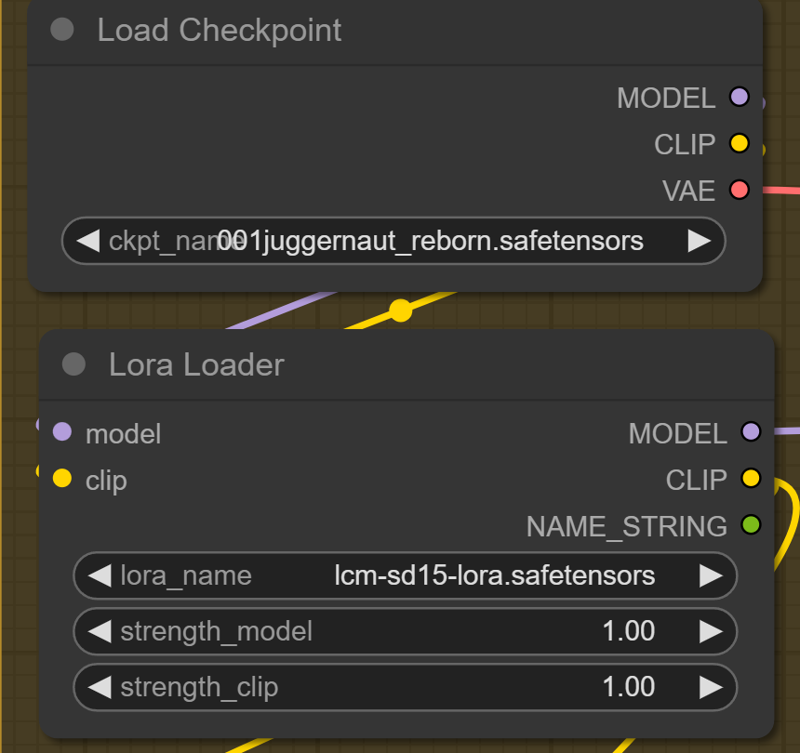
if you use a LCM Checkpoint, you can use an other lora or set the "strength_model to 0 and the Lora is deactivated.
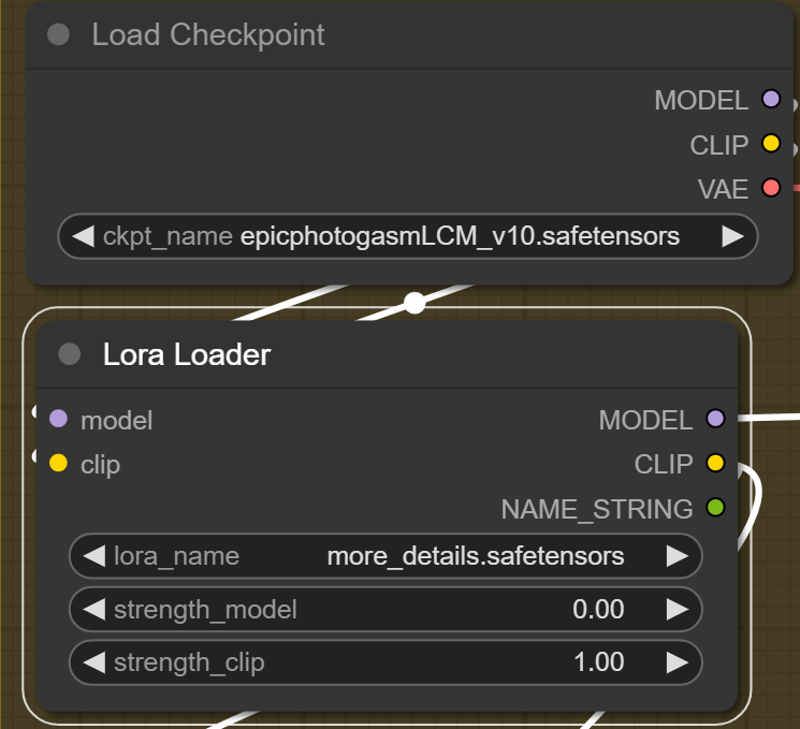
___________________
Special ComfyUI Nodes:
Resolution Slider by mxToolkit
please give that Beauty a Star on Github
Thank you so much for using this Workflow. Hope you are get insane results and create some BANGERZ ♥
Description
added some notes
made it a bit prettier
FAQ
Comments (21)
Woah those Resolution UI and Frame slider nodes from mxToolkit are dope!
haha yeah, if you test motion lora´s or checkpoints...omg change the resolution manually its so time consuming :D
thank you for link the Node, i will add this in the description! ♥
Any difference from 1.0 to 1.5?
if you are familiar with ComfyUI, you don´t need the update.
Just added some notes with links for beginners, changed some colors and wording. You can see the diffrence in the preview image.
@AIDigitalMediaAgency Ok, Cool
Excellent, thanks for sharing!
♥
I'm trying to replicate this but getting an error.
'AnimateLCM_sd15_t2v_lora.safetensors' is not a valid SD1.5 nor SDXL motion module - contained 0 downblocks.wrong lora. use AnimateLCM_sd15_t2v.ckpt. just check the workflow sceenshot.
@AIDigitalMediaAgency thank you.
Hi, im really new here, im using Fooocus but i dont know how do this type of videos. whats it the name of the program. thanks!
i´am not familiar with Fooocus, this Workflow is for ComfyUI
@AIDigitalMediaAgency thanks ill try that
This is really great stuff, I hope I can learn to make more complicated and smooth videos can make in the future
How do I control the amount of the motion?
In the AnimateDiff Group, the 2nd Node. motion_scale
Would it be possible (please, please, please) to adapt this workflow (it runs very well on my poor rtx2060) to load an image (img2vid) instead of txt2vid? I tried salvaging parts of this workflow and mixing with others but so far, no good. :-(
I also tried to do the same without success. I'm looking everywhere for something similar but I have no luck. did you find something else?
I would love to see the img2vid adaptation from you, please help us!
+1 for a adaptation using img2vid (single and batch)