
Super minimalistic clean Comfy UI Flux Dev workflow.
UPD if you encounter the bug with latest comfy UI update, (UI freezes on interacting with some nodes) here is how to fix it:
It has been fixed upstream:
You can apply that PR manually in the meantime. Change line 67033 in ComfyUI\web\assets\index-Dfv2aLsq.js from this:
const isCollapsed = shape === LiteGraph.CARD_SHAPE && node.flags.collapsed;to this:
const isCollapsed = shape === LiteGraph.CARD_SHAPE;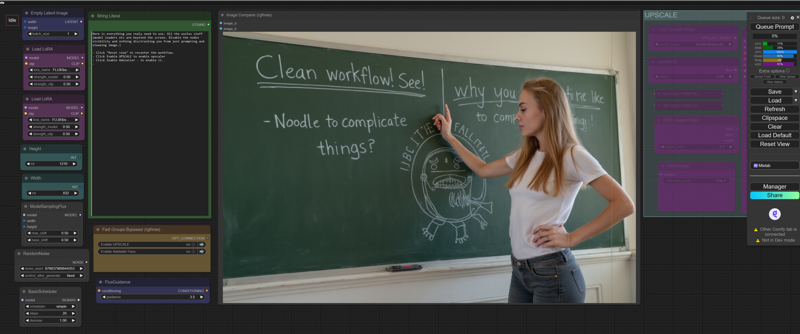
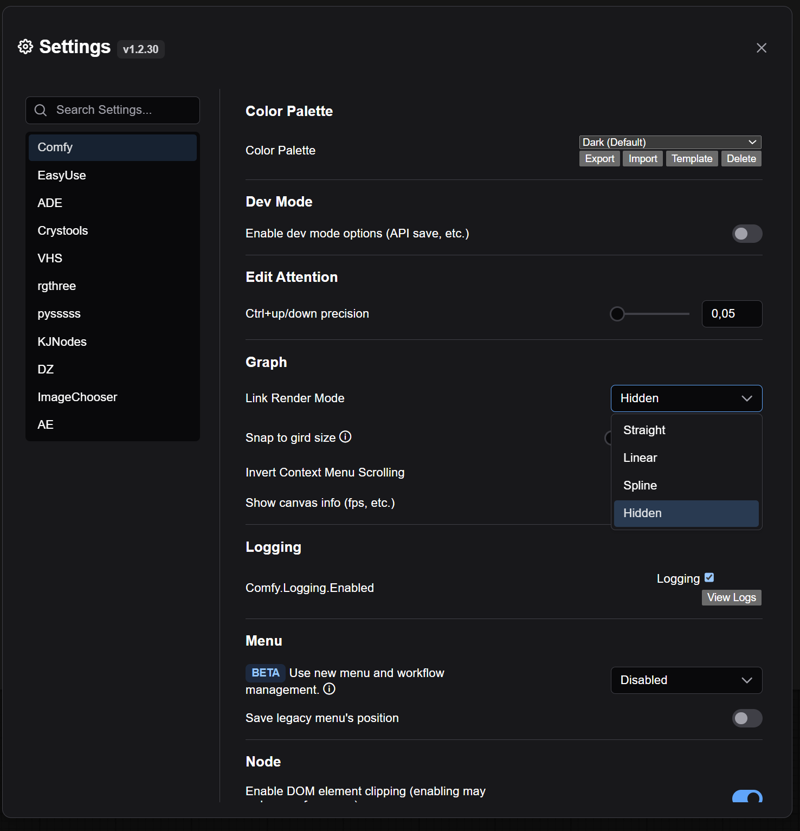 To hide the spaghetti lines click Hidden and enjoy.
Description
Fixed Face Detailer.
FAQ
Comments (13)
This latest update fixed the issue I was stuck on! Thank you!
Can you add an img with the ultimatesdupscale values?
Hi. Super job! How I can load image to just UPSCALE or use face detailer? Do I need always first generate?
Lol, i cant find where i can upload image to upscale? Where is image loader node or etc.
This is Text2IMG. Not IMG2IMG. You need IMG2IMG workflow.
@protector131090 thx!
What VAE should I use? I get Value not in list: vae_name: 'Flux.Vae.safetensors' not in ['FLUX1/Flux_vae.safetensors' this message. Thanks.
ae.safetensors
This is awesome! How can I add a base image, for likeness?
use flux Kontext (different workflow) or LoRa (with this one)
Installed everything on latest comfy but these is still missing:
Int Literal
String Literal
Where did it comes from?
install https://github.com/Comfy-Org/ComfyUI-Manager and install missing nodes
How do I change the checkpoint? i got more then 1 but I can only use the default you programmed it for.