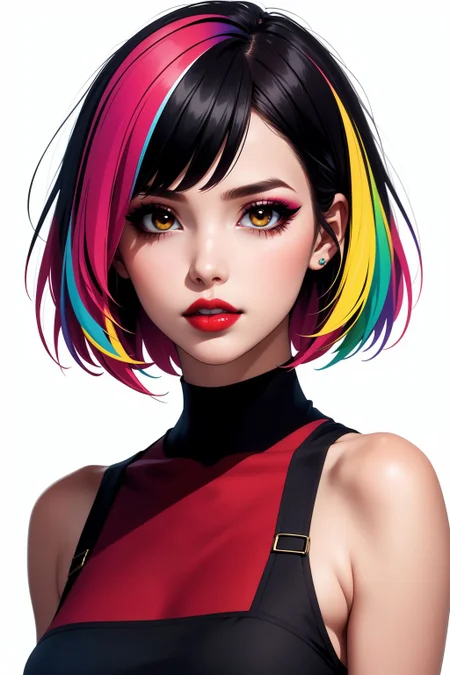


v3.0: This version was created by training version 1.5 on over 500 images with 92000 epochs. For this purpose, efforts were made to achieve SDXL quality. It gives better results at higher resolutions. Does not require VAE. Clip skip 1 and 2 give good results. I recommend using after detailer to enhance faces at low resolutions.
This model was created by mixing several different models with each other after patient and hard trials. It is the perfect choice for creating realistic looking anime pictures. You can also create more linear images by entering the correct prompts.
As a sampling method, Euler A provides excellent results.
CFG Scale must be at least 7 and Sampling steps must be at least 20.
I recommend using "4x-AnimeSharp" or "R-ESRGAN 4X+ Anime6B" as upscaler.
I usually use Clip Skip as 2 but 1 also gives good results
"Bad-hands-5", "bad_pictures" and "EasyNegative" are great for negative embedding.
I generally prefer to use hires fix instead of using restore faces. Restored faces often damage the expressions on the faces and the originality of the eyes.
I recommend adding negative embeddings and using hires fix to get decent results. Let your Hires fix steps be at least half of your sampling steps. Believe me, it will be worth it.
I can't do model training yet. For now, I'm just merging. I download gigabytes of files from civitai every day and now I have 5TB of data :) on the other hand, I'm trying to learn. I am trying to get proper results by mixing the appropriate loras and checkpoints with each other in certain proportions and I share the results that I find successful with you. Sometimes I don't remember what materials were included in the final model because I mixed too much. I guess I'll have to keep a long list to get around the problem. Very soon I will start to share the loras that I have produced myself. Sorry for my english because i don't know english :)
My work will continue...
Description
This version was created by training version 1.5 on over 500 images with 92000 epochs. For this purpose, efforts were made to achieve SDXL quality. It gives better results at higher resolutions. Does not require VAE. Clip skip 1 and 2 give good results. I recommend using after detailer to enhance faces at low resolutions.
FAQ
Comments (10)
My images get too overbaked/vibrant. Any tips?
Use "Euler a" as the sampling method. Do not increase the CFG scale. 6-7 are ideal levels. Use hires fix. Use after detailer to enhance faces (especially if you're not working close-up). Not using VAE or changing the VAE you use may also help.
v3 is definitely an upgrade from v2, but v1.5 is still your best work. hope you keep working on this model. thank you :)
Here you go. I believe the same. v15 is best also for me ! 💕
At the end of the story i would say : v1.5 is great for illustration and v2.0 is great for semi-real faces. v3.0 is useless becoz way to oily or blury.
Overall Beautyfool is well named and create stnuning BEAUTYFOOL pictures. 💕❤️💕
v2 is my preferred model since I discovered it a few months ago. It’s the best for semi-realistic 2.5 D, in my opinion, and creates stunning faces. I hope you’ll continue to develop this side of your beautiful checkpoint. Keep up the good work!
I am very impressed with this model! I really like this cool contrasting and saturated style. The pictures turn out to be very expressive, dynamic with some drama. Good flexibility and variability are also available! Very cool job! Thanks!
Why My images are black? I do everything that you recommended, I use forge
It might be different in Forge, I don't know. I'm running it in automatic1111.
embedded VAE is broken. in ComfyUI, load a stand-alone VAE, like vae-ft-mse-840000-ema-pruned, and things should work just fine. (I'm guessing forge/A1111 are doing this automatically)
Details
Files
Available On (1 platform)
Same model published on other platforms. May have additional downloads or version variants.