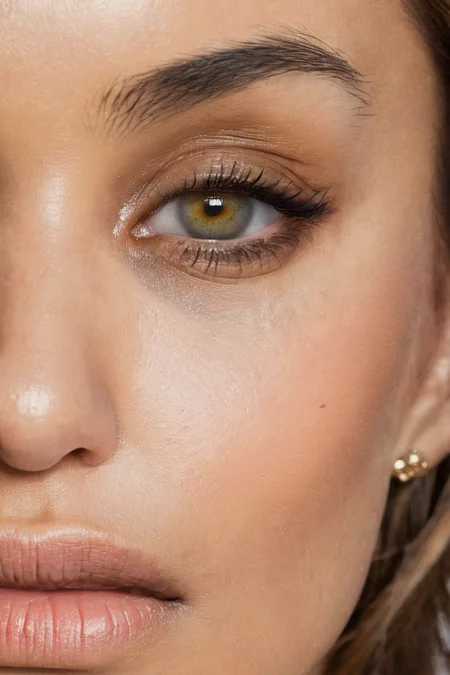
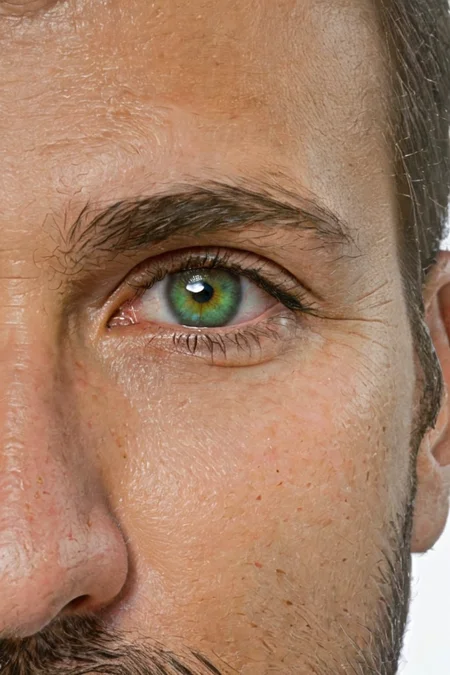
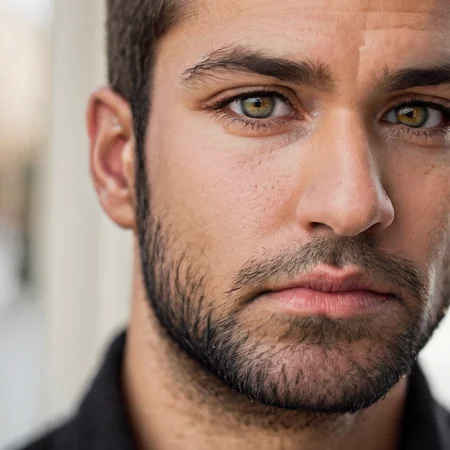
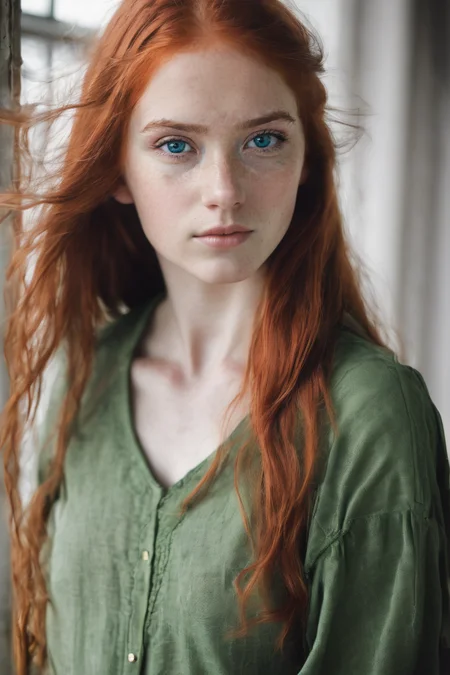

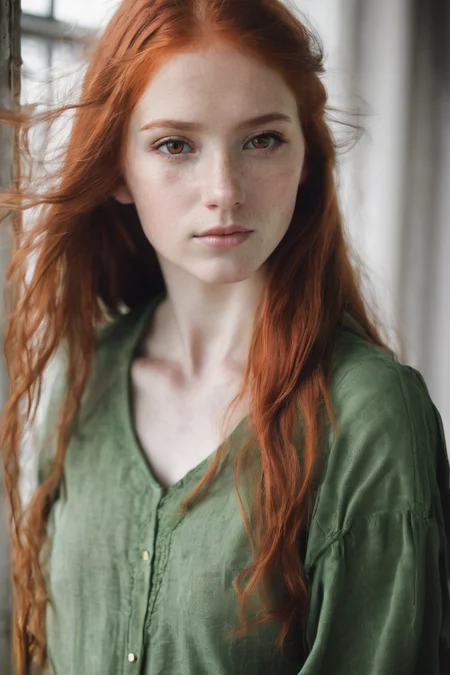
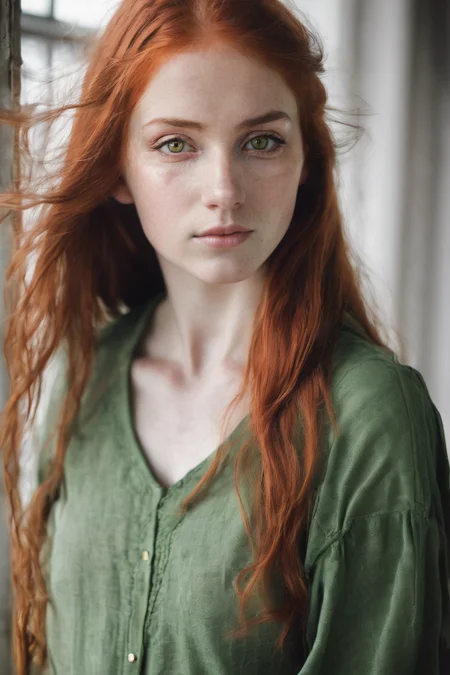


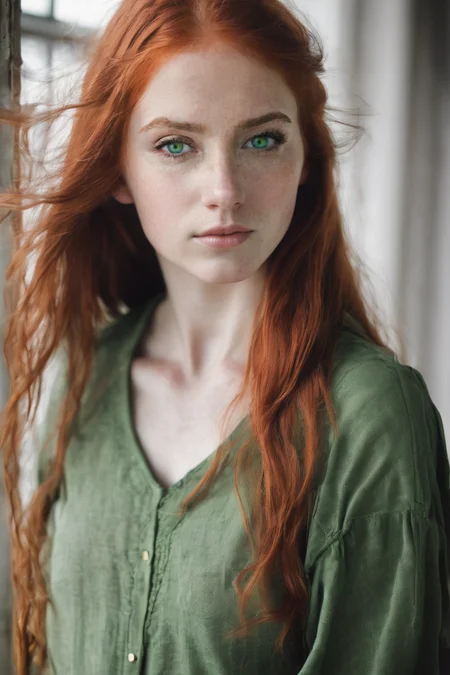
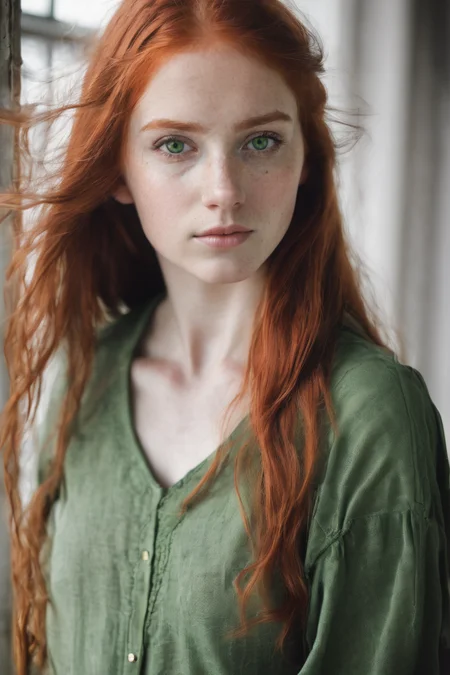
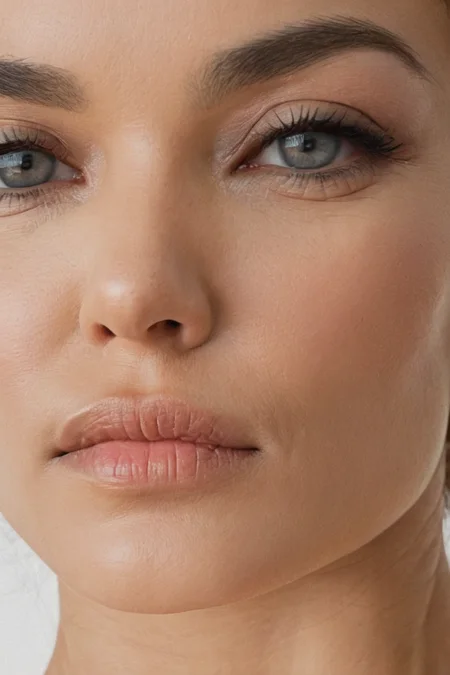
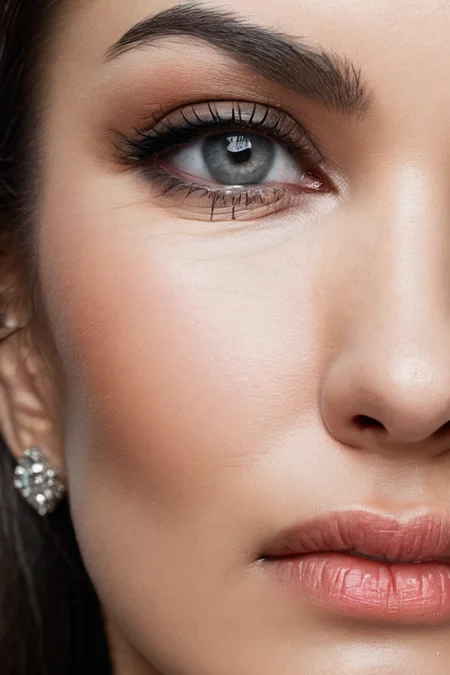
Best at inpainting! Enhance your eyes with this new Lora for SDXL
It understands these type of prompts:
Picture of 1 eye: [color] eye, close up, perfecteyes
Picture of 2 eyes: [color] [optional:color2] eyes, perfecteyes
Extra tags: heterchromia (works 30% of time), extreme close up,
Colors supported natively: green, blue, brown, grey, hazel, yellow (sort of)
New in V3: (Not an upgrade but a different version with different prompting technique)
bloodshot eyes
grey eyes
Description
FAQ
Comments (42)
Thank you very much for the model. It already works quite well. Is there an option to make the color less intense? For example green eyes are to unrealistic (for humans at least) ^^ Ive tried lowering the prompt text, that did not work well. Maybe, if that's the case, a future update could add more colors like light green/grey/blue etc. or make it easier to control the color intensity. If that's already possible, then I apologize and hope for instructions :)
I’ll try changing the captioning to include subtle variations
XL base already does great eye macro shots. What we really need with a LoRA like this is to use it to override or exclude catchlights, the reflective white sections in the eyes that looks the same in every image.
I’ll try getting rid of every catchlight with captioning and getting a more robust dataset
Hi,
whenever I go into the img2img screen this LoRA stops functioning completely. Could you take a look at that?
Can you explain what happens? there's some kind of problem with img2img and SDXL anyway, especially with images with lower resolution
@Deizor it just gives me this error:
''Diffusers LoRA loading failed: PerfectEyesXL 'ModuleList' object has no attribute '4'''
@Art3mis_Civitai Do you have the extension sd_locon or lycoris activated? if so, try deactivate that, the new version of automatic1111 supports lora/locon/loha natively. also, remember to git pull the repository and eventually update the python requirements in the a1111 folder (by typing: venv\scripts\activate then pip install -U -r requirements.txt)
@Deizor I'm using SD.Next so I'm not sure if that's included natively
@Art3mis_Civitai sorry, don't know how to help with that, i only work with Automatic1111
@Deizor SD.Next is a clone of Automatic1111
We need lora for TEETHS pleaseeeeee
Wow, good suggestions, I’ll surely try doing one next week
thanks a lot
@Tentation_ai https://civitai.com/models/128371 check it here
@Deizor thanks buddy :))))
may i know why u used "close up" as a trigger word?
it will interfere with whole prompt.
just a query came in mind while using this beautiful lora.
Thanks! Is it possible to train SDXL on skin texture? This is the main problem for photorealism right now.
Don't know, have to try it
try:
[ng_deepnegative_v1_75t:0.95] <lora:skin_slider_v2_1_FACE:-1>
@efmoyano323 Hello, could you tell me what are the links to the models [ng_deepnegative_v1_75t:0.95] <lora:skin_slider_v2_1_FACE:-1>? I can't find them :(
_____________________________________________
[SOLVED: I wasn't using SDXL 1.0, which is required for this to properly work]
_____________________________________________
This LoRA doesn't show up in the Lora TAB nor in the Additional Networks dropdown. Placed it in the stable-diffusion-webui\models\Lora folder as it should be, but neither refreshing nor reboot works here. Any advices?
(SD version 1.6.0)
are you using an xl checkpoint? if yes, try switching to a 1.5 or searching the model, then click on the tool button and choose "XL" as base model and then save settings
@Deizor Thanks for giving it a thought!
Mh, no, I am still working with the previous SD 1.5, as I didn't update my SD (but thank you for pointing it out btw, I didn't even know this XL version existed)
I thus only now recognized that I am missing the whole model to be manually added from huggingface, when looking at tutorials around that topic.
Soo I guess it's no wonder I don't rly get the follow-up steps you mentioned too, as I am therefore missing interface choices for this ofc too... I guess I'll have to have a look at it, as XL rly seems more demanding and I only have 8gb VRam here.
you say it supports grey eyes...but there's no trigger for that?
There are plenty of images of people with natural grey eyes tagged “grey eyes” so I think you can easily just type it in
Any chance this could support red eyes too? Getting red eyes to generate consistently with realistic models is hard (maybe not surprisingly, as it's not a realistic eye color...)
The model is trained only on real photos, I could try to add some photos with maybe colored lens to make it more flexible
Using "<color> irises" instead of "<color> eyes" has helped me get unnatural colors in general, like pink. However, it unfortunately results in iris flowers appearing in any images that include other flowers or nature. If you don't need to worry about flowers, this might work for you.
@tme752 wow, cool, it could be a solution in inpainting!
@Deizor Just learned about ADetailer and experimented with this. It's harder to get to work in ADetailer inpainting than in the main prompt, at least with my setup, and I don't know if this lora helps. I think I've had the best luck on this with CyberRealistic XL and Pony.
this is the best "EYES LORA" on all of civit. Well done.
Has no effect whatsoever with ponyxl.
Try Pony Faetality, I find it works better for interacting with LoRAs and also ControlNet. You definitely have to play with weighting.
in my sdxxxl checkpoint this lora makes eyes.....worse! in pony it doesnt do anything
Well maybe because sdxxxl has merged this lora in the checkpoint so you are applying the same lora two times
is there anyway of getting tired bloodshot eyes
Not right now, i can however start investigating on how to do this, thanks for the suggestion
@Deizor keep me posted
@Monkey_Butt_Gamer I uploaded a first version for bloodshot eyes, optimized for inpainting. It works 30% of the time, but when it works it works.
Details
Files
PerfectEyesXL.safetensors
Mirrors
PerfectEyesXL.safetensors
PerfectEyesXL.safetensors
PerfectEyesXL.safetensors
PerfectEyesXL.safetensors
PerfectEyesXL.safetensors
PerfectEyesXL.safetensors
PerfectEyesXL.safetensors
PerfectEyesXL.safetensors
PerfectEyesXL.safetensors
PerfectEyesXL.safetensors
PerfectEyesXL.safetensors
PerfectEyesXL.safetensors
PerfectEyesXL.safetensors
PerfectEyesXL.safetensors
PerfectEyesXL.safetensors
PerfectEyesXL.safetensors
PerfectEyesXL.safetensors
PerfectEyesXL.safetensors
PerfectEyesXL.safetensors
PerfectEyesXL.safetensors
PerfectEyesXL.safetensors
PerfectEyesXL.safetensors
PerfectEyesXL.safetensors
PerfectEyesXL.safetensors
PerfectEyesXL.safetensors
PerfectEyesXL.safetensors
PerfectEyesXL.safetensors
PerfectEyesXL.safetensors
perfect-eyes-xl.safetensors
PerfectEyesXL.safetensors
PerfectEyesXL.safetensors
PerfectEyesXL.safetensors
PerfectEyesXL.safetensors
PerfectEyesXL.safetensors
PerfectEyesXL.safetensors
PerfectEyesXL.safetensors
PerfectEyesXL.safetensors
PerfectEyesXL.safetensors
PerfectEyesXL.safetensors
PerfectEyesXL.safetensors
PerfectEyesXL.safetensors
PerfectEyesXL.safetensors
Available On (3 platforms)
Same model published on other platforms. May have additional downloads or version variants.