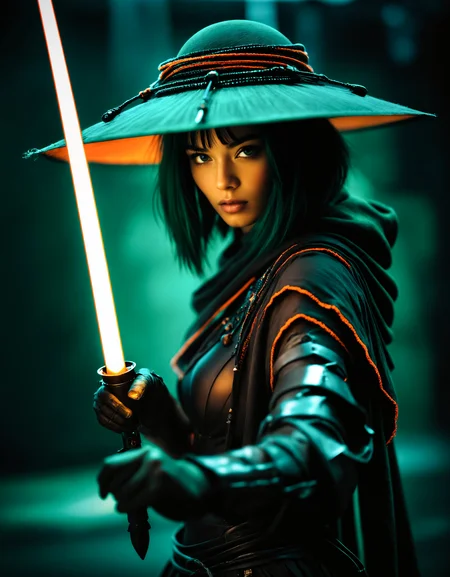
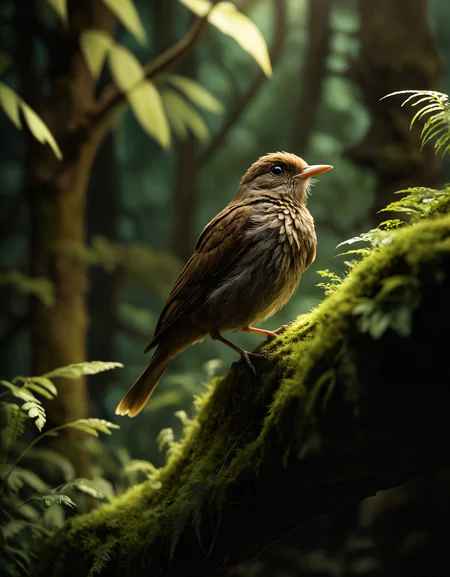


V10 is sponsored significantly by Wizz (https://civarchive.com/user/_Wizz_) - check him out, amazingly kind and knowledgeable guy.
Please consider joining my Patreon so I can keep most of my work available for everyone - I'll be releasing early access models there for a cheaper monthly fee than buying them here individually, and also will be providing exclusive models and more!
For business inquiries, commercial licensing, custom models, and consultations, please get in touch at [email protected] or [email protected]. You can also contact me here through CivitAI DM or join my Discord.
If you see this model on a commercial product/website that is not CivitAI, then the website you are seeing it on is stealing and profiting on my work. Please contact me. If you currently offer it commercially, contact me to avoid being called out publicly.
Note: commercial licensing is a requirement for all generative services other than CivitAI. It's also a requirement for companies using it in a commercial setting; e.g. marketing materials, fashion shoots, apps for photo/video editing, etcetera. The only commercial usage that does not need a commercial license is for artists selling their imagery as prints and such.
Consider using DPM++ 3M SDE Exponential or DPM++ SDE Karras for this model, I personally like them best, 3M SDE Expo for most styles, DPM++ SDE Karras for photorealistic. Make sure to read the prompt advice further on in this section if you want to create photorealistic images as well as some of the sample images.
Introduction
A model line that should be a continuance of the ZavyMix SD1.5 model for SDXL. The primary focus is to get a similar feeling in style and uniqueness that model had, where it's good at merging magic with realism, really merging them together seamlessly. Of course with the evolution to SDXL this model should have better quality and coherance for a lot of things, including the eyes and teeth than the SD1.5 models. This model has no need to use the refiner for great results, in fact it usually is preferable to not use the refiner. Recommended to use ultimate SD upscaler to get the most amazing results.
Continue reading for more information and some tips and tricks.
I kindly request that you share your creations both here and on my Discord server, as I would greatly appreciate the opportunity to see them and motivate me to spend more time in further ventures here.
Pros and cons
Pros
Much better saturation than base model.
Much better teeth, eyes, hands and feet.
Increased realism.
Less blurry edges but still keeps a certain pleasing softness to the image.
Better looking people.
Great texture and tonality.
Cons
NSFW much better than base, but still somewhat lacking without LORAs.
Roadmap
Training the SDXL model continuously.
Pioneering uncharted LORA subjects (withholding specifics to prevent preemption).
Tips
To better understand the preferences of the model, individuals are encouraged to utilise the provided prompts as a foundation and then customise, modify, or expand upon them according to their desired objectives.
Ditch the refiner, an img2img ultimate SD upscaler gets better results when you select this model for it.
For photorealism, use nmkdSiaxCX_200k for initial upscale, consider using ultramix_balanced for final upscale/pass to lessen grainy pictures.
Consider using face restoration techniques when the result for the face is subpar, but the rest of the image is interesting.
If you find that the details in your work are lacking, consider using wowifier if you’re unable to fix it with prompt alone. wowifier or similar tools can enhance and enrich the level of detail, resulting in a more compelling output.
ComfyUI is the UI I use for my SDXL images.
Your 1.5 LORAs won't work in SDXL.
Consider finding new prompts, don't use the standard 1.5 ones. SDXL likes a combination of a natural sentence with some keywords added behind.
To maintain optimal results and avoid excessive duplication of subjects, limit the generated image size to a maximum of 1024x1024 pixels or 640x1536 (or vice versa). If you require higher resolutions, it is recommended to utilise the Hires fix, followed by the img2img upscale technique, with particular emphasis on the controlnet tile upscale method. This approach will help you achieve superior results when aiming for higher resolution outputs. However, as this workflow doesn't work with SDXL yet, you may want to use an SD1.5 model for the img2img step.
Prompts
Recommended positive prompts for specifically photorealism: 2000s vintage RAW photo, photorealistic, film grain, candid camera, color graded cinematic, eye catchlights, atmospheric lighting, macro shot, skin pores, imperfections, natural, shallow dof, or other photography related tokens.
Recommended negative prompts: As few negative prompts as you can, only use it when it does something you do not want, like watermarks. Consider using high contrast, oily skin, plastic skin if the skin is too contrasting or too oily/plastic. Also make sure to add anime to negative prompt if you want better photorealism, and more mature looking characters.
You are further encouraged to include additional specific details regarding the desired output. This should involve specifying the preferred style, camera angle, lighting techniques, poses, color schemes, and other relevant factors.
Recommended settings
sdxl_vae.safetensors (baked in).
DPM++ 3M SDE Exponential, DPM++ SDE Karras, DPM++ 2M SDE Karras, DPM++ 2M Karras, Euler A
Steps 20~40 (lower range for DPM, higher range for Euler).
Hires upscaler: nmkdSiaxCX_200k, UltraMix_Balanced.
Hires upscale: Whatever maximum your GPU is capable of, but preferably between 1.5x~2x.
CFG scale 4-10 (preferably somewhere around cfg 6-7)
Lightning LoRA specific settings:
Euler sampler with SGM Uniform as Scheduler.
Steps 4 (use the 4 steps LoRA)
CFG scale 1-2 (CFG 1 at the higher weights for the LoRA)
LoRA weight 0.6-1
Model recipe
Trained from SDXL 1.0.
Social media
You are welcome to join my recently created Discord server, where we can engage in discussions, share our experiences in AI, and showcase the things we’ve made with AI. You are encouraged to join and ask any questions or seek additional tips and tricks related to my models or AI in general. Your participation would be greatly appreciated.
Description
Significantly changed compared to v4, v5, v6. Last few iterations were beginning to have issues with architecture and nature (as were other checkpoints, funnily enough), where they often looked dull or more akin to extremely low res dotted plants. The way to solve it was increased training on these subjects, and a lot more contrast + detail adjustment. Which also makes darker scenes much more easy to do, to the point of actually being able to reach true black (#000000). This does come at the cost of it requiring adjustment of some prompts that you found beautiful on earlier versions. In some cases you will want to remove any tokens that increase contrast or darkness, or even add them to negative prompt.
Pros
Increased contrast.
Increased details.
Increased darkness.
Increased ability for nature.
Increased ability for architecture.
Increased emotions (still no good winking or crying, maybe LoRA).
Easier to get other styles again, such as 2.5d.
Cons
Eyes can look lifeless more often.
Skin can look more plastic again, often solved by adding 'high contrast' to negative prompt.
For increased photorealism you might need to add 'anime' to your negative prompt. This will also help to increase mature look of your prompted character.
Hair looks less smooth (more stray hairs).
Will need prompt changes if looking too dark, or too contrasty.
Rare occasion of color blotches in some prompts + sampler/scheduler combo.
FAQ
Comments (73)
Very likely the best model of all and so versatile. Wow ! Can't wait to try out this new version ! Thank you so much !
Thank you for the kind words!
Amount of details that can be squeezed from landscapes in v7 should be illegal. Great job!
Right? But don't tell the cops! Thank you :).
This is insane. Best model, and i tried a lot. Details, colors, sharpness all way above others.
Thanks! I'm glad to see people say so, very kind!
ZavyChromaXL is among my top 3 favorite "generalist" models. If a prompt works, then ZavyChromaXL will give you a high quality image 👍
Would you consider making a CosXL version? I've done a merge myself using https://comfyanonymous.github.io/ComfyUI_examples/model_merging/model_merging_cosxl.png and to my untrained eyes there is significant improvement in color and contrast, and maybe even in detail (not sure there).
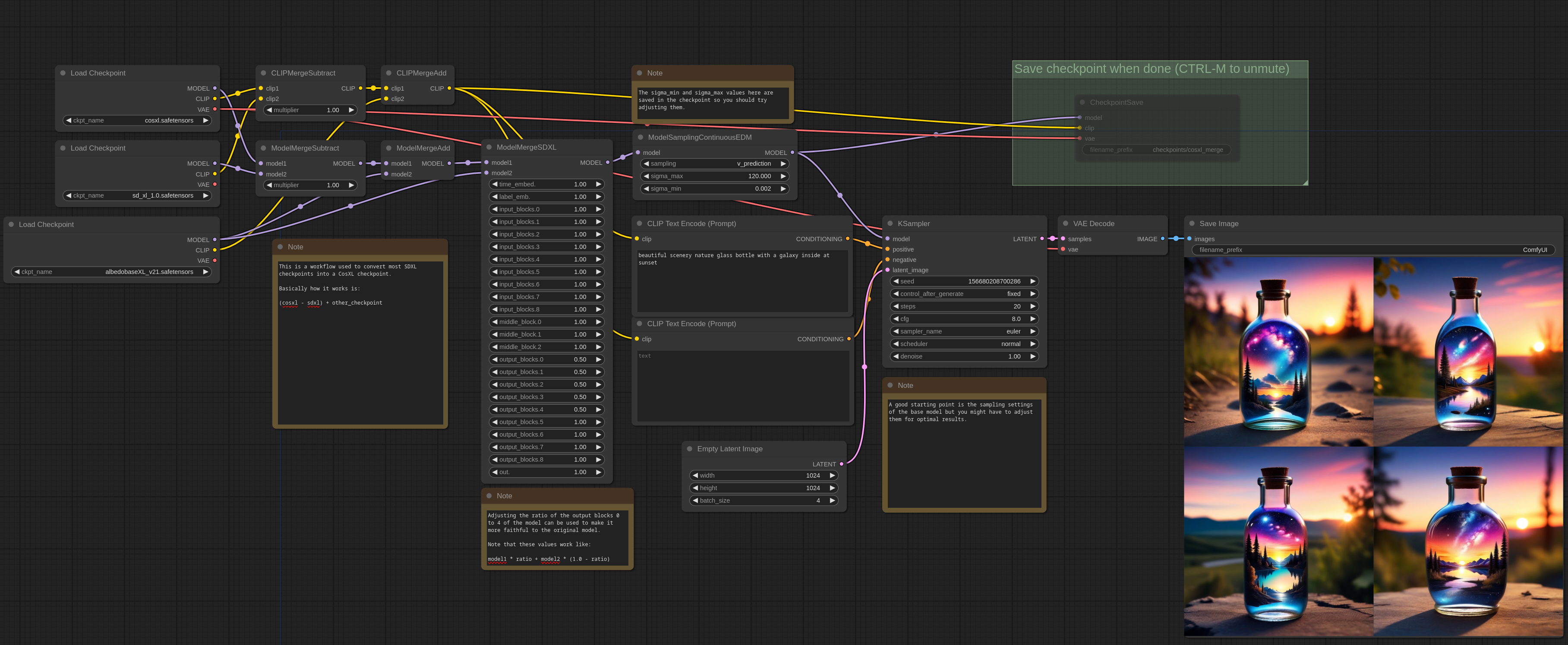
The only downside is that currently CosXL models only works in ComfyUI, so people who don't know what they are doing will complain that the model doesn't work 😅😭
I've done some testing myself with a CosXL merge of ZavyChromaXL v6.0:
https://civitai.com/images/11749826
and V7.0: https://civitai.com/images/11756097
I might, or at least will have an exploration of it. However I'm not too convinced of CosXL, I don't think there's a real lack of tonal range in SDXL (well, there was in the base, I guess). That it supposedly is unable to reach from pure black to pure white (this isn't true, just harder due to how it converges from noise), while CosXL is, is almost purely academic at that point. It does lean into an easier 'color explosion' though, due to avoiding some 'greying' steps early in the generation, but in my opinion comes at quite a significant distortion to the overall composition/understanding. Might be fixable with a careful picking apart layers in an initial merge though. Tbd I guess 😅.
Also, as you point out, currently only works in ComfyUI. So I need to have a think, if I were to make and release one (time and cost incurred is non-trivial), how I'll go about it.
@Zavy Thank you for your thoughtful reply.
Happy to hear that you'll at least explorer the option of producing a CosXL version 🙏👍
Yes I usually use for "art" like cartoon, paintings, illustration, and I like it's more cartoony photorealistic sometimes. Realistic models are maybe more well photorealistic but always add more deformation and artifacts with Lora's for example.
I really loved the previous versions better, any chance you can offer a legacy version of the two?
I'm afraid I've only got two slots to use for the site generator, which I'm currently using for this model and one for ZavyFantasiaXL. For now though - adding 'anime' to the negative prompt should make the image hopefully more akin to what you're used to (with more detail and contrast).
I think it is great that you don't make a lighting model, I think there is no sense in getting lower quality images or duller images just for getting more speed. SD XL in a decent GPU runs pretty fast.
i agree, i prefer to have more quality instead more speed.
Thank you. Personally I'm of the same mind, but I do understand other people's viewpoint or requirement for speed. However, as I strive for quality, it's not of much interest for me to do. Nor do I think it's beneficial to the overall scene anyway. Being able to use (or merge) the LoRA yourself will have you able to do it for any subsequent alternative, like Hyper currently.
@Zavy I've recently come to the conclusion that simply using the Align Your Steps Scheduler node (at default 10-steps) + typically DPM++ SDE GPU for the sampler + the PAG node (at the default 3.0) + sampler CFG scale of about 4.0 on ANY full SDXL model (that is, no Hyper or Lightning merge OR Lora at all) is simultaneously much higher quality than any configuration for them ever was and also not really any slower.
I recommend anyone who is currently using Hyper or Lightning loras / models to try this "full model with just AYS / PAG / Actually Good Sampler" approach instead, it has no real downsides if you ask me.
This version 7 is amazing, I'm getting images that (I get the feeling that) resemble more the first versions of the model, which I've always liked. Good drawn images with no deformations.
Thanks! Good to hear!
What are the best settings for fooocus? Nice model tho
I personally don't use fooocus, so I wouldn't know. Maybe someone else can chime in?
Thanks a lot for that great model. Very flexible and responsive. I love it!
thank's.
I think the Discord link has expired.
It hasn't, it's a perpetual link. Looks like something is up on your end.
I've enjoyed the artistic capabilities of this checkpoint in the past, but this new version 7.0 produces stunningly crystal clear realistic images of various settings and characters in a way that surprised me. I've got great results with fairly simple prompts, and it's great at transforming dated or botched renders without losing the tone and style of the originals. Amazing!
Thank you! Appreciate the praise, and nice to see it works out the way it does for others!
The results speak for themselves really, It's a fantastic model!
Thank you, as always!
Another very good near photo realistic model. The only reason i use it less is because it doesn't do as well at ultra wide dual monitor background format, which, hands down, models are only good at by accident because nobody trains them for it to my knowledge (that is 1920x540 up scaled to 7340x2060 after a x2 hires fix, its not 7680 2160 because frankly windows 10 and 11 have a bug currently and it cant handle that and crashes), that means if you are lucky you get duplication if not segmentation because the AI is not sure how to handle these things. What i really like however is the decent eyes and hands most of the time. Its probably my third best model when it comes to overall picture quality. I am extremely nit picky, its one of the crown jewels available here.
if you dont mind me asking, I currently have a 5120 x 1440p super ultrawide. What models or workflows do you reccomend? I mainly do a lot with landsscapes and havent really nailed down a good workflow or process
Heh, fair enough. Generally at those ratios I'd use a different workflow, bring in an image with controlnet to have it avoid duplicating. But yes, it's a valid critique on pretty much all SDXL models, which would thus also be true for mine (and as you say, some may do it better than others still, but by sheer accident).
I'm happy you notice the hands and eyes doing well, it's a significant time consuming part of my final steps before I release.
This is my most used model now. Just wow! Superb quality here. V5 and V7 are my favorites. With V7 for me at least is more difficult to get full body shots as it tends to prefer portraits and also feels more likely to produce SFW
Hey! Thanks for the appraisal, I'm glad to hear its found such usage! I do agree that V7 tends to do close-ups more often, unless specifically prompted (bring the specific words further to the front for more chance to have it do so). As for SFW, yes, I feel it's best to keep using LoRAs (at low weight) specifically trained for NSFW to enhance that specific area.
A great model, getting better with each version. Thanks for version 7. Yesterday I generated some great work.
Thank you for the praise!
This model blows me away. Especially with some of my tricks to reduce overfitting, this model can comfortably push 30 cfg with perfect clarity.
A side effect of this is, if you run restart at 140 step count (restart) and lower CFG to give a safety margin, you can often generate at well above 1024x1024 natively.
EDIT high step counts are actually not necessary at all
Thank you! Interesting way of using it, I might explore that for a bit.
@Zavy worth noting that step count can actually be as low as 20, and euler works fine, although restart is a slight improvement
Oh the Restart thing seems interesting just found out, you are in some discord Sirrece? To seem to be interesting to follow : )
@Bertoko Yea, I'm on discord, I am yolkhead in the suno sub https://discord.gg/2Daj2D6h
@Bertoko Stunning images by the way! I love the hybrid undersea ones.
I found a flaw, your model does not make good north German cows.
Try this:
Northern Germany, where there are still happy cows frolicking in the sunshine :)
Works great with hyper Loras! Here is an example 3step Deforum dragon animation with hyper8-CFG, Reign of Scales: https://youtu.be/wllGS_tRi2w
Thank you, cool vid!
After testing Zavy 7.0 for days, since it came out pretty much, I can now safely say it's yet another top notch, phenomenal model! Thank you so much
Look forward to trying this out.
Hi thanks for a great model. Used it on my latest Deforum Video, came out well amongst the other models I tried. https://youtu.be/3Y6sIgMwfPs
Thank you, cool vid.
Great model! I'm still trying to figure out where it fits into my workflow, but it seems good at fantasy style. Just a question; what resolution did you use to generate the demo images before upscaling? Thx
Would like to see the TCD variant of this awesome model. Currently this is only optimized for Lightning.
Is it ?!
Or TCD is just another bad method, with bad results, seeking generation speed rather than consistency (quite ironic, regarding the name).
To merge distillation LoRas into checkpoints is just a bad idea.
Use the LoRa if you wanna use it.
It hasn't merged TCD nor Lightning. You can (and should, for all models, the merged uploads are for the most part bs) do that on your own, it's merely adding the LoRA, or if you want to be a bit more fancy, combine the unet.
Absolutely fantastic model. Thank you for this!
Thanks for the nice comment!
This model is so good. I've used it so much.
Thank you! Happy to have finetuned something that's used so much.
Your model has been my "go to" main model since version 2.0. Having said that, there is something about this latest 7.0 that I don't like: images are generated darker, the model is fighting me more on prompt adherence, wants to revert back to portraits instead of full shot action.
Yes, as described in the version commentary it was a step I had to take to get details in structures back, such as grass, leaves, jewelry, and some other stuff. I felt it was becoming too destructive to these details in v5 and v6. It was perfectly fine on close-up, but slightly further out and it became a noisy mess. I also agree that this meant v7 has become too dark. v8 however should be somewhere inbetween with regards to contrast. Will be uploaded in 2 days.
@Zavy I ask myself if there can be done much more to the base model, or if you should concentrate on SD3 on 12.6.
GYAAAAAAAATT
Hey still new to this, when it comes to these checkpoints, are they okay to use as the main engine or just as refiners? I'm using Fooocus and I have some crashing issues every so often but I cannot understand why
Checkpoints are the models you use to create an image, you can use each checkpoint/model as a refiner too. because a refiner is nothing else as a model for refining a created image.
I see, thanks!
I like the V6, so I'm going to test the V7 with pleasure.
Thank you for your efforts.
You're welcome, seems like you have a V8 to test now as well ;).
Lol... I have just validated v7 and I continue to test it in parallel with other checkpoints that I like... Well, I will have to add v8 to compare ;o)