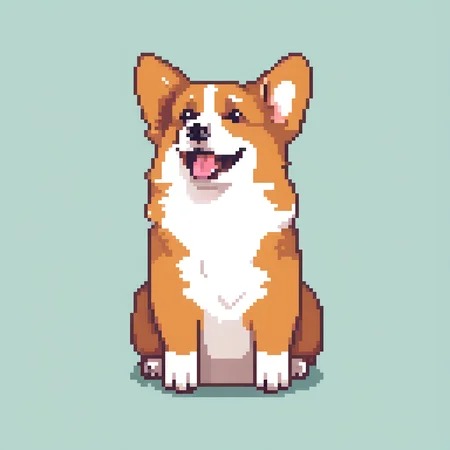
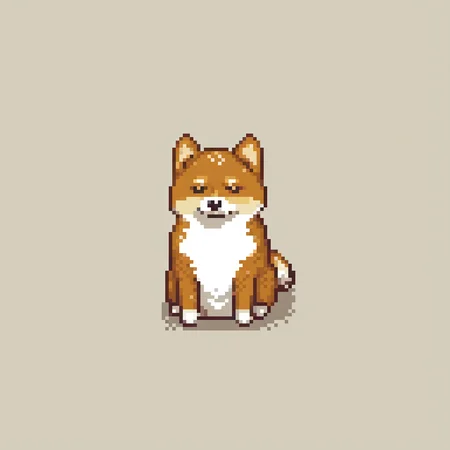

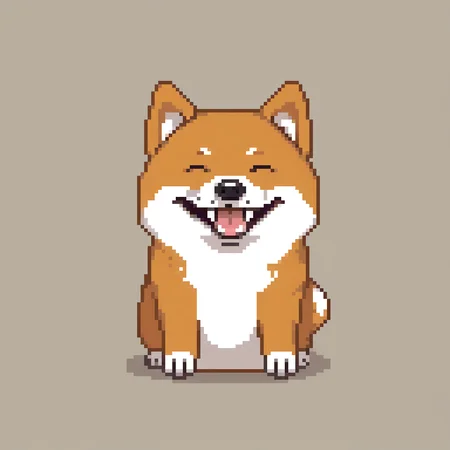
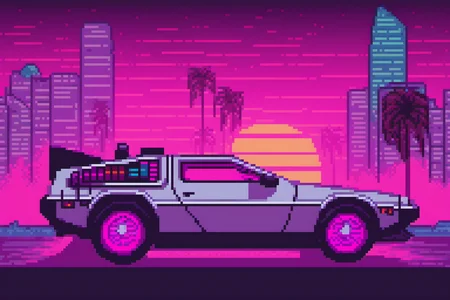
Pixel Art XL
Consider supporting further research on Ko-Fi or Twitter
If you have a request, you can do it via Ko-Fi
Checkout my other models at RetroDiffusion
Best used in conjunction with: Astropulse PixelDetector
Downscale 8 times to get pixel perfect images (use Nearest Neighbors)
Use a fixed VAE to avoid artifacts (0.9 or fp16 fix)
Best results without using, pixel art in the prompt
Tips:
Don't use refiner
Works great with only 1 text encoder
No style prompt required
No trigger keyword require
Works great with isometric and non-isometric
Works with 0.9 and 1.0
Changelog
v1: Initial release
Description
Update compatibility with AUTOMATIC1111
Better coherence
More flexible
FAQ
Comments (68)
Can you teach us how to train a sdxl like this?lol
Just adding this here. The PixelArt nodes for ComfyUI got an awesome update: palettes converter, GRID previews and other awesome stuff. Working great in combination with this lora. Github: https://github.com/dimtoneff/ComfyUI-PixelArt-Detector
This right here finally convinced me to switch from 1111 to comfy.
the node based interface is just so much more powerful and flexible. Until now everything I wanted to do, 1111 was just fine. But this... damn!!!
yep, good stuff... I'm not an artist but it is addicting playing with pixel art :)
I get import failed on all these nodes except the saveaswebp. Anyone know why this might be or a possible fix?
@Chaosstep open a terminal in ComfyUI/custom_nodes/ and run:
git clone https://github.com/dimtoneff/ComfyUI-PixelArt-Detector
Then restart Comfy.
im trying to run this on comfyui but im getting this error everytime in try to generate, am I doing something wrong?:
Prompt outputs failed validation CheckpointLoaderSimple: - Value not in list: ckpt_name: 'sd_xl_base_0.9.safetensors' not in ['pixel-art-xl.safetensors', 'sdXL_v10VAEFix.safetensors'] LoraLoader: - Value not in list: lora_name: 'pixelbuildings128-v1.safetensors' not in []
Same over here, it's not quite clear all the steps needed. I had the same issue and I thought it was because of the comfyui preset .json file is looking for 'sd_xl_base_0.9', I tried making it use sdxl 1.0, or PixelArtXL 1.1, so on and so forth... but it wasn't as straight forward as just changing the entry in the file.
Besides, it isn't quite clear where and what goes where in ComfyUI folders either: "place models here and VAEs there" however I downloaded the files and models via DrawThings app for example and they seem to have different names too (some "cxt or ctx" something, not .safetensors).
@Alej1660
Make sure you have SDXL: https://civitai.com/models/101055/sd-xl
And also make sure SDXL is in .\models\checkpoints and Pixel Art XL is in .\models\loras
Set the base to sdXL_v10VAEFix and the lora to pixel-art-xl-v1.1 using the arrows.
Like this: https://cdn.discordapp.com/attachments/685248776650096657/1155712400373329960/image.png

@KieeeShadow Getting just black images after following your help.
Wasnt getting anything but errors before.
I'm a little confused. I can't tell if the LORA is working. I'm using it with A1111 but the images seem to look like regular diffused images. I also am not sure how to use the Pixel Detector. I seem to have it running via a command line but its not doing anything after I run it.
Can you please release the fine tune dataset used?
Sorry, that's not possible.
It was trained on mostly commissioned art specifically for this project and a highly curated list of assets from opengameart.org
I just can't make it work on my A1111. It is as if there is no lora attached. Yes, I used lora by selecting it from the menu, didn't typed it in.
use 'pixel art' in prompt
the quality of the output is insane, you can do so many things. truly amazing
Not showing in my LORAs?
It gets put into a subfolder inside the Lora folder. Move the safetensors file out of there into the parent directory and it works fine.
@chromaxl Not the guy above you but I downloaded it as-is and there was no subfolder, it's in the base Lora folder and nothing shows :/
@ShoopisMahWoopis i presume you make one
Does anyone have a Draw Things settings to make it work with this lora? The images I'm generating are very inconsistent
it can not work
Awesome work! Works insanely well to generate 128x128 px images (1024x1024 divided by 8). But how to get as great result for larger images, for example 256x256 px?
Thanks!
You can try to push it to 2048 using img2img to keep consistency. Or you can use ControlNet Blur with Ultimate SD Upscale to try to upscale them to 256
Thanks for putting this together, I'm loving it so far. It produces far more usable pixel art than alternatives I've tried, though I am still learning more about Stable Diffusion. Do you have any tips on how to make it generate different pixel densities of pixel art though? For example, if I wanted to generate a 640x360 pixel art scene (currently it insists on the pixel art itself being a lower resolution than that)?
All the best.
Thanks for your comments!
Currently this model only support 128x128 pixel size, you can try my PIxel Portrait model for 64x64 pixel scale
Not showing in my loars!
Are you using an SDXL 1.0 Checkpoint?
So how do I get this to work?
I installed a111 1.7.0 and added this model to the model folder, but when I generate a picture I get the "fake blocky pixel art pretending to be" photo's and not the crisp pixel art like in the model previews, not only with this model but every pixel art model.
So I think I'm doing something wrong or there is something I'm not doing?
Hope somebody can help out or clear up what I'm doing wrong.
Thank you in advance!
You need the base model, SDXL in this case
@dazemc Still not working, I get some noise...
@dazemc Thanks!!, working fin now!
really great lora for creating characters and monsters! I recommend just using the word "chubby" in front of whatever you are trying to make to get some fun results
Can someone tell me why this doesn't show up either in a /pixel folder or in the main lora folder. It also doesn't work as a checkpoint. I used the keyword "pixel art" and it still doesn't work. What am I doing incorrectly?
Really neat model to experiment with. This certainly solves a big hurdle for making conceptual indie games. A few quick questions I hope to see answered before purchasing:
- Comparing this asset to your complete Retro Diffusion model what are the differences?
- If I would go for your Retro diffusion model, would it be able to create say... equipment at a slanted angle instead of just forward-facing models? (I have some characters for a side-scroller that I would like to outfit through img2img)
- Does img2img through Aseprite works similar to Automatic1111 where I can mask certain parts or make color masks even?
Thank you very much for your time!
Using it with an SDXL model but when i apply it to the prompt it doesn't do anything. (auto1111)
EDIT: adding "pixel art" to the prompt seems to trigger it. I guess SDXL LORAs need trigger words to do anything?
What's the trigger words? damn it why there's no trigger words any more
I use 'in pixelart style'
how to use this ? bro there's no trigger words any more
Most of the prompts works without trigger word, but if not, just use: "pixel art, XXX XXX XXX"
@NeriJS alright I'll try, thanks !
Doesn't show up :/
Love this LoRA!
Is there a way to adjust pixel size other than 128x128 px?
To generate a more blocky result for example.
Thanks!
Currently no, it's a limitation of SDXL itself. You can try to do "high-res fix" or similar or even upscaling with ControlNets with the same loras to get a even higher res outputs.
You can also try Pixel Cascade, it can generate easily at 192x192 (1536x1536) and img2img to 256x256. But they're not pixel perfect
Pixel art
Can't download... some error
Does not work, console outputs a ton of "lora key not loaded:" and "ERROR lora diffusion_mode.input_blocks... is invalid for input of size...."
I'm curious as to the legality of using this for a commercial product. What is the model using to learn to draw this style? I see it is capable of recreating famous people's likenesses, and copywritten creatures such as Pokemon which I want to avoid. Is there way to know if an image avoids these types of things?
Me too. This model looks very useful, but I won't be able to use it without some more knowledge about the training data.
dont be a pussy
Do you know how much copyrighted stuff is probably in the base SDXL model? You can physically draw a picture of a Pokemon and nobody will ask you what image you were looking at online to base your drawing off of unless yours is an exact copy. Your artwork is your own and the tools you use shouldn't matter. You will not run into any legal trouble using this model, that's such a ridiculous thing to even worry about.
Yes there is a way to know if an image avoids those things: to develop the model yourself.
Pretty sure your base model is of much more obvious legal concern in the first place.
@artemiykalinin67348 suck my cock
this lora does'nt show in my lora list
Are you using Automatic1111? After a hiatus I noticed this behavior with the latest update, i.e. it only shows loras/lycoris that work with the current base model you have selected ex: SDXL loras only work with SDXL models.
@jsfortnighta286 Yes, thank you very much
Thanks work fine !
Works nice, thanks ! There is a fix for ComfyUI here :
https://gist.github.com/zaro/9243d32d56f81655fdf9e3edd48f4ed1
Awesome! Thanks for sharing! :)
Where is it best in process to do pixeldetector? I copied your nodes into comfy. Should I run the entire workflow then use it, or is it best used before the 8x upscale? Edit: Replace the downscaling step with pixeldetector.
Yup, just pass the raw output image into pixel detector. Dunno what implementation are you using, but most of them work out of the box
Is there a way to make this work with SDXL Turbo?? Any plans on ever updating this to newer models?
I think you can use it directly with SDXL Turbo
Yup, there are some versions trained on this dataset for FLUX and SD3 and 3.5
"upscale image by:
Nearest-exact
Scale by 0.125 (will display as 0.13, thats fine)"
Hey, what's the triggerword?
(read the description:1.2)
Details
Files
pixel-art-xl-v1.1.safetensors
Mirrors
pixel-art-xl-v1.1.safetensors
pixel-art-xl-v1.1.safetensors
pixel-art-xl-v1.1.safetensors
pixel-art-xl-v1.1.safetensors
pixel-art-xl-v1.1.safetensors
像素艺术XL.safetensors
pixel-art-xl-v1.1.safetensors
740d07a4-8cc9-45a9-a7cd-9cc0987eadc6.safetensors
pixel-art-xl-v1.1.safetensors
pixel-art-xl-v1.1.safetensors
pixel-art-lora_xl-v1.1.safetensors
像素艺术.safetensors
lora_pixel-art-v1_1.safetensors
pixel-art-xl-v1.1.safetensors
pixel-art-xl-v1.safetensors
pixel-art-xl-v1.1.safetensors
1.safetensors
PixelArt_v1.1.safetensors
pixel-art-xl-v1.1.safetensors
pixel-art-xl-v1.1.safetensors
pixel-art-xl-v1.1.safetensors
pixel-art-xl-v1.1.safetensors
7414e356-30f5-4f7d-9034-4dc7dcc02146.safetensors
pixel-art-xl-v1.1.safetensors
pixel-art-xl-v1.1.safetensors
pixel-art-xl-v1.1.safetensors
pixel-art-xl-v1.1.safetensors
pixel-art-xl-v1.1.safetensors
PixelArt.safetensors
pixel-art-xl-v1.1.safetensors
pixel-art-xl-v1.1.safetensors
pixel-art-xl-v1.1.safetensors
PixelArt.safetensors
pixel-art-xl-v1.1.safetensors
pixel-art-xl-v1.1.safetensors
pixel-art-xl-v1.1.safetensors
pixel-art-xl_120096.safetensors
Available On (1 platform)
Same model published on other platforms. May have additional downloads or version variants.