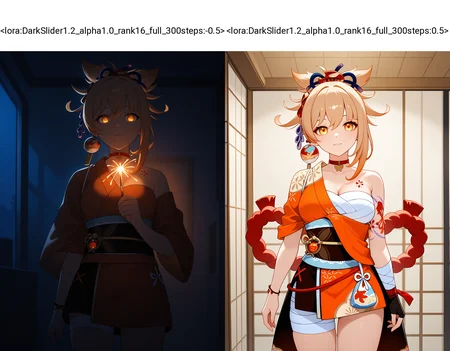
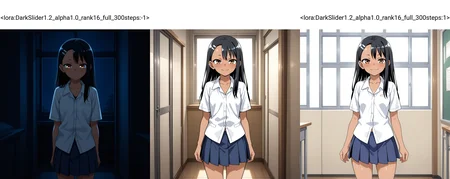


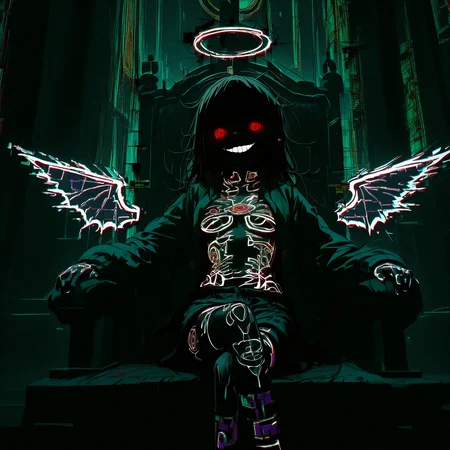


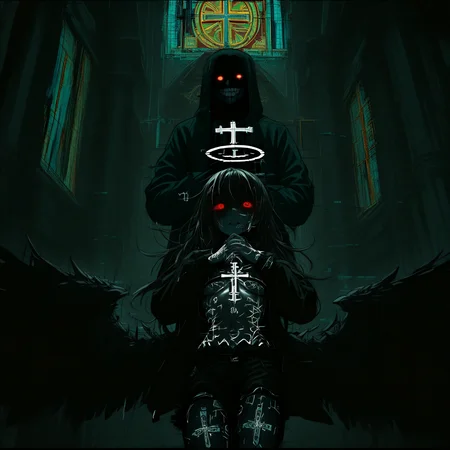

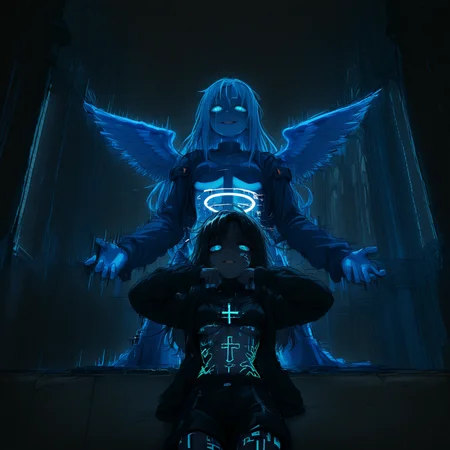
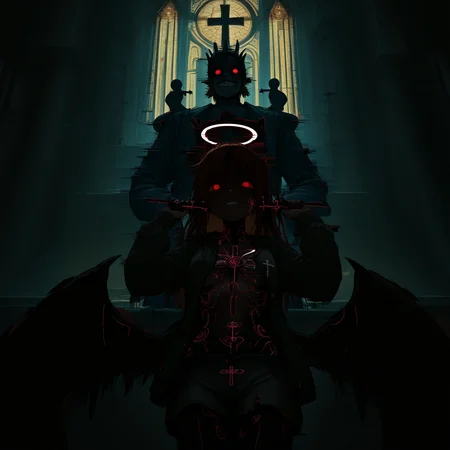
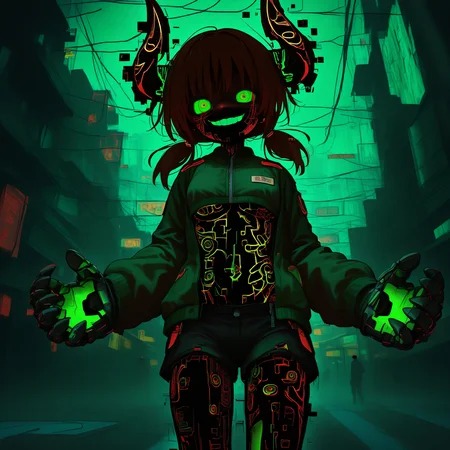


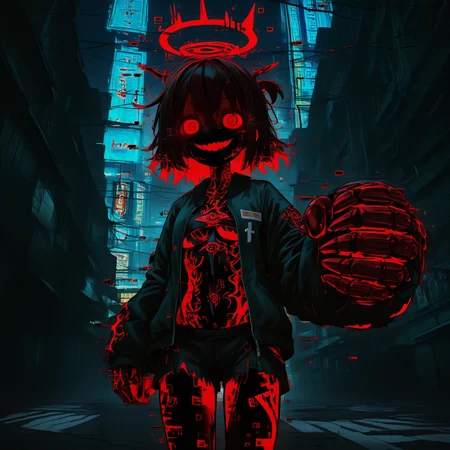
Anima Version is here
Took awhile since I couldn't find any public Anima Slider Repos. Enjoi :)
as low as -8 lora weight. Otherwise just follow guidance below.
~~~~~~~~~~~~~~~~~~~~~~~~~~~~~~~~~~~~~~~~~~~~~~~~~
(commission) Lighting intensity slider
Makes light sources in the image brighter or darker for a very natural brightness/lighting control.
IMPORTANT:
This lora is POTENT if used correctly.
-Add any lighting descriptor (highly recommend "blue hour" or "late night") but things like "dark" or "dimly lit" work fine as well
Literally any keywords that are dark related will make it DARK. try -0.5 to -1 with a "dark" word in your prompt.
-You may get blue eyes on dark scenes, simply specify eye color
.
Feel free to reach out to me for commission requests ✌️
Description
FAQ
Comments (49)
This works great! Thanks to your hard work, we finally have the correct dark image.
🙌
I was able to brighten the face of the character Lora, who gets darker at higher intensities. I used intensity 1.7. No words were used in the prompt.
Awesome! Yes the positive weight needs no keywords to work well :)
Warning: the presence of "steps" in the name may break some metadata parsers which use the word "steps" (e.g. A1111 or SD.Next).
Do you think editing the name of this model's safetensor file before placing the model in the LoRA folder would negate this issue? Thanks for the heads up. I'll try to comment back with whatever answer I get from trying that approach.
@DevilDogAV That would work, I'd say (SD.Next has adjusted the parsing, but there's no way to tell if it wouldn't break past metadata).
@einar_rainhart I asked AI and it confirmed that it could be a problem. AI said my solution should totally prevent the issue. I downloaded the model and just erased the unnecessary characters in the title of the safetensors file (most importantly "steps"). I've been able to use the LoRA on Automatic1111 without issue. The LoRA works quite well, I'm sure many experienced SD artists are aware of how overexposed images can get at times. This resource seems like it can be a real asset. I recommend the author just re-upload the model as a v2 so that they can keep this listing and all their thumbs-ups, stats, ect, and then just make v1 unavailable for download. It seems like a great addition to one's kit.
@DevilDogAV As I said, at least for SD.Next the developer changed the parsing code and it's no longer an issue, but for A1111 it could be still, indeed.
@DevilDogAV Hey brother, I'll rename and re-upload here in a bit. I never realized this was an issue until Einar commented as I've never experienced a problem before
@Mraclet Who would know that would be an issue. hehehe Such a random coincidence for something so innocuous to be a potential issue. Shout out to @einar_rainhart for making us aware and props to you for addressing it. Please confirm that my suggestion will preserve your listing page here, it would be a shame to lose all the stats you've earned from this model. If in doubt, contact support, I'm sure they can help you resolve the issue in a way that everybody wins. Extremely useful model! Thanks for creating it.
FYI name has been fixed. TY for pointing it out
Damn! This is really great and works very correctly!!! Thanks to the creator!!! 👍👍👍
I've been scratching my head for at least 10 hours on how to give some images darkness until now. Tysm bro
This lora is awesome but is capped at -1 in the generator for some reason, it is really good at even lower numbers.
this helped out perfectly, thank you so much!
That for Pony would be cool
Good news, I tried it using WAI-ANI https://civitai.com/models/404154?modelVersionId=1085338 for Pony and it seemed to work perfectly.
Just use higher lora weight for pony
Great!
great!!!
Works like a charm!
Thanks ❤️
Work excellent! Thx!
one of the best loras for illustrious ever made, period point blank. extremely versatile.
Thank you! Glad it's helpful
@Mraclet it really is, it's giving my images a depth and style I haven't been able to capture before, without intruding into the actual generation itself, it's incredible. I just started using it yesterday and I think it will be part of all my workflows from now on.
The best model for light control
Can't thank you enough this model works wonders!~ Best lighting slider bar none!
How dark will this go? I want to do almost pitch black with low lighting.
Very dark. -2 with "dark" in the prompt and viewer goes blind lol.
My example images used just -0.5
For some images I generate the person gets "highlighted" even though the background is dark. Is there a way to fix this?
I suggest tweak your prompt if this happens. Less "dark" tags in your prompt and higher lora weight should balance the subject and background a bit
Out of all the ''dark'' sliders/helpers this one gives me the best results!
lovely lora! instantly impressed ☺ thank you for the great work, the range of possibilities is amazing
For anyone that's been looking for the solution to, everything is too bright no matter how many stacks of tags I use, this is a great solution.
To anyone not getting the desired results, 0 is neutral lighting, anything negative makes it darker, and anything positive makes it brighter.
Great tip. It does work very well for over-exposure
Thanks for this LoRA.
I finally have an easy way to control my images lighting.
Now I can generate dark scene for my LoRA showcase with ease haha
This Lora is excellent, I hope they make an Anima version too.
Hey I have one question, do you know how to create a Lora lighting style with the anima model?
I've been getting a few requests. Personally haven't used anima yet but it shouldn't be too difficult. I'll see what I can do this weekend 🤙
@Mraclet This is hands down the best light/dark slider LoRA I've used. Really looking forward to the anime version update when you get a chance!👍👍👍
@Kakitsu Thank you! My Slider repo has not been setup for anima and I just haven't gotten around to it. Hopefully very soon!
@Mraclet Holy cow, bro, you're so cool!!👍
Any plans on an Anima version?
Hopefully soon. My Slider repo isn't set up for anima yet. Will get around to it hopefully this week
@Mraclet That's cool, bro. Anima really needs that slider for some artist tags ngl.
@mdalfthedude Here ya go https://civitai.red/models/1280702/lighting-darkness-slider?modelVersionId=3078972
@Mraclet Big Dubs my friend. You're awesome
My Favourite Slider just got an Update\^o^/❤️ Thank you so much
Details
Files
DarkSlider1.2_alpha1.0_rank16_full_300steps.safetensors
Mirrors
lightingSlider.safetensors
lightingslider.p7Y3.safetensors
lightingslider.p7Y3.safetensors
lightingSlider.safetensors
DarkSlider1.2_alpha1.0_rank16_full_300steps.safetensors
lightingSlider.safetensors
lightingSlider.safetensors
lightingSlider.safetensors
lightingSlider.safetensors
dark-slider.safetensors
lightingSlider.safetensors
DAK.safetensors
lightingSlider.safetensors
lightingSlider.safetensors
lightingSlider.safetensors
lightingSlider.safetensors
lightingSlider.safetensors
lightingSlider.safetensors
lightingSlider.safetensors
DarkSlider1.2_alpha1.0_rank16_full_300steps.safetensors
lightingSlider.safetensors
Tool1.safetensors
lightingSlider.safetensors
lightingSlider.safetensors
lightingSlider.safetensors
lighting-darkness-slider.safetensors
lightingSlider.safetensors
lightingSlider.safetensors
lightingSlider.safetensors
lightingSlider.safetensors
lightingSlider.safetensors
lightingSlider.safetensors
lightingSlider.safetensors
Mirrors
lightingSlider.safetensors
lightingslider.p7Y3.safetensors
lightingslider.p7Y3.safetensors
lightingSlider.safetensors
DarkSlider1.2_alpha1.0_rank16_full_300steps.safetensors
lightingSlider.safetensors
lightingSlider.safetensors
lightingSlider.safetensors
lightingSlider.safetensors
dark-slider.safetensors
lightingSlider.safetensors
DAK.safetensors
lightingSlider.safetensors
lightingSlider.safetensors
lightingSlider.safetensors
lightingSlider.safetensors
lightingSlider.safetensors
lightingSlider.safetensors
lightingSlider.safetensors
DarkSlider1.2_alpha1.0_rank16_full_300steps.safetensors
lightingSlider.safetensors
Tool1.safetensors
lightingSlider.safetensors
lightingSlider.safetensors
lightingSlider.safetensors
lighting-darkness-slider.safetensors
lightingSlider.safetensors
lightingSlider.safetensors
lightingSlider.safetensors
lightingSlider.safetensors
lightingSlider.safetensors
lightingSlider.safetensors
Available On (3 platforms)
Same model published on other platforms. May have additional downloads or version variants.