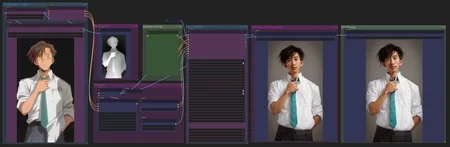


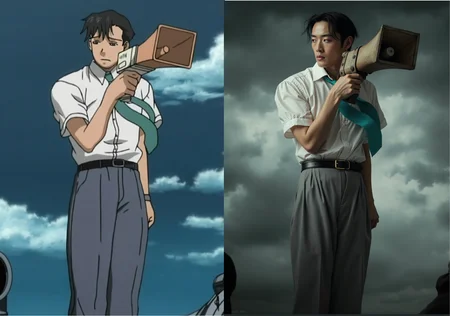
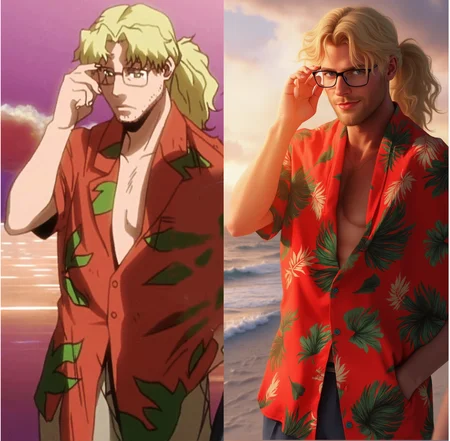
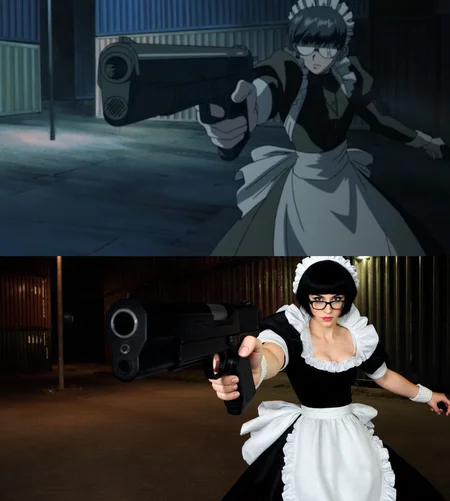
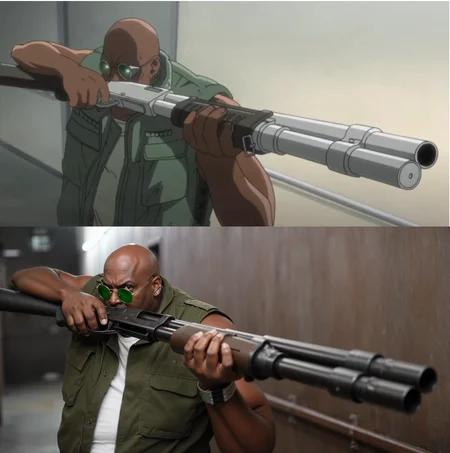
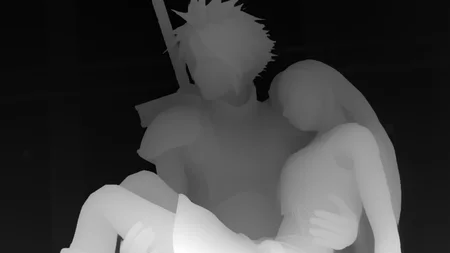
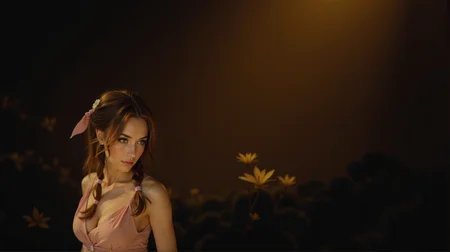
This workflow will use Gemini 2.0 and ControlNet to create realistic looking images from anime images.
The workflow is updated and is using the system prompt node from Creepy_nodes pack. Find it on github and in CumfyUI manager.
NOTE: If you have an issue loading the Gemini node, try to pip install sounddevice
It's also possible to create anime images of real photos. Just change in the system prompt node.
Description
FAQ
Comments (28)
this is a good great resource - just in time for my lazy a$$ ;)
Glad you like it :)
this is one of the biggest complements a workflow creator can get! you bet me to it.
@Cosmic_Crafter <3
@Cosmic_Crafter Thank you!
All models like yours, inserted image 900x900.png and this error: KSampler
mat1 and mat2 shapes cannot be multiplied (4096x80 and 128x3072). What did I do wrong or how can I fix it?
You should try to make the input image as close to 2mb as possible (for example 1024x1024). If it differs a little bit, the rounding node will fix it. Alternatively you can raise the numders in the rounding node to 64 or maybe 128, but then you will get a large ugly padding around the images.
Let me know if you got it to work.
@Creepybit I inserted an image 1024x1024, but still the error: mat1 and mat2 shapes cannot be multiplied (4096x80 and 128x3072). I also tried images of different formats - png, jpg, webp. Different resolutions - 600x600, 738x738, 1080x1080. While writing, I decided to try a vertical image 736x1309, but the error still haunts me, only the numbers have changed: mat1 and mat2 shapes cannot be multiplied (7296x80 and 128x3072).
@batmanmyzhik553 That's odd. I had a lot of similar issues before I added the rounding node. I have had it a few times with the rounding node as well, but clearing the cache or restarting Comfy has solved it those times.
I wrote a comprehensive step-by-step guide, maybe you can find if you missed something there: https://www.zanno.se/anime-into-photo-or-your-photo-into-anime/
@Creepybit Thanks, I'll give it a try
And there, where I was saying that I found what I wanted, to turn anime into real people, I'm doing something very wrong. Neither is the pose from the reference point of the image the same, nor does it turn it into a real person. I only managed it once and even then, not with great accuracy as I see in your examples. Phew 😢.
What model are you using? I only got one image where the pose wasn't copied from the depth nodes.
I wrote a comprehensive step-by-step guide. Maybe you can find something you missed there?
https://www.zanno.se/anime-into-photo-or-your-photo-into-anime/
@Creepybit Hello :) I think I'm slowly getting it. I downloaded the lora from the 0.99 default setting you have to 0.85 - 0.90. I think this depends on the image, I'm not yet sure. I also downloaded the ViT-L-14-TEXT-detail-improved-hiT-GmP-HF.safetensors. Although the differences are minimal compared to the other cliploaded, the flux1-depth-dev-lora was responsible for the results.
@pantelis1985 Great!
thanks for this! id be super interested to see your version of a kontext workflow for this same process!
shoot i just cant get gemini to install properly through any method, including with the pip install sound device
There's an updated Gemini node here: https://github.com/Creepybits/ComfyUI-Creepy_nodes
I think the crreator of the one in the wf stopped working on it,
@Creepybit thank you so much-are these the right connections/settings?
@Creepybit also, I'm getting this now:
"KSampler
mat1 and mat2 shapes cannot be multiplied (5248x64 and 128x3072)"
@olivereads38255 Yes that is correct.
The thing with mat1 and mat2, I have not been able to debug. Over time I have thought that it was:
Using Shuttle 3.1 instad of flux
Wrong sized inout images
Wrong with the depthanything
Wrong Ksampler
Every time I think I found the issues and fixed it, it comes back later again. Sometimes it seems you can generate a ton of images for hours without the issue arises, other times it starts right after the first image is done. Sometimes its enough to just clean VRAM (shift+r), other times you have to restart Comfy, and sometimes nothing seems to work.
If you find out what the issue is, or have any ideas, please let me know!
@Creepybit thanks! i rebooted when i ran out of ideas and it's working again, but next time ill use the easier solutions haha
ill lyk if i find a better solution!
so im trying to make a convert-to-painting-style lora for kontext, and this workflow seems like it would be perfect for creating the dataset from existing paintings, but the problem i have so far is that it isn't very consistent in converting into realism (it often changes the colors completley or even converts the painting into anime instead lol) despite me putting the key words into the prompt boxes. do you have any advice for this?
@olivereads38255 It's been some time since I used this workflow, but as I recall I don't think I had much issues making anime to realistic looking images.
However, I do plan on visiting this workflow again soonish, since it has some nice potential when it comes to making key images for video generation.
@olivereads38255 If you use Nunchucku this might be a better choice. Because the depth lora might be what is the issue, and with this model you wouldn't need it.
https://huggingface.co/nunchaku-tech/nunchaku-flux.1-depth-dev
@Creepybit i see thanks! and def curious how it compares to kontext!
@Creepybit i havent used nunchaku before, thanks for letting me know-is it also i2i or is it mostly for t2i?
@olivereads38255 I haven't used it myself actually, but as I understand it, its just another quantization method (such as the fp8 or GGUF models). You could also test the full Flux Depth model, but its 23 GB: https://huggingface.co/black-forest-labs/FLUX.1-Depth-dev