Hey everyone,
A while back, I posted about Chroma, my work-in-progress, open-source foundational model. I got a ton of great feedback, and I'm excited to announce that the base model training is finally complete, and the whole family of models is now ready for you to use!
A quick refresher on the promise here: these are true base models.
I haven't done any aesthetic tuning or used post-training stuff like DPO. They are raw, powerful, and designed to be the perfect, neutral starting point for you to fine-tune. We did the heavy lifting so you don't have to.
And by heavy lifting, I mean about 105,000 H100 hours of compute. All that GPU time went into packing these models with a massive data distribution, which should make fine-tuning on top of them a breeze.
As promised, everything is fully Apache 2.0 licensed—no gatekeeping.
TL;DR:
Release branch:
Chroma1-Base: This is the core 512x512 model. It's a solid, all-around foundation for pretty much any creative project. You might want to use this one if you’re planning to fine-tune it for longer and then only train high res at the end of the epochs to make it converge faster.
Chroma1-HD: This is the high-res fine-tune of the Chroma1-Base at a 1024x1024 resolution. If you're looking to do a quick fine-tune or LoRA for high-res, this is your starting point.
Research Branch:
Chroma1-Flash: A fine-tuned version of the Chroma1-Base I made to find the best way to make these flow matching models faster. This is technically an experimental result to figure out how to train a fast model without utilizing any GAN-based training. The delta weights can be applied to any Chroma version to make it faster (just make sure to adjust the strength).
Chroma1-Radiance [WIP]: A radical tuned version of the Chroma1-Base where the model is now a pixel space model which technically should not suffer from the VAE compression artifacts.
Quantization options
Alternative option: FP8 Scaled Quant (Format used by ComfyUI with possible inference speed increase)
Alternative option: GGUF Quantized (You will need to install ComfyUI-GGUF custom node)
Special Thanks
A massive thank you to the supporters who make this project possible.
Anonymous donor whose incredible generosity funded the pretraining run and data collections. Your support has been transformative for open-source AI.
Fictional.ai for their fantastic support and for helping push the boundaries of open-source AI.
Support this project!
https://ko-fi.com/lodestonerock/
BTC address: bc1qahn97gm03csxeqs7f4avdwecahdj4mcp9dytnj
ETH address: 0x679C0C419E949d8f3515a255cE675A1c4D92A3d7
my discord: discord.gg/SQVcWVbqKx
Description
FAQ
Comments (147)
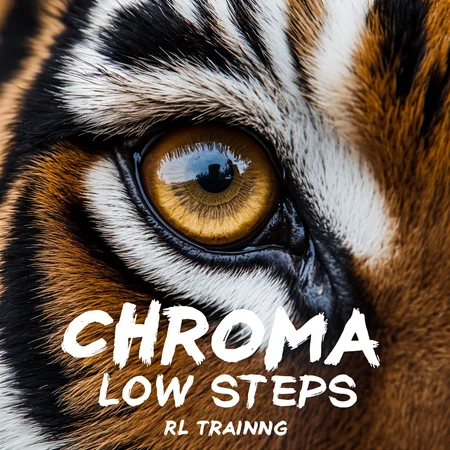
What is RL Training?
RL (Reinforcement Learning) training is a process used to refine an image generation model. It "boosts the odds of already likely generations," essentially polishing the model's output. One user describes the RL objective as "elegant."
How it Works and its Effects
Objective: The main goal of RL training appears to be for speed, allowing the model to run at lower steps, around 12, with a low CFG (Classifier-Free Guidance) of 1. It is used to "polish the model distribution" rather than to learn the underlying distribution from scratch.
Not a long-term training solution: It's noted that you can't train a model using RL for too long, as it will "break" the model.
Maintained Variety: Unlike some other fast training methods, RL training is said to maintain the model's variability and quality.
Distinction from other methods: RL is distinguished from "distillation" and "GAN" (Generative Adversarial Network) methods
In summary, the provided chat log suggests that RL training is a specialized technique to make a pre-existing image generation model faster and more polished, but it is not a method for training a model from the beginning and must be used with care to avoid negative effects.
u can´t use this model for fotorealism.
@nanunana Looks fine to me. https://civitai.com/images/86676453
@floopers966 ok, looks fine, but i produce only plastic people. one, two nice pix but in general not. the detail calibratet model is far better.
Very interesting, thank you @koloved333 !
This is just an incredible model, super accurately follows the prompt. But on my workflow the generation takes 90 seconds, while the usual FLUX without accelerators takes 40 seconds. Can anyone recommend or share a workflow for CHROMA?
This one is pretty good, it's what I use: https://civitai.com/models/1582668/chroma-modular-wf-with-detaildaemon-inpaint-upscaler-and-facedetailer
Mentioned by @Lodestone
"it's a low CFG low steps model
with some "RL" target which actually closer to contrastive loss
so have fun generating stuff at 10-12 steps at cfg range 1-3"
There is a workflow to speed up you generation time:
https://github.com/lin-silas/workflow/blob/eb642414b5fbf5599e831ba44cf42bb08d31422b/chroma-experiment07.png

@silaslin I get really bad results from this workflow.
@galaxytimemachine Sorry, I forgot to mention, it's a workflow ONLY for chroma-unlocked-v41-few-steps-rl.safetensors.
@galaxytimemachine There is a WF for normal model
https://github.com/lin-silas/workflow/blob/257b1e20efc195cdf4ad0172ae5b91ded977213e/chroma-experiment08.png

time varies extremly with different Sampler/Scheduler. I have 2 it/s to 14 it/s. But how longer how better...
It is an incredibely amazing model. But I'm finding it very hard to generate low light images with this one. I have tried most of the prompts like: 'low light, dark, under-exposed", etc. But it just changes the color of some objects to black instead of dimming the lights.
make a lora for this problem...
I'd have to agree, the camera-flash is permanently stuck on. If there's a term to represent this, I haven't found it. Might be worth trying some images in JoyCaption to see if there are terms one could use.
Edit: After some tests using prompts including these positives: "Night. Night time. Darkness. Natural night darkness with deep shadows." and these negatives: "overexposed, bright tones, camera flash, flash photography, artificial light source, light source, glow, fake light source, unnatural light,", I started getting naturally darker images. JoyCaption helped find those negatives, it would use terms like "erotic" and "provocative" which did work in some cases, but overly sexualized the results in others. Still not perfect. A "trick" I've noticed before with "light" and other things like it is mentioning the term at all can make it harder to work with. Like in my tests, I never used "light" in the positives, but only described it as "darkness".
Also try chiaroscuro, Caravaggio, etc.
Sampler and scheduler
I have now tested many, many sampler / scheduler combinations and would like to draw a small conclusion.
I get the best results with cfg:4 and 50 steps. However, you can also create drafts with 25 steps and then refine good images.
What I can recommend to everyone are the clownshark's nodes (in the Manager -> Custom Nodes Manager -> search for
"RES4LYF".
This will also install the good res_ samplers and new schedulers.
For the samplers I can recommend 3 groups:
- The ancestral samplers euler_ancestral and dpm_2_ancestral
- the _sde samplers
and the entire
- res_ family but none with _ode ending
for the schedulers:
- simple and beta57 work with all samplers
- sigmoid_offset makes completely different images
- sgm_uniform and linear_quadratic
! All this applies to photorealistic images and the detail_calibrated Chroma Models !
Thank you very much, I will try the clownshark samplers.'
I just begin to test Chroma. :)
Where you can set the sigmoid_offset?
@Silmas Try this
https://github.com/silveroxides/ComfyUI_SigmoidOffsetScheduler
@silaslin thank, you. :)
A few other highlights from my simple tests (which also confirmed everything you've mentioned):
- DDIM and UniPC tend to provide good prompt coherence at the same speed.
- UniPC tends to look like res_m. DDIM looks more like dpm.
Thanks so much!!! Using the RES4LYF samplers (Clownsharksampler), with sampler=multistep/res_2m and scheduler=beta57 on Chromav44cal, using their example workflow, and the results are incredible!
@Edisson75ai it is worth to try more of the samplers, the results are pretty different sometimes.
any good workflows for ComfyUI that have lora support? Also do flux loras work with Chroma?
@UnrealizedGains You can get my workflow out of my pictures, and simply add the lora loader.
@UnrealizedGains no
@nanunana @UnrealizedGains That's not true at all, Many Flux loras will have an effect on the chroma outputs -- if not outright work. The logs you may see on a Flux lora run are simply chunks of the input matrix the chroma author snipped. They just don't exist. The rest of the inputs will be carried forward. You can try it yourself. Default lora loading, or rgthrees power loader all should work (even on flux loras). Yes, they won't work as well. But all my character models work the same.
@makiaevelio543 ok, i tried some but the results are horrible or very different from working with normal Flux
@nanunana Join the official Discord server for Chroma, there is a channel for LoRA Training.
Silmas thanks
Silmas do you have a link for this?
Does this hold up with V50 or do you have different suggestions?
UnrealizedGains the discord server? It is referenced on the huggingsface page:
https://huggingface.co/lodestones/Chroma
UnrealizedGains I can't say anything about v 50. I can only guess it is the same, as it is the same model, only trained with different data.
Link to the finished base model:
https://huggingface.co/lodestones/Chroma1-HD/tree/main
(Lodestone did not tell us, what model is the last one.)
Anyone had any problem using loras with the low step 41 model?
No. There's new distill loras, try
What do people use for a negative prompt
Everything that the prompt is not. So if you have as a prompt "photo of a cat" then the negative should be key words that are not related to a photo. Like "sketch, painting, drawing, 3d" etc. That way the AI cannot use cat sketches, cat painting to generate the photo, which results in the output looking more like a photo.
Next level, indeed. And it's not even finished yet.
How is anyone generating anything at all with low steps version? O can only generate noisy ugly images no matter the CFG and number of steps. In theory it should work with steps 10-12 and CGF 1-3, but I can't use it and get any decent results.
For now I'll keep using the latest detail-calibrated version, even if generations take longer. But IDK, may be it's a matter of a sampler and scheduler combination?
If you should not use negatives, this is the cause.
sampler, scheduler work normal for me.
Will it work with my RTX 4080 16gb vram?
Yes. And there are FP8 or GGUF variants on huggingface, works on 8gb laptop
Really? I thought it is too big for a 16 gb card?
@Promethea Choose your model version and preferred size. Get the 17gb ver for 24gb of vram or get a fp8 9gb version for 16gb vram. https://huggingface.co/silveroxides/Chroma-GGUF
It may depend on everyone's personal PC setup, but i have a 4060 TI with 16GB and it uses around 14.7 to 15.2 GB Vram at 1280 x 832 with Loras on the full 17GB model.
@_Tigerman_ whic gguf best for 12gb ?
@ponystalk69990 Just get the newest 8bit Q8_0 V43 or v44 are the newest at the moment. They are 10.3GB so should fit in your vram limit. You will be getting near the limit of your vram. You have to save a bit for windows etc. If you run this make sure you monitor you vram and as long as its under the max your speed will not slow to a crawl. If your system uses too much vram with the 8bit Q8_0 then get a smaller 6bit model that will use less resource but lose some detail when making images. For example I am using a 16.3GB V35 chroma model but when I generate is uses 18.2GB of vram, which is fine because I have a 24GB gpu.
Unfortunately, low-step rt version is undercooked. You can still use it with Hyper-Chroma-low-step-LoRA, but the quality is worse that detail-calibrated versions. Speed increase doesn't worth it, I think.
Sometimes, I see people using keywords like "aesthetic 11" - is this Chroma-specific? And if yes, can I somewhere see what keywords there are ?
"There are quality tags in the model. You can use them with aesthetic #. It goes from aesthetic 11 to aesthetic 0. aesthetic 10-0 are based on e621 scores per month, with aesthetic 10 based on the highest in each month, and aesthetic 0 being the lowest. aesthetic 11 is a quality tag that was curated by the model maker so expect it to work a little differently."
by @Mobbun
@silaslin thank you!
Using the tag on some images now to test and the results are worse, hands do not hold things properly, concept bleeding is extreme... Do not use!
This tag and some other things, like phrases in negatives ("low resolution" instead of "lowres", "low quality" and others), make the Flux "influence" greater, for better or worse - depends on your prompt. You can also experiment with 10-15 steps even on normal Chroma (not rl one).
Correction! There's the official answer.
```
it's official tag
there's aesthetic rank from 0 to 11
where 11 is geared towards curated synthetic data
10-0 is real data but for aesthetic 10 there's some mutation chance that it will mutates into aesthetic 11 tags
```
Just tried `aesthetic 9`, and it looks interesting! Definitely better than 11.
@dobomex761604 aesthetics 2 or 3 are already enough to influence the image. :)
@Silmas yeah, everything above 7 seems too much in my tests
could someone help me with this gguf 4_k_s issues.
can i run it on forge? i got ahh looking smeared gens
which comfy ui workflow that doess gguf with flux lora?
A. It's to run with ComfyUI, you can't use SD WEBUI for it
B. Requested workflow to start with https://files.catbox.moe/e1jwlt.json
forge latest version supports chroma. euler_a+beta. 30-40 steps
mrsanders1313840 Half that with Chroma2schnell LoRA
The anatomy of the legs and feet is not very good yet.
With v44 and v45 limbs are good
Danrisi Hands BLOW. Hope that comes up, but we're nearing 50 and I'm not so sure.
Version v.35 worked for me on Forge, I installed v.41 - and everything broke. AssertionError: You do not have CLIP state dict!
Weird I've only seen this error when I use Flux_dev and forget to add the clip_l.safetensors with the flux_vae.safetensors. Or clip_l.safetensors is missing from "models\text_encoder" directory. Some models have clip_l wrapped up in the model, I don't think gguf files have it so you have to supply the clip_l file. As far as I know reading about Chroma it stripped out the clip_l and uses just t5xxl_fp8_e4m3fn. If you google this error it says put clip_l and t5xxl_fp8_e4m3fn in models\text-encoders
_Tigerman_ I have clip_l and t5xxl_flan_fp8_scaled connected. It stopped working with v.41.
ilya808rolf994 Nuclear option is delete the venv directory in the forge folder. This will force it to check and rebuild all dependencies & requirements. Nuke from orbit its the only way to be sure :)
ilya808rolf994 I use the ae.safetensors and t5xxl_fp8_e4m3fn.safetensors and it works fine for me with the 41-few-steps
Works for me in 47, but the images are ugly and broken.
I've tried 43, 44, and the latest debug version of huggingface. In all versions, I see a thin, blurry edge (banding?) in the images. Can anyone tell me how to fix this? Ryzen 9, 64GB, 4070ti super, if that's necessary.
Update: I've removed all bypassed nodes from the default workflow. With v45, t5 fp16, ae, img size 896 x 1152, batch 4, I still have a very narrow border, like a frame around the image.
Same here. Interestingly it tends to go away after img2img (hires fix)
ailu91 I managed to get rid of it using the ClownSharkSampler in ComfyUI with these settings - sampler res2m scheduler bong tangent steps 30 CFG 4. Also make sure bongmath is set to true at the bottom of the sampler.
in my opinion, the resolution of 960x1152 gives a much better result than 896x1152.
mrsanders1313840 I haven't tested that. I use this size because it fits in a standard picture frame. I also occasionally take pictures in 832 x 1216. Unfortunately, the size of the picture doesn't matter to me. I have the narrow, blurry border in every size.
This checkpoint on a whole 'nother level, fam. Not sure I can go back to XL now.
Is it trained on E621 data like in NoobAI?
Of course, yes
badest flux ever tried .. even with the worflow on github!
Baddest in a very good way. If you want SFW, vanilla flux is fine. If you want NSFW, you want the uncensored version of Chroma on huggingface. Newest version is V45 I think, look for the "unlocked" version (uncensored).
The word "badest" doesn't even exist, check before making such comments, perhaps your checkpoints are better (probably are not), and love to promote them while making those bad comments
@[deleted] *v46 is the latest one
Chroma is pretty amazing :) Ty !
By far the absolute best model so far, keep it up for all of us, amazing work.
I am using chroma on comfy-ui , I have also downloaded the fp8 clips , but no matter which settings and VAE options that I mess with.. It always results in blank black outputs . Can you please help me with this?
ComfyUI version?
2P2 I found these (I'm a noob) :
ComfyUI 0.3.22
ComfyUI_frontend v1.10.17
ComfyUI-Manager V3.31.10
Python Version 3.12.7
Embedded Python true
Pytorch Version 2.6.0+cu126
I am using a rtx 3060 12GB , runs even fp16 flux schnell no problem , also have tried some other trained models without issue. Today I also tried loading Chroma with a different diffusion loader node still the same .
I recommend to update Comfy, the newest version has native Chroma support and doesn't need any custom nodes, especially NOT Flux-mod that often causes issues.
There are many outdated workflows around that still use Flux-mod node, avoid these. If you need a workflow just take a look at the images I uploaded to the model gallery. They all have a workflow embedded (download image and drag it into Comfy).
Like_dust_forever_dying Official Chroma support was added in 0.3.31 and got more usable in its next version, you must update ComfyUI to run Chroma without any problems
2P2 Does Updating from the manager counts or should I redownload the ComfyUI entirely ? Thank you for you pation
Like_dust_forever_dying Updating via Manager should work. Personally I prefer updating via command line ("git pull"). The newer version includes a workflow template for chroma. So you just have to load that from the template gallery (see top left menu "Workflow") and it should work out of the box.
Awado Thank you !
Any ideas on the best sampler/scheduler types for this checkpoint?
I'm using UniPC, IpndmV, Deis, GradientEstimation, erSDE, Seeds2, 2mSDE - usually with SGM_Uniform scheduler. Speed and quality are very different; you can choose the best for you.
Hegrie Thanks!
Hegrie Are these for photorealism? how many steps typically?
this model is deep, and flux is harder to prompt, and it takes more vram, and its slower. so people will struggle with it. but it can put in the work. this is a big boy model. you can't "1girl, masterpiece, best quality" your way out of this one.
Funny enough, you kinda can. Try out one of my prompts: a young woman with long straight blonde hair. curvy body. wide hips. asian. she has red and yellow eyes that form a cross pattern, sharp teeth with defined fangs, and light red horns protruding from the top of her head. she is completely naked, taking a shower with her hands on her body. marble walls. shower. running water. soaking wet. wet hair. body covered in soap. sexy pose. tongue out.
I like this model, nice mixes, fusion styles, amazing
So Chroma has two more versions (currently version 48 as of five days ago) before it hits version 50, which is supposed to be the final and default one (from what I read). Is that going to be uploaded here?
Where is 49?
Nowhere yet
2P2 Is it a good or bad sign that the 4-day deadline has been exceeded?
nanunana v49 and v50 will be different
nanunana highres training takes 4x longer, in lodestone's own words. join the discord if you want to see the progress because the model here is hella out of date and civitai is dying anyway.
crombobular why is civitai dying?
2P2 god to know
....fukin aliens stole it
nanunana v49 and v50 are on HuggingFace now!
2P2 i´m still downloading. It seems to be ready and hope there will be some famous loras
hi ...just wondering is [neg prompt] can i leave blank. needed?
Empty is consistently worse IMO, not just in terms of quality, but in terms of control. Chroma is too random otherwise- for example outputting some stylized CGI looking stuff when prompted strictly for a photograph.
i found a huge difference when apply the following in the -neg prompt [low quality, CGI, anime, cartoon, boring] if you want cartoon or anime just change word in neg prompt to realism, photo, = worked nicely thanks.
Digitalganic Also interesting- since Chroma uses "aesthetic #" curation, using the lower aesthetic scores in neg like aesthetic 0, aesthetic 1 etc (I go up to 7 sometimes), gives a good boost to quality without some limitations that "aesthetic 10, aesthetic 11" in positive can cause
The weird thing I find with Chroma is that if you run the exact same prompt on four different seeds, you'll get one super realistic image and three classic "stable diffusion" looking ones.
You need to define styles, also, try loras
Sounds like a prompting problem. Chroma really likes natural language and very specific prompts, including the style. Not specifying styles can cause that, and also just throwing a bunch of tags. It does understand those tags and they are useful, but using just tags like you could do on pony or illustrious based models won't give you good results. Or at least not in a consistent manner.
PepitoPalotes It seems artist styles don't work, but they did for lodestones' SD 1.5 models. I hope to get finetunes of Chroma Flux
2P2 yeah, that's true. But I meant styles in general, not from specific artists. For artist styles I guess the best solution at the moment would be loras. I have trained a couple of character loras for chroma using diffusion pipe and it works quite well, so I guess it's a matter of this model getting more popular, for people to start training style loras, or even finetunes and merges with chroma as a base.
I also encounter this problem, it will help to solve the problem in the positive prompt "realistic amateur photo of a _____", but not completely, plastic people often slip through, especially if you generate some characters or monsters, it generally makes them look like they are drawn in paintings, although painting and other things are in the negative prompts.
mag225658920 "realistic" in the prompt is actually a bad idea for photos in my experience. It's usually used on datasets only for realistic illustrations, as photos don't really need the word "realistic" to describe them.
Chroma 1 HD (v50) is out on HuggingFace
Hopefully everyone will rush to buy this model now, but somehow it's totally quiet, which I don't like at all. The prompt following is uniquely good; no other model has ever had that. Or am I missing another model? The situation is quite confusing...
Is the 1 HD model different in any way from V50 annealed? Which is the best?
UnrealizedGains There's also a Flash version of it now, which is like Schnell
UnrealizedGains Not much different
Comparisons https://huggingface.co/lodestones/Chroma/discussions/101
Answer https://huggingface.co/lodestones/Chroma/discussions/100#6896e48b8ce64adb4e4e5ea1
2P2 thanks
The final version is available in HF as Chroma1-HD now! 🎉
But I'm curious about something: Have anyone found out what's the difference between the normal and the annealed versions of the final model? I've seen people asking in different places but not any answers yet.
the annealed version is a slight touch-up version from v50 (afaik not part of the team) and for inference in contrast to v50 which is for lora and finetunes. v50 annealed for me has a slight "dream filter" effect on the images but more vibrance and dynamic in the pictures.
Kaleidia Further improvements are on the way. check for example the first two in lodestones chroma-debug-development-only under /HD. So expect more finetuned and retrained checkpoints dropping.
My current realism prompt:
A photograph taken on a Sony Alpha a7S, a Leica M5, or a Canon EOS R5, using Kodak Portra 400 film, with an 85mm or a 50mm lens. f1.8 aperture, 1200 shutter speed, ISO 100. High-quality photography. Candid amateur photography. Film photography, film, film grain. Realistic, clear details. Cosplay.
A candid amateur iPhone photograph, resembling an accidental snapshot. The photograph lacks a clear subject and has a chaotic, awkward composition. It features slight motion blur and is slightly overexposed by the sun or uneven lighting. The overall effect is deliberately banal, with a cool tone and cool lighting.
Negative prompt:
sketch, drawing, illustration, painting, art, cartoon, anime, 2d, 2.5d, unreal engine, render, CGI, fake, low resolution, low quality, low detail, pixelated, image noise, blur, blurry, blurry background.
What about samplers?
alternative_Universe On the DrawThings app, I find UniPC SGM Uniform and DPM++ 2M SGM Uniform to work quite well.
Lumina sucks?
If there was going to be any other version... I would say a WAN or QWEN Image version would be where it's at. Lumina seems so quaint and backwards. Like Pony v7 if it ever released is going to be on tags, sorry but wow that's a big miss.
brnlittokhoes311 Lodestone(s) also wanted to finetune SD3.5, but it appears to be canceled
2P2 SD3.5 also recently got some insane reverse censorship, so thats definitely and absolutely no.
Lumina 2.0 would be great base, there is Neta Lumina on HF, if you want.
I think to get maximum out of Lumina, it would require some surgery regarding text encoder, which is heavily censored Gemma. Apart that, I think Lumina doesnt require retrain, just further training as its effectively undetrained.
the gemma embedding is just fucked. But would be cool if lodestone could make https://huggingface.co/visheratin/mexma-siglip2 work on lumina. its cross trained and multilingual encoder with context=500
Nelathan I think easiest would be simply using non-censored Gemma. If you use anything else, you would probably need to retrain whole model, which even while Lumina isnt that much trained, is just out of financial options.
If I try the fp8 scaled version (for example chroma-unlocked-v50_float8_e4m3fn_learned_svd.safetensors) I get these errors:
ChromaDiffusionLoader
Error(s) in loading state_dict for FluxMod: Unexpected key(s) in state_dict: "scaled_fp8", "img_in.scale_weight", "txt_in.scale_weight", "double_blocks.0.img_attn.qkv.scale_weight", "double_blocks.0.img_attn.proj.scale_weight", "double_blocks.0.img_mlp.0.scale_weight", "double_blocks.0.img_mlp.2.scale_weight", "double_blocks.0.txt_attn.qkv.scale_weight", "double_blocks.0.txt_attn.proj.scale_weight",
(very long error)
With the normal version of chroma unlocked it works fine. Any ideas ?if necessary I can show you the full error, I'm using the provided workflow.
Details
Files
chroma_v41LowStepRl.safetensors
Mirrors
chroma_v41LowStepRl.safetensors
chroma-unlocked-v41-few-steps-rl.safetensors
chroma-unlocked-v41-few-steps-rl.safetensors
chroma-unlocked-v41-few-steps-rl.safetensors
chroma-unlocked-v41-few-steps-rl.safetensors
chroma-unlocked-v41-few-steps-rl.safetensors
chroma-unlocked-v41-few-steps-rl.safetensors
chroma-unlocked-v41-few-steps-rl.safetensors
chroma-unlocked-v41-few-steps-rl.safetensors
chroma-unlocked-v41-few-steps-rl.safetensors