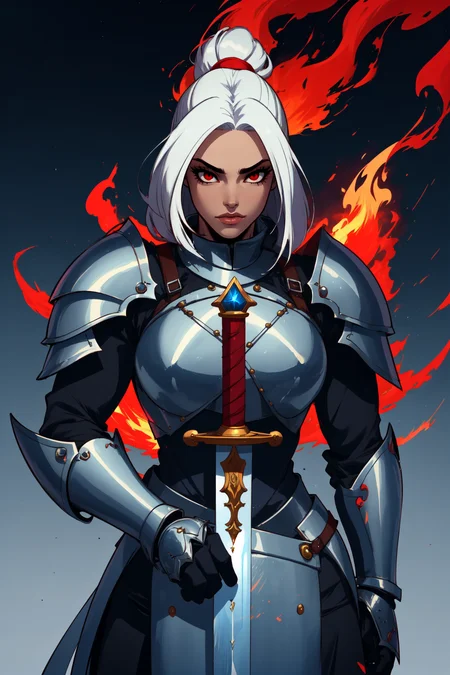



Disclaimer: I barely have any idea what the fuck I'm doing.
This merge is created with the primary goal of generating women in NSFW scenarios.
First attempt at merging a checkpoint using below models:
Galena REDUX
iCoMix
GrundleMix
Taigerarts LoRA
V2 Update
Added two new models:
Cleaner lines, slightly brighter colors, slightly less detail.
V3 Update
Added three new LoRAs:
Going for a more western cartoony look. More exaggerated proportions, especially good at butts.
Images generated using Berry's Mix VAE and 4X AnimeSharp Upscaler at Clip Skip 2
My typical settings for images:
Sampler - DPM++ SDE (recommend playing around with this)
Sampling Steps - 35 to 40
HiRex Fix - Upscaled by 2 at 15 to 20 steps, 0.35 Denoising Strength
Dimensions - 512x512, 512x768, or 768x512
CFG Scale - 5.5 to 7
ADetailer for eyes/hands
ADetailer does a lot of work here
Should be okay for NSFW, haven't tried with many LoRAs or LyCORIS
Specific prompts are with images, hands are pretty hit or miss
All credit to the original model authors.
Description
FAQ
Comments (2)
How do you merge a model and a LORA? when I go to the "merge checkpoints" tab the dropdown only lists my models
These models are amazing but they are also broken..
Model is 3.80 GB.
Multiple model types identified: UNET-v1-BROKEN, CLIP-v1-BROKEN. Model type UNET-v1-BROKEN will be used.
---
What this means in web-ui is that your previous valid loaded checkpoins UNET / CLIP will be used instead of this models (as a failsafe).. unless you load this model first then you will get excessive NaN errors.
HOWEVER
In some of the newer tools like WebUI Forge (which has way better performance with XL Models) - broken models like this just error out completely.
Usually you'll see an error like:
"RuntimeError: Error(s) in loading state_dict for AutoencoderKL"
Even if your Client falls back to using another UNET / CLIP from a previously loaded model.. you will see slightly different results depending on which model you loaded before this one.
---
The way I fixed this was merging one of your other models as the "A" Model with this Model as B then slanted the weights 99% in favour of B to keep the training data as pristine as possible. The model I selected as "A" was your mfcgPseudoMix .. which does have a healthy UNET and CLIP.. (But it's CLIP had incorrect positions - which I fixed as well)
----
TL;DR - If you are on A111 Web-UI you may not notice any of this and doing what I've suggested here will slightly adjust the output results - but if your having issues with this model or getting different results from identical prompts - this is a more correct way to use this model (and this model can be pruned down from 3.5 Gigs to 2.1 gigs as well)
For more Information See:
https://github.com/arenasys/stable-diffusion-webui-model-toolkit