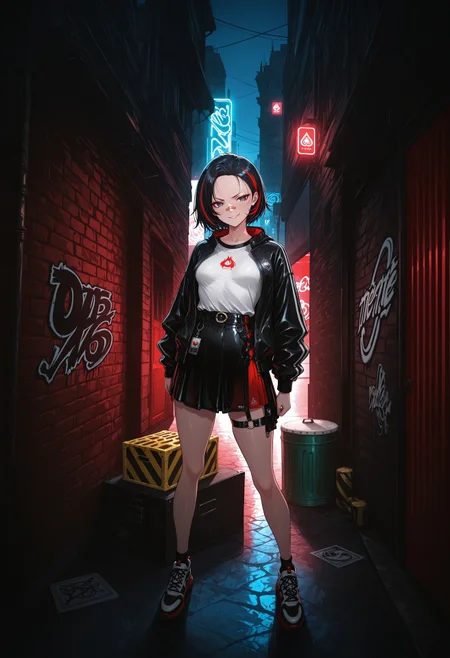
READ HOW TO USE BELOW!!! THIS LORA HAS MIXED STYLES!!! NGL this lora is pretty hard to use, if you want easy masterpiece, this ain't it.
More interesting background (not your room), and some alteration to the fashion.
Damn i told yall not to use the first version and you still did, and yall didnt even buy me coke. Nah that's some hater's behavior fr. Anyway, here is the actual finished version with proper tagging, there's a lot of custom tags to allow for the most customizability. Don't put all the tags into your prompt, it will give you a mess. Or do it, free will exists.
Attached is the all the custom tags I input, some may not work due to insufficient images data. I'll put a description for them later, most are already self-explanatory. 
HOW TO USE?
Weight: higher than 0.7 gives you border, can be cool for splash art. lower than 0.7 gives you normal background.
CFG: 4-7. Higher is more detailed, but lower can be creative.
Steps: 20-30. More steps more details, I like 26-28.
Euler a is recommended to start out.
Example prompt:
1rregular_b0, hyperdetailed_bg, (style:1.2), (full_bg or ns_bg, composition), (bg theme:1.3), environment, object, {subject, action}, {clothing style, clothing}, {quality tags}
You can mix tags, full_bg tends to give a packed background, while ns_bg gives more extra space. So some tags like messyroom works better with full_bg.
Description
FAQ
Comments (5)
Incredible Lora, can see a lot of potential in it. I just have a small problem with it, I tend to get "Vision" from genshin impact on my character. Thankfully, Putting "vision_\(genshin_impact\)" in the negative prompt seem to do the trick.
TY for the feedback. I have been noticing that as well for some of the gen.
I would like to ask. Is this Lora able to generate a pure background without a character? And if so, is there a keyword for this?
yes, no keyword tho, use "no_humans, scenery" tag
pos: 1rregular_b0, hyperdetailed_bg, (realistic_bg:1.2, su22eal_bg:1.2), (full_bg:1.2), (tropical forest), (detailed background), (no_humans:1.2), (scenery:1.1),
((best quality, absurdres, amazing quality, HD, intricate, ultra-detailed, newest, visual impact, very aesthetic, high contrast)), 4K,
neg: worst quality, low quality, normal quality, bad quality, poor quality, lowres
@TNewsman Thank you! You are simply the best!