
更新首尾帧及关键帧参考(已支持ComfyUI)0421
nirvash’s repository for keyframe support (ComfyUI 无需额外权重):
nirvash/ComfyUI-FramePackWrapper
[ WEBP 格式的例图可以直接拖放到ComfyUI,包含Workflow ]
[ 也可以下载右侧组件包,其中的 example_workflows 目录中包含工作流]
Feature
Set end frame 支持设定结束帧
Assign weighted keyframes 支持加权中间帧
Use different prompts per section 每个FramePack分别设定提示词
based on kijai's ComfyUI-FramePackWrapper:
https://github.com/kijai/ComfyUI-FramePackWrapper
End Frame support on Pytorch Gradio Webui:
FramePack_SE by TTPlanetPig base on lllyasviel/FramePack
生图模型一样玩转视频大模型!敏神&Kijai’s nodes
Packing Input Frame Context in Next-Frame Prediction Models for Video Generation
算法组:Lvmin Zhang Maneesh Agrawala
Stanford University
ComfyUI Wrapper for FramePack by lllyasviel
最佳实践:ComfyUI Nodes kijai/ComfyUI-FramePackWrapper
The download link on the right side of this page contains model files in BF16/FP8 safetensors format, and the Kijai nodes’s workflow
FramePack
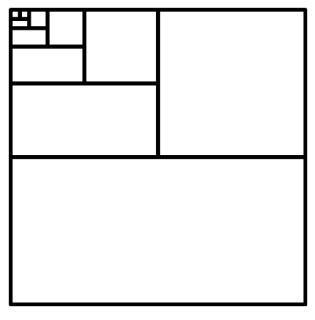
Diffuse thousands of frames at full fps-30 with 13B models using 6GB laptop GPU memory.
Finetune 13B video model at batch size 64 on a single 8xA100/H100 node for personal/lab experiments.
Personal RTX 4090 generates at speed 2.5 seconds/frame (unoptimized) or 1.5 seconds/frame (teacache).
No timestep distillation.
Video diffusion, but feels like image diffusion.
敏神的FramePack基于Hunyuan Video Diffuse,6G显存的笔记本电脑GPU,全fps的13B模型可连续生成数千帧视频画面。
在8xA100/H100服务器以BS64对13B视频模型进行微调,用于个人/实验室。
个人RTX 4090以2.5秒/帧(未优化)或1.5秒/帧的速度生成(teacache)。
无时间步蒸馏。(仅CFG蒸馏,高画质)
像图像扩散模型一样玩转视频大模型!
Mostly working, took some liberties to make it run faster.
Uses all the native models for text encoders, VAE and sigclip:
https://huggingface.co/Comfy-Org/HunyuanVideo_repackaged/tree/main/split_files
https://huggingface.co/Comfy-Org/sigclip_vision_384/tree/main
And the transformer model itself is either autodownloaded from here:
https://huggingface.co/lllyasviel/FramePackI2V_HY/tree/main
to ComfyUI\models\diffusers\lllyasviel\FramePackI2V_HY
Or from single file, in ComfyUI\models\diffusion_models:
https://huggingface.co/Kijai/HunyuanVideo_comfy/blob/main/FramePackI2V_HY_fp8_e4m3fn.safetensors https://huggingface.co/Kijai/HunyuanVideo_comfy/blob/main/FramePackI2V_HY_bf16.safetensors
Requirements
Note that this repo is a functional desktop software with minimal standalone high-quality sampling system and memory management.
Start with this repo before you try anything else!
lllyasviel/FramePack: Lets make video diffusion practical!
Requirements:
Nvidia GPU in RTX 30XX, 40XX, 50XX series that supports fp16 and bf16. The GTX 10XX/20XX are not tested.
Linux or Windows operating system.
At least 6GB GPU memory.
To generate 1-minute video (60 seconds) at 30fps (1800 frames) using 13B model, the minimal required GPU memory is 6GB. (Yes 6 GB, not a typo. Laptop GPUs are okay.)
About speed, on my RTX 4090 desktop it generates at a speed of 2.5 seconds/frame (unoptimized) or 1.5 seconds/frame (teacache). On my laptops like 3070ti laptop or 3060 laptop, it is about 4x to 8x slower.
In any case, you will directly see the generated frames since it is next-frame(-section) prediction. So you will get lots of visual feedback before the entire video is generated.
Cite
@article{zhang2025framepack,
    title={Packing Input Frame Contexts in Next-Frame Prediction Models for Video Generation},
    author={Lvmin Zhang and Maneesh Agrawala},
    journal={Arxiv},
    year={2025}
}Kijai's Models Repository
Description
Safetensors and fp8 version of HunhuanVideo models: https://huggingface.co/tencent/HunyuanVideo
To be used with ComfyUI native HunyuanVideo implementation, or my wrapper: https://github.com/kijai/ComfyUI-HunyuanVideoWrapper
FAQ
Comments (24)
Simply amazing, game changer for quality , length and consistency, my 3090 loves it.
Yeah! Game changer for quality ❤
it doesnt support loras right? im using your workflow in comfyu is more flexible than the webui i guess.. but i was wondering, can we hookup loras nodes to the workflow? will it need its own loras like WAN does?
Someone made a fork that adds support for lora's in the gradio gui, however it seems they need to be retrained and sometimes they make the gen worse. I think you can try existing lora's though. Here is the fork: https://github.com/neph1/FramePack
Unfortunately, it seems that FramePack's LoRA requires additional training
Ah- one of those workflows where everything seems to be a mystery, but it does what it says on the tin. What are those four individual passes about? Video quality seems fantastic- memory management of VRAM actually works (this is so rare- most Hunyuan workflows run out of memory because they dedicate VRAM to wrong elements). Hunyuan does need far more work than WAN to animate all the elements of an image, though. WAN just 'gets' the picture. Hunyuan does not, and I guess needs a far more complicated prompt.
In fact, FramePack adopts a technique similar to a latent space slider, which can derive the following packs from the previous pack, so it can generate coherent long videos without occupying too much VRAM at once (although the inference time will increase with the total frame rate)
Sadly there is a catastrophic VRAM management failure for the mp4 creation on a 16GB card. While the workflow can create a large number of frames in linear time without an OOM, the 'post processing' stage producing the webM and mp4 suffers extreme RAM swapping, and takes literally forever.
What kind of video card do you have? How much RAM do you have?
no problem on mine, lower the tiled decode to 160 or lower
By using Comfyui, FP8 weights(or GGUF) can be directly loaded. Additionally, by setting up a VRAM swap area, video memory above 6G can function properly (it is recommended to use 16G-24GB)
on the kijai sampler there is a setting for gpu vram preservation which increases vram usage if you have more than 6 . i have it on 2 which takes vram to 92% usage and speeds up generation a lot
Is it necessary to use workflow in Comfyu, aren't there other shells? Maybe there is another shell?
There is the official self contained Diffusers build.
https://github.com/lllyasviel/FramePack
It is made to work for 6GB video cards, but it will use most of your conventional memory save 6GB and up. Need to compare the ComfyUI version in performance and optimization.
@jimboom006 Thank you very much for the link! I will figure it out and install it on my computer. I have 12 GB of video memory.
@Maratek Yeah, on a 4070Ti 12GB, the ComfyUI system gives me 13.5 minutes on first run, then OOM errors with teacache. Without Teacache works all the time in 25 minutes. 16GB and up seems to do better with this. Both passes on my rig are faster and never gave an OOM error on Diffusers.
@Maratek it can run natively on windows and wsl/linux. speeds are comparable for resolution/steps. the native gui is like a stripped forge or auto1111 webpage.
@jimboom006 Thanks a lot!
@tedbiv Thanks a lot!
In ComfyUI, we can make some adjustments to the generation parameters and directly load FP8 quantization weights. Of course, the most important thing is to add some post-processing for super-resolution and frame interpolation. Why is it not good to reuse the masterpieces of a large number of code engineers through a well-known platform?
@METAFILM_Ai Because with my 12GB card, I run out of memory. Might be working better if I had 16GB of VRAM to play with, but it isn't in the cards here.
@jimboom006 Both Gradio UI and ComfyUI nodes have a GPU Pressvation option, which can be turned up if there is not enough memory.
@METAFILM_Ai Thank you! Tell me how to enable it GPU Pressvation option Gradio UI and ComfyUI?
@METAFILM_Ai could you elaborate on that? what are some good nodes for 'super resolution' and 'frame interpolation'? or workflows...