Real Dream Website (Faster download)
Available at TensorArt: https://tensor.art/models/899250342552672189/
Comfyui Workflows:
Anima text2image with Loras Workflow
Anima img2img (denoise) with Loras Workflow
Klein 9B Edit with Loras Workflow
Klein 9B img2img (denoise) with Loras Workflow
Z-image-turbo img2img workflow
Z-image text2img with loras workflow
Z-image De-Turbo with loras workflow
This model is capable of generating very realistic images that can confuse people's critical sense, please do not use it irresponsibly, harming ordinary people or public figures. Also avoid its use in electoral campaigns, promoting or damaging the image of candidates. Although the field of artificial intelligence is poorly regulated, its improper use can cause legal penalties even in countries with little regulation in the area. Be very careful to not commit crimes in your country and not to promote injustices against innocent people. I do not authorize the use of this model for Lora training using the face of real people without authorization from the biological owner. I do not authorize the use of this model with tools such as IPAdapter for face manipulation without the proper authorization from the biological owner. Do not create images that can embarrass and damage the public image of people. This can cause serious psychological harm, including deep depression. I do not authorize the use of images generated by this model for scam applications and the dissemination of false information.
During the fine-tuning of AI models, I only use synthetic images that do not infringe any copyright, personal image rights, or laws. The models are merges of open models from different sources and may contain diluted data remnants in the neural network. I am not responsible for possible data remnants since they are diluted, and it is not humanly possible to track the existence and origin of this diluted data.
I do not allow the upload of any of my models on Tensor Art. I only do not allow it there because the policy of duplicate models on Tensor Art prevents me from uploading again if someone has already done it.
I have enabled to automatically hide all NSFW posts for several reasons that are not worth listing. I hope you have patience and understand.
Description
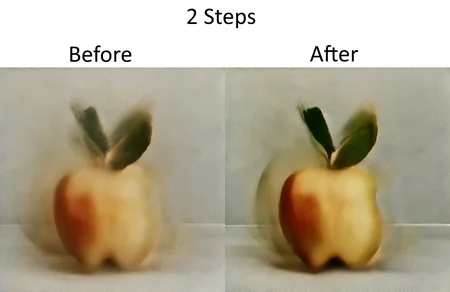
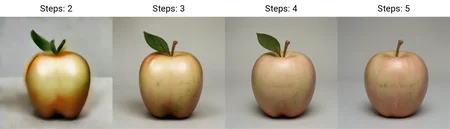
Use 4-8 steps with CFG at 1-2 and with the sampler "Euler A". Use LCM sampler for better results. The extension sd-webui-animatediff add LCM sampler for automatic1111 Stable Diffusion web UI.
FAQ
Comments (11)
The new Turbo LCM 7 version has greater ability to generate sharp images at low steps compared to the Turbo LCM 6 version.
Hello,which version produce the best looking images here ? 14 or SDXL 1 or Turbo LCM 7 ?
Regarding photorealism itself, Real Dream 14 for SD1.5. Regarding the complexity of the scenes, Real Dream SDXL 1. The easiest to run on weaker computers is Real Dream Turbo LCM 7.
regarding using prompts responsiveness, details, quality, lightweight, best photorealism, no standard face model and many more pros, use only realdream 10. it's the best of all of them. go higher than 10 , lcm or sdxl and you only have useless trash that does never respond to any prompt you will use.
@themancalledmojo999 You mean even read dream 14 is not as good as 10 ?
@mayan007 yes. i tested all of them over a long period, because i create a lot of prompts. and only 10 has never in any way disappointed me. everything on 10 is like a masterpiece. you don't even need embeddings for hands, you can simply prompt it if needed. 10 is simply awesome quality. you caan't download 10 here on civitai anymore, but over at tensor.art, you will still find it and can download it. Real Dream - 10 | Tensor.Art
@themancalledmojo999 Thanks for the info bro. I will check it. I think u have a good knowledge abt the models here on civit ai. I am new here. Could u pls tell me what are the best realism models for persons for SD 1.5 and SDXL ? I see a ton of models here claiming to be the best and i am confused to decide which one to even try !
@mayan007 sd1.5 the one i already said and for sdxl try this one JadeEpicPortraitWorldXL_V1.1 - v1.0 | Stable Diffusion Checkpoint | Civitai
it makes very promising outputs. i hardly work with xl. that's why i can't really recommend checkpoints for it. i mainly test my prompts on standard sd with very high resolutions and i always get the same results like xl checkpoints. for beginners in general, you can check those articles and learn from them Civitai | Share your models
@themancalledmojo999 Thanks a lot for these info bro. It will help me a lot to learn. Mine is an average pc, so i guess i will also stick to SD 1.5 for now. Running SDXL makes my pc into an omlette maker, lol.
@mayan007 last year, sdxl literally melted my old pc that had only 4gb vram and i was forced to buy a new one after that. and honestly, xl isn't even the best. you won't miss anything that standard sd can't do.
@themancalledmojo999 Yeah, hopefully i get good results with sd 1.5 :)