


Version 1.0 XL
First test for XL model, still have manythings to adjust.
Version 2.0 pruned
Minimizes mutations, better skin, etc.
Version 1.5.13 pruned
Smaller size, but what are you losing?
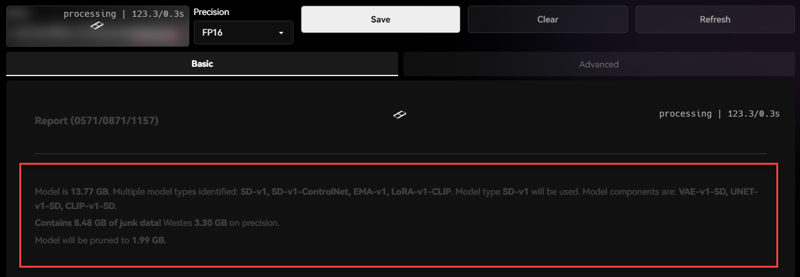
PS. Thanks to a commenter emaz , who showed the way to make to file smaller.
https://github.com/arenasys/stable-diffusion-webui-model-toolkit
Version 1.5.13
The larger file size is the "Goto Model Checkpoint". Works best with "Maximum Loras"
Version 1.5.12
Easier image generations, lower artifacts, and clean output.
Version 1.5 beta
Fix certain bugs in image generations, but there may be other issues. Overall I think you would like it.
Definitely please use loras to change the character's skin tone, you will be amaze what it could do.
As always Dani15 is not an actual person
Merge of numerous checkpoints that the creators had spent time developing, I would like to thank them.
Realistic Vision V5.1, PerfectDeliberate, majicMIX realistic, BRAV5_Realisianv50_PFv30, Mix-Cyber
This also includes some of my own checkpoints of a secret character within the checkpoint it self. Best use with Lora ; skin_texture, realistic20, skin slider, cleavagehelper
Can generate both SFW, NSFW, better for generating woman models, cars( delorean), backgrounds, etc. Some bugs but it gets the job done.
Extensions recommended:
adetailer, openpose-editor, sd-webui-controlnet,
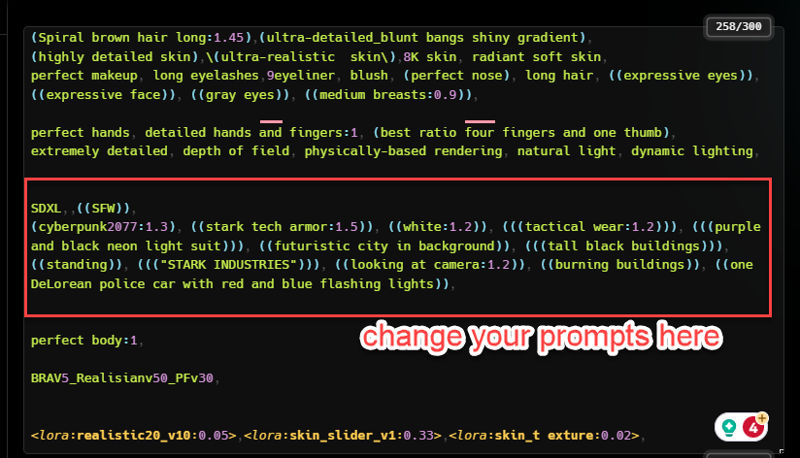
The prompts need to be added in as the model it self may need to input the clothing, size, specs.
Max resolution I have tried 1400x900 ((the Dani15 character is not a real person))
Note If the creators need me to take this model down please do not hesitate to let me know
Description
Thank you friends for pointing out how to make the checkpoint smaller!!
FAQ
Comments (5)
Only 11 Gig?
Good luck in your ongoing efforts to fill people's hard drives!
Sorry man, trying to make it smaller, still working on how to do it.
The most simple way I know currently is to use the webui extension https://github.com/arenasys/stable-diffusion-webui-model-toolkit After installation to toolkit tab, load the checkpoint. All default options work directly for pruned fp/16. Click Save. It save a pruned copy with a number as extension. Click Clear. Now you can delete or backup the original and you have the new pruned one in the models folder you can rename as the original. Good Luck.
@emaz thank for the tip, i'll try to do it. It is all still new to me.
I like it, keep up the good work.