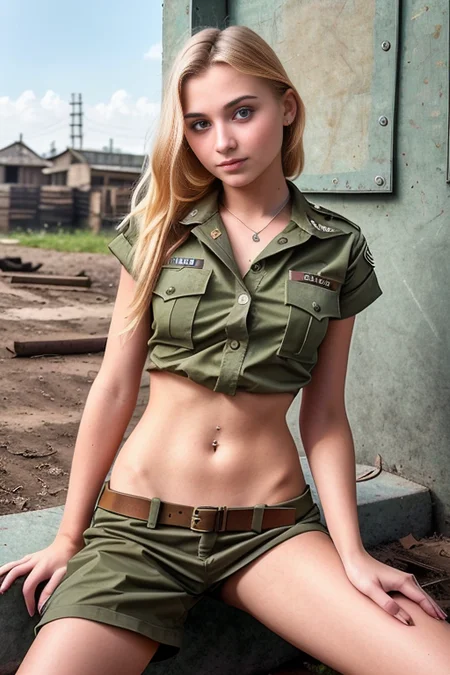
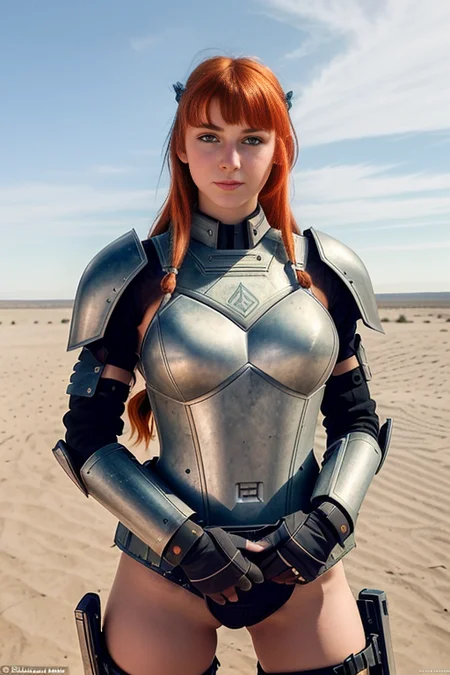

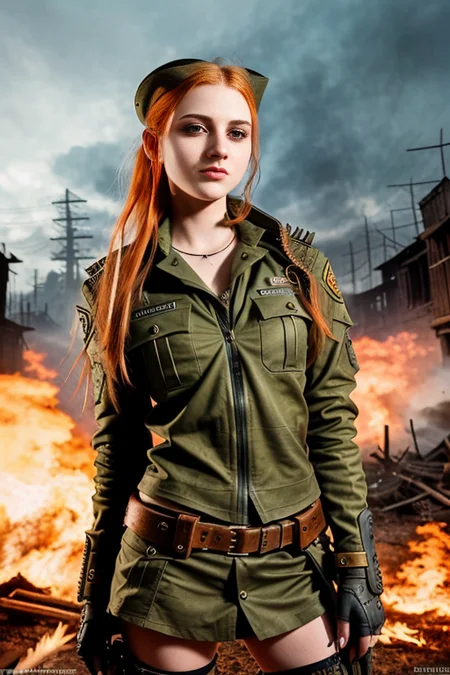


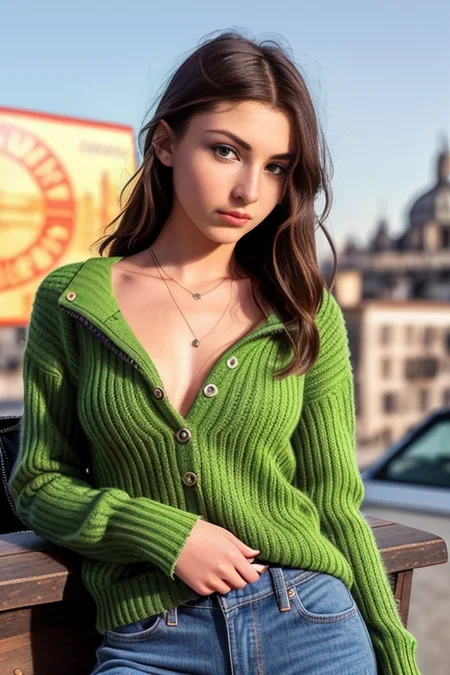
PLEASE READ DESCRIPTION
*update*: I do love REA, but I consider it to be an outdated version of this new baby: https://civarchive.com/models/3950/art-and-eros-aeros-a-tribute-to-beauty
As such, it will have no new development. I will keep it here should anybody have a need for it.
Check any info or questions at our private Discord here: https://discord.gg/z88HpDwbGq
it needs vae-ft-mse-840000-ema-pruned (or another one if you want to get experimental) or it will output broken images.
Hello everybody!! I proudly present you my merged NSFW model I have been working for weeks to try and get the most emergent properties within the models contained. SD 1.5 is the base most of the models contained used, with exceptions. The name is a meme and it references all that is inside of it.
So let me thank everybody who made it possible, because I if there's anything good on it is because the source material was great too. So my thanks in no particular order to Hassan, AloeVera, the CivitAI Team, Izuek, Someone88, wavymulder, UnstableDiffusion Team and any other creator I might not have been able to cite.
ABOUT:
First it may not be the best begginer checkpoint out there. I consider myself experienced at prompting so I haven't tried much basic prompts, however I doubt that a plain "pretty naked woman, big boobs" is going to take you very far with it. However, although I prompt a bit different than that I have tested that it understands the words from the language of PhotoReal v0.5 (it is contained within the merge), so if you are having troubles getting good outputs from it you can begin from there, but in general, try to use a more natural language than an array of commas: https://docs.google.com/document/d/1-DDIHVbsYfynTp_rsKLu4b2tSQgxtO5F6pNsNla12k0/edit
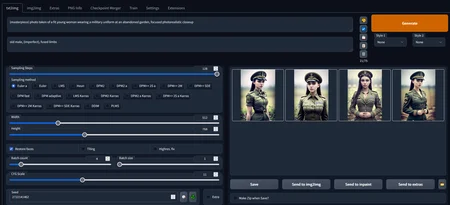
There's also one screenshot with a very basic example prompt for you to get the idea.
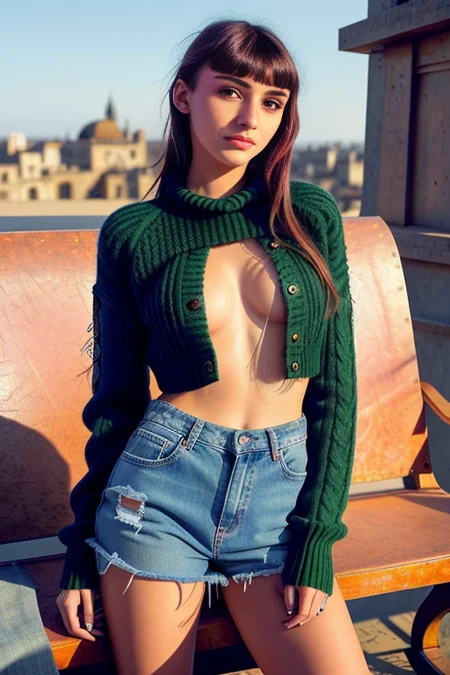
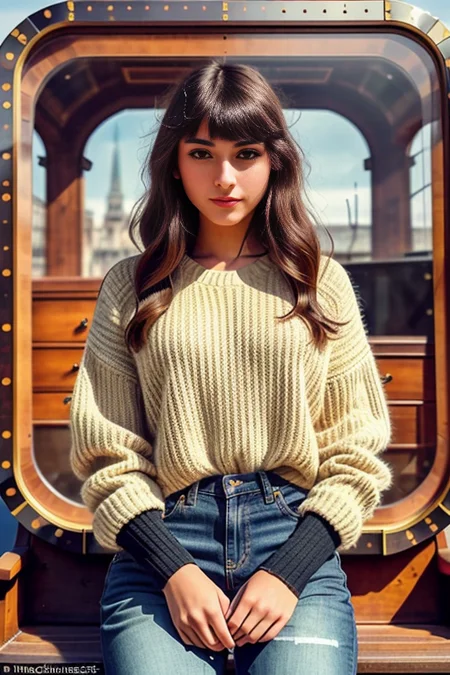
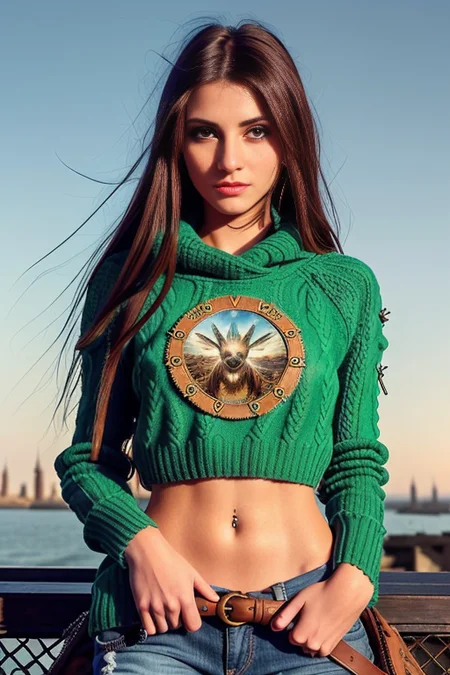
According to my testing it is a very powerful model for it's porpouse, but it is a project I made for myself which means that depending on what you want it may or may not lack certain areas. It has been intensively tested to generate photorealistic(ish) images of different types of girls in different poses in different places wearing different things with different artistic moods. Nothing more, nothing less. From hardcore, to to group, to drawing, are out of the scope uses that may or may not work.
HOW TO USE IT:
You MUST USE vae-ft-mse-840000-ema-pruned (or experimentally other VAEs). Otherwise it breaks.
Some users report having problems using something different than Automatic1111webui. Cannot troubleshoot that myself.
This model DOES NOT REQUIRE TO USE TRIGGER WORDS.
Works for a wide variety of steps from 20 to 130 tested. I use 128.
It works on it's own at making general or NSFW images of ladies of high quality.
Resolutions tested are 512x512, 384x704, 512x768 and 768x768 (the latest is a bit more buggy but decent enough)
Trigger words are general style modifiers. They can be used alone or in combination and will give an special mood to the composition.
Trigger words have only been tested using them at the beggining of the prompt.
If used together in any subset combination they work better if they appear in this relative order: "elden ring style postapocalypse knollingcase analog style bf" or "postapocalypse elden ring style knollingcase analog style bf".
MERGED:
I haven't kept track of all the steps done in the merge (I used a weird methodology), but this is what's inside in different proportions:
PhotoReal v0.5: https://docs.google.com/document/d/1-DDIHVbsYfynTp_rsKLu4b2tSQgxtO5F6pNsNla12k0/edit
Elden Ring Style: https://civarchive.com/models/5/elden-ring-style
Postapocalypse: https://civarchive.com/models/1136/postapocalypse
Analog Diffusion: https://civarchive.com/models/1265/analog-diffusion
SXD: https://civarchive.com/models/1169/sxd
Knollingcase: https://civarchive.com/models/1092/knollingcase
Hassan's 1.4 and CandyBerry: https://civarchive.com/models/1173/hassanblend-all-versions
PurePornPlus: https://civarchive.com/models/1235/purepornplus-merge
SimpMaker 3K1: https://civarchive.com/models/1258/aloeveras-simpmaker-3k-series
One ancient feet model that can be grabbed from some repositories (the only one I know of is too dubious to link it).
It also works GREAT as an extra style modifier with this hypernetwork for extra artistic outputs: https://civarchive.com/models/1141/mjv4-hypernetwork
TROUBLESHOOT:
Images are a chaotic trip of LSD colors:
You are not using the VAE.
Images seem like real images but are a mess of body horror and whatnot:
You need to keep working in your prompt. This is NOT an easy to use model (not rocket science either).
Model gives error when trying to launch.
I have totally no idea of what can be the problem, I am not a software developer, just a somewhat experienced user. However @Technerd has shared with us this info for an specific problem:
Technerd - "Python Error: Key Error: 'state_dict' pops up no images generated. Cannot get it to work with NMKD 1.8 GUI".
Technerd - "Just to let you know I've downloaded your new "safetensors" version and converted it via NMKD GUI to a "ckpt" file and now it works".
FUTURE:
This project is considered finished. From now on it is going to become my base model. I may start to train it as the big kids do. I may create a new merge in a future using it too. The sky is the limit, wanna be updated?
https://linktr.ee/ainecaptain
Description
FAQ
Comments (64)
If you are using automatic1111, go to setting and change option for "SD VAE"
How do you convert it???\
@lambear92 use NMKD GUI to convert, it has inbuilt tools for that: https://nmkd.itch.io/t2i-gui
I was getting those even with the default vae. I switched to the Anythingv3.0.vae and that worked great.
If you are using automatic1111, go to setting and change option for "SD VAE"
Where do you download the vae? (I'm dumb with this clearly)
thank you for your working and sharing, this model is really good. could you tell me the prompts of your title images(red hair)?
I am sorry, but I don't usually share my prompts, they are done in natural language that's for sure. I barely use any commas.
Could you please provide more info on how to find the feet model you used in this? I noticed your model does feet way better than others and can only imagine it's due to that part
Check aEros it does feet as well as this model or better and it does not use that model anymore (that model had big problems in order to merge it and is responsible of some of the abominations REA can make).
If it is a big need for you reach me in discord deviant art or patreon and I'll link it to you in private the directory where I grabbed it. Sorry the late answer, didn't see you.
Is nudity the limit or can it produce full hardcore images?
Yes you can but that's not easy. Just experiment with prompting.
can you make a .ckpt version?
Great work just getting into ai image generation, but only problem i see im having is sometimes i get just a random completely black image nothing bad its all working so far. just had to download the file then put it in my model folder and thats it, i did use your screenshot for settings and it turned out the same. but doing batch sizes of 4 and batch count of 11 out of all them images it produced it gave me 1 black image nothing on it at all. i have see a few pop up but nothing major it seems like. over alll great work.
Would need prompt examples to have a result as good as yours OP
FIXED - Read comment
Hey there! I use the VAE 840000 with other checkpoints but I'm not having any luck getting it to work with your checkpoint. I tried both the ckpt and the safetensor VAE version, yet I'm still getting red images. What information can I provide that may help me diagnose the issue?
Intel i9-12000
3080ti
Ok, I found that I had to go into settings and select the VAE 1.5 manually. I've saved settings and got a prompt to work.
The strange thing is that it only lists the vae ckpt, and not the safetensors version. But that's probably just user error on my part.
I hope this helps others!
Thank you! I couldn't figure this out.
Why it not woking for me? I see only red and ping distortion.
It is the VAE problem, you need to install SD VAE and make sure Automatic1111 is not configured in auto mode for the VAE
Download vae-ft-mse-840000-ema-pruned.ckpt
go to your auto1111 instalation folder and put it on \models\VAE folder
On Automatic1111 go to settings, click StableDifussion on the left menu, SD VAE drop down menu choose vae-ft-mse-840000-ema-pruned, apply settings.
Thx, i will try it.
@joparebr I downloaded the file you linked to and added it to a1111\stable-diffusion-webui\models\VAE folder, but when I refresh the SD VAE dropdown list, the file doesn't appear. The only choices are Automatic and None. Any idea how to fix this?
Hello, as much as I try to make it work, following the indications it sends me this error.
RuntimeError: Expected all tensors to be on the same device, but found at least two devices, cpu and cuda:0! (when checking argument for argument index in method wrapper__index_select)
I have never heard about that?
Are you using automatic?
Do other models work on the same session this one doesn't?
Restarting the session doesn't fix it?
Can you redownload it please, it could have been a corrupted download...
I am not a software dev, but I'd say it seems like something else than the model... But all I know is pressing buttons at automatic1111's sorry
I'm getting this error when loading the model. Help please~
Loading weights [7c7dfbd636] from D:\Games\Mods\Resources\Diffusion\models\Stable-diffusion\realeldenapocalypse_realeldenapocalypse.safetensors
changing setting sd_model_checkpoint to realeldenapocalypse_realeldenapocalypse.safetensors: RuntimeError
Traceback (most recent call last):
File "D:\Games\Mods\Resources\Diffusion\modules\shared.py", line 533, in set
self.data_labels[key].onchange()
File "D:\Games\Mods\Resources\Diffusion\modules\call_queue.py", line 15, in f
res = func(*args, **kwargs)
File "D:\Games\Mods\Resources\Diffusion\webui.py", line 84, in <lambda>
shared.opts.onchange("sd_model_checkpoint", wrap_queued_call(lambda: modules.sd_models.reload_model_weights()))
File "D:\Games\Mods\Resources\Diffusion\modules\sd_models.py", line 428, in reload_model_weights
load_model(checkpoint_info)
File "D:\Games\Mods\Resources\Diffusion\modules\sd_models.py", line 385, in load_model
load_model_weights(sd_model, checkpoint_info)
File "D:\Games\Mods\Resources\Diffusion\modules\sd_models.py", line 241, in load_model_weights
model.load_state_dict(sd, strict=False)
File "D:\Games\Mods\Resources\Diffusion\venv\lib\site-packages\torch\nn\modules\module.py", line 1604, in load_state_dict
raise RuntimeError('Error(s) in loading state_dict for {}:\n\t{}'.format(
RuntimeError: Error(s) in loading state_dict for LatentDiffusion:
size mismatch for model.diffusion_model.input_blocks.1.1.proj_in.weight: copying a param with shape torch.Size([320, 320, 1, 1]) from checkpoint, the shape in current model is torch.Size([320, 320]).
size mismatch for model.diffusion_model.input_blocks.1.1.transformer_blocks.0.attn2.to_k.weight: copying a param with shape torch.Size([320, 768]) from checkpoint, the shape in current model is torch.Size([320, 1024]).
size mismatch for model.diffusion_model.input_blocks.1.1.transformer_blocks.0.attn2.to_v.weight: copying a param with shape torch.Size([320, 768]) from checkpoint, the shape in current model is torch.Size([320, 1024]).
size mismatch for model.diffusion_model.input_blocks.1.1.proj_out.weight: copying a param with shape torch.Size([320, 320, 1, 1]) from checkpoint, the shape in current model is torch.Size([320, 320]).
size mismatch for model.diffusion_model.input_blocks.2.1.proj_in.weight: copying a param with shape torch.Size([320, 320, 1, 1]) from checkpoint, the shape in current model is torch.Size([320, 320]).
size mismatch for model.diffusion_model.input_blocks.2.1.transformer_blocks.0.attn2.to_k.weight: copying a param with shape torch.Size([320, 768]) from checkpoint, the shape in current model is torch.Size([320, 1024]).
size mismatch for model.diffusion_model.input_blocks.2.1.transformer_blocks.0.attn2.to_v.weight: copying a param with shape torch.Size([320, 768]) from checkpoint, the shape in current model is torch.Size([320, 1024]).
size mismatch for model.diffusion_model.input_blocks.2.1.proj_out.weight: copying a param with shape torch.Size([320, 320, 1, 1]) from checkpoint, the shape in current model is torch.Size([320, 320]).
size mismatch for model.diffusion_model.input_blocks.4.1.proj_in.weight: copying a param with shape torch.Size([640, 640, 1, 1]) from checkpoint, the shape in current model is torch.Size([640, 640]).
size mismatch for model.diffusion_model.input_blocks.4.1.transformer_blocks.0.attn2.to_k.weight: copying a param with shape torch.Size([640, 768]) from checkpoint, the shape in current model is torch.Size([640, 1024]).
size mismatch for model.diffusion_model.input_blocks.4.1.transformer_blocks.0.attn2.to_v.weight: copying a param with shape torch.Size([640, 768]) from checkpoint, the shape in current model is torch.Size([640, 1024]).
size mismatch for model.diffusion_model.input_blocks.4.1.proj_out.weight: copying a param with shape torch.Size([640, 640, 1, 1]) from checkpoint, the shape in current model is torch.Size([640, 640]).
size mismatch for model.diffusion_model.input_blocks.5.1.proj_in.weight: copying a param with shape torch.Size([640, 640, 1, 1]) from checkpoint, the shape in current model is torch.Size([640, 640]).
size mismatch for model.diffusion_model.input_blocks.5.1.transformer_blocks.0.attn2.to_k.weight: copying a param with shape torch.Size([640, 768]) from checkpoint, the shape in current model is torch.Size([640, 1024]).
size mismatch for model.diffusion_model.input_blocks.5.1.transformer_blocks.0.attn2.to_v.weight: copying a param with shape torch.Size([640, 768]) from checkpoint, the shape in current model is torch.Size([640, 1024]).
size mismatch for model.diffusion_model.input_blocks.5.1.proj_out.weight: copying a param with shape torch.Size([640, 640, 1, 1]) from checkpoint, the shape in current model is torch.Size([640, 640]).
size mismatch for model.diffusion_model.input_blocks.7.1.proj_in.weight: copying a param with shape torch.Size([1280, 1280, 1, 1]) from checkpoint, the shape in current model is torch.Size([1280, 1280]).
size mismatch for model.diffusion_model.input_blocks.7.1.transformer_blocks.0.attn2.to_k.weight: copying a param with shape torch.Size([1280, 768]) from checkpoint, the shape in current model is torch.Size([1280, 1024]).
size mismatch for model.diffusion_model.input_blocks.7.1.transformer_blocks.0.attn2.to_v.weight: copying a param with shape torch.Size([1280, 768]) from checkpoint, the shape in current model is torch.Size([1280, 1024]).
size mismatch for model.diffusion_model.input_blocks.7.1.proj_out.weight: copying a param with shape torch.Size([1280, 1280, 1, 1]) from checkpoint, the shape in current model is torch.Size([1280, 1280]).
size mismatch for model.diffusion_model.input_blocks.8.1.proj_in.weight: copying a param with shape torch.Size([1280, 1280, 1, 1]) from checkpoint, the shape in current model is torch.Size([1280, 1280]).
size mismatch for model.diffusion_model.input_blocks.8.1.transformer_blocks.0.attn2.to_k.weight: copying a param with shape torch.Size([1280, 768]) from checkpoint, the shape in current model is torch.Size([1280, 1024]).
size mismatch for model.diffusion_model.input_blocks.8.1.transformer_blocks.0.attn2.to_v.weight: copying a param with shape torch.Size([1280, 768]) from checkpoint, the shape in current model is torch.Size([1280, 1024]).
size mismatch for model.diffusion_model.input_blocks.8.1.proj_out.weight: copying a param with shape torch.Size([1280, 1280, 1, 1]) from checkpoint, the shape in current model is torch.Size([1280, 1280]).
size mismatch for model.diffusion_model.middle_block.1.proj_in.weight: copying a param with shape torch.Size([1280, 1280, 1, 1]) from checkpoint, the shape in current model is torch.Size([1280, 1280]).
size mismatch for model.diffusion_model.middle_block.1.transformer_blocks.0.attn2.to_k.weight: copying a param with shape torch.Size([1280, 768]) from checkpoint, the shape in current model is torch.Size([1280, 1024]).
size mismatch for model.diffusion_model.middle_block.1.transformer_blocks.0.attn2.to_v.weight: copying a param with shape torch.Size([1280, 768]) from checkpoint, the shape in current model is torch.Size([1280, 1024]).
size mismatch for model.diffusion_model.middle_block.1.proj_out.weight: copying a param with shape torch.Size([1280, 1280, 1, 1]) from checkpoint, the shape in current model is torch.Size([1280, 1280]).
size mismatch for model.diffusion_model.output_blocks.3.1.proj_in.weight: copying a param with shape torch.Size([1280, 1280, 1, 1]) from checkpoint, the shape in current model is torch.Size([1280, 1280]).
size mismatch for model.diffusion_model.output_blocks.3.1.transformer_blocks.0.attn2.to_k.weight: copying a param with shape torch.Size([1280, 768]) from checkpoint, the shape in current model is torch.Size([1280, 1024]).
size mismatch for model.diffusion_model.output_blocks.3.1.transformer_blocks.0.attn2.to_v.weight: copying a param with shape torch.Size([1280, 768]) from checkpoint, the shape in current model is torch.Size([1280, 1024]).
size mismatch for model.diffusion_model.output_blocks.3.1.proj_out.weight: copying a param with shape torch.Size([1280, 1280, 1, 1]) from checkpoint, the shape in current model is torch.Size([1280, 1280]).
size mismatch for model.diffusion_model.output_blocks.4.1.proj_in.weight: copying a param with shape torch.Size([1280, 1280, 1, 1]) from checkpoint, the shape in current model is torch.Size([1280, 1280]).
size mismatch for model.diffusion_model.output_blocks.4.1.transformer_blocks.0.attn2.to_k.weight: copying a param with shape torch.Size([1280, 768]) from checkpoint, the shape in current model is torch.Size([1280, 1024]).
size mismatch for model.diffusion_model.output_blocks.4.1.transformer_blocks.0.attn2.to_v.weight: copying a param with shape torch.Size([1280, 768]) from checkpoint, the shape in current model is torch.Size([1280, 1024]).
size mismatch for model.diffusion_model.output_blocks.4.1.proj_out.weight: copying a param with shape torch.Size([1280, 1280, 1, 1]) from checkpoint, the shape in current model is torch.Size([1280, 1280]).
size mismatch for model.diffusion_model.output_blocks.5.1.proj_in.weight: copying a param with shape torch.Size([1280, 1280, 1, 1]) from checkpoint, the shape in current model is torch.Size([1280, 1280]).
size mismatch for model.diffusion_model.output_blocks.5.1.transformer_blocks.0.attn2.to_k.weight: copying a param with shape torch.Size([1280, 768]) from checkpoint, the shape in current model is torch.Size([1280, 1024]).
size mismatch for model.diffusion_model.output_blocks.5.1.transformer_blocks.0.attn2.to_v.weight: copying a param with shape torch.Size([1280, 768]) from checkpoint, the shape in current model is torch.Size([1280, 1024]).
size mismatch for model.diffusion_model.output_blocks.5.1.proj_out.weight: copying a param with shape torch.Size([1280, 1280, 1, 1]) from checkpoint, the shape in current model is torch.Size([1280, 1280]).
size mismatch for model.diffusion_model.output_blocks.6.1.proj_in.weight: copying a param with shape torch.Size([640, 640, 1, 1]) from checkpoint, the shape in current model is torch.Size([640, 640]).
size mismatch for model.diffusion_model.output_blocks.6.1.transformer_blocks.0.attn2.to_k.weight: copying a param with shape torch.Size([640, 768]) from checkpoint, the shape in current model is torch.Size([640, 1024]).
size mismatch for model.diffusion_model.output_blocks.6.1.transformer_blocks.0.attn2.to_v.weight: copying a param with shape torch.Size([640, 768]) from checkpoint, the shape in current model is torch.Size([640, 1024]).
size mismatch for model.diffusion_model.output_blocks.6.1.proj_out.weight: copying a param with shape torch.Size([640, 640, 1, 1]) from checkpoint, the shape in current model is torch.Size([640, 640]).
size mismatch for model.diffusion_model.output_blocks.7.1.proj_in.weight: copying a param with shape torch.Size([640, 640, 1, 1]) from checkpoint, the shape in current model is torch.Size([640, 640]).
size mismatch for model.diffusion_model.output_blocks.7.1.transformer_blocks.0.attn2.to_k.weight: copying a param with shape torch.Size([640, 768]) from checkpoint, the shape in current model is torch.Size([640, 1024]).
size mismatch for model.diffusion_model.output_blocks.7.1.transformer_blocks.0.attn2.to_v.weight: copying a param with shape torch.Size([640, 768]) from checkpoint, the shape in current model is torch.Size([640, 1024]).
size mismatch for model.diffusion_model.output_blocks.7.1.proj_out.weight: copying a param with shape torch.Size([640, 640, 1, 1]) from checkpoint, the shape in current model is torch.Size([640, 640]).
size mismatch for model.diffusion_model.output_blocks.8.1.proj_in.weight: copying a param with shape torch.Size([640, 640, 1, 1]) from checkpoint, the shape in current model is torch.Size([640, 640]).
size mismatch for model.diffusion_model.output_blocks.8.1.transformer_blocks.0.attn2.to_k.weight: copying a param with shape torch.Size([640, 768]) from checkpoint, the shape in current model is torch.Size([640, 1024]).
size mismatch for model.diffusion_model.output_blocks.8.1.transformer_blocks.0.attn2.to_v.weight: copying a param with shape torch.Size([640, 768]) from checkpoint, the shape in current model is torch.Size([640, 1024]).
size mismatch for model.diffusion_model.output_blocks.8.1.proj_out.weight: copying a param with shape torch.Size([640, 640, 1, 1]) from checkpoint, the shape in current model is torch.Size([640, 640]).
size mismatch for model.diffusion_model.output_blocks.9.1.proj_in.weight: copying a param with shape torch.Size([320, 320, 1, 1]) from checkpoint, the shape in current model is torch.Size([320, 320]).
size mismatch for model.diffusion_model.output_blocks.9.1.transformer_blocks.0.attn2.to_k.weight: copying a param with shape torch.Size([320, 768]) from checkpoint, the shape in current model is torch.Size([320, 1024]).
size mismatch for model.diffusion_model.output_blocks.9.1.transformer_blocks.0.attn2.to_v.weight: copying a param with shape torch.Size([320, 768]) from checkpoint, the shape in current model is torch.Size([320, 1024]).
size mismatch for model.diffusion_model.output_blocks.9.1.proj_out.weight: copying a param with shape torch.Size([320, 320, 1, 1]) from checkpoint, the shape in current model is torch.Size([320, 320]).
size mismatch for model.diffusion_model.output_blocks.10.1.proj_in.weight: copying a param with shape torch.Size([320, 320, 1, 1]) from checkpoint, the shape in current model is torch.Size([320, 320]).
size mismatch for model.diffusion_model.output_blocks.10.1.transformer_blocks.0.attn2.to_k.weight: copying a param with shape torch.Size([320, 768]) from checkpoint, the shape in current model is torch.Size([320, 1024]).
size mismatch for model.diffusion_model.output_blocks.10.1.transformer_blocks.0.attn2.to_v.weight: copying a param with shape torch.Size([320, 768]) from checkpoint, the shape in current model is torch.Size([320, 1024]).
size mismatch for model.diffusion_model.output_blocks.10.1.proj_out.weight: copying a param with shape torch.Size([320, 320, 1, 1]) from checkpoint, the shape in current model is torch.Size([320, 320]).
size mismatch for model.diffusion_model.output_blocks.11.1.proj_in.weight: copying a param with shape torch.Size([320, 320, 1, 1]) from checkpoint, the shape in current model is torch.Size([320, 320]).
size mismatch for model.diffusion_model.output_blocks.11.1.transformer_blocks.0.attn2.to_k.weight: copying a param with shape torch.Size([320, 768]) from checkpoint, the shape in current model is torch.Size([320, 1024]).
size mismatch for model.diffusion_model.output_blocks.11.1.transformer_blocks.0.attn2.to_v.weight: copying a param with shape torch.Size([320, 768]) from checkpoint, the shape in current model is torch.Size([320, 1024]).
size mismatch for model.diffusion_model.output_blocks.11.1.proj_out.weight: copying a param with shape torch.Size([320, 320, 1, 1]) from checkpoint, the shape in current model is torch.Size([320, 320]).
I totally don't know what's going on, sorry. The model has nothing special that shouldn't work the same way anyother model besides the VAE thing
At least 1 prompt, for the first original render ? It would be a good starting point for experimenting.
Can anyone make a google colab link with this model next to the vae file, I have no idea how to do this.
create a folder on ur google drive and name it "medels" , put ur models there , and for vae ,, after the instalation of SD , u will find a folder for sd , then u will find "sd webui" , after that u can see mode models folder , inside u can find vae folder , put them there
People, the author in the description said that one user combined the model! I did the same. In the SD itself, in the Merge tab, select the downloaded model the same, twice (A, B). Below in the drop-down window, you just need to select VAE, it should also be downloaded from you. Click Merge and everything works!)
This model has the same hash and results as RealEldenApocalypseA (7c7dfbd636), was it supposed to be different?
As far as I know there's only one version of REA...
@aine_captain Ok, I must have just shortened the extended name when downloading initially
Details
Files
Available On (1 platform)
Same model published on other platforms. May have additional downloads or version variants.