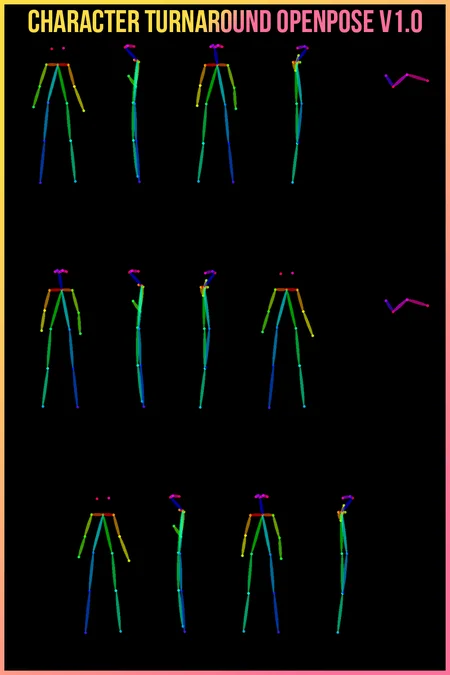
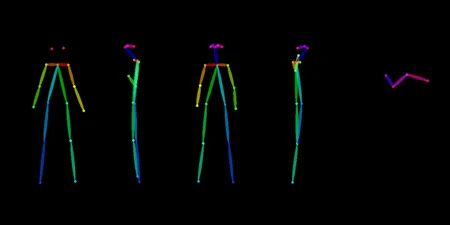
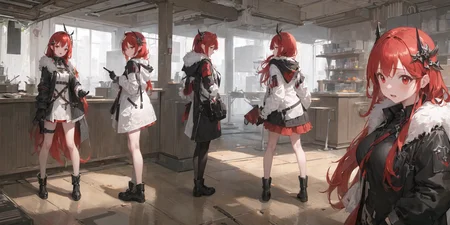
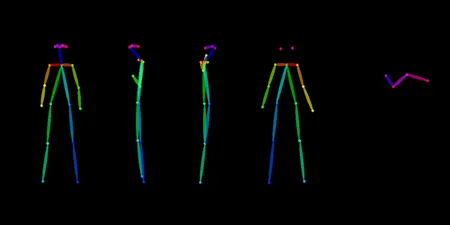
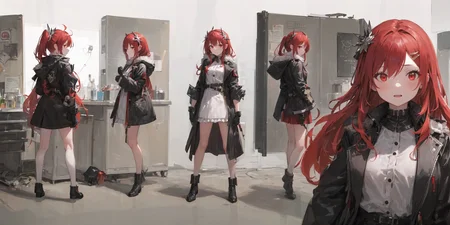
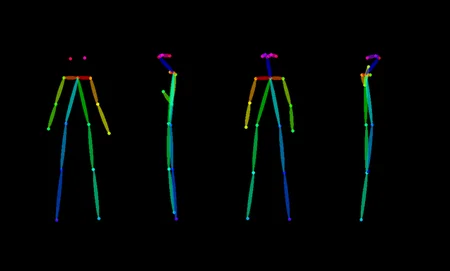
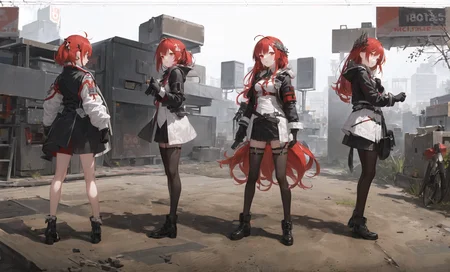
Disclaimer: This is not made by me.
These poses were originally posted on r/StableDiffusion by u/lekima. I reached out to u/lekima to see if they would post their work on civitai. They were receptive but I believe forgot, and I can't bring myself to urge a stranger online to do something so insignificant. Therefore, let all credit be attributed to u/lekima and reach out to them if you find this model useful.To u/lekima, if you see this, and want it to be removed and attributed under your own submission, please do let me know. Click "show more" for instructions.
u/lekima has since given permission for me to keep this file up, but go check out their profile on CivitAI in case they upload any other awesome stuff!
All instructions are compiled from the comments on this thread:
Step 1: Set Structure
In txt2img tab
Upload the OpenPose template to ControlNet
Check Enable and Low VRAM
Preprocessor: None
Model: control_sd15_openpose
Guidance Strength: 1
Weight: 1
Step 2: Explore
In txt2img tab
Enter desired prompts
Size: same aspect ratio as the OpenPose template (2:1)
Settings: DPM++ 2M Karras, Steps: 20, CFG Scale: 10
Batch size: 4 or 8 (depends on your machine)
Generate the images
Adjust prompts, settings and re-generate until happy 🔁
Step 3: Upscale / Finalize
In txt2img tab
Select the generated image you want to upscale
In Seed section, click ♻️ button to reuse the seed
Enable Hires.fix with settings: Denoising: 0.6, Hires upscale: 1.8, Hires upscaler: Latent
Batch size: 1
Generate the image
Adjust prompts, settings and re-generate until happy 🔁
A few notes:
You should set the size to be the same as the template (
1024x512or2:1 aspect ratio).You can add
simple backgroundorreference sheetto the prompts to simplify the background, they work pretty well.It's very difficult to make sure all the details are the same between poses (without inpainting), adding keywords like
character turnaround,multiple views,1girlorsolowill help keep things a little bit more consistent.If you have any tips and tricks to improve the process/results further, please let me know.
Question: Ah, is there a negative prompt you're using at all? or is it just the positive ones?
Answer: Yes there is, it's simply EasyNegative, extra fingers, fewer fingers
You can get EasyNegative here btw. Hope this helps!
Question: Very cool! Could you tell me which model you are using? Is this a trained model by you or is it available for download?
Answer: Thank you! I used Counterfeit v2.5 for these examples, you can download it by following the link. Hope this helps!
Description
Initial Release
FAQ
Comments (5)
Thank you!
You are my savior
just want to verify: it's not supposed to work with i2i right?
Awesome thanks for sharing!
I use with Character Turner as well but am finding feet keep pointing the wrong way - also the aspect ratio of the OpenPose PNG (no close up version) is not 2:1 so not sure how that impacts things
Hi ! can i use this poses with a character that i already created ? i only have one coloured sketch that i would like to pose in different perspectives. Thanks ! :)