



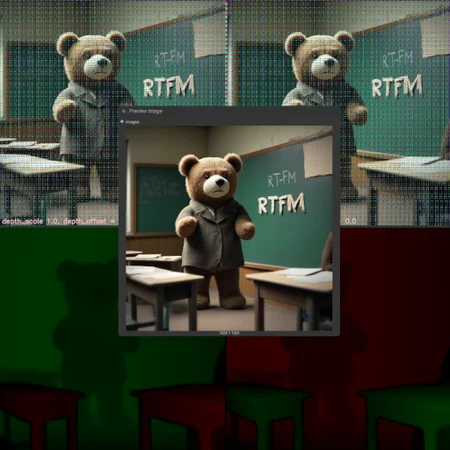
„VR we are“ 4.0 offers:
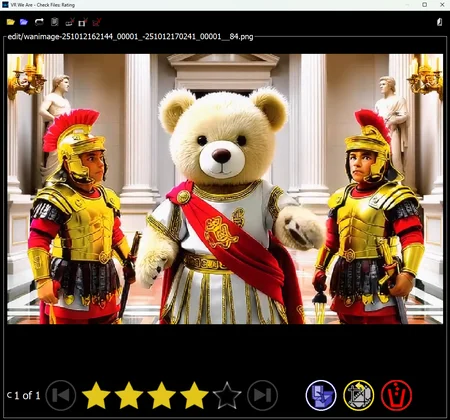
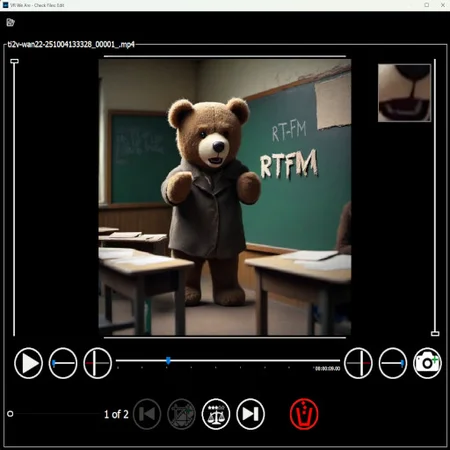
Python App to manage Image and Videos, simple Editor for trim and crop, optimized for AI Content creators, rating. (see Images)
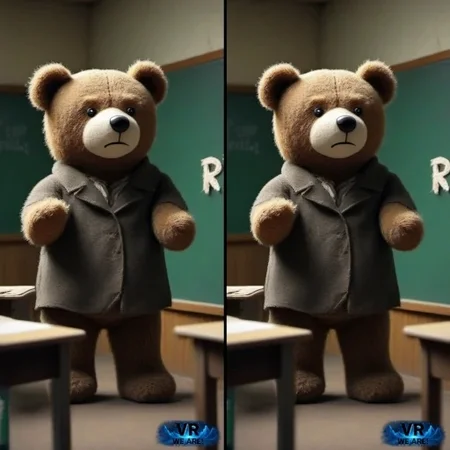
A customizable pipeline with many stages to simplify your workflows, able to handle non-AI content, and supports other tools:
Convert to stereo 3D (SBS) - standalone CLI installation available (linux supported)
Topaz Video AI CLI support for scaling and interpolation. (Fallback: ComfyUI workflows)
Tag Videos with captions from translation using GoogleTrans and exiftool.
Several ComfyUI Custom nodes for workflows.
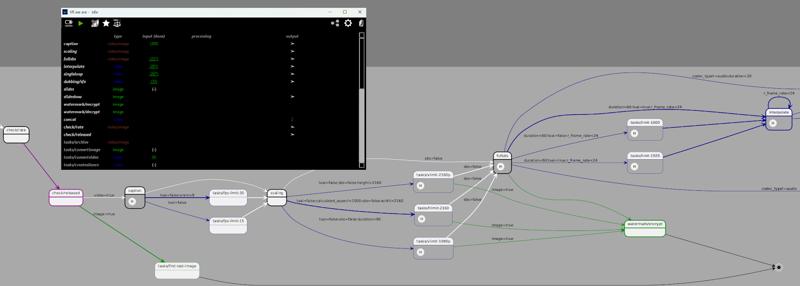
Pipeline Stage Overview (see manual for details):
 ... create more tasks based on templates!
Pipeline status and graphical overview:
Installation and Documentation
Installation can be done with the installer, in the installer folder of the zip. A user manual (PDF) is included under the docs folder.
If you just want to track what is going on, you can visit the roadmap-and-progress channel in our small discord . You can report issues or give feedback there, too.
The previous versions contain a lot of samples of VR content generation with VR we are.
Abstract overview
It's an immersive productivity and creativity software designed to support AI creators with tools and help people to bring the familiar multimedia content of videos and images into the world of a Virtual Reality (VR) environment, using Artificial Intelligence (AI) models on the local computer. Most of the processing can be done offline.
The following picture illustrates the building blocks of „VR we are“: 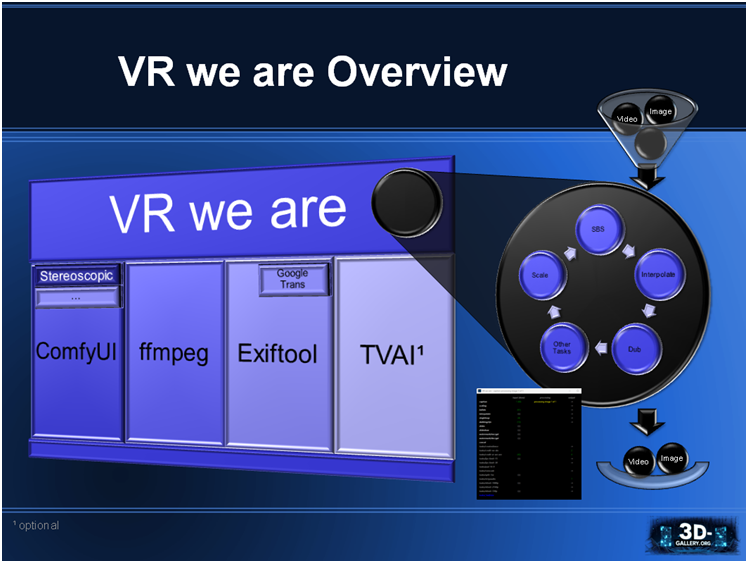
„VR we are“ is using other software as foundation:
ComfyUI is building foundational open source software for the visual AI space.
„VR we are“ uses it as distribution and execution platformStereoscopic is a custom node package for ComfyUI containing the „VR we are“ software. For the custom node I got help from iablunoshka, responsible for the high performance of the SBS converter and CLI. Our first tests had been made with the nodes of SamSeen.
FFmpeg is a command line tool providing a multimedia framework for video and image manipulation.
Exiftool is a command line tool for reading and editing multimedia meta information.
Google Trans is an optional service, requiring to be online, to translate text (into the own locale).
Topaz Video AI (TVAI) is an optional professional product, when available used. It offers a massive speed and quality boost on scaling and video interpolation (frame rate increase).
Git Bash (package), an application for Microsoft Windows environments, which provides an emulation layer for a Git command line experience, required to execute „VR we are“.
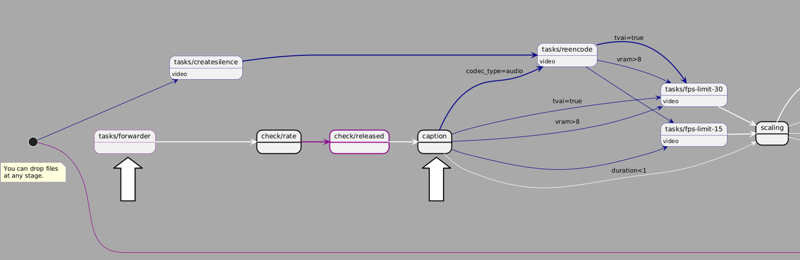
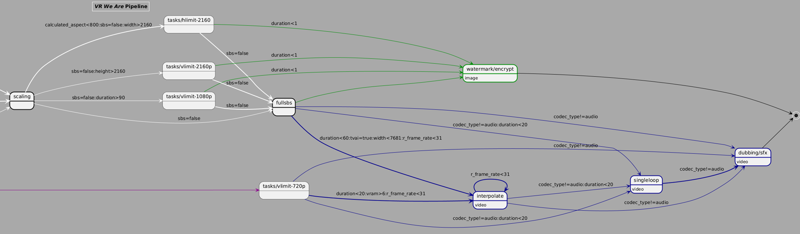
„VR we are“ waits for multimedia files to be placed in input funnels (file folders) for processing. Per default the files are processed in a non-linear pipeline, landing in output baskets (file folders). Pipelining though the stages can be customized or even completely turned off.
You can extend the tool by you own demand, since some stages can be created by users, based on predefined blueprints. This is very handy for tasks you have to do over and again, but are just straight forward, and maybe you want to integrate it at some place of your pipeline. Some img2img and vid2vid blueprints exist for simple ffmpeg tasks.
Autoforwarding Pipeline
A chart id generated for your workflow, and if you customize it, it will be updated by an online service from plantuml. The following diagramm is a sample showing all stages participating in the pipeline. Click on it to enlarge:
ComfyUI Custom Node Library (extract)
In comfyui_stereoscopic several custom nodes are defined.
Convert to VR (ImageVRConverter)
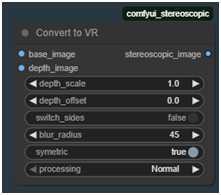 Explained in chapter 10.3.
Resolution Info
 Helper Nodes to get basic information from an image batch.
Strip XML
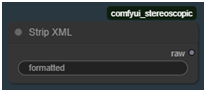 Internally used node to strip XML from string (Florence 2 problem).
Save Stripped UTF-8 File
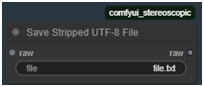 Internally used node to save raw text data.
Scale by Factor
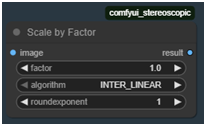 Scale up or down by factor and algorithm. Do nothing at factor 1.0.
ScaleToResolution
 Internally used node for creating depth maps, scales to specific resolution.
Calculate Dimensions 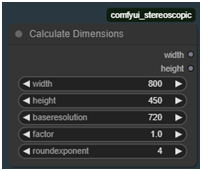 Node that helps to calculate dimensions of an image, keeping aspect and pixel amount (square of product of baseresolution and factor).
Strftime
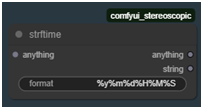 creates a formatted timestamp, guarded by the moment “anything” is done.
Save Audio (Simple)
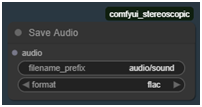 Saves audio to a flac file.
VRwearePause, VRwearePauseLatent
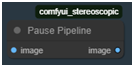 Blocks the workflow progress for image / latent image until pipeline is paused.
Load Image Advanced 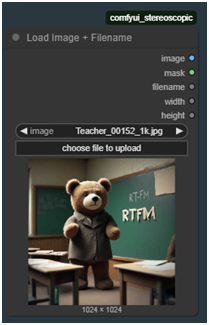 Loads an image from absolute filepath or selection of input image, showing preview, and give information about basename of image file, width and height.
Linear Fade
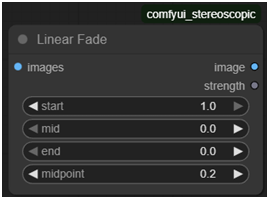 Control color correction strength of video over time, to avoid hard color cuts when extending a video sequence by a new chunk, usually appearing in First Image To Video Workflows. E.g. to be used after VAE Decode and before kjnodes Color Match hm-mvgd-hm, or Color Correct Batch. If you have scene changes you might want to set start to 0.0. To enforce keeping Colors set start and end to 1.0.
 Color Correct Batch
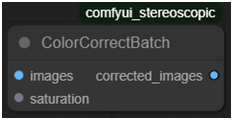 Color correct does image manipulation over time (for video). Currently only saturation is supported. It is to intended to be used after Linear Fade.
(c) 2025 Fortuna Cournot, https://www.3d-gallery.org
Description
complete revamp. new workflows, application, pipeline, cli for sbs generator and full-automatic installer for ComfyUI v0.3.68 and dependencies (in folder "installer").
sbs converter now available as standalone CLI (without ComfyUI) and on linux.,
sbs converter speed improved: converter speed for 1080p is now possible at realtime. 1min video takes 1min to convert. higher resolutions or lower GPU take longer.,
Upgraded to ComfyUI release V0.3.59. (opencv-python>=4.10.0.84 required. ComfyUI-Crystools 1.27.3),
Pipeline: Default Workflow improved. Customization improved. Autoforward configuration moved to YAML. creating pipeline image, visible over UI: toolbar action showing pipeline (included in Appendix of documenation, open pipeline definition and editor and update in-place; manual opens over toolbar action),
UI: new dialogs and stages to help with txt2img and img2vid batches. 3 step process: Edit, Rate and Release.,
UI: cleaner status page: stage table rows are per default collapsing . Toolbar action to toogle that,
Improved user manual,
New task blueprints, some based on comfyui workflows.,
Better handling of vertical aspect,
New custom node: srtftime, allows to generate time stamps for output filenames usable in conjunction with Concatenate nodes.,
Notice: ComfyUI will report errors about audio nodes and torchaudio is broken. The required nodes from ComfyUI have been replaced by own nodes in the workflows.
FAQ
Comments (6)
For those confused by the install of this. You can also try this:
https://github.com/nagadomi/nunif/blob/master/iw3/README.md
it has a one click install and converts videos to various VR 3D formats. The default settings work pretty well.
The good thing is that nunif/iw3 is MIT-licensed as well.
The new core features of VR we are 4.0 are the app, and the new high performance CLI sbs converter, the customizable pipeline. The converter is just one feature.
And I can't see the point why the VR we are installer is confusing? Please explain with more details. You just need to download the batchscript and execute it - it will ask some simple question, downloads all software and dependencies including a complete, up-todate ComfyUI Installation with a lot more functionality in 10 minutes.
For those purists who only want to use a 3D converter: the attached zip here contains the CLI in folder cls/sbs with a seperate light weighted installer.
The explanation of nunif/iw3 sounds intresting. Some configuration features are not part of VR we are, yet.
We tested unif/iw3 and were pleasantly surprised. It's a very stable to very performant solution for generating sbs content, with some different approach. Installation is similar to ours. We can recommend the row_flow_v3 mode for best quality and good performance as alternative to our approach. If you need more, like separate stages for scaling, interpolation, tooling for creators, you will find it here. We will monitor their product, and if it offers significant features beyond ours, i will maybe offer an integration in out flow in future.
Keep in mind... iw3 is good for converting 2D to 3D that can be used in VR but it does not work very well for 3D180 or 3D360 type of videos unless the source file being used has a equirectangular format.
@Inkyjam @Inkyjam We shorty had a discussion with somebody who cam up with that (look in other comment). VR we are currently only supports equirectangular format, too.
Installer fails as the exiftool url is no longer valid
Looks like we don't have an active mirror for this file right now.
CivArchive is a community-maintained index — we catalog mirrors that volunteers upload to HuggingFace, torrents, and other public hosts. Looks like no one has uploaded a copy of this file yet.
Some files do get recovered over time through contributions. If you're looking for this one, feel free to ask in Discord, or help preserve it if you have a copy.