


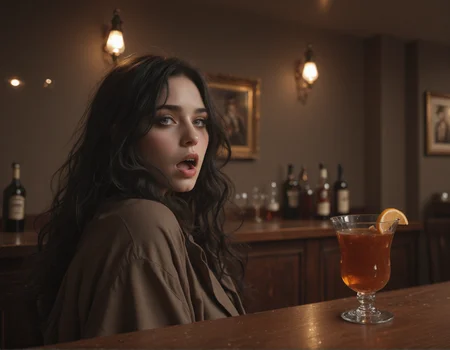
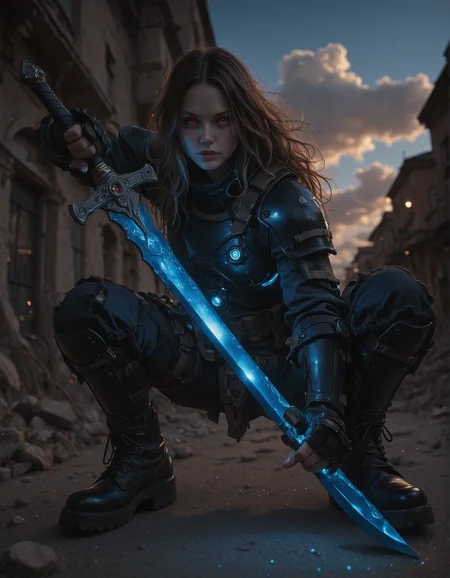


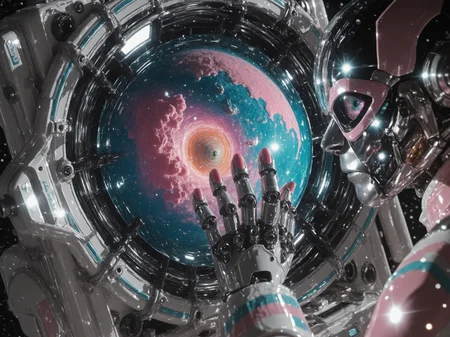
👍 Please Rate! - Your feedback, rating or a follow are greatly appreciated. - Thankyou! 😊
These models can use both Illustrious and XL Loras, though you may need to adjust the weights a bit.
🗈 Attention: I created a fork of this model for full realism called Frisky Dingo. You can find it here. (I'll be updating it shortly).
All v4 example images showcase the base model only, rendered in a single pass at high resolutions, with No detailers, LORAs, embeddings or upscaling, with only 2 - 3 exceptions. I'm using the Kohya Deep Srink node to maintain stability at higher resolutions.
There's a simplified workflow embedded in each of my v4 gallery images. (just verify the Magic Node settings with the 🗈 notes section at the bottom, as I may have tweaked them slightly). - Standard SDXL VAE is baked.
V4 - Cadmium - (a more fantasy / semi-realism aesthetic with a focus on high detail, high contrast & saturation.)
Suggested settings:
VAE: sdxl_vae (baked in)
Clip skip: 2
Samplers / Schedulers: DPMpp_2M_SDE_GPU / SGM_Uniform is recommended, but a wide selection are supported
Resolution: up to 2048 x 1536, with the Kohya Deep Shrink node, portrait or landscape. all standard 1MP resolutions work well.
CFG: 3 - 7.0 (I typically use 3.5, - 4.8)
Steps: 30 - 36
Prompting:
Natural language prompting & Danbooru tags. Generally less is more, for best results try to write clear concise prompts, (look to my sample images for examples and general formatting).
(added new models, I'll update the credits shortly).
V3 - Canny Mountain - (greater focus on retention of the illustrious knowledge base, camera film and post-processing effects)
Suggested settings:
VAE: sdxl_vae (baked in)
Clip skip: 2 was used during merge, (setting 1 or 2 should yield same results)
Samplers: DPM++ 2M SDE, DPM++ 3M SDE, Euler Ancestral Schedulers: SGM Uniform, Karras, Occasionally I use others for variance. (experimentation is recommended),
Resolution: all standard 1MP resolutions work well in portrait and landscape, (depending on context) (I often use 1024x1360 and 1120x1440 in portrait and landscape) I sometimes go as high as 1344x1728,
CFG: 3.8 - 8.0 (I typically use 3.8, -5.6 for photorealism)
Steps: 32 - 38 (I use 36 most often),
Prompting:
Danbooru tags, & natural language prompting. Generally less is more, for best results try to write clear concise prompts, (look to my sample images for examples and general formatting).
positive prompts - responds well to camera related tags: photorealistic, raw photo, amiture photo, depth of field, bokeh etc.
negative prompts - I generally recommend keeping sepia in your negatives to overcome a sepia bias. (it can be helpful to add a few things like "artificial, anime, illustration, unreal", if you're pushing for greater realism).
V2 - Fully REALized - (greater photorealism while maintaining much of the illustrious knowledge base)
Suggested settings:
VAE: sdxl_vae (baked in)
Clip skip: 2 was used during merge, (setting 1 or 2 should yield same results)
Sampler: DPM++ 2M SDE - SGM Uniform, (good option for photorealism) or Euler Ancestral - SGM Uniform (experimentation is recommended),
Resolution: all standard 1MP resolutions work well in portrait and landscape, (depending on context) (I often use 1024x1360 and 1120x1440 in portrait and landscape)
CFG: 2.8 - 9.0 (I commonly use 3.8, 5 & 7)
Steps: 24 - 38 (I use 36 most often, though I'm starting to use lower values with solutions like CFG rescale & Zero Star).
V1 - Beyond the Valley
Suggested settings:
VAE: sdxl_vae (baked in)
Clip skip: 2 was used during merge, (setting 1 or 2 should yield same results)
Sampler: Euler Ancestral - SGM Uniform (most consistent good results), DPM++ 2M SDE - SGM Uniform, (good option for photorealism)
Resolution: all standard 1MP resolutions work well in portrait and landscape, (depending on context) (I often use 1024x1360 and 1120x1440 in portrait and landscape)
CFG: 2.8 - 8.0 (lower for more photorealism - I commonly use 2.8, 3.8, 5 & 7)
Steps: 24 - 38 (I use 36 most often)
Prompting:
Primarily Danbooru tags, mixed with a bit of natural language prompting. Generally less is more, for best results try to write clear concise prompts, (look to my sample images for examples and general formatting).
positive prompts - Hype4realistic can be added to push realism a bit further.
negative prompts - I generally recommend starting with none and adding tags as needed. (it can be helpful to add a few things like "toon, illustration, unreal", if you're pushing for greater realism).
I started this project to in an attempt to recreated a specific aesthetic created by blinkdotleh using his workflow where 2 models split the steps during image generation. He created a series of images using Uncanny valley for the initial steps & my fabled Illusion model as a refiner. I created a style Lora from those outputs and included it in this merge. This is an attempt to recreate that look in a singe model while preserving as much of the Illustrious knowledge base as possible.
on the image generation side, this is roughly 50% Illustrious & 50% XL (mostly bigASP), while the CLIP more heavily favors Illustrious at about 65%.
🗈 Notes & Tips:
(to be expanded over time),
Preferred Sampler / Scheduler combos: in order preference:
DPM++ 2M_SDE_GPU,  / SGM_uniform, Simple, beta,
DPM++ 2M_SDE,      / SGM_uniform, Simple, beta,
DPM++ 3M_SDE_GPU,  / Simple, SGM_uniform, beta,
Euler_A,           / Simple, beta, SGM_uniform, exponential,
DPM++ 3M_SDE,      / Simple, SGM_uniform, beta,
heun,              / Simple, beta, (Sometimes garbage, sometimes pure gold)
dpmpp_2M,          / beta, (same as the last one, hit or miss depending on scenario, but when it behaves, it's a clear winner, after some trial & error it becomes more predictable).
DDPM               / ddim_uniform, (High accuracy with clean details, a bit of a washout - overexposed effect, but with higher CFG's & / or charged terms in your prompting, this can become the best option.)
Karras, tends to overcook things and glitch eyes, I almost never use it, (I know people swear by it, it's great for many scenarios / models but generally not with mine.
Exponential, pairs well with LCM to mitigate washout
AYS, works well, but I prefer LCM with this model.
------
Patch Model Add Downscale (Kohya Deep Shrink),
is a default node in Comfy that greatly increases image stability by compressing the Unet model during the 1st compositional stage of image generation then re-expanding it for fine details.
Parameters of concern include:
Block number: (3 is default but 4 can also be useful in some instances).
Downscale Factor: (I use 1.5 as a default but will go as low as 1.25 for resolutions close to standard, & sometimes as high as 2 if pushing the upper limits.
End Percent: (this is the percentage of total steps, the point at witch the unet will decompress. You can generally leave this at 0.35, but I sometimes make slight adjustments if I'm trying to eliminate a pesky error.
-------
Resources used / Creator thanks
Checkpoints:
Uncanny valley by meden - (clip only)
Loras:
Hyperrealistic [Pony | Illustrious] by Zoropaton
SPO-SDXL_4k-p_10ep_LoRA_webui by rockeycoss
custom style Lora - (not yet publicly available)
(Additionally, thanks to everyone whos prompts I've pilfered for testing).
Description
Initial release, see full description for recommended settings.
FAQ
Comments (23)
I'm new to illustrious. Your constructive criticism, tips or suggestions are welcome.
This is a real nice model compared others, i don't think there's a need for proper criticism because the model is really good and does what is needed. At most I would say that a realistic, illustrious model, naturally seeks a “cosplay” version without looking too unreal. Is that possible in your opinion? I have been looking for weeks for models capable of doing this but either they look too fake or the prompt doesn't follow you
@Calabria Thank you, and yes, I do suspect that's possible, though I'm not going for full photorealism with this project. I feel like SDXL only started getting really good less than a year ago and illustrious is still pretty new. If you want to push this model into grater realism try adding the trigger (Hype4realistic) from the Hyperrealistic [Pony | Illustrious] lora (which is merged here @ strength 1. You may also want to try blinkdotleh"s workflow which uses Uncanny Valley, (or any model of your choice) for the initial steps before passing the latent image to a photorealistic checkpoint like Fabled Illusion. (If you try the workflow and want more realism, increase the total steps, default is 10 for 1st check point, 18 total. something like 16, 32, should give more realistic results.
wait yesterday i downloaded this model its say SDXL, then now it labeled as IL
Thanks for downloading. Yeah, I missed the setting to properly categorize it when I 1st uploaded it, sorry about that. It's a hybrid, but more IL dominant.
This model is pretty impressive! How did you manage to merge the Illus and SDXL CLIP to make it compatible with LoRAs from both? Just a direct weighted average at 65%-35%? If you don't mind me asking.
Thank you & no problem. Yes, this is a weighted average merge. I've experimented with UNET/block merges a bit & I get why they're desirable (at least theoretically), but I tend to have better outcomes with simple merges, using an iterative process, testing at each step. For example, I'll merge A&B get C, then test that, adjusting ratios till I'm happy with the outputs. I repeat the process for D&E to get F, then merge C&F, This allows me to do QA at each step.
I Think the compatibility mainly comes down to model framework & training data, (I use pony & illustrious loras in standard XL models quite often with varying degrees of success depending on a multitude of factors). by weighting the clip a bit more heavily toward IL, IL Lora's seem to have an easer time interpreting danbooru style prompting. I just don't recommend setting CLIP weight too differently from model weight, There's seemingly a point of diminishing returns where you loose cohesion and the model goes schizo
@prodajie Interesting. Whenever I combine models with a LoRa of a different base, I’d get blurry mutants if not pure noise. But your model is remarkably coherent with SDXL LoRAs while still retaining a lot of Illus functionalities. Good job!
@nickname45 Thank you. Feel free to share some generations. :)
gracias por este model :)
De nada
Hi all, I just had a winning bid to get the model open for on site generation. I can probably only sustain this for a week or two. Get in while you can. I'd love to see your work. :)
what a great checkpoint
thank you kindly.
Beautiful work 👍
Thank you very much.
@prodajie im gonna bid on it.
@YasKong You're a legend for even suggesting that. I have just over 8k yellow I can put up. The last couple times I've bid I came up just shy of the minimum. If you would like to coordinate the bidding let me know. Thanks again. feel free to message me.
@prodajie i've been wanting to use it because I don't have a set up off-line
@YasKong Ahh, got ya. I've been considering releasing DMD versions of my models in early access as way to earn buzz to for bidding, but I'm not sure, It feels a bit sleazy.
@prodajie I don't know....maybe if you feel like theres a huge demand...why not?
Details
Files
Available On (2 platforms)
Same model published on other platforms. May have additional downloads or version variants.