






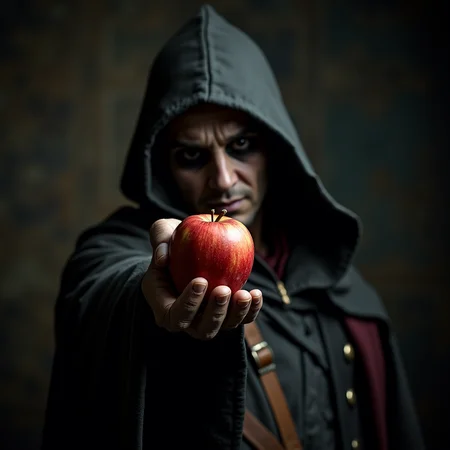

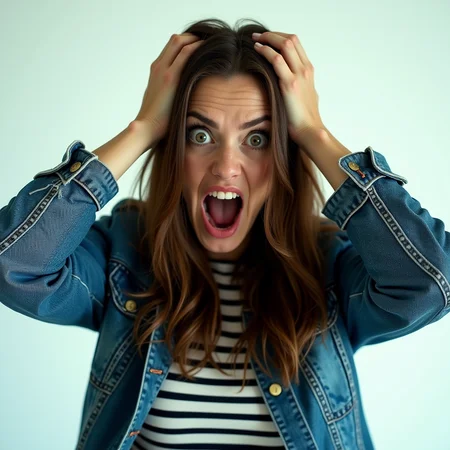
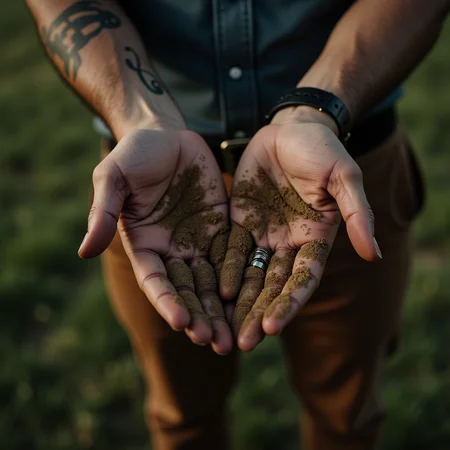

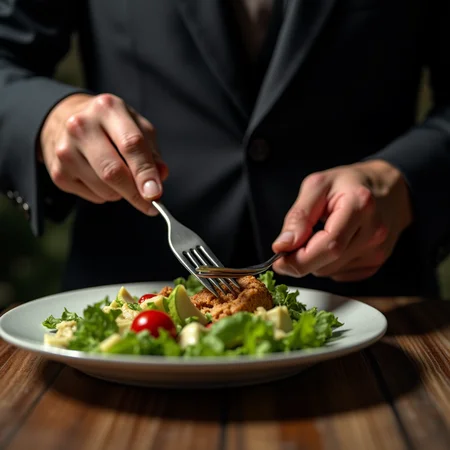


Update: Please if you see any of my models somewhere else report or let me know! Thnx
Please read version info (about this version)
Trained on base model(s) xl + sd1.5 + pony + illu + f1d + zit + zib
Update: Added perfection style model (Hands + Feet + all in one)
Update: Added Detailed style (Hand focus + all in one)
Update: Added SD 1.5 Model
Update: Pony version added! (Please read version info. before using it)
Update: Illustrious version added.
Update: added gun focus (weapon focus) F1D model.
Trained on base model xl 1.0 + FLUX.1-dev + Pony + Illustrious
Feel free to check feet model as well.
In addition to Archery style.
Feedback and ratings are much appreciated.
Other models to check:
Skin Tone (Cinematic Photography) Style XL (Human skin color)
Realistic Skin Texture style XL (Detailed Skin)
Description
This version is much better than previous flux version. Chances of extra finger or missng one are reduced. However, you may still experience some weirdness occasionally.
You can try model with or without trigger word(s) and see yourself which works better for you.
In addition, try starting with low lora weight. Start with 0.1 and work you way up till 1.
You'll notice some generated images are much better with low lora weight while others are great with higher weight. It's tricky, but you'll need to adjust the weight till you reach best spot.
FAQ
Comments (40)
Doesn't work well when it comes to swords. Flux dev does it much better to begin with. Or I did something wrong, idk. Using other Loras without issues though.
The scheduler type could be an issue, Flux in img2img really is a diva when it comes to schedulers and it might be this Lora is just fine but I haven't found the proper combination.
What I do is essentially using Flux only as refiner in img2img because it is easier and faster to generate the base of an image with other models and/or Photoshop.
Some images may work better with low lora weight. You can try with 0.1 up till 1. And see which works better for you.
@EauDeNoire I usually start out with a new LoRA at "around" 0.5 and then go up or down and see where the "right" value(s) are for my image. Authors sometimes note "worked best from x to y for weight," etc but what you said here is also worth spreading into common knowledge "Some images may work better with low lora weight"! (Do not immediately go full throttle to "1" hoping it will brute force things!) "It depends" and "just try some different shit and see what looks good" are relevant too. : )
I'm curious about your HAND dataset, can you share it?
There is nothing special about it. All I did, grab couple high quality images from the web, added caption, and trained data several times till getting best optimal results.
@EauDeNoire How big is the dataset, can you share some training details?
@Erke Nothing really special, you can pick up couple of good hand photo via google image search and you are good to go. The key is in captioning. Flux already is good with hands, training is only to make it even better. SDXL hand lora work much better with a more enhanced fine tuned checkpoint base model.
@EauDeNoire I was having problem two people holding hands and fingers being interlocked, so I was hopeful about this lora but it didn't help much. Would you have any captioning tips or did you even have any finger interlocking examples in your dataset? How many pictures did you used for training?
Even if it didn't help me with my current generation, I will definetly keep this lora in my library. Upvoting.
@Erke v1 30 photo v2 60 (Flux) Hopefully when ever decide to do v3 might work on something better.
Finger Interlocking is very complicated for ai to understand. Might require a stand alone lora. Captioning is standard, it's only useful for ai to understand what you are doing, nothing special about it.
@EauDeNoire It sure is complicated. I can't get it at all even with cannies or rough photoshop and then detail inpaint. If you ever update this, or do a stand alone lora for interlocking, would you be so kind to poke me, if you remember?
@Erke sure, but not any time soon. (working on other projects)
Nice model
Very nice !
LOL as of today, 7 of the latest 10 posts don't have hands in the image. "Works great, thanks for posting that example..." And the others are anime hands in that top 10. Oh well, LMAO.
I think the images are auto-posted when they are generated on CivitAI and use this lora. Just a guess.
@Cochese9000 Whether that makes it funnier or less-funny is left as an exercise for the reader. ; )
nice
Is there a version for Comfyui available? Thanks!
Any safetensor file will work with comfyui. (lora or base model)
@EauDeNoire Some keys are uncompatible and unloaded with the original FLUX model. Have you encountered this problem?
@LixDemon I haven't used comfyui for a long while. (Didn't update it with flux workflow yet) Make sure you are using correct model. Flux1 D.
And all other files are loaded correct. (vae, t5xxl, clip_l, etc.)
If you still encounter same problem, try addressing it on comfyui discord / reddit page.
@EauDeNoire Does it support the FLUX version of fp8 or nf4?
@LixDemon It was trained on FP16 original model. I have no clue if it's compatible with other versions or not.
@EauDeNoire Thanks for your detailed reply!
love it
can you make it "man holds hands crosses fingers romantically" . I'm trying to make a couple inter-mesh fingers like lovers. But its hard to make "male hand + female hand" :P
popre
Thank you!
wehre to put the file ?
models/ lora folder
another example of useless lora, waste of time, do not download it.
Useless how?
useless comment, because it lacks explanation.
In my case, only introduced more defects. No improvements on Acorn flux model. I'm sorry.
@5c0f4n0 Did you try lowering lora weight?! (you can also try other similar recommended listed models)
@EauDeNoire I guess I tried everything. I tried even negatives, putting the keyword on the prompt, removing... Started from 0.1, bumped into 1.1(with 0.1 increments), then went -1 and nothing worked. And I started to get more and more fused limbs too. Maybe it just doesn't like the checkpoint I'm using. But I need to test using other 8 steps model (the others are too slow for my 4070 super).
@EauDeNoire Do you think the KSampler settings can be the culprit?
I'm using cfg 1, euler, beta, denoise 1.
@5c0f4n0 I have no clue, but you can use provided image samples as a better data resource to start from. You can download any of the image(s) you think they look great and import it into .png info section and send it to text to image section and start from there. Hope it helps!
@EauDeNoire Is it necessary to include the keyword on the prompt? Comfyui.
@5c0f4n0 Nope, should work just fine, as long as you describe it well and balance lora weight(s).
Details
Files
Hand v2.safetensors
Mirrors
Hand v2.safetensors
Hand v2.safetensors
Hand v2.safetensors
Hand v2.safetensors
hands-xl-sd-15-flux1-dev.safetensors
Hand v2.safetensors
Hand v2.safetensors
fix-hands-flux.safetensors
Hand v2.safetensors
Hand_v2.safetensors
Hand v2.safetensors
Hand v2.safetensors
Hand v2.safetensors
Hand v2.safetensors
Hands.safetensors
Hand v2.safetensors
Perfect_hand.safetensors
Hand v2.safetensors
Hand v2.safetensors
hand_v2.safetensors
handv2.safetensors
Hand v2.safetensors
Hand v2.safetensors
Hand v2.safetensors
Handv2.safetensors
37-Hand.safetensors
Hand v2.safetensors
model_v2.safetensors
Hand v2.safetensors
F1手部修复-细节保持-Hand_v2F.1_避免手部崩坏_Hand_v2.safetensors
Hand v2.safetensors
Hand v2.safetensors
Hand v2 flux 1d.safetensors
Hand v2.safetensors
Hand v2.safetensors
Hand v2.safetensors
Hand v2.safetensors
Hand v2.safetensors
Hand v2.safetensors
Hand v2.safetensors
Hand v2.safetensors
Hand v2.safetensors
Hand v2.safetensors
Hand v2.safetensors
Hand v2.safetensors
fix-hands-flux.safetensors
Hand v2.safetensors
flux_Hand_v2.safetensors
Available On (1 platform)
Same model published on other platforms. May have additional downloads or version variants.