
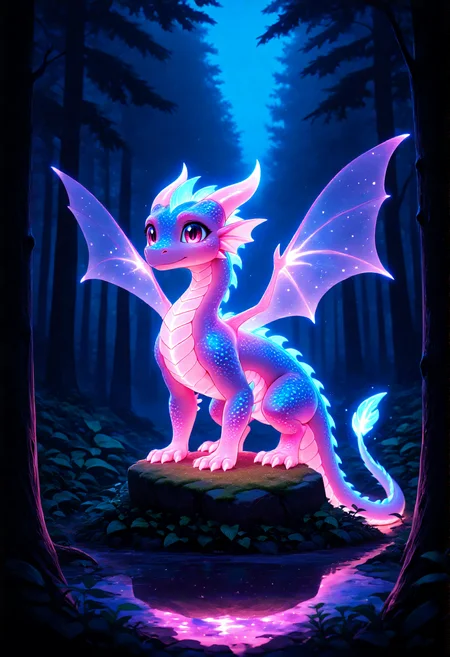
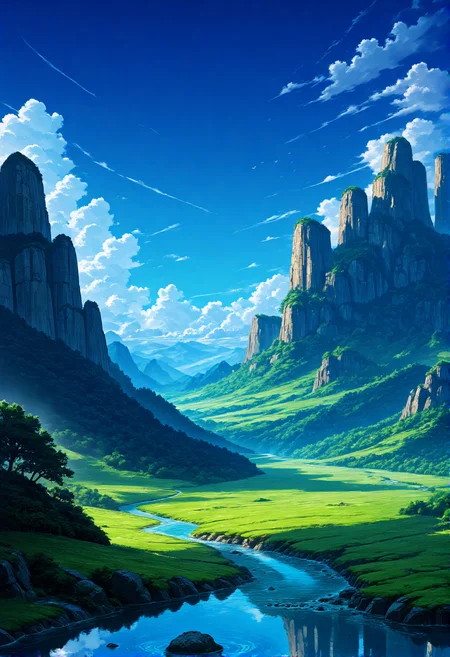


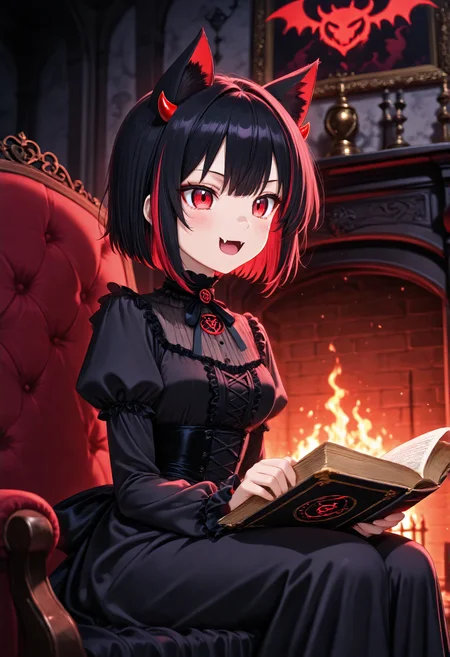
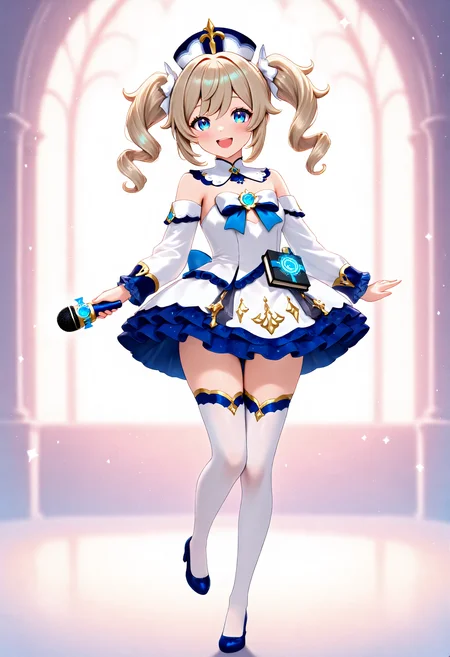


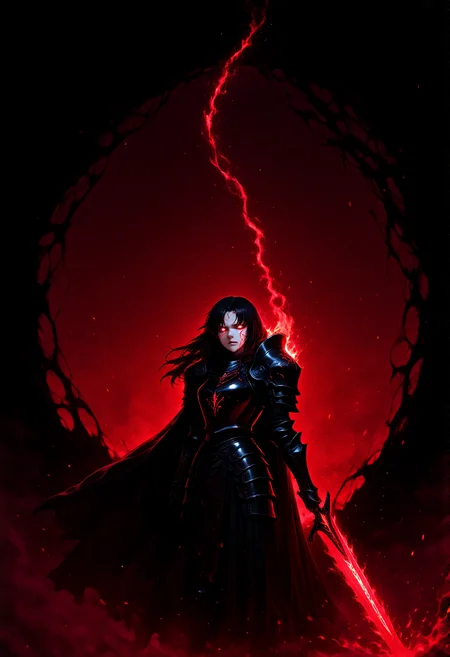
🎨 Chroma-Anime-Complete | All-in-One Anime Checkpoint
The ultimate plug-and-play anime checkpoint for Chroma – No external VAE or CLIP needed!
Tired of juggling multiple files? This checkpoint combines Chroma-2K-QC, Chroma-Anime-V3 LoRA, FLUX VAE, and the superior FLAN-T5-XXL encoder into one seamless package. Just load and generate!
⚡ What Makes This Special?
🎯 True All-in-One Solution
✅ Single checkpoint file – No separate VAE or CLIP loading required
✅ Works with default ComfyUI workflow – Just "Load Checkpoint" and go!
✅ Pre-merged with Chroma-Anime-V3 – Built-in authentic Illustrious anime aesthetic
✅ FLAN-T5-XXL integrated – Superior prompt understanding over standard T5
🚀 Performance Optimized
⚡ Based on Chroma-2K-QC – Faster convergence, fewer steps needed
📐 Multi-resolution support – From 512×512 to 2K+ resolutions
💪 Efficient generation – Quality results in just 16-32 steps
🎨 Maximum Flexibility
🌐 Natural language prompts AND danbooru tags supported
🎛️ Any sampler works (Euler, Beta, Simple – your choice!)
🔄 All Chroma/FLUX-compatible workflows function perfectly
💬 Credits & Thanks
Built using these outstanding open-source components:
Chroma-2K-QC by Lodestone Rock – Optimized merge for faster convergence
Chroma-Anime-V3 (my own LoRA) – 427MB optimized, trained on 154 diverse images
FLUX VAE – Industry-standard quality
FLAN-T5-XXL by Google – Fine-tuned on 1000+ tasks
Huge thanks to the open-source AI community! 🙏
Special shoutout to:
Lodestone Rock for the incredible Chroma base models
Fictional.ai for supporting open-source AI development
The entire ComfyUI community
📊 Performance Benchmarks & Test Results
All tests performed on 8GB VRAM with Euler Normal sampler
🔬 Test 1: Quick Iteration Mode
Resolution: 512×512 | Steps: 16 | CFG: 3.6 | Time: 28.20s
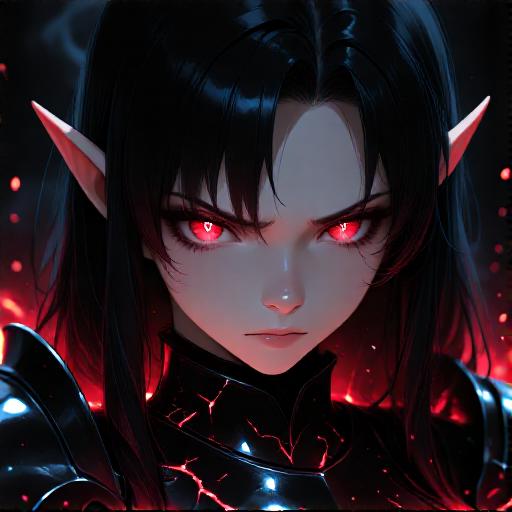
Prompt:
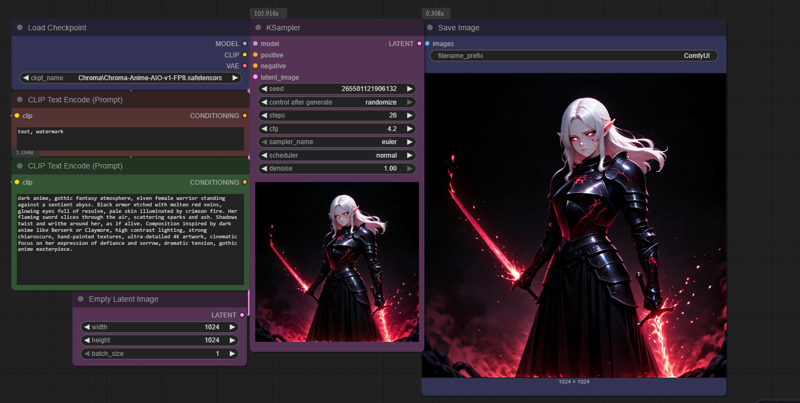
dark anime close-up portrait, elven woman warrior with glowing crimson eyes and black hair, pale skin illuminated by red firelight, expression fierce yet sorrowful, detailed molten cracks reflecting in her armor collar, gothic fantasy atmosphere, background of writhing shadow and ember sparks, inspired by Berserk and Claymore, high-contrast chiaroscuro lighting, ultra-realistic anime face, dramatic composition, detailed eyelashes and reflections, cinematic 4K gothic portrait.Use Case: Perfect for rapid prototyping and style testing
🔬 Test 2: Portrait Format
Resolution: 512×768 | Steps: 16 | CFG: 3.6 | Time: 34.57s
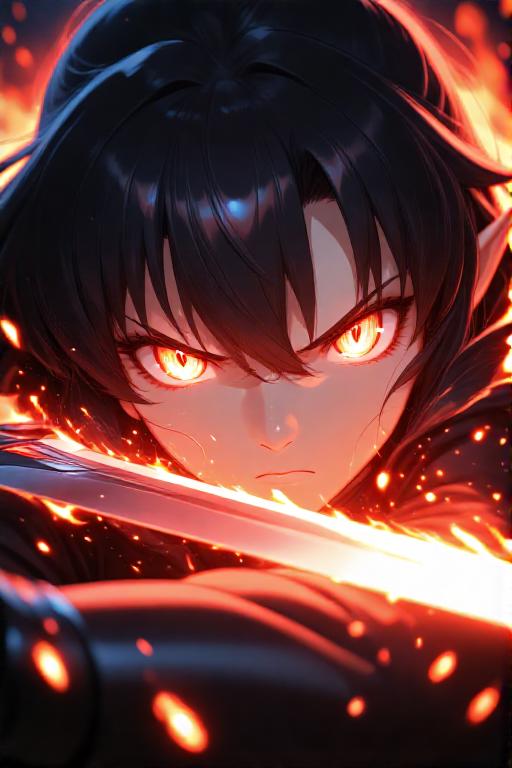
Prompt:
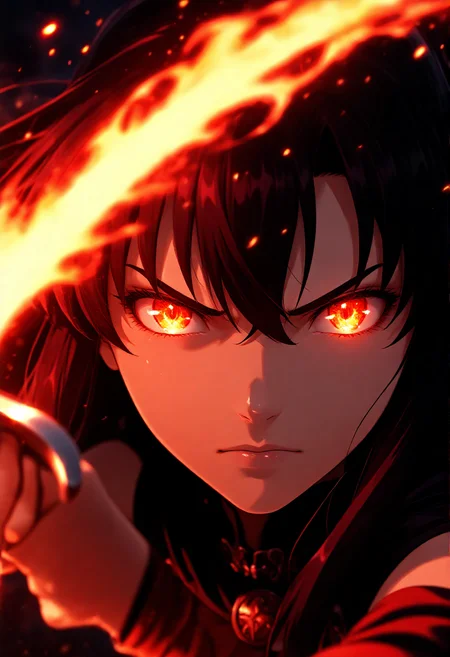
anime close-up portrait, dynamic lighting, elven swordswoman mid-battle, face glowing from flaming sword reflection, sharp cel shading like Fate/Stay Night or Demon Slayer, intense determination in her eyes, strands of black hair whipping across her face, glowing red-orange highlights from fire, cinematic anime realism, shallow depth of field, bokeh sparks behind, ultra-detailed 8K anime face, heroic expression, modern fantasy action style. Rendered in ultra high definition 8K resolution.Use Case: Ideal for character portraits and vertical compositions
🔬 Test 3: Standard HD Quality
Resolution: 1024×1024 | Steps: 16 | CFG: 4 | Time: 68.21s
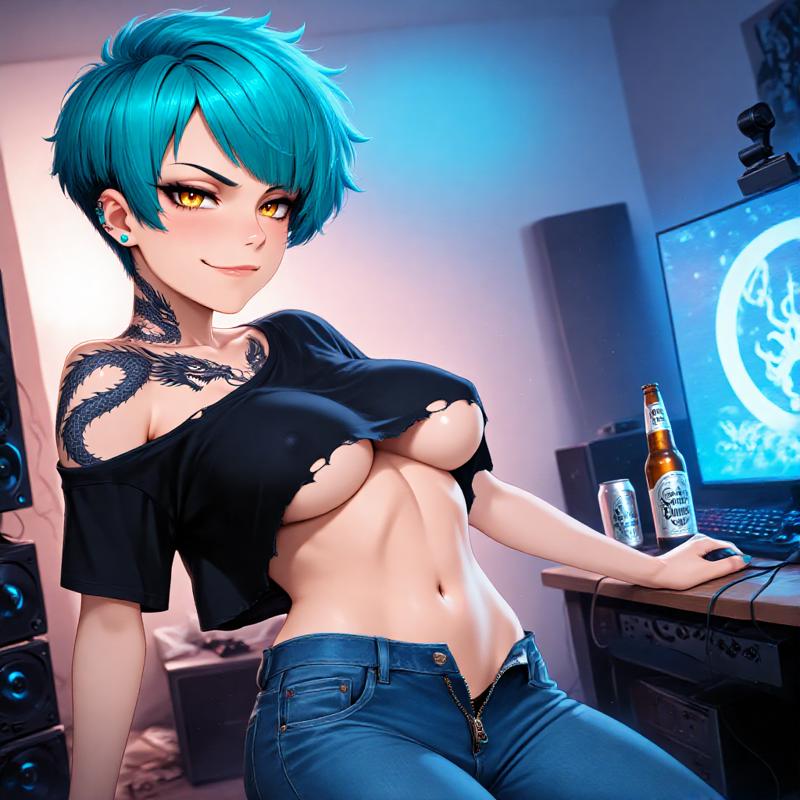
Prompt:
anime, masterpiece, best quality, ultra-detailed, gothic, anime confident gamer girl with turquoise pixie hair and dragon tattoo on neck, golden eyes and smug expression, ripped band shirt falling off shoulder revealing bare breast and underboob, jeans unzipped and low on hips, casually leaning on gaming setup with beer, messy bedroom background.Use Case: Balanced quality and speed for general use
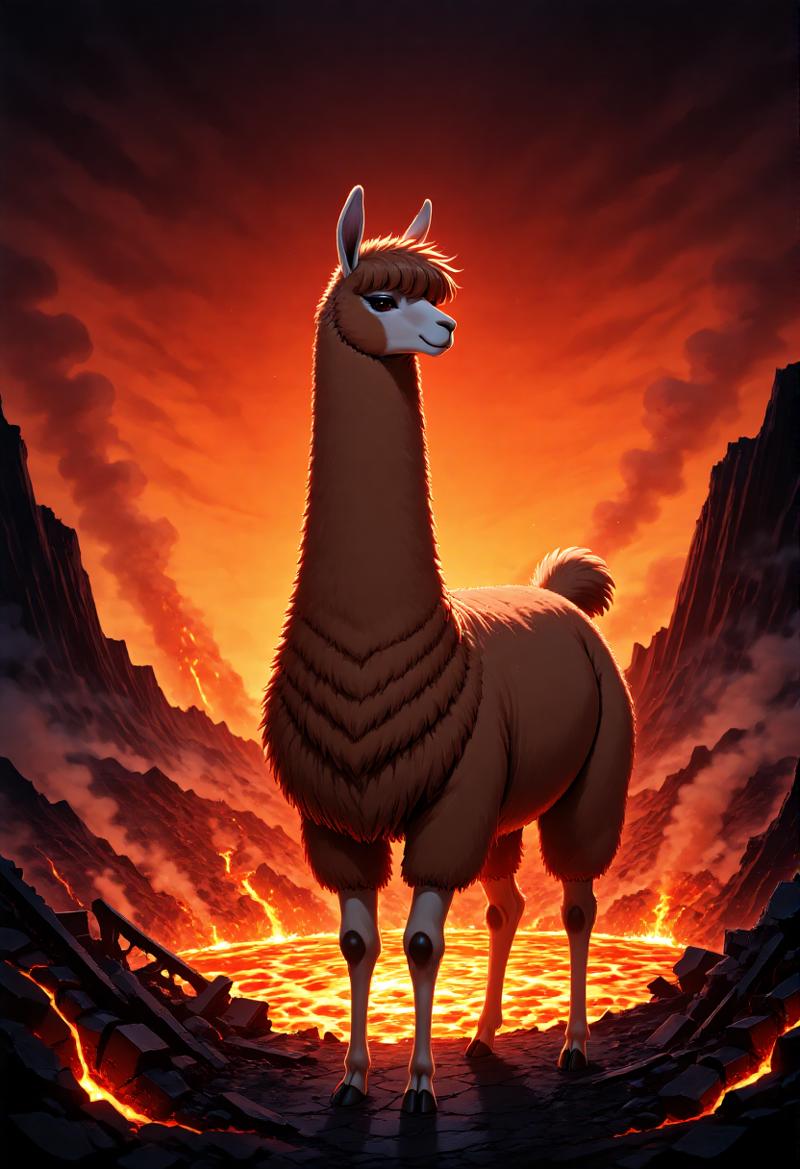
🔬 Test 4: Lama Mode 😅👍
Resolution: 832×1216 | Steps: 24 | CFG: 3.6 | Time: 100.50s
Prompt:
anime, In the fiery depths of an erupting volcano, a solitary llama stands amidst smoldering ruin, silhouetted against molten lava and towering ash clouds. Its plush coat is immaculate despite the surroundingsâjagged metal, cracked concrete, glowing embers. The llama's calm demeanor contrasts sharply with the chaos around it. Bright hues of flames and smoke frame the scene. Studio anime style emphasizes detailed backgrounds and expressions; vibrant colors enhance the dramatic setting.💡 Pro Tip: Want more details? Increase steps! Want stronger anime look? Use trigger word anime, or push CFG above 4.0!
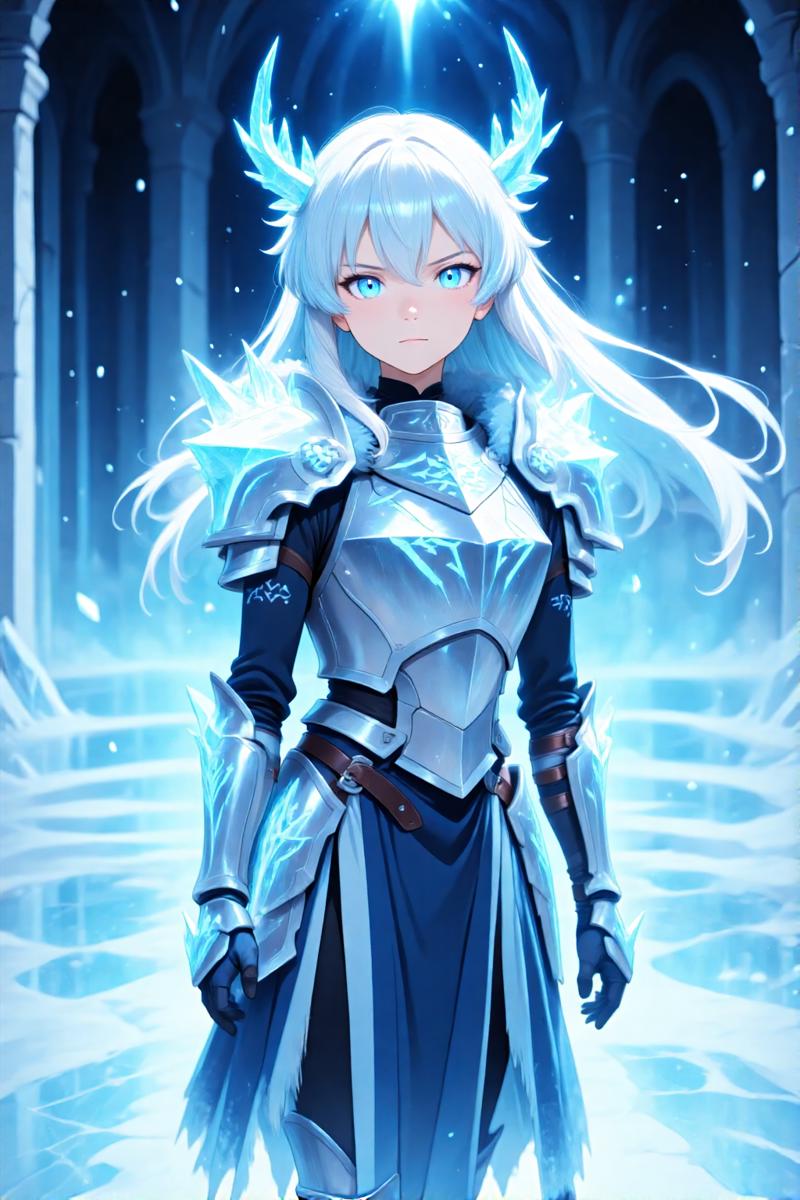
🔬 Test 5: Tall Format Excellence
Resolution: 1024×1536 | Steps: 22 | CFG: 4.2 | Time: 135.65s
Prompt:
anime, masterpiece, ultra-HD, high detail, depth of field, best quality, 8k, ergonomic composition, (anime coloring, anime screencap:1.5), official art, 1girl, Astrid Frost Valkyrie, white-blue flowing hair, ice-blue radiant eyes, majestic pose in a grand crystalline ice hall, intricate silver-blue armor adorned with frost patterns and glowing runes, snow particles suspended in the air, elegant and powerful expression, cinematic lighting, reflective icy floor, ethereal mist, glacial magic energy swirling around her, add microdetails, ultra-realistic anime rendering, masterpiece illustration, epic fantasy atmosphere.Note: Resolutions over 1 megapixel are fully supported!
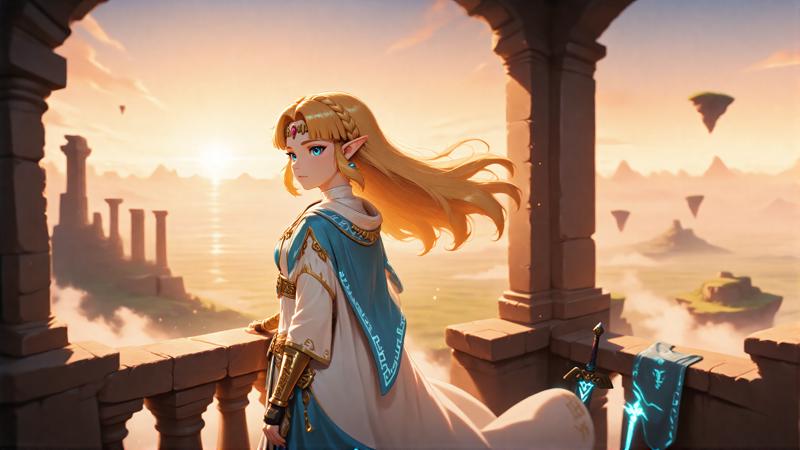
🔬 Test 6: Cinematic 2K Power
Resolution: 2048×1152 | Steps: 16 | CFG: 4.2 | Time: 154.62s
Prompt:
anime, masterpiece, 2k resolution, ultra-detailed, depth of field, best quality, (anime coloring, anime screencap:1.5), official art style, 1girl, Princess Zelda from The Legend of Zelda, standing on an ancient stone balcony overlooking Hyrule at sunrise, long golden hair flowing in the wind, wearing elegant white and gold royal robes with light blue accents, glowing runes on fabric edges, soft light reflecting from the Master Sword resting nearby, ancient ruins and floating islands in the background, golden morning mist, warm cinematic lighting, anime fantasy atmosphere, calm expression full of determination, official art aesthetics, add microdetails, masterpiece illustration, ultra-realistic anime rendering, inspired by Tears of the Kingdom and Breath of the Wild.Note: Even 2K resolutions work smoothly – only limited by VRAM! 😅
🎯 Quick Start Guide
Basic Settings
Steps: 16-26
CFG Scale: 3.6-5
Sampler: Euler Normal (or any you prefer)
Clip Skip: 1
💡 Pro Tips
Want more anime aesthetic? → Add trigger word anime, to your prompt
Need more detail? → Increase steps to 22-32
Stronger anime style? → Push CFG above 4.0 (test at 4.2-5.0)
Experimenting? → Just change your prompt – the checkpoint adapts!
🔧 Technical Breakdown
What's Inside?
Base Model: Chroma-2K-QC (optimized for faster convergence)
Style: Chroma-Anime-V3 LoRA (pre-merged at optimal strength)
VAE: FLUX VAE (integrated)
Text Encoder: FLAN-T5-XXL (superior to standard T5-XXL)
Why FLAN-T5-XXL?
FLAN-T5-XXL was fine-tuned on over 1000 additional tasks, delivering superior prompt understanding and better instruction-following capabilities. This means:
✅ Better understanding of natural language descriptions
✅ More accurate interpretation of complex prompts
✅ Improved detail generation from textual input
✅ Enhanced performance compared to standard T5-XXL v1.1
🎨 Versatility Beyond Anime
While optimized for anime, this checkpoint handles any style with proper prompting:
📸 Photorealistic renders
🎭 Semi-realistic illustrations
🖼️ Artistic paintings
🌸 Fantasy art
🔞 NSFW content
The FLAN-T5-XXL encoder excels with natural language, but tags work great too – or mix both in one prompt! It's up to you what you want to create.
🛠️ Workflow Simplicity
Traditional Chroma Setup 😓
Load Checkpoint → Load VAE → Load CLIP → Load LoRA
↓
Multiple nodes, file management headaches
This Checkpoint 🎉
Load Checkpoint → Generate!
↓
One node. Done.
Yes, it's literally that simple. Everything is pre-configured and optimized. Just use the default ComfyUI workflow – the one everyone has right from the start!
No special custom nodes required. No complex setup. Just load and create.
⚙️ Sampler Compatibility
Fundamentally, you can use any sampler that works with FLUX/Chroma:
✅ Euler Normal (used for all tests)
✅ Euler Beta
✅ Simple
✅ Any other FLUX-compatible sampler
There are no strict guidelines here. All samplers work perfectly – choose what you prefer or experiment freely!
📐 Resolution Support
Tested & Confirmed
✅ 512×512 – Fast iterations (28s)
✅ 512×768 – Portrait format (35s)
✅ 1024×1024 – Standard HD (68-112s)
✅ 1024×1536 – Tall format (136s)
✅ 2048×1152 – 2K cinematic (155s)
✅ Higher resolutions possible (VRAM permitting)
All times based on 8GB VRAM testing
🎯 Ideal For
✨ Beginners – Simplest possible workflow
✨ Artists – Focus on creativity, not technical setup
✨ Batch generators – No LoRA strength tweaking needed
✨ Quality seekers – Premium components pre-optimized
✨ Low-VRAM users – Efficient memory usage up to 2K
📝 Prompting Guide
Natural Language (Recommended with FLAN-T5-XXL)
anime, 1girl, long flowing silver hair, detailed emerald eyes,
gentle smile, cherry blossoms falling, soft spring lighting,
elegant white dress, peaceful atmosphere
Tag-Based (Also Works Great)
anime, 1girl, silver hair, green eyes, smile, cherry blossoms,
spring, white dress, peaceful
Mixed Approach (Best of Both Worlds)
anime, 1girl with long silver hair and emerald eyes, smile,
cherry blossoms, spring lighting, white dress, detailed, peaceful
The choice is yours! FLAN-T5-XXL handles all approaches excellently.
🔞 Content Notice
This checkpoint supports both SFW and NSFW content generation. Training data includes artistic nudity and adult themes.
Intended for users 18+ only. Use responsibly.
📦 What You Get
Single checkpoint file containing:
Chroma-2K-QC base model
Chroma-Anime-V3 LoRA (pre-merged)
FLUX VAE (integrated)
FLAN-T5-XXL text encoder (integrated)
No additional downloads needed! No separate VAE or CLIP files required!
🚀 Getting Started
Installation
Download the checkpoint
Place in
ComfyUI/models/checkpoints/Open ComfyUI
Load via standard "Load Checkpoint" node
Generate!
That's it. Seriously.
First Generation
Use the default ComfyUI workflow (the very first one)
Select this checkpoint
Enter your prompt
Click generate
Enjoy your results!
🎨 Why I Created This
I built this checkpoint to make high-quality anime generation simple and accessible for everyone.
The goal was clear:
✅ One file to rule them all
✅ Easy workflow – no complexity
✅ High quality – premium components
✅ Versatile output – anime and beyond
Whether you want to create single, high-quality anime images or explore different styles – this checkpoint handles it all with the simplest possible setup.
❓ FAQ
Q: Do I need separate VAE/CLIP files?
A: Nope! Everything is built-in.
Q: Can I use my own LoRAs on top?
A: Absolutely! This is a full checkpoint, layer whatever you want.
Q: What if I want less anime style?
A: Just don't use the "anime," trigger. The base is versatile!
Q: Will this work with SDXL workflows?
A: No, this is FLUX/Chroma architecture only.
Q: Can I adjust the merged LoRA strength?
A: It's pre-merged at optimal strength, but you can layer additional LoRAs with custom strengths!
Q: Do I need custom nodes?
A: No! Works with default ComfyUI out of the box.
Q: What's the difference vs loading everything separately?
A: Same quality, 1/4 of the nodes, zero hassle.
📸 Gallery & Showcase Tips
When sharing your creations with this checkpoint:
Show diverse resolutions (512px to 2K)
Include generation times for comparison
Demonstrate both anime and non-anime styles
Share your prompt and settings
Compare workflow simplicity vs traditional setup
🎯 Perfect Use Cases
Single High-Quality Images
Character designs
Illustration commissions
Portfolio pieces
Reference art
Concept art
Batch Generation
Character variations
Scene iterations
Style exploration
Dataset creation
Experimentation
Style mixing
Prompt testing
Resolution testing
Sampler comparison
🔗 Related Links
💡 Tips for Best Results
Start simple – Test with 16 steps first
Add the trigger – Use
anime,for stronger styleAdjust CFG – Range 3.6-5 is sweet spot
Increase steps – Go to 22-32 for more detail
Try different samplers – All work, find your favorite
Experiment with resolutions – From 512 to 2K+
Mix prompting styles – Natural language + tags = magic
Read your VRAM – Higher res needs more memory
🌟 Community
I created this checkpoint to simplify the workflow and make anime generation accessible. Your feedback, creations, and suggestions are invaluable!
❤️ Enjoying this checkpoint? Please leave a review and share your work!
🐛 Found an issue? Report it in the comments!
💡 Have suggestions? I'm always listening for improvements!
📊 Summary
Feature Status All-in-One Package ✅
Default Workflow Compatible ✅
Multi-Resolution Support ✅
512-2K+ Natural Language Prompts ✅
Tag-Based Prompts ✅
Mixed Prompting ✅
NSFW Support ✅
Style Versatility ✅
Low VRAM Friendly ✅
8GB tested Fast Generation ✅
16-26 steps Custom Nodes Required ❌ None
Separate VAE Needed ❌ Integrated
Separate CLIP Needed ❌ Integrated
Download Chroma-Anime-Complete now and experience the simplest, most efficient anime workflow yet! 🚀
Created with ❤️ for the ComfyUI and AI art community
Version 1.0 | October 2025
Description
FAQ
Comments (41)
What is the point of using a model for anime that does not know anything about the concepts of anime or about the characters, while heavy and slow? Especially when there are 100% best and fast models based on NAI/Illustrious?
Hey! Thanks for the feedback - great question!
I totally understand where you're coming from. Here's the thinking behind this checkpoint:
Why Chroma base?
- Chroma-2K-QC is actually quite efficient (16 steps vs 20-28 on many Illustrious models)
- FLAN-T5-XXL handles natural language prompts significantly better than standard CLIP-G/CLIP-L
- The Chroma-Anime-V3 LoRA adds the anime knowledge/aesthetic
Character knowledge:
Interestingly, it actually does know many anime characters! I'm currently testing Son Goku from Dragon Ball Z and it works great. The training data seems to include popular anime characters, so it's more capable than you might expect.
About the CLIP architecture:
This is actually a key advantage - NAI/Illustrious models use CLIP-G and CLIP-L, which are great for tags. However, FLAN-T5-XXL (used in this checkpoint) was fine-tuned on over 1000 additional language tasks, giving it:
✅ Superior natural language understanding
✅ Better interpretation of complex descriptions
✅ More nuanced prompt following
So while Illustrious excels at tag-based workflows, this checkpoint has an edge when you want to describe your vision in natural language.
The target use case:
This is for people who want:
✅ All-in-one simplicity (no juggling VAE/CLIP files)
✅ Natural language prompting capability
✅ Both original artwork AND known characters
✅ Single-file convenience
It's not meant to replace Illustrious-based models - just a different tool for different needs! Both approaches have their place. Use what works best for your workflow! 🙂
You just had to bring IL and NAI of all things.
They make abhorrent backgrounds and scenery, boring af visuals
@SeeSeeLP I agree that there are cases where achieving results using tags is difficult. Some complex interactions, for example. But wouldn't it be easier to train SDXL (which also understands natural language) for these narrow cases and then use inpaint or controlnet, fitting the resulting scene with NAI/Illustrious's knowledge of characters? On my hardware, SDXL/Pony/Illustrious/NAI DMD2 with 10 steps (and a negative prompt) is more than 5 times faster than Chroma with all possible acceleration options, running LoRa at 7-8 steps (and with cfg1 without a negative prompt). At the same resolution, of course. Without acceleration, the difference would be even more dramatic. I can't imagine generating anime/comics on Chroma with such a speed difference.
I'm keeping an eye on this section now as I'm experimenting with Chroma. A lot of LoRa with anime styles is published here, but I don't see any community attention. The community is increasingly seeking solutions to speed up and stabilize Chroma because it's not easy, and people are primarily striving for photorealism and new art concepts that were previously impossible due to SDXL's limitations and Flux censorship. Those interested in anime are currently trying out around 20 new NAI/Illustrious fine-tune checkpoints daily.
I would suggest you credit the original models creator in suggested resources and at top of description, not just some foot note
You're absolutely right - proper credit should be more prominent!
I'll update the description to feature the original creators at the top. They deserve the recognition for their amazing work that made this possible.
Thanks for pointing this out! 👍
I'm really liking the results I'm getting with this:
- much more consistent than base Chroma.
- prompt adherence is great
- nice aesthetic
Unfortunately I don't think it's compatible with Forge.
Thank you so much for the positive feedback! Really glad you're enjoying the results! 🙏
Regarding Forge compatibility:
I haven't tested it with Forge myself, so I can't guarantee it works out of the box. However, since this is an all-in-one checkpoint, Forge might have issues with the integrated VAE/CLIP.
Possible workaround to try:
When loading in Forge with Chroma selected, you might need to:
- Select the standard text encoder (or FLAN-T5 if available)
- Use the standard Chroma1 HD VAE separately
Essentially, Forge may need you to "override" the built-in components with external ones.
If you get it working:
Please let me know what settings worked for you! I'd love to add Forge compatibility notes for other users. 🙂
For now, I can only confirm it works perfectly in ComfyUI with the default workflow!
@SeeSeeLP No luck, sadly. I think I've tried about every permutation of the VAE/Text Encoder dropdown possible. If I don't include the right files, Forge throws an error and won't gen. If I do include the right files (to override the built-in ones), I just get a polka-dot grid.
Thanks anyway!
@Mutaclone Thank you very much and I will definitely take this into account for the v2❤️👌
I'm not sure what makes this checkpoint special, but it is the only chroma checkpoint I can get good results out of. The standard ones tend to be incredibly wonky for me, with rather distorted images unless prompting for really generic photos.
@FloatsYourStoat
Wow, 500 Buzz - thank you SO much for the incredibly generous support! 🙏✨
I'm absolutely thrilled to hear it's working so well for you! That's exactly what I was hoping to achieve - a Chroma checkpoint that just works without being wonky or requiring super generic prompts.
Your feedback really makes all the work worth it! Thanks again for the support and for taking the time to share your experience! ❤️🎨
Just making a note here, refining an upscale of the images generated by this with an illustrious model gives pretty great results. Total gen time on my 5060 for 8 steps using res_2s and bong_tangent for the chroma portion at 1024x1024 + 20 steps using typical illustrious samplers/schedulers at 2048x2048 only takes 95~100 seconds. (comfyui, with --use-sage-attention). It should seemingly fit in 12gb+ vram and 32gb of system memory without needing to unload models. (Quick edit, I'm using 0.35 denoise for the upscale pass)
@FloatsYourStoat
This is genius! 🔥
Love that you're sharing this hybrid approach - using Chroma-Anime-AIO for the base generation and then Illustrious for the upscale refinement is a really smart technique! Best of both worlds!
95-100 seconds total for a 2K refined image is impressive, especially with those settings. The 0.35 denoise for the upscale pass seems like a sweet spot.
For others interested:
This is a great example of how different models can complement each other:
- Chroma-Anime-AIO: Fast base generation with natural language
- Illustrious: Detail refinement on upscale
Thanks for documenting your approach and settings! This is super helpful for the community. If you have example comparison images, I'd love to see them! 🙏
Really appreciate you sharing this technique! 🎨
@SeeSeeLP There is (x rated) comparisons, but civitai is doing what it does best. By which I mean barely working and not showing them on the model page here. Anyways, https://civitai.com/posts/23363452 there is the post if it shows, 2 examples of doing such
@FloatsYourStoat should work now 😉
@SeeSeeLP Yep it looks to be showing up now. Also ty for the buzz back but you can probably get more use out of it than I can. I do everything locally, ill throw it on the bid I guess. (Or not, I'm too dumb to figure out how to make it take the buzz, I'll just send it back)
@FloatsYourStoat thank you ❤️
Great checkpoint!! It makes chroma really fun!
@VisionaryAI_Studio
Thank you so much! 🙏✨
Coming from you, that means a lot! Really appreciate your continued support and encouragement - it keeps me motivated to keep improving!
Glad you're having fun with it! 🎨🚀
Hey, this is a great Chroma model! btw are there any plans to release an FP16 version?
@Gyer
Thank you so much! 🙏
Yes, FP16 is coming!
I'm currently doing a full training run for v2, which will still take several days to complete. After that, I'll be doing fine-tuning with additional datasets specifically for hand anatomy and other improvements based on feedback.
Planned releases for v2:
✅ FP16 version
✅ FP8 version
✅ Possibly GGUF versions (ranging from 8-bit down to 2-bit)
Want to see what's coming? Check out the early v2 preview here:
👉 https://civitai.com/posts/23369698
v2 will focus on better hands, improved backgrounds, expanded character knowledge, and fixing those black margin issues. It's gonna be a while, but I'm making sure it's a real upgrade over v1!
Thanks for your patience and support! 🚀
I like the prompt adherence and speed boost, but it seems the model really likes to lean into that shiny 2.5D plastic look, is there any way to make it lean more towards a typical 2D anime look? I've tried "in the style of [anime name]" but it doesn't seem to work.
The "plastic look" is intentional, otherwise try putting this at the beginning of your prompt: (anime coloring, anime screencap:1.5), official art,
If you try out the included "Anime V3" lora on its own, that's all it can do. Bit of an unfortunate name, unless anime changed a lot since I last watched.
Not sure what is the point of baking it into the checkpoint, anyone who wants to can just enable it on their own separately. Well, whatever.
@fishbro
Hey! Thanks for checking it out. 🙂
You're right that the Chroma-Anime-V3 LoRA is available separately - it's my own LoRA. However, using it separately requires a lot of tweaking: finding the right strength, loading separate VAE and CLIP components, adjusting settings, etc.
The point of this checkpoint is convenience: the LoRA is pre-merged at optimal strength, FLAN-T5-XXL text encoder and FLUX VAE are integrated, and everything works together out of the box. Just load and generate - no setup needed.
As for the anime style range - check out the gallery! You'll see everything from soft, simple aesthetics to highly detailed illustrations. Anime has always been diverse in visual styles, and this checkpoint handles that spectrum.
It's totally fine if you prefer working with components separately - this is just a different approach for people who want simplicity! 👍
Question. Did you used an fp8_scaled quant for this or did you make sure to merge the Anime LoRA to the bf16 version and then quantize it to fp8 yourself?
@S1LV3RC01N
Good question! Let me break down my workflow:
LoRA Training:
- v1 and v2: Created with Kohya on CivitAI
- v3 onwards: Switched to OneTrainer (after some learning curve!)
- Training hardware: Two older Nvidia Tesla P40 cards
- Since P40s don't support native BF16 (only FP32/FP16), it was simulated - took quite a while! 😅
Merging Process:
I used ComfyUI with multiple nodes for the merge - figured it would be simpler since ComfyUI handles the technical details automatically. Merged the Chroma-Anime-V3 LoRA with the Chroma1-2K-QC-fp8_scaled.
Current Status:
I'm actually training a full model from scratch right now (several days into it) using OneTrainer with the same Chroma1-HD base: https://huggingface.co/lodestones/Chroma1-HD
Already posted some early tests from epoch 6: https://civitai.com/images/105336387
Hope that answers your question! 👍
@SeeSeeLP But your description mentions 2K-QC and since your weights in the model have associated .scale_wieght layers I assume you merged one of the Chroma1-2K-QC-fp8_scaled versions, right?
@S1LV3RC01N yes
Doesn't work on Forge, help.
@madmax17 Hey! I haven't tested this with Forge myself, so I can't guarantee compatibility. Try this workaround: Since this is an all-in-one checkpoint, Forge might have issues with the integrated components. When loading: - Select the standard text encoder (or FLAN-T5 if available in Forge) - Use the Chroma1 HD VAE separately - Essentially override the built-in components with external ones Better option: This checkpoint is confirmed to work perfectly in ComfyUI with the default workflow. I've uploaded a ready-to-use workflow here if you want to try that route: https://civitai.com/models/2027641 Let me know if you get it working in Forge! 👍
@SeeSeeLP Thanks. Where is the Chroma1 HD vae? I get KeyError: 'text_encoder_2' error.
Love the skin texture and lighting — looks great on complex scenes.
@DWDSDE Thank you!
Really glad the lighting and skin rendering are working well for you! 🙏 Complex scenes were definitely a focus - appreciate the feedback! 🎨
It looks amazing, great job! I look forward to version v2.
This model based on Chroma-Base or Chroma-HD?
Chroma-HD
Hello, I love your model. It's like Flux's adherence but lighter, so you can do local training without too much computing power. However, I'm having problems. I've tried to use your model as a basis for training, but it won't let me. So far, I've only done XL training. I tried with One Trainer and Ai Toolkit, but I get an error. Can you help me with that? I want to spread the word about this model. Thank you
That won't be possible with this model so easily; you can create a diffusion model from it using a script. But I'll be uploading version 2 soon anyway, and also a diffusion folder on huggingface.co. :-)
@SeeSeeLP I'll wait for you then to see what can be done :-))
Details
Available On (1 platform)
Same model published on other platforms. May have additional downloads or version variants.