


Trained with 42 images, using just the standalone keyword is sometimes enough, but using more specific descriptions yields better results. Use lower weights for custom outfits.
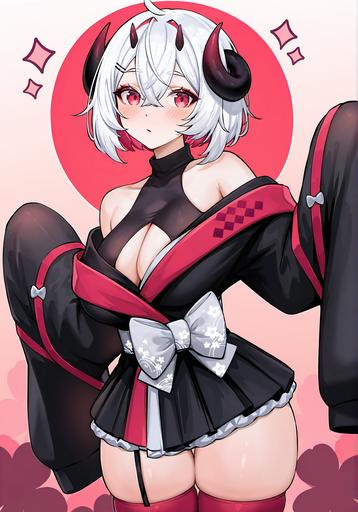
First outfit
nanolessfirst, japanese clothes, bra, highleg,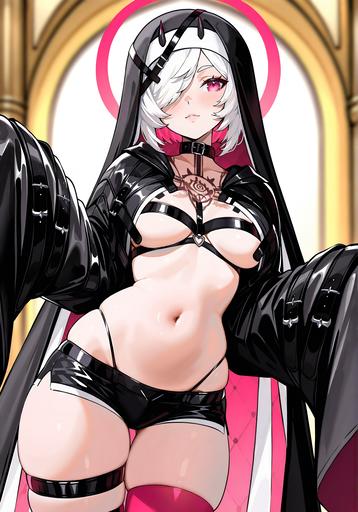
Second outfit
nanolesssecond, habit, shorts, jacket, detached sleeves, halo,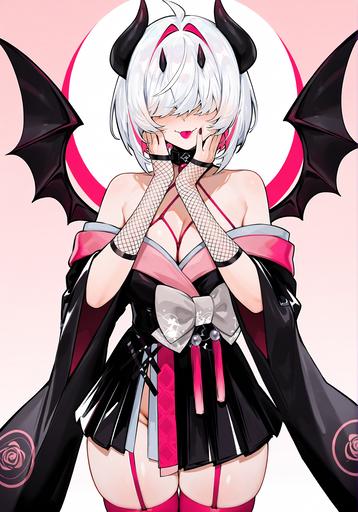
Third outfit
nanolessthird, hair over eyes, demon wings, kimono, fishnet gloves,Description
Initial release.
FAQ
Comments (7)
The first sample image is a video file, but how do I add a prompt?
I also want to turn the sample image into a video, but I can't register it because CIVITAI won't automatically detect the prompt unless it's a PNG file.
The video does not have any metadata, because it got removed from upscaling and downsizing from other apps, so I had to manually add the prompt that was used for the original video generation.
@Benkyoudekinai Thank you for your answer.
I would like to know how to manually add (edit) the prompt.
@lone_warrior_tiv When upload a model, when you are at the last step to upload the images/videos, click the "edit details", and you can edit the prompt in the "Prompt" section.
@Benkyoudekinai Thanks for letting me know, I did it!
https://civitai.com/models/2040356?modelVersionId=2309389
But it's a pain! Grok videos can only be made through the app, so I had to go back and forth between my phone and my computer! 😩
@lone_warrior_tiv 面倒だね。。。Glad you figured it out. For less hassle, you can use Bluestacks if you're using Grok.
@Benkyoudekinai Good morning. I searched for Bluestacks and an app game came up, but what does this have to do with Grok?