


Hey y'all!
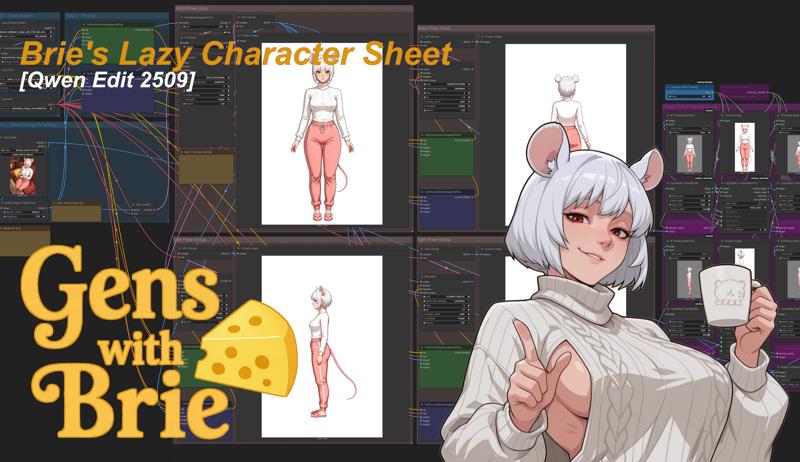
Take whatever character you have and generate a character sheet with this simple workflow!
While it works if you're trying to generate a plain-old character sheet, this is actually a precursor workflow to 3 other workflows that I will be making using two special loras by (at)tori29umai on Twitter. Those three workflows are the newest versions of my Lazy Character Fusion, Lazy Character Repose, which also needs my Lazy Character Dummy workflows.
V 2.1
Minor tweak, replaced RemBG with Inspyrenet
GGUF version for maximum flexibility: use any of unsloth's GGUF models. (Q6_K and BF16 recommended, Q8_0 gives me errors sometimes)
AIO version for NSFW access: use any of Phr00t's AIO models. (V18 NSFW or SFW recommended)
V 2.0
Same but upgrade to the GGUF version of Qwen Edit 2511
Minor prompt tweak to improve 'left' and 'right' panel consistency.
V 1.0
The workflow is based on the normal Qwen Edit 2509 workflow, same models too.
The output format is a character sheet in the format needed for my Lazy Character Fusion workflow, which also needs my Lazy Character Dummy workflow.
Inputs:
Character Image
Best if fully visible, forward-facing, but otherwise fairly flexible.
The prompts do not need to be adjusted, but for the first prompt you can add minor details like a type of shoes for instance if its cut off in the initial image.
Outputs:
Full Character Sheet
Character Sheet + Original Image.
For the models, check the notes within!
This workflow is honestly quiet simple. There's some additional notes in the workflow for minor adjustments and quirks.
Stay Cheesy Y'all!~
Brie Wensleydale
Description
First Version!
Takes a character image and makes a character sheet out of it!
The character sheet is in a specific format in order to be used in future workflows!
FAQ
Comments (25)
does this only work for mice that are detectives? will it also work to make rats that are paramedics?
how about foxes that work in accounting?
No no no. The workflow works for mouse girls of all occupations and skillsets!
I also don't see a need for my workflow to generate anything other than mouse girls. (Why would that ever be necessary?)
It would have been great to have at least some sort of variety in characters. It's funny that it's 5 different mouse girls, but I am curious if this workflow can generate anything else :P
Mouse girls is my thing. I did try to do at least one 3DCG one, one cartoony one and one anime one, all with different styles of clothes.
I'm sure it can do other things, but do you really need to gen anything other than mouse girls? Perhaps of other animals I guess.... (why would that be needed though?)
it didn't work until I added RMBG. now it does! thanks!
https://huggingface.co/briaai/RMBG-1.4/resolve/main/model.pth
C:\AI\ComfyUI-Easy-Install\ComfyUI\custom_nodes\ComfyUI_LayerStyle\RMBG-1.4\Now place the downloaded model.pth file directly into that folder.
Thanks for noting that. I forgot about the RMBG model! I will add it in the description!
I've updated the description in the CivitAI page.
With this though, honestly, switching it out for any similar Background removal tool should work as well.
RMBG is pretty old. I recommend you use InSPyReNet, a superior version, no open source have come close to it, and very close to closed source background removers.
@luminarch Version 2.0 has replaced the background removal node with one where you can pick which you want. InSPyReNet is one of the options.
@slipperygem i do not see this change to the InSPyReNet
@ByteCrafter I literally forget to do it. Lmao.
You know what? I'll replace it with SAM3 or something...
@ByteCrafter Okay, V2.1 now has InSPYnet instead of RemBG.
Can't say its better or worse though, but there your have it~
@slipperygem Sam 3 sounds like it could be an interesting combination
@ByteCrafter Nah, SAM3 won't be as effective as a InSPYNet.
Thanks for the Workflow it works very well! I only swapped out the Text Encode Nodes to be able to edit the target image size in order to not have to scale down higher res images. My Input Image was 4096 x 2304 and it worked very well with it. I embedded the Workflow in the Post with the Halloween Witch if you are curious about the other Text Encode Node. Also, do you have any Resource that properly explains how to craft Prompts like the ones you have made for this Workflow. I am still going through a lot of trial and error trying to get QWEN Edit to do what I want at times. Thank you.
I can't install the "Resolution Image Size Selector" node in any way, I've tried everything, but it's still not active and asks me to install it...I'm sorry, I wanted to try your workflow.
@schmongo https://github.com/MNeMoNiCuZ/ComfyUI-mnemic-nodes/blob/main/README/resolution_selector.md This? Installed, ComfyUI does not see the nodes. And why is it written in the properties of the node "Resolution Image Size Selector" - Comfyui_fearnworksnodes, and not ComfyUI-mnemic-nodes? The manager writes that Fearnworks Nodes are required.
@AlG80 true that fearnworks stuff is weird I disabled it https://files.catbox.moe/8xxp6y.png
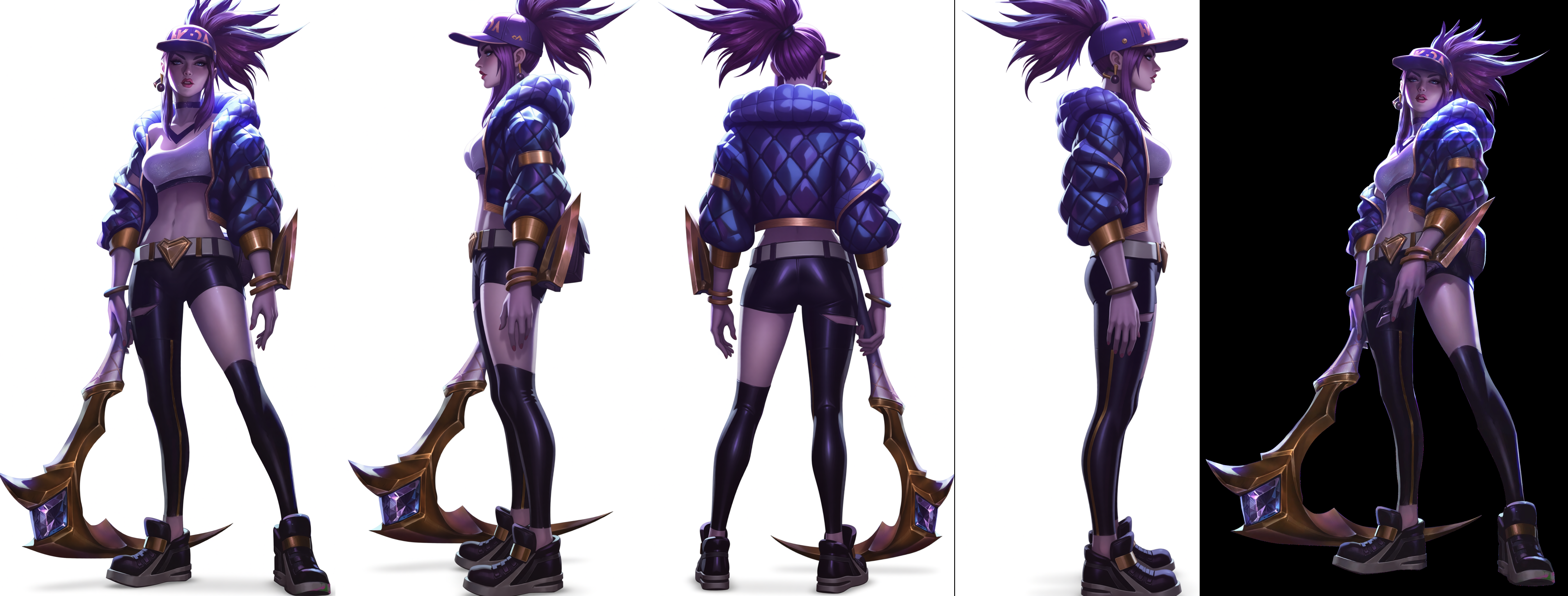
I literally yoiked the original prompts from elsewhere. Which, by the way, if its having issues, you can just add some emphasis phrases in there. I believe I improved the left and right prompts because Qwen kept on getting confused with those.
If I were doing it from scratch, its mostly just trial and error, mix and match. However, I would probably automate the process using an X/Y grid. No reason to do it manually.
VRAM requirement?
24, sadly.
However, this workflow can easily be modified to use the GGUF models, which can lower it to 16 Gs with ease, and 12Gs with effort and loss of quality.
@slipperygem 👍
For preview mask plus its missing node and it says it cant be found by comfyui.
Just Bypass them for now then, select them and Ctrl + B.