

Hey y'all!
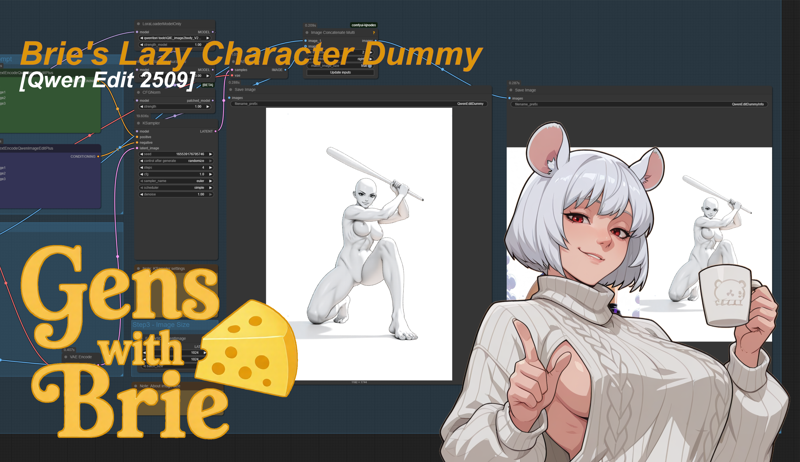
Take an image of a character and extract the pose, expression, body type and style out as a character dummy!
This workflow is used in conjunction with my Lazy Character Fusion workflow, which also needs my Lazy Character Dummy workflow.
Special thanks to tori29umai (on Twitter) for the image2body lora and @DigitalPastel for workflows, models, and images I've used.
VERSION 1.0
The workflow is based on the normal Qwen Edit 2509 workflow, same models too.
In addition, it uses tori29umai's image2body lora model.
The output format is a character dummy needed for my Lazy Character Fusion workflow, which also needs my Lazy Character Sheet workflow.
Input:
Character Pose image
Prompt (No need to adjust)
Output:
Character Dummy image
Character Dummy + Original info image
Models:
Diffusion Model:
LoRA;
Text Encoder:
VAE:
This workflow is just a cleaned up and slightly modified version of the default ComfyUI Qwen Edit 2507 workflow. Its really quite simple. There's some additional info in the notes within the workflow.
Stay Cheesy Y'all!~
Brie Wensleydale
Description
Take an image of a character and extract the pose, expression, body type and style out as a character dummy!
This workflow is used in conjunction with my Character Sheet and Character Fusion (WIP) workflows.
FAQ
Comments (4)
looks awesome! whats the use of this?
The Character Dummy can extract the pose, expression, style, and even body type from the input image.
You need the Character Dummy from this particular workflow to use in my Character Fusion workflow here: https://civitai.com/models/2084393
Okay. How do I add hair?
This workflow is not meant for that. The lora eliminates hair.
The hair is meant to be added from the Character Sheet using the Character Fusion workflow, along with all other details.