


中文介绍:
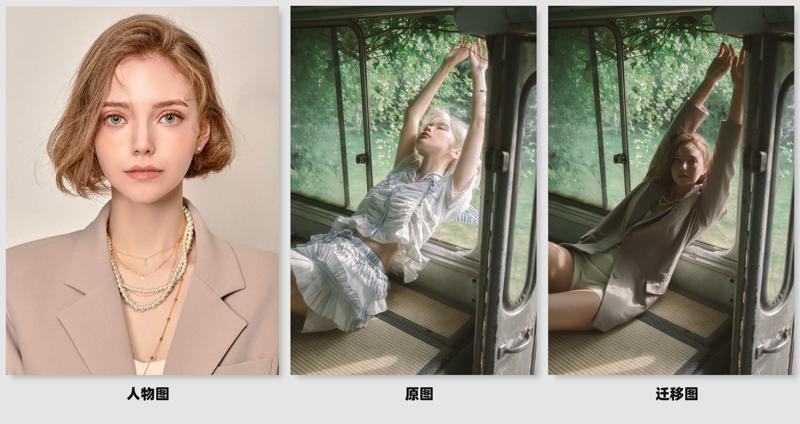
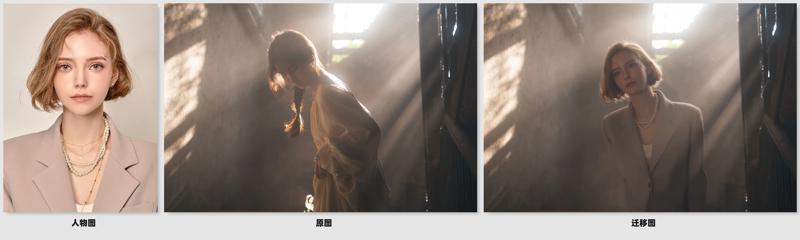
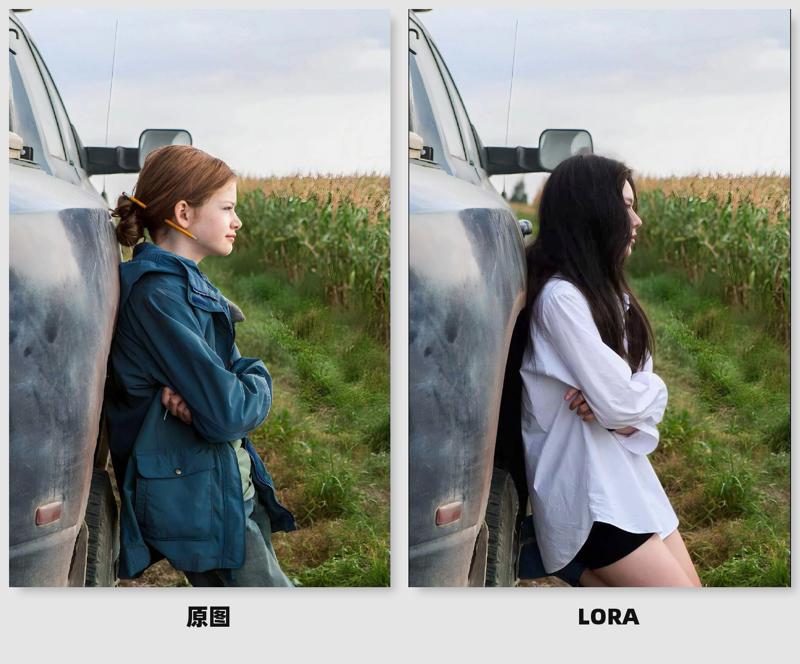
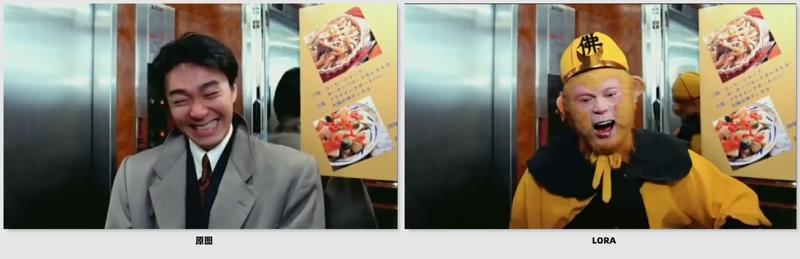
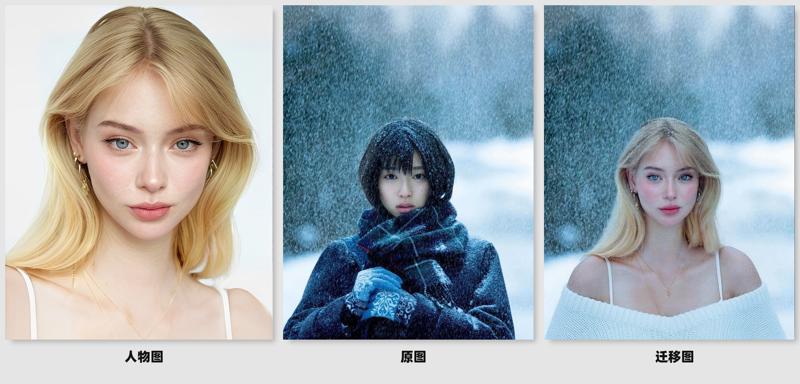
这是基于qwen image edit 2509,将角色快速融入场景的Lora,功能介绍如下:
·自然融入场景,色调高度统一
根据场景光影与色彩氛围,自动和谐角色色调、明暗与质感
·自然场景交互
不止于简单的叠加,RoleScene Blend 赋予角色与环境互动的能力。角色会自然地被场景中的物体遮挡、投射阴影,甚至与环境元素产生微妙的物理关系
·高一致性输出
根据传入的人物图,RoleScene Blend 都能结合人物图,保证角色在不同场景、不同角度下保持高度一致
·智能补全服装
即便传入的人物图服装不完整,也会根据画面自动补全人物服装,同时支持提示词控制
配合8步或4步加速Lora,30秒内极速出图
English introduction:
This is based on qwen image editing 2509, Lora that quickly integrates characters into the scene. The functions are as follows: ·
·Naturally blends into the scene, with a highly uniform tone
According to the scene light and shadow and color atmosphere, automatically harmonize the character tone, light and shade and texture
· Natural scene interaction
More than just simple overlays, RoleScene Blend gives characters the ability to interact with their environment. Characters are naturally blocked by objects in the scene, cast shadows, and even develop subtle physical relationships with environmental elements
· High consistency output
According to the incoming character map, RoleScene Blend can be combined with the character map to ensure that the characters remain highly consistent in different scenes and angles
· Smart Complete Clothing
Even if the incoming character map clothing is incomplete, it will automatically complete the character clothing according to the screen, and support prompt word control at the same time
With 8 or 4 steps to accelerate Lora, the picture will be drawn very quickly within 30 seconds

Description
FAQ
Comments (28)
卧槽,那不是红药嘛
被你发现了,唐诡魅魔
@yamanacn688 我个人挺喜欢红药的,很漂亮
@yamanacn688 我的结果全是黑色,怎么回事?
使用提示是什么?我应该写什么?谢谢。
将图1中的角色移至图2中,并调整为与图2角色相似的姿势。保持图1角色的外貌特征一致性,重新进行光线处理,使其与图2场景的光线和整体氛围自然融合,确保无明显人工痕迹。
Does it replace one character with another? What should the prompt be?
Very interesting, did you use Wan Animate to assemble the dataset?
Doesn't work, i use the same Qwen you use.
What's your prompt for this?
you forgot to specify the prompt you trained with/trigger word
Move the characters in Figure 1 to Figure 2 and adjust to a position similar to the role in Figure 2. Maintain the consistency of the appearance characteristics of the character of Figure 1, and re-process the light treatment, so that it naturally integrates with the light and the overall atmosphere of the Figure 2 scene to ensure that there are no obvious artificial traces.
good
I tested over a dozen types of images and only got one success — and that one worked even with the LoRA turned off, meaning the LoRA is basically useless. Don’t waste your time downloading and testing it.
可以用但有些姿勢特別的很不容易成功
my result is just black, what happen?
Try running without sage attention if it's enabled.
@rot13 hey, thanks for the suggestion, but i don't use Sage Attention.
and it has this warning after vae decode
"C:\ComfyUI_Windows_portable\ComfyUI\nodes.py:1594: RuntimeWarning: invalid value encountered in cast
img = Image.fromarray(np.clip(i, 0, 255).astype(np.uint8))
C:\\ComfyUI_Windows_portable\ComfyUI\custom_nodes\comfyui_layerstyle\py\imagefunc.py:131: RuntimeWarning: invalid value encountered in cast
return Image.fromarray(np.clip(255.0 * t_image.cpu().numpy().squeeze(), 0, 255).astype(np.uint8))
# 😺dzNodes: LayerStyle -> ImageReelComposit Processed 1 image(s).
Prompt executed in 192.16 seconds"
@rot13 you are genius
@rot13 after several trial & error, adding --force-fp32 fix it, problem is that the inference is 2x longer
@ychristian008402 someone does know how to improve the quality of the character reference face?, it lack of details, become messy and distorted, is there something on the workflow that does that? sampl - scheduler combo - cfg - steps - loras - resolutions, mask? anyone who help me with this i'll tip him 30 bucks.
为什么我跑出来的图有很细小的白边,并且去掉lora后人物一致性大大提高
need 2511 support!
whoever does a 2511 version of this is goated
不知道为什么,用了你的rolescene之后,2509不管出啥效果质感和一致性都大大提升,吊打2511的水平,希望能再练个2511看看能否进一步提升
我只能得到模糊的输出结果,我不明白如何才能充分发挥工作流程的潜力,您能帮帮我吗?我一直得到模糊的结果,而且我不知道如何正确使用蒙版。
我只能得到模糊的输出结果,我不明白如何才能充分发挥工作流程的潜力,您能帮帮我吗?我一直得到模糊的结果,而且我不知道如何正确使用蒙版。
I don't think this lora doesn't needed becoz simple 'put image 1 to image 2 naturally bla bla' is enough. some result is worse than simple prompt on QWEN.
1. Ты использовал 4 ноды, чтобы заменить фон на белый? Это делается одной - Remove Background (RMBG). Зачем ты так суложняешь?