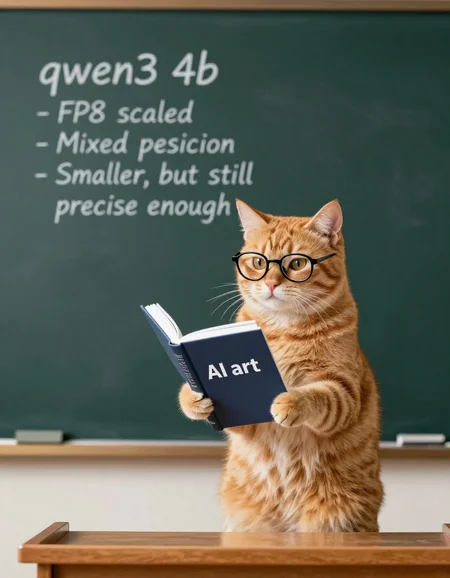
fp8 quantized Z-Image for ComfyUI using its quantization feature "TensorCoreFP8Layout".
Scaled fp8 weights. higher precision than pure fp8.
Also with "mixed precision". Important layers remain in bf16.
There is no "official" fp8 version for z-image from ComfyUI, so I made my own.
All credit belongs to the original model author. License is the same as the original model.
Base
Quantized Z-Image. Aka. the "base" version of z-image.
https://huggingface.co/Tongyi-MAI/Z-Image
Note: No hardware fp8, all calculations are still using bf16. This is intentional.
Rev 1.1: An updated version with better "mixed precision". More bf16 layers, so the file is bigger. Previous version will be deleted.
Turbo
Quantized Z-Image-Turbo
https://huggingface.co/Tongyi-MAI/Z-Image-Turbo
Rev1.1: An updated version with better "mixed precision". More bf16 layers, so the file is bigger. No hardware fp8. Previous version will be deleted.
v1: It contains calibrated metadata for hardware fp8 linear. If you GPU supports it, ComfyUI will use hardware fp8 automatically, which should be a little bit faster. More about hardware fp8 and hardware requirement, see ComfyUI TensorCoreFP8Layout.
Qwen3 4b
Quantized Qwen3 4b. Scaled fp8 + mixed precision. Early (embed_tokens, layers.[0-1]) and final (layers.[34-35]) layers are still in BF16.
Description
Same as DiT model, fp8 scaled + mixed precision.
Early (embed_tokens, layers.[0-1]) and final (layers.[34-35]) layers are still in BF16.
FAQ
Comments (106)
Forge doesn't support this model? Just making noise.
need latest ComfyUI
look up sd forge neo
@omegablast20023899 I use Neo
Honestly, ditch forge - learn Comfy
@Anime_Art_Alchemist I have it, but I hate it cause im terribly lazy
@MetalHeath Tried Chromaforge?
@stygianwizard42 no. is it better, than Forge Neo?
@MetalHeath then i guess i still answered your question. neo supports this model.
@omegablast20023899 It works on Neo, but produces only noise. What am I doing wrong?
this model uses the latest comfyui fp8 format. Seems forge neo does not support it.
If you want to use z-image on forge neo, I think the only option for now is the original bf16 file.
@reakaakasky other z-image models works fine and fast (fp8, quantized, bf16)
@MetalHeath don't know fully but its got better memory saving and more model compatibility
@stygianwizard42 I know, thats why I want this model, but with Neo it generates only noize (
@MetalHeath euler, simple or normal, treat it like a flux model. you need to have the vae and zimage text encoder also. low steps.
@omegablast20023899 I have it all, tryed euler, dpm, multistep samplers and various schedulers)
@Anime_Art_Alchemist LMAO. ComfyUi is not for people that want to generate images--it's for people who like the PROCESS of generating images.
It's needlessly complicated, and makes users jumps through extra hoops for features that should be native. Browsing through hundreds of downloaded Loras on ComfyUi is a fucking nightmare when you just want to see a preview of those Loras and click to add it.
Yes, ComfyUI can do many things that Forge Neo can't, but it's not worth the hassle or the broken workflows to keep that multifunction.
You telling someone to learn comfy is like telling someone who just wants to brew a cup of coffee to learn how to farm coffee beans. Get the fuck out of here with your spaghetti bullshit.
@wktra amen to this. as someone that used it for a while, this user is 100% correct. workflows break literally day to day with their updates. to get anything going you have to download 17 different custom nodes. It's a hassle every time you open it, you will spend the first 20 mins fixing what broke from no fault of your own during an update, by the time your done you're already over it and don't even want to gen anything. auto1111 and all it forks has been and will always be the creme of the crop when it comes to image gen, excluding sdnext which decided to go the route of comfy by making it overly complex and expecting you to know which samplers to use with which models and at which setting.
@omegablast20023899 back when SD1 came out I adored when people posted their "workflow" with their image. Before ComfyUi.
And now i see the word "workflow" and I scroll past the comment/post as fast as my fingers will let me.
@wktra I was simply suggesting a solution to the OP's problem, getting all in your feelings about my comment is just stupid. Use your whatever works for you and be happy :)
@Anime_Art_Alchemist "ditch forge"? "Use whatever whatever makes you happy"? You're a grade-A clown 🤡
@wktra Yes, ditching forge, which hasn't been updated in months, in favour of Comfy, which runs this model with no problem, is my suggestion, Not a command. Why is that so offensive to you? Your getting angry and hostile for absolutely no reason at all. seek therapy bro.
@Anime_Art_Alchemist Seek brain matter, bro.
Forge Neo's backend was just updated 14 hours ago.
And my pronouns are "she/her", not bro.
You clown. 🤡
@wktra You have an inferior working solution to the ops problem, great. So what are you so mad about?
@Anime_Art_Alchemist Yes, one of us did not offer a solution. That's on me. But at least I'm not the one who volunteered factually INCORRECT information about Forge Neo repeatedly.
People will read that and rethink your suggestion to learn Comfy.
I've done my job, good sir. Adieu.
@Anime_Art_Alchemist as observer of this back and fourth, you just did the shittest cop out ever "I said Forge, not 'Neo' Forge!" and then immediately doubled down... "defend a fork of an outdated software"...you meant forge, and are using Adhanom to try and save face because your probably didn't know neo was a thing ...honey....you need to let it go...go outside and touch some grass. practice beathing techniques....do....something else, just for a little while.
@Anime_Art_Alchemist scroll all the way up and you'll see that people clarified that they used neo. 🤡 Womp, womp
Could you add a comparison pictures of bf16 vs yours fp8? (pic from bf16, pic from fp8, pic of pixel difference)
I would include fp8 in the model name as it makes it easier to keep track of inside the directories. I added it manually to my copy.
So many iterations of this model being released that it's getting frustrating. Would this be the most ideal model to use? Time to make comparisons out of curiosity...
On my RTX 4080 I see improvements of around 14%
its like if sd 1.5 actually did what it was supposed to do. you can prompt two completely different people without issues or it trying to merge them. very stable prompting and great quality. just the genitals have issues but im sure people are working on that as we speak.
90 seconds per image on a old gtx 1070 BOOOOM! My head just exploded.
When using this model with ComfyUI template called "Z-Image-Turbo Text to Image" generation takes 5.7s instead of 6.8s when using model from
https://civitai.com/models/2168935/z-image?modelVersionId=2442439
I have 4090 laptop GPU with latest ComfyUI
This is strange. Did you change the model dtype in the workflow, or in startup args? It works on my end with everything is default.
Need torch.compile.
Thank you, tested performance again and got speed up from this model and corrected my comment.
any workflow with torch compile?
works perfect with z-image-turbo_fp8_scaled_e4m3fn_KJ.safetensors
but with ur model have error
log: https://pastebin.com/rSft6QBM
workflow: https://ibb.co/C3XS3y5c
-
i have rtx 4060 8gb, cuda 13, cudnn 9.6, torch 2.9.1, python 3.13.9
ComfyUI version: 0.3.75, i see ur comment for works with 0.3.76 but i have the nightly version and no exist
The effect of this model with Sage Attention on a 4060-laptop is to generate a 1MP image in 8 steps in no more than 20 seconds, which is a significant improvement over the 25 seconds of the previous GGUF Q8_0
Did you use torch.compile? I was curious about how much speed can torch.compile provide on various GPUs.
@reakaakasky No, torch.compile is too cumbersome, so I don't plan to use it.
>4060-laptop
how much vram?
>No, torch.compile is too cumbersome, so I don't plan to use it.
what do you mean by "cumbersome"?
@Korewaai 8g vram.
cumbersome that means to make it work properly, many issues need to be resolved.
hey i have a 4060 laptop as well. what workflow do you use? i want to move from forge to comfyui but i feel like i may miss an important step to set it up to work fast and as efficient as possible
@dark_aromaa I modified the workflow template from the official Comfyui template, making basically no changes except for adding my own resolution presets.
From what I understand its faster than normal FP8 scaled? Might be out of context but can you make the same for Wan 2.2 in future?
no, wan 2.2 is too big.
Hi, thanks for posting the model but I waited until comfyui .76 came out with the torch.compile fix today but after adding TorchCompileModelAdvanced from kj nodes after the model loader it throws many errors and it wont decode, I tried many settings and even asked gpt, do you mind sharing a simple workflow or the settings for the node?
Update: bug has been fixed in comfyui v0.3.77
I've updated the page, torch.compile is good but is not recommended for now, buggy on many setups. maybe wait a little bit longer as this is a very new feature in comfyui.
@reakaakasky I tried everything and the bf16 model works fine with sage triton and torch compile, when I try your model it seems to work fine but gives "QuantizedTensor: dtype conversion requested to torch.bfloat16, but not supported for quantized tensors. Ignoring dtype." during the generation, the generation works and seems to be faster but then on VAE decode it gives " _apply(): Couldn't swap Linear.weight" and then fails to decode... I'm using pytorch version: 2.8.0+cu128 and triton 3.4.0, which version are you using if you have it working?
@reakaakaskyAlso, I had downloaded the model when it came out and it had ~7gb but today just to make sure I redownloaded and it has ~6,7gb was that some important update to it? Both gave the same result
@kylewhite
"Couldn't swap Linear.weight"
there is a bug when comfyui swapping a compiled tensorcorefp8 model to cpu. I have enough vram so comfyui won't swap models so I didn't find this bug at first place. This bug has not been fixed. What I mentioned the first day is another bug.
"had ~7gb", I thought 7gb checkpoint might be an issue for 8gb vram because it might need layer swapping, so I convert more middle layers from bf16 to fp8.
@reakaakasky Thanks for the reply, yeah that seems to be the case since I'm running a 8gb 4060, tried to keep model in vram with various flags but best I got was an OOM, interestingly on a whim I tried to open comfy with --cpu-vae and it worked for the first generation, after that it throws same error, but I can confirm the torch compile does give a good speed up to iteration times, just gotta wait for the fix.
I assume comfy is aware of this, didn't see anything in Issues at first glance, can you confirm?
@kylewhite "I assume comfy is aware of this"
No, I think they don't. Literally this is the second model supports tensor core fp8. (the first is Flux 2). And we are the first few people using it with torch.compile.
You can open an issue if you are convenient. It's hard for me to reproduce this bug so I didn't.
@reakaakasky Amazing news! They fixed it, just updated the latest nightly, I went from 5sec/it to 2.8sec/it on a 1088x1792 image!
@kylewhite Thanks for the info. +80%, that's huge.
expected mat1 and mat2 to have the same dtype, but got struct c10:BFloat16 != float
somewhat funny... i have an RTX 5080. Total runtime with this model for 1 Image plus a second pass at 50% increased resolution with 0.2 denoise (upscaled by 4xUltrasharp: 1 Min and 12 seconds. With the bf16 version it's 30 seconds and less VRAM usage while inference is running. So there is clearly something off here...
i have had similar experience with modified versions of things not actually being faster then the larger counterparts they were derived from....on my hardware.... i have not tried this yet, but sharing my same experience with large models
same things.
@mystifying Quantized model has never been faster than full model in Comfyui. Because Comfyui needs to dequantize the weights to bf16 on the fly which has overhead. Until they added native fp8 mm support recently.
@reakaakasky interesting, however all the chatter about the ui. and i know you can disable it... i been holding out on a update
this is a diffusion model right?
No, it`s text encoder, if you asking about quantized qwen3 4b. And yes, if about Z-Image.
Could it be simple to merge with like SDXL ?
no, different architectures, different number of parameters
EDIT. In case I wasn't clear. I mean it's impossible.
There's no "TorchCompileModelAdvanced" in KJNodes? Lots of compile nodes, yes, but none named that, and also none named "lumina2" which would be what I'd expect. Pulled both comfy and kjnodes from git just seconds ago.
you definitely pulled something wrong
@reakaakasky ...and with "pulled from git" I meant "pulled latest", not "pulled nightly", because why would comfyui-manager use the actual tags and branch names.
originally used comfyui-manager and it just like didn't pull it correctly TorchCompileModelAdvanced was included in the node list but the model_optimization_nodes.py did not include it at all. Deleted the folder in custom nodes, git cloned it manually, doesn't show up if you right click and use add nodes, but if you go into comfy manager and click on kj nodes u can add it to the workflow through there now.
You might have a conflicting node, check if you have ComfyUI-utils-nodes and disable it, that conflicts with the KJ one.
On RTX 5090 OC mode (Euler Simple, 9 steps, Batch Size 1)
1024x1024:
zimageTensorcorefp8_turbo: 3.72 it/s (2.74 s)
z_image_turbo_bf16: 3.18 it/s (3.20 s)
1920x1088:
zimageTensorcorefp8_turbo: 1.55 it/s (6.48 s)
z_image_turbo_bf16: 1.33 it/s (7.57 s)
Heads up for AMD users: Proper fp8 support will require rocm >=6.5, which will be a nightly version. AMD has nightly builds for your card (look at the comfyui README), that'll give you rocm 7.1, and that's not unlikely to crash with memory shenanigans. There's a fix but it hasn't released yet.
As per https://github.com/ROCm/TheRock/issues/1795 the workaround is:
Set amdgpu.cwsr_enable=0 (kernel parameter)
What does it do?
CWSR(compute wave store and resume) allows the GPU to preempt shader execution in the middle of a compute wave. Default is 1 to enable this feature. Setting 0 disables it.
(https://docs.kernel.org/gpu/amdgpu/module-parameters.html)
...so we're losing a bit of preemption to not trip over memory protection during task switches, fair trade if you ask me. Probably not going to affect my Baldur's Gate fps so I'm fine with it.
Exactly a minute for 7 steps on a 9060 for 1080p, without compilation, which I'm sure can in principle work but currently it doesn't for me and I can't be arsed.
Thank you for sharing quantized qwen3 4b, work flowless with base CLIP loader on CPU. Old 5800x still holding strong :)
(12/9/2025): files reuploaded for ComfyUI v0.4.
ComfyUI v0.4 changed how it handles calibrated metadata. Turbo and Qwen3 files are reuploaded with updated metadata. Please redownload them to prevent quality regression.
Could you post a workflow, please? :)
Hey, can you share the script you're using to make this? I'd really like to try it on the Josiefied Qwen3 I'm using with JoZiMagic, and compare results. [more details if you want, just ask]
no, it's not a simple script, it's a bunch of messy scripts because I also need to sample the model to get calibrated metadata. Not easy to share, at least for now.
If you just want to quantize text encoder, I recommend gguf. Much more "efficient and precise" than comfyui built-in fp8, and can be smaller.
tbh simply replacing original text encoder with other version is counterproductive. Because DiT is not trained.
@reakaakasky JoziMagic proves that your TBH is wrong, it works amazingly so even. JoziMagic makes different images from Stock Zimage, and in my extensive testing (including blind surveys of others on Discord), it's better than Stock sometimes [often tied, occasionally losing (10% or so of the time).] Try it, grab a Josiefied Qwen3 4b model GGUF q8, and you'll see for yourself.
@reakaakasky Having messy scripts is better than not having them. It would be great if you posted them
With Z-IMG Anime Fine-tune and NEWBIE IMG (referencing Lumina) both likely releasing soon, it's hard to imagine that just six months ago I was still getting headaches over SDXL's rigid prompt requirements. Now, it feels like everything has been solved
I don't think there will be a z-image anime fine-tune. It's too problematic for big company.
They highly likely will use the anime data to train the editing version. for style consistency.
It's a good thing. There will be no legal issues.
And, teaching the model to keep art style consistency from referencing images theoretically is way easier than memorizing thousands of art styles.
If the editing version has perfect art style consistency, then say goodbye to style loras and finetunes. The model will be able to generate any art style, no longer limited to the training dataset. All we need is giving the model style refencing images.
I am very optimistic that this will happen.
I know this isn't exactly the topic, but is there any page / discussion / ressources for torch compile, I can't get it to work, with either comfy native node or KJ advanced.
Honestly really glad I found this checkpoint, loads quite fast and makes great realism pics, on par with the OG bf16 version, thank you for making this checkpoint variant. I'm so used to A1111 that I gave up on comfy, but now with ZIT, I'm learning the workflows as I go, it seems really nice with this fp8 variant.
Is it possible to release an INT8 quantized version? This is necessary for my Tesla V100 and 2080 Ti setups. Thank you very much.
Can you please add a ComfyUI workflow? I tried downloading all the submitted generations into ComfyUI, none of them seems to have a workflow included.
https://civitai.com/models/2170134/z-image-turbo-workflow - this one works, just be sure to set the textencoder to the tensorcore one.
Stupid question: ComfyUI does an auto "manual cast: torch.bfloat16" when it detects fp8 models. To circumvent that one need only at a --fast as runtime argument. My stupid question is if this is actually faster than other fp8 models or if this is just formatted in such a way Comfy no longer does it's auto "manual" cast and is as fast as any other pf8 model that is run of hardware that can run fp8 precision naively like the 40 and 50 series cards from nvidia?
And before you ask why I don't test it myself, space is at a premium at the moment. my SSD is a bit too full at present and I need to purge a few model before I dl a new model or checkpoint.
@reakaakasky ah, so this would be activation quantized as opposed to a simple weight quant. thank you.
Share a workflow? None of the stuff I've tried seems to be faster. 50xx card here
https://civitai.com/models/2170134/z-image-turbo-workflow - this one works, just be sure to set the text encoder to the tensorcore one.
Last time I tried fp8 on Blackwell, ComfyUI wasn't doing the maths right, and the output was far worse than GGUF Q8. This was some months ago. For fp8 to have a benefit, maths calculations need to be done in fp8, not fp16- but then the code has to be careful to handle the accumulated precision correctly. I don't think the ComfyUI coders are competent enough to handle issues of numerical analysis. Personally, as a Blackwell user, I see no current reason to move from GGUF - GGUF is well understood and well supported. These other compressed formats are not!
I can't get any speed-up. What am I doing wrong? I'm on a 4060 Ti, using the default ZIT workflow on the latest ComfyUI nightly. I tried --fast, --fp8_e4m3fn-unet, and every weight_dtype setting, but the console always says manual cast: torch.bfloat16. No matter what, the speed stays the same as with other fp8 or bf16 models.
Have you tried --fast fp16_accumulation setting?
@MeMakeStuff Tried that, ~16s for 1024, 8 steps, res_multistep, exactly the same speed as with bf16 with no flags or anything. Still getting model weight dtype torch.float8_e4m3fn, manual cast: torch.float16 when selecting fp8_fast dtype OR model weight dtype torch.float16, manual cast: torch.float16 on default.
CUDA: 12.8
Torch: 2.7.1+cu128
Triton: 3.3.1
SageAttention: 2.2.0+cu128torch2.7.1.post3
Enabled fp16 accumulation
What am I missing?
fp8 model works without any flags, comfyui will automatically use it
"manual cast: torch.bfloat16." iirc this log does not matter, as long as you see "detecting/using mixprecision layers", something like this
"fp8 exactly the same speed as with bf16", normally fp8 model is ~10% slower, if you are sure the speed is the same, then fp8 works, just not fast enough, you might need torch.compile.
@reakaakasky I'm seeing Detected/Using and Found quantization metadata version 1 messages, but the speed improvement is only ~30% compared to other FP8 model and matches BF16 performance. Is this expected? I thought this should give 30%-80% speedup.
“It will not be faster, but it is still better than the old FP8 model” - I’m somewhat new to all of this, so I could have made some mistakes, but after testing it on my 3070 Ti (8GB) + 16GB, it actually was faster, and not by small margins. https://i.imgur.com/NzJiTyF.png - Nunchaku r256 (worst visual result of all), Q8, Q6, FP8 (yours), and random FP8 from HF. So big thanks! I might actually switch from Q8 to this; I need to do more visual comparisons.

Anyway, about TorchCompileModelAdvanced - it should be after LoRA but before ModelSamplingAuraFlow, correct? And should I use the default settings (inductor / false / default / auto / true / 64 / false)? If so, then I think it unfortunatelly doesn't work in my case (meaning the speeds are all the same as before). RIP!
Thanks once again!
I mean the sampling speed will not be faster. It might load faster, but that's depends on your cpu etc.
I'm not sure about rtx 30xx. So I don't know which model is faster.
If you prefer best quality. gguf q8 is the best.
gguf q8 (more complicated) > scaled fp8 >> pure fp8 >> Nunchaku (which is hardware q4, should be 3x faster, it supports 30xx iirc)
@reakaakasky there is the Imgur link in my main comment with the speed comparisions; Nunchaku r256 loses against all of them while having the worst visual quality too. Either something is broken, or it isn't beneficial for my setup.
About Torch; so the 1st gen should be faster, well it isn't at all in my case, but that could be my PC. Thanks anyway!
In my FACE editing test it lost about 25% quality. When I went back to BF16, the faces got very very good quality again so I can verify that this does not work well with FACE DETAILER workflow.