
WAN 2.2 with SEED VR2
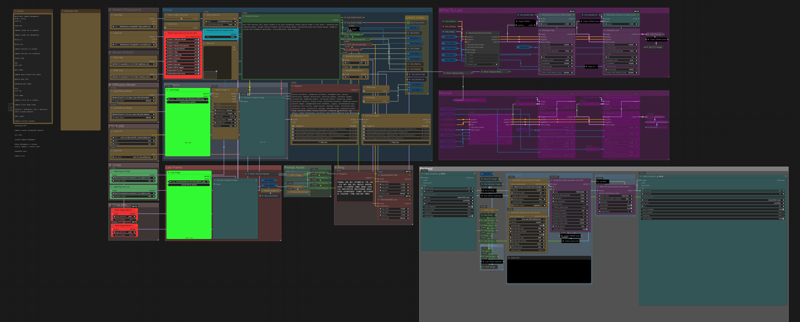
Modification of my LOW VRAM workflow.
Instagram: https://www.instagram.com/synth.studio.models/
Buy me a☕ https://ko-fi.com/lonecatone
This represents many hours of work that I give away for free. If you enjoy it, Please make sure to 👍like and post to my workflows. That is how you support me. Also, feel free to ⚡tip 😉
Introducing SEED VR2. Using block swap and other technologies, (video below) It allows low VRAM users to generate high quality upscaled versions. (I can generate 1080p on my RTX 5060 laptop). Up to 4k on more powerful machines
Supports Diffusion (normal), GGUF, and Checkpoint WAN models
Includes an upscaler and interpolator
Can do both I2V and FL2V
Description
FAQ
Comments (13)
Without watching an hour long video, how do i change this to a 12gb card. I assume lots less block swapping
In the following order.
Swap GGUF to Q8
In the VAE model:
1. increase the tile size and overlap (1024 & 129 respectively)
2. Turn encode off
3. turn decode off
4. increase resolution
Debug is on, so if you watch the log, it'll warn you as well as tell you how much room you have left to adjust
Nice workflow, but the Slider 2D node doesn’t work in the latest version of Comfy, it just doesn’t show anything (might be an issue on my end though).
I also couldn’t find where to control the steps, so I just removed the get steps node :)
And about SeedVR2, isn’t FlashVSR better? On my RTX 4060 8GB, when I tried running it in another workflow, the upscale took almost an hour (and the result really wasn’t worth it)
I use sage because I have a new card. Flash may work for your system. That's why I attached the video. Systems vary.
Slider 2d works on the latest version. You can always just use "float" or "int" accordingly, or remove it altogehter and enter them manually
I firmly believe that you must be a genius, as I've compared other workflows (unfortunately, the others that seemed highly sophisticated didn't work due to the presence of llma, leaving your approach as the only one that achieved a good balance between video generation speed and memory resource utilization. I'm very thankful for this.
Here is a workflow that successfully blew up my memory (not my GPU, I have a 4070TI 12G). The generated output and the time consumption were successfully controlled within 15 minutes (for a 6s video). The only thing I wonder is if there will be a workflow that can support the generation of longer videos in the future? I know this requirement might be too much, but your work is really useful!
I upload some output under this workflow. I hope this does not have a negative impact on you.
Then you did not set it right or used it wrong. This is meant for 3-10 second videos as that is what the WAN2.2 model is designed for. I literlaly have a slider locked in at a max of 10 seconds, so if I cannot blow up memory on an 8 GB laptop, then you changed something. If you want longer videos, use a different one of my workflows
@1648003234289 NO!! It's great! Load more!!
@lonecatone23
I use the dasiwa wan2.2 module (https://civitai.com/models/2190659/dasiwa-wan-22-i2v-14b-tastysin-v8-or-lightspeed-or-gguf) for generation process, so, maybe I should to cheack what wrong during my work.......lol
by the way, unfortunately, my upload video were signed until the manager of the website permite to show, I need to do more constrain for my output.
thanks a lot~
@1648003234289 Darksidewalker makes good workflows
hi sorry for noob question but is it uncensored? any specific lora to use?
So the uncensored part comes from the models. You can very much use this with uncensored Models and LoRas. I believe I have links in my workflows for it, and should have an uncensored video in the examples.