

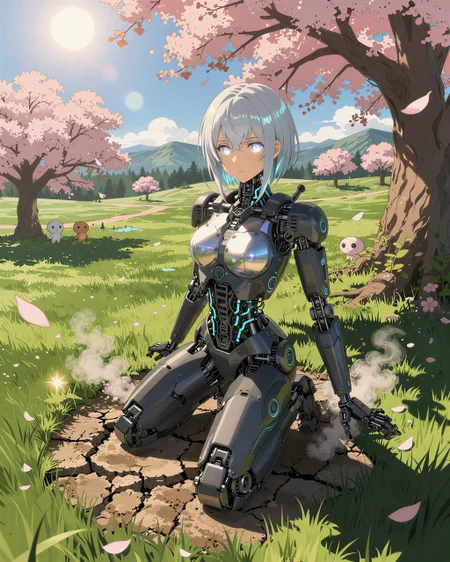





This lora enhance the generation of z-image Turbo model. It excels all around, even in different styles.
Workflow - https://civarchive.com/models/2240363?modelVersionId=2522038
This is my first time releasing a LoRA, and I’m still learning.
This LoRA is designed to generally enhance generations across different styles, which is why there are no trigger words. I’ve tested it with many styles, and it works consistently across all of them. I also chose not to include a sample prompt to avoid confusing users or forcing a specific use case.
From my testing, keeping the strength around 1.0 noticeably improves overall image quality. It follows prompts more accurately, reduces grungy or noisy details in high-resolution generations, and helps minimize the “AI look.”
If you need more specific details, feel free to ask and I’ll do my best to explain. This LoRA is tuned toward the kind of output quality I personally like—you may feel differently, and that’s totally fine. I’d really appreciate any feedback and will use it to improve future versions.
Description
Use the enhancer lora - https://civitai.com/posts/25285966
This is my first time releasing a LoRA, and I’m still learning.
This LoRA is designed to generally enhance generations across different styles, which is why there are no trigger words. I’ve tested it with many styles, and it works consistently across all of them. I also chose not to include a sample prompt to avoid confusing users or forcing a specific use case.
From my testing, keeping the strength around 1.0 noticeably improves overall image quality. It follows prompts more accurately, reduces grungy or noisy details in high-resolution generations, and helps minimize the “AI look.”
If you need more specific details, feel free to ask and I’ll do my best to explain. This LoRA is tuned toward the kind of output quality I personally like—you may feel differently, and that’s totally fine. I’d really appreciate any feedback and will use it to improve future versions.
FAQ
Comments (9)
Get the workflow here - https://civitai.com/models/2240363?modelVersionId=2522038
What exactly is this Lora supposed to do?
Sorry about that, I added some details. Hope it clarify things a bit better.
Since you are not adding any sort of prompt examples, or even include prompts in your image at all, it makes it hard for people to judge what this is aimed at tbh.
Sorry for the confusion—this is my first time releasing a LoRA, and I’m still learning.
This LoRA is designed to generally enhance generations across different styles, which is why there are no trigger words. I’ve tested it with many styles, and it works consistently across all of them. I also chose not to include a sample prompt to avoid confusing users or forcing a specific use case.
From my testing, keeping the strength around 1.0 noticeably improves overall image quality. It follows prompts more accurately, reduces grungy or noisy details in high-resolution generations, and helps minimize the “AI look.”
If you need more specific details, feel free to ask and I’ll do my best to explain. This LoRA is tuned toward the kind of output quality I personally like—you may feel differently, and that’s totally fine. I’d really appreciate any feedback and will use it to improve future versions.
does really well as a realism enhancer sometimes i lowered the strength and the results were still very good.
Thanks, would love to see you results