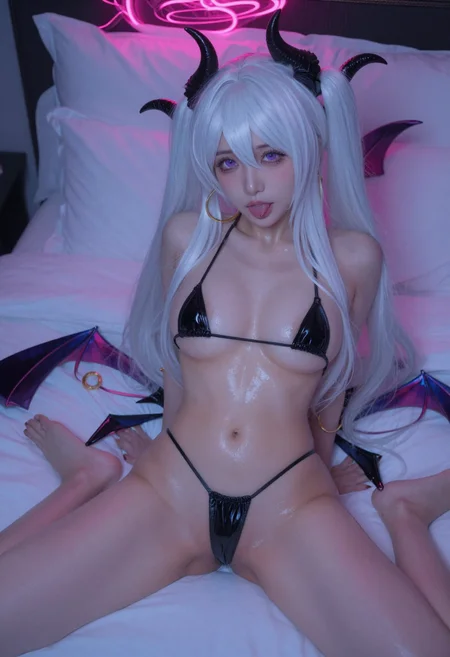
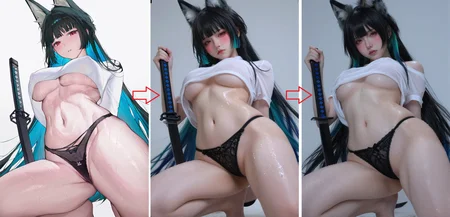
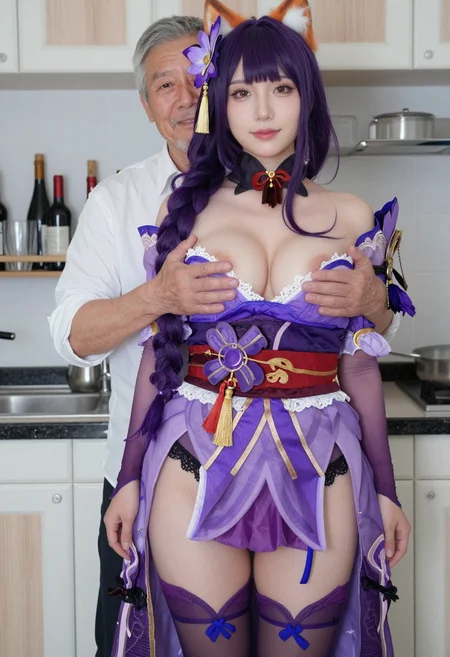


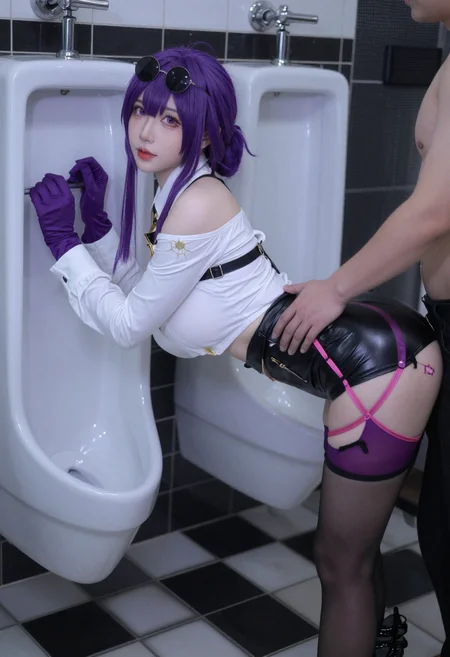
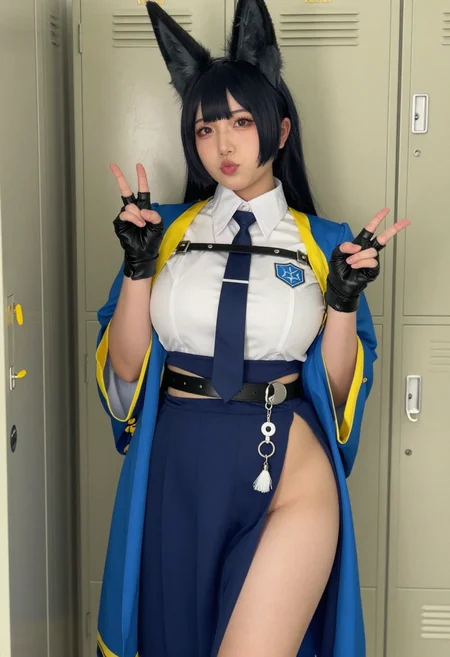
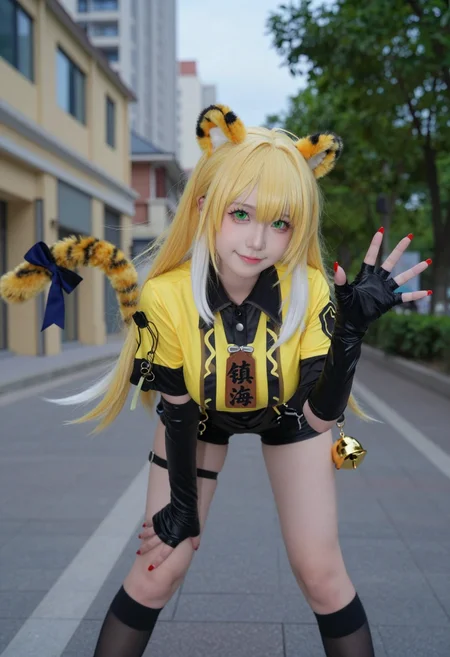
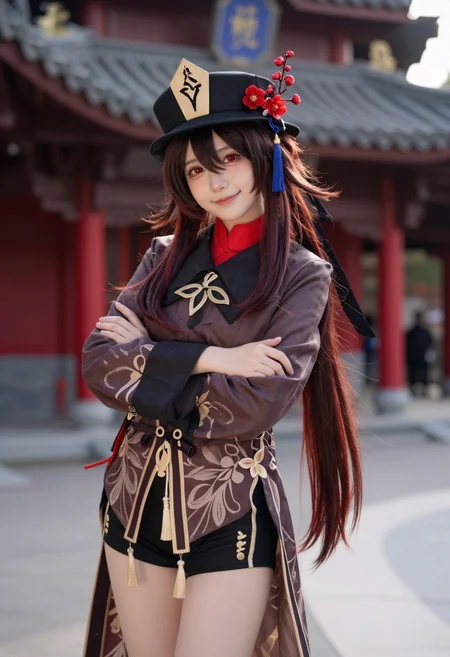
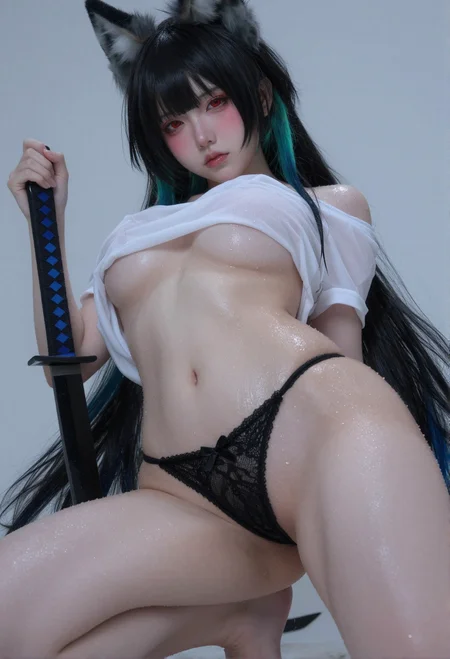
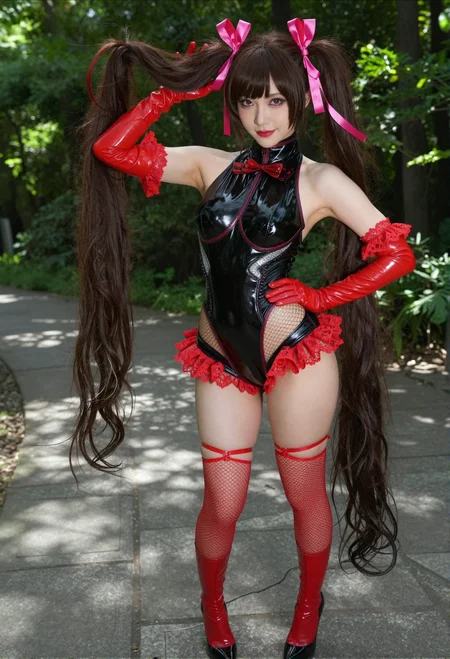
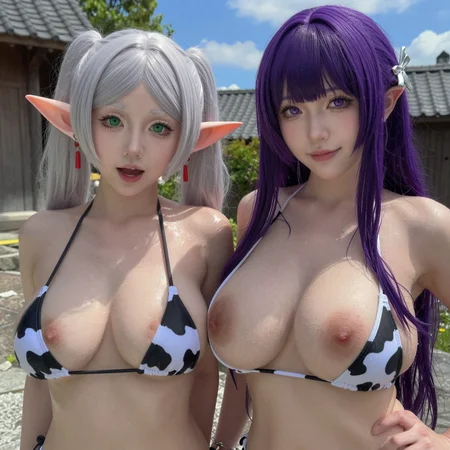
PornMaster [Flux.2 Klein 9B] - Anime to Realism Workflow
Pornmaster Z Image Turbo Workflow
Pornmaster Z Image Turbo Controlnet Workflow
PornMaster Z-image Increase realism & detail & sharpness
Pornmaster Z-Image Turbo i2i Workflow
PornMaster Simple 4X Magnification Workflow
Pornmaster Z-Image Turbo T2I Workflow-Double checkpoints & realism enhancer
--
2025/12/30:
更新工作流,上傳了兩種不同圖片尺寸縮放的調整方式的工作流。並且增加"FaceDetailer"的功能。
The workflow has been updated, with two new workflows uploaded for adjusting image size scaling. The "FaceDetailer" feature has also been added.
--
下載Lora Manager.
Download Lora Manager.
- 可以將Lora Manager替換成"Power Lora Loader (rgthree)".
You can replace Lora Manager with "Power Lora Loader (rgthree)".
1:先安裝缺失的節點
2:下載Z-Image-Turbo-Fun-Controlnet-Union-2.1-8steps,並且將其放入ComfyUI\models\model_patches
3.上傳半寫實或寫實的cosplay照片到工作流中,也可使用我的PornMaster-Pro-noob-V6-VAE來生成半寫實cosplay照片後,上傳到工作流中。
如果是動漫圖片需透過其他編輯器轉換成半寫實或寫實風格。
或是透過此工作流對動漫圖片的風格進行二次的轉換,先將動漫風格轉成半寫實風格,接著再將半寫實風格轉換成寫實照片。
4.透過反推提示詞工具,詳細描述角色、服裝、髮色、衣服顏色。
5.最後再透過工作流中的Z Image Turbo來生成圖片。
(備註:如果在Z Image Turbo中,本身並沒有內建的cosplay人物,將無法正確識別。)
6.生成的性器官錯誤時可透過PornMaster-Pro-SDXL-V7-VAE-inpainting修復性器官。
"FaceDetailer"安裝有錯誤時,請參考"ComfyUI-Impact-Pack"中的教學.
1. First, install the missing nodes.
2. Download Z-Image-Turbo-Fun-Controlnet-Union-2.1-8steps and place it in ComfyUI\models\model_patches.
3. Upload semi-realistic or realistic cosplay photos to the workflow. Alternatively, you can use my PornMaster-Pro-noob-V6-VAE to generate semi-realistic cosplay photos and then upload them to the workflow.
If the image is an anime image, it needs to be converted to a semi-realistic or realistic style using another editor. Alternatively, this workflow can be used to perform a second style conversion on the anime image: first convert the anime style to a semi-realistic style, and then convert the semi-realistic style to a realistic photograph.
4. Use the reverse-engineering prompt tool to describe the character, clothing, hair color, and clothing color in detail.
5. Finally, generate the image using Z Image Turbo in the workflow.
(Note: If Z Image Turbo does not have any built-in cosplay characters, it will not be able to recognize them correctly.)
6. If the generated sexual organs are incorrect, they can be repaired using PornMaster-Pro-SDXL-V7-VAE-inpainting.
If you encounter an error during the installation of "FaceDetailer", please refer to the tutorial in "ComfyUI-Impact-Pack".
--
Clip: qwen_3_4b.safetensors
Vae: ae.safetensors
--
我的其他檢查站和Lora。
My other checkpoints and Lora.
--
客製化lora:我的Telegram ID:@iamddtla0620
我的微信ID:iamddtla
我的line ID:iamddtla
時間寶貴,請直接說明來意,例如:訂製lora.
Customized lora: My Telegram ID: @iamddtla0620
My WeChat ID: iamddtla
My Line ID: iamddtla
Time is precious, please state your intention directly, for example: customized LORA.
Description
1:先安裝缺失的節點
2:下載Z-Image-Turbo-Fun-Controlnet-Union-2.1-8steps,並且將其放入ComfyUI\models\model_patches
3.上傳半寫實或寫實的cosplay照片到工作流中,也可使用我的PornMaster-Pro-noob-V6-VAE來生成半寫實cosplay照片後,上傳到工作流中。
如果是動漫圖片需透過其他編輯器轉換成半寫實或寫實風格。
或是透過此工作流對動漫圖片的風格進行二次的轉換,先將動漫風格轉成半寫實風格,接著再將半寫實風格轉換成寫實照片。
4.透過反推提示詞工具,詳細描述角色、服裝、髮色、衣服顏色。
5.最後再透過工作流中的Z Image Turbo來生成圖片。
(備註:如果在Z Image Turbo中,本身並沒有內建的cosplay人物,將無法正確識別。)
6.生成的性器官錯誤時可透過PornMaster-Pro-SDXL-V7-VAE-inpainting修復性器官。
1. First, install the missing nodes.
2. Download Z-Image-Turbo-Fun-Controlnet-Union-2.1-8steps and place it in ComfyUI\models\model_patches.
3. Upload semi-realistic or realistic cosplay photos to the workflow. Alternatively, you can use my PornMaster-Pro-noob-V6-VAE to generate semi-realistic cosplay photos and then upload them to the workflow.
If the image is an anime image, it needs to be converted to a semi-realistic or realistic style using another editor. Alternatively, this workflow can be used to perform a second style conversion on the anime image: first convert the anime style to a semi-realistic style, and then convert the semi-realistic style to a realistic photograph.
4. Use the reverse-engineering prompt tool to describe the character, clothing, hair color, and clothing color in detail.
5. Finally, generate the image using Z Image Turbo in the workflow.
(Note: If Z Image Turbo does not have any built-in cosplay characters, it will not be able to recognize them correctly.)
6. If the generated sexual organs are incorrect, they can be repaired using PornMaster-Pro-SDXL-V7-VAE-inpainting.
FAQ
Comments (16)
很奇怪,載入圖片時,CLIP載入器有時會起作用,有時沒反應,提示詞還會是上一個
有可能是Controlnet的bug,我有時也會出現這種情況,你可以試著出完每一張圖片時,按下shift+r來清理記憶體.
"Use the reverse-engineering prompt tool to describe the character, clothing, hair color, and clothing color in detail." - What reverse-engineering prompt tool are we talking about here? I thought that meant a QwenVL node, but now I assume it's an external tool of some kind?
Enter porn mode in gork and let the AI analyze the images in detail.
@iamddtla Ah I had no idea grok could do that! That said, Qwen-VL nodes keep it all in comfyui, and Qwen3-VL Abliterated v2 is outstanding at making Z-image prompts, even spicy ones (I added
"💦 Spicy Description": "Write ONE ultra-detailed paragraph (10–16 sentences, ~180–320 words). \"Generate an explicit and vivid caption for this image that accurately describes all visible elements, including sexual or violent actions. Use intense language typical of adult themes. Match the intensity of your description to what is actually shown. Don't sanitize explicit content, but also don't make innocent content sound more vulgar than it is. Ensure the tone aligns with the image's content and highlight specific details such as body positions, clothing, facial expressions, and any explicit acts.\" No preface, no reasoning, no <tool_call>.",To AILab_System_Prompts.json in the QwenVL custom node to make it even easier.)
@Crampton This can be any AI LLM (requires crit word bypassing restrictions - brainwashing). If you want to run it locally but don't have enough VRAM (e.g., an 8GB VRM), you can even use JOYCAPTION to reverse-engineer the crit words (HUGGFACE can even be tried online; it was a commonly used crit word reverse-engineering tool in the SDXL era, with a small footprint and fast speed, and can provide NSFW crit words. The downside is that it's not as good as advanced LLMs in terms of fully describing and perfecting the composition, etc.).
Or you can use LLmstudio with a vision model (a model that can process images). Save a txt file for each image, than go to comfy
为何我的画面总是会偏黑而且面部很差,效果也不像复刻您的碧蓝航线那样好(grok和florence2都试过)
感觉这个workflow确实不太行,可能是qwen的问题,prompt不如自己写
any advice? always facing error
!!! Exception during processing !!! Error(s) in loading state_dict for ZImage_Control:
Unexpected key(s) in state_dict: "control_layers.10.adaLN_modulation.0.bias", "control_layers.10.adaLN_modulation.0.weight", "control_layers.10.after_proj.bias", "control_layers.10.after_proj.weight", "control_layers.10.attention.k_norm.weight", "control_layers.10.attention.q_norm.weight", "control_layers.10.attention.out.weight", "control_layers.10.attention.qkv.weight", "control_layers.10.attention_norm1.weight", "control_layers.10.attention_norm2.weight", "control_layers.10.feed_forward.w1.weight", "control_layers.10.feed_forward.w2.weight", "control_layers.10.feed_forward.w3.weight", "control_layers.10.ffn_norm1.weight", "control_layers.10.ffn_norm2.weight", "control_layers.11.adaLN_modulation.0.bias", "control_layers.11.adaLN_modulation.0.weight", "control_layers.11.after_proj.bias", "control_layers.11.after_proj.weight", "control_layers.11.attention.k_norm.weight", "control_layers.11.attention.q_norm.weight", "control_layers.11.attention.out.weight", "control_layers.11.attention.qkv.weight", "control_layers.11.attention_norm1.weight", "control_layers.11.attention_norm2.weight", "control_layers.11.feed_forward.w1.weight", "control_layers.11.feed_forward.w2.weight", "control_layers.11.feed_forward.w3.weight", "control_layers.11.ffn_norm1.weight", "control_layers.11.ffn_norm2.weight", "control_layers.12.adaLN_modulation.0.bias", "control_layers.12.adaLN_modulation.0.weight", "control_layers.12.after_proj.bias", "control_layers.12.after_proj.weight", "control_layers.12.attention.k_norm.weight", "control_layers.12.attention.q_norm.weight", "control_layers.12.attention.out.weight", "control_layers.12.attention.qkv.weight", "control_layers.12.attention_norm1.weight", "control_layers.12.attention_norm2.weight", "control_layers.12.feed_forward.w1.weight", "control_layers.12.feed_forward.w2.weight", "control_layers.12.feed_forward.w3.weight", "control_layers.12.ffn_norm1.weight", "control_layers.12.ffn_norm2.weight", "control_layers.13.adaLN_modulation.0.bias", "control_layers.13.adaLN_modulation.0.weight", "control_layers.13.after_proj.bias", "control_layers.13.after_proj.weight", "control_layers.13.attention.k_norm.weight", "control_layers.13.attention.q_norm.weight", "control_layers.13.attention.out.weight", "control_layers.13.attention.qkv.weight", "control_layers.13.attention_norm1.weight", "control_layers.13.attention_norm2.weight", "control_layers.13.feed_forward.w1.weight", "control_layers.13.feed_forward.w2.weight", "control_layers.13.feed_forward.w3.weight", "control_layers.13.ffn_norm1.weight", "control_layers.13.ffn_norm2.weight", "control_layers.14.adaLN_modulation.0.bias", "control_layers.14.adaLN_modulation.0.weight", "control_layers.14.after_proj.bias", "control_layers.14.after_proj.weight", "control_layers.14.attention.k_norm.weight", "control_layers.14.attention.q_norm.weight", "control_layers.14.attention.out.weight", "control_layers.14.attention.qkv.weight", "control_layers.14.attention_norm1.weight", "control_layers.14.attention_norm2.weight", "control_layers.14.feed_forward.w1.weight", "control_layers.14.feed_forward.w2.weight", "control_layers.14.feed_forward.w3.weight", "control_layers.14.ffn_norm1.weight", "control_layers.14.ffn_norm2.weight", "control_layers.6.adaLN_modulation.0.bias", "control_layers.6.adaLN_modulation.0.weight", "control_layers.6.after_proj.bias", "control_layers.6.after_proj.weight", "control_layers.6.attention.k_norm.weight", "control_layers.6.attention.q_norm.weight", "control_layers.6.attention.out.weight", "control_layers.6.attention.qkv.weight", "control_layers.6.attention_norm1.weight", "control_layers.6.attention_norm2.weight", "control_layers.6.feed_forward.w1.weight", "control_layers.6.feed_forward.w2.weight", "control_layers.6.feed_forward.w3.weight", "control_layers.6.ffn_norm1.weight", "control_layers.6.ffn_norm2.weight", "control_layers.7.adaLN_modulation.0.bias", "control_layers.7.adaLN_modulation.0.weight", "control_layers.7.after_proj.bias", "control_layers.7.after_proj.weight", "control_layers.7.attention.k_norm.weight", "control_layers.7.attention.q_norm.weight", "control_layers.7.attention.out.weight", "control_layers.7.attention.qkv.weight", "control_layers.7.attention_norm1.weight", "control_layers.7.attention_norm2.weight", "control_layers.7.feed_forward.w1.weight", "control_layers.7.feed_forward.w2.weight", "control_layers.7.feed_forward.w3.weight", "control_layers.7.ffn_norm1.weight", "control_layers.7.ffn_norm2.weight", "control_layers.8.adaLN_modulation.0.bias", "control_layers.8.adaLN_modulation.0.weight", "control_layers.8.after_proj.bias", "control_layers.8.after_proj.weight", "control_layers.8.attention.k_norm.weight", "control_layers.8.attention.q_norm.weight", "control_layers.8.attention.out.weight", "control_layers.8.attention.qkv.weight", "control_layers.8.attention_norm1.weight", "control_layers.8.attention_norm2.weight", "control_layers.8.feed_forward.w1.weight", "control_layers.8.feed_forward.w2.weight", "control_layers.8.feed_forward.w3.weight", "control_layers.8.ffn_norm1.weight", "control_layers.8.ffn_norm2.weight", "control_layers.9.adaLN_modulation.0.bias", "control_layers.9.adaLN_modulation.0.weight", "control_layers.9.after_proj.bias", "control_layers.9.after_proj.weight", "control_layers.9.attention.k_norm.weight", "control_layers.9.attention.q_norm.weight", "control_layers.9.attention.out.weight", "control_layers.9.attention.qkv.weight", "control_layers.9.attention_norm1.weight", "control_layers.9.attention_norm2.weight", "control_layers.9.feed_forward.w1.weight", "control_layers.9.feed_forward.w2.weight", "control_layers.9.feed_forward.w3.weight", "control_layers.9.ffn_norm1.weight", "control_layers.9.ffn_norm2.weight", "control_noise_refiner.0.after_proj.bias", "control_noise_refiner.0.after_proj.weight", "control_noise_refiner.0.before_proj.bias", "control_noise_refiner.0.before_proj.weight", "control_noise_refiner.1.after_proj.bias", "control_noise_refiner.1.after_proj.weight".
size mismatch for control_all_x_embedder.2-1.weight: copying a param with shape torch.Size([3840, 132]) from checkpoint, the shape in current model is torch.Size([3840, 64]).
Traceback (most recent call last):
File "D:\SD Things\comfyUI\ComfyUI\execution.py", line 515, in execute
output_data, output_ui, has_subgraph, has_pending_tasks = await get_output_data(prompt_id, unique_id, obj, input_data_all, execution_block_cb=execution_block_cb, pre_execute_cb=pre_execute_cb, v3_data=v3_data)
File "D:\SD Things\comfyUI\ComfyUI\execution.py", line 329, in get_output_data
return_values = await asyncmap_node_over_list(prompt_id, unique_id, obj, input_data_all, obj.FUNCTION, allow_interrupt=True, execution_block_cb=execution_block_cb, pre_execute_cb=pre_execute_cb, v3_data=v3_data)
File "D:\SD Things\comfyUI\ComfyUI\custom_nodes\comfyui-lora-manager\py\metadata_collector\metadata_hook.py", line 165, in async_map_node_over_list_with_metadata
results = await original_map_node_over_list(
File "D:\SD Things\comfyUI\ComfyUI\execution.py", line 303, in asyncmap_node_over_list
await process_inputs(input_dict, i)
File "D:\SD Things\comfyUI\ComfyUI\execution.py", line 291, in process_inputs
result = f(**inputs)
File "D:\SD Things\comfyUI\ComfyUI\comfy_extras\nodes_model_patch.py", line 248, in load_model_patch
model.load_state_dict(sd)
File "D:\SD Things\comfyUI\ComfyUI\venv\lib\site-packages\torch\nn\modules\module.py", line 2584, in load_state_dict
raise RuntimeError(
RuntimeError: Error(s) in loading state_dict for ZImage_Control:
Unexpected key(s) in state_dict: "control_layers.10.adaLN_modulation.0.bias", "control_layers.10.adaLN_modulation.0.weight", "control_layers.10.after_proj.bias", "control_layers.10.after_proj.weight", "control_layers.10.attention.k_norm.weight", "control_layers.10.attention.q_norm.weight", "control_layers.10.attention.out.weight", "control_layers.10.attention.qkv.weight", "control_layers.10.attention_norm1.weight", "control_layers.10.attention_norm2.weight", "control_layers.10.feed_forward.w1.weight", "control_layers.10.feed_forward.w2.weight", "control_layers.10.feed_forward.w3.weight", "control_layers.10.ffn_norm1.weight", "control_layers.10.ffn_norm2.weight", "control_layers.11.adaLN_modulation.0.bias", "control_layers.11.adaLN_modulation.0.weight", "control_layers.11.after_proj.bias", "control_layers.11.after_proj.weight", "control_layers.11.attention.k_norm.weight", "control_layers.11.attention.q_norm.weight", "control_layers.11.attention.out.weight", "control_layers.11.attention.qkv.weight", "control_layers.11.attention_norm1.weight", "control_layers.11.attention_norm2.weight", "control_layers.11.feed_forward.w1.weight", "control_layers.11.feed_forward.w2.weight", "control_layers.11.feed_forward.w3.weight", "control_layers.11.ffn_norm1.weight", "control_layers.11.ffn_norm2.weight", "control_layers.12.adaLN_modulation.0.bias", "control_layers.12.adaLN_modulation.0.weight", "control_layers.12.after_proj.bias", "control_layers.12.after_proj.weight", "control_layers.12.attention.k_norm.weight", "control_layers.12.attention.q_norm.weight", "control_layers.12.attention.out.weight", "control_layers.12.attention.qkv.weight", "control_layers.12.attention_norm1.weight", "control_layers.12.attention_norm2.weight", "control_layers.12.feed_forward.w1.weight", "control_layers.12.feed_forward.w2.weight", "control_layers.12.feed_forward.w3.weight", "control_layers.12.ffn_norm1.weight", "control_layers.12.ffn_norm2.weight", "control_layers.13.adaLN_modulation.0.bias", "control_layers.13.adaLN_modulation.0.weight", "control_layers.13.after_proj.bias", "control_layers.13.after_proj.weight", "control_layers.13.attention.k_norm.weight", "control_layers.13.attention.q_norm.weight", "control_layers.13.attention.out.weight", "control_layers.13.attention.qkv.weight", "control_layers.13.attention_norm1.weight", "control_layers.13.attention_norm2.weight", "control_layers.13.feed_forward.w1.weight", "control_layers.13.feed_forward.w2.weight", "control_layers.13.feed_forward.w3.weight", "control_layers.13.ffn_norm1.weight", "control_layers.13.ffn_norm2.weight", "control_layers.14.adaLN_modulation.0.bias", "control_layers.14.adaLN_modulation.0.weight", "control_layers.14.after_proj.bias", "control_layers.14.after_proj.weight", "control_layers.14.attention.k_norm.weight", "control_layers.14.attention.q_norm.weight", "control_layers.14.attention.out.weight", "control_layers.14.attention.qkv.weight", "control_layers.14.attention_norm1.weight", "control_layers.14.attention_norm2.weight", "control_layers.14.feed_forward.w1.weight", "control_layers.14.feed_forward.w2.weight", "control_layers.14.feed_forward.w3.weight", "control_layers.14.ffn_norm1.weight", "control_layers.14.ffn_norm2.weight", "control_layers.6.adaLN_modulation.0.bias", "control_layers.6.adaLN_modulation.0.weight", "control_layers.6.after_proj.bias", "control_layers.6.after_proj.weight", "control_layers.6.attention.k_norm.weight", "control_layers.6.attention.q_norm.weight", "control_layers.6.attention.out.weight", "control_layers.6.attention.qkv.weight", "control_layers.6.attention_norm1.weight", "control_layers.6.attention_norm2.weight", "control_layers.6.feed_forward.w1.weight", "control_layers.6.feed_forward.w2.weight", "control_layers.6.feed_forward.w3.weight", "control_layers.6.ffn_norm1.weight", "control_layers.6.ffn_norm2.weight", "control_layers.7.adaLN_modulation.0.bias", "control_layers.7.adaLN_modulation.0.weight", "control_layers.7.after_proj.bias", "control_layers.7.after_proj.weight", "control_layers.7.attention.k_norm.weight", "control_layers.7.attention.q_norm.weight", "control_layers.7.attention.out.weight", "control_layers.7.attention.qkv.weight", "control_layers.7.attention_norm1.weight", "control_layers.7.attention_norm2.weight", "control_layers.7.feed_forward.w1.weight", "control_layers.7.feed_forward.w2.weight", "control_layers.7.feed_forward.w3.weight", "control_layers.7.ffn_norm1.weight", "control_layers.7.ffn_norm2.weight", "control_layers.8.adaLN_modulation.0.bias", "control_layers.8.adaLN_modulation.0.weight", "control_layers.8.after_proj.bias", "control_layers.8.after_proj.weight", "control_layers.8.attention.k_norm.weight", "control_layers.8.attention.q_norm.weight", "control_layers.8.attention.out.weight", "control_layers.8.attention.qkv.weight", "control_layers.8.attention_norm1.weight", "control_layers.8.attention_norm2.weight", "control_layers.8.feed_forward.w1.weight", "control_layers.8.feed_forward.w2.weight", "control_layers.8.feed_forward.w3.weight", "control_layers.8.ffn_norm1.weight", "control_layers.8.ffn_norm2.weight", "control_layers.9.adaLN_modulation.0.bias", "control_layers.9.adaLN_modulation.0.weight", "control_layers.9.after_proj.bias", "control_layers.9.after_proj.weight", "control_layers.9.attention.k_norm.weight", "control_layers.9.attention.q_norm.weight", "control_layers.9.attention.out.weight", "control_layers.9.attention.qkv.weight", "control_layers.9.attention_norm1.weight", "control_layers.9.attention_norm2.weight", "control_layers.9.feed_forward.w1.weight", "control_layers.9.feed_forward.w2.weight", "control_layers.9.feed_forward.w3.weight", "control_layers.9.ffn_norm1.weight", "control_layers.9.ffn_norm2.weight", "control_noise_refiner.0.after_proj.bias", "control_noise_refiner.0.after_proj.weight", "control_noise_refiner.0.before_proj.bias", "control_noise_refiner.0.before_proj.weight", "control_noise_refiner.1.after_proj.bias", "control_noise_refiner.1.after_proj.weight".
size mismatch for control_all_x_embedder.2-1.weight: copying a param with shape torch.Size([3840, 132]) from checkpoint, the shape in current model is torch.Size([3840, 64]).
Ask about GPT.
I will give you 1 piece of advice that willmean you will never have to clog up a comment section again. Crazy that in 2026 people still neeed guidance on this. But here is a cheap instant a FREE way to fox ANY error you will ever face in comfyUI or any other app for that matter.
Google.com > AI Mode > Copy and paste any error message you ever come up against.
You will instantly get an easy to follow step by step guide on how to fix the issue. I have perplexity pro, but you dont need any paid service. Google earch "Ai Mode" will find a fix 100% of the time. The level I tweak at would put any meth head to shame, I cause roughly 32,000 Comfy erorors a day. NEVER once has even Google Ai mode failed me before.
I think this infirmation should be pined to every post on Civit! It winds me the FK UP when creators are posting truly valuble shit from blood sweat and tears and the only comments should be FKN PRAISE! Not FKN endless moronic tech support tickets! FFS!
@ronikush ok
update comfyui?
Looks like we don't have an active mirror for this file right now.
CivArchive is a community-maintained index — we catalog mirrors that volunteers upload to HuggingFace, torrents, and other public hosts. Looks like no one has uploaded a copy of this file yet.
Some files do get recovered over time through contributions. If you're looking for this one, feel free to ask in Discord, or help preserve it if you have a copy.