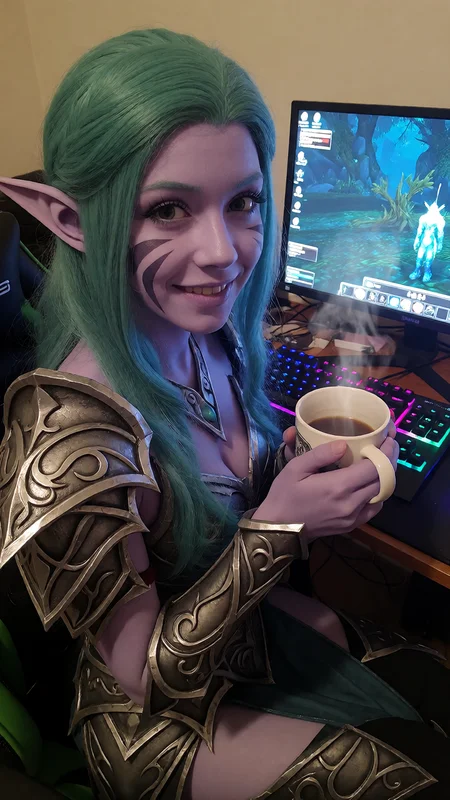

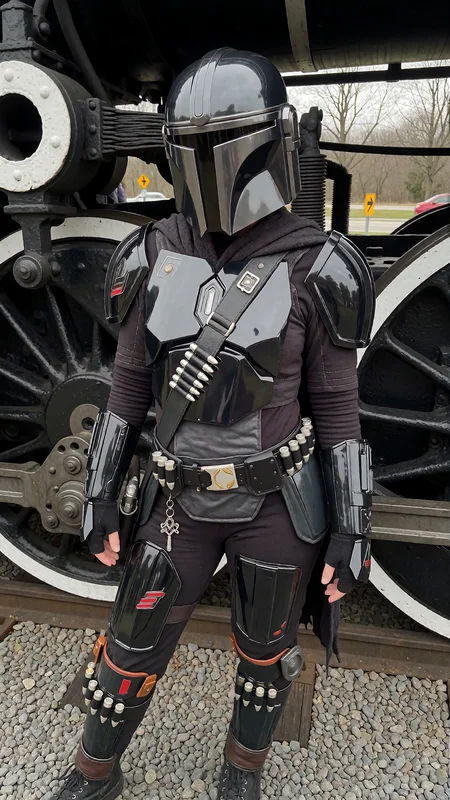
🟢THE IMAGES HERE IS MADE USING THE MAX REALISM KIT,
💎 MAX REALISM KIT — $49.99, 8 products, 4 comfyui workflows, 19-page guide on AI influencer setup, updates free forever
👉 https://monkeyforever.gumroad.com/l/max-realism-kit👈
💬 Discord (community, 2.300+ members): discord.gg/69nQp4F9bq
WHAT'S IN IT
🧩 Krea 2 txt2img + img2img, custom sampler, pre-tuned
🔬 Skin detailing pass — pores that survive the final pass
🎨 ChromaGrade — inherits the exact grade of any reference
🧠 Multi-LoRA stacking that actually works
🏋️ Full LoRA training toolkit — train your own character
🔞 Full NSFW support with dedicated detailing
Running an ai influencer account? the MAX REALISM KIT fixes this.
You need max realism to get more traffic.
🚀 NEW: Krea 2 v1.0
A full retrain of the Krea 2 version, built for stability and control.
Revamped training settings for much more stable results
Higher-quality dataset with fewer outliers
Precise captions, which give much better prompt adherence
Handles higher strength. Up to 2.0 is recommended. 1.5 is the sweet spot. 1.0 does little, and 2.0 improves the overall style without breaking the image. Lower it if the effect is too strong.
The dataset is real-life smartphone photography: mirror selfies, beach and pool shots, bedrooms, bathrooms, car interiors, city streets at night, plus cars, landscapes and everyday scenes. SFW and NSFW are both covered.
✍️ How to prompt Krea 2 v1.0
It was trained on detailed natural-language captions, so write prompts the same way. Describe the:
Subject: build, hair, skin details (freckles, tan lines, tattoos, piercings, jewelry)
Outfit and pose: what they're wearing and doing
Setting: where the photo is taken and what's in the background
Framing: mirror selfie, high-angle, low-angle, close-up, "framed from the upper thighs up"
Lighting: direct sunlight, diffuse daylight, warm indoor lighting, flash
Example:
A slim young woman takes a mirror selfie in a bathroom, holding a smartphone in one hand. She has long brown hair and freckles across her nose, and wears a grey ribbed tank top with light-wash jeans. White tiled walls are behind her under warm indoor lighting, framed from the upper thighs up.
Old tag-style prompts and Z-Image workflows won't carry over.
📜 Version History
Krea 2 v0.5 (Experimental): The first Krea 2 port. It was trained on 600 images of modern iPhone photos with a larger NSFW spread, replacing the older early-2000s data.
Z-Image-Turbo versions:
v5.0 (Real Life): Largest Z-Image update, with 100+ new images. It has fewer artifacts, better anatomy and better lighting physics.
v3.5 Photorealism: Optical realism: subsurface scattering, specular highlights, chromatic aberration. Strong on mirror selfies.
v3.0: Expanded dataset that balances the raw amateur vibe with high-fidelity detail.
v2.0: Experimental "camera roll" aesthetic. It's gritty and unpolished, and sometimes temperamental.
v1.0: The foundation, a lightweight base layer of realism and texture.
💡 Z-Image-Turbo tips: Use strength 0.60–0.70. Optional tags:
Camera roll:
amateur digital snapshot,candid,smartphone capture,high ISO noise,direct on-camera flashDetail:
visible pores,visible vellus hair,subsurface scattering,detailed skin textureOptics:
wide-angle lens,barrel distortion,chromatic aberration,depth of field
Description
Realistic Snapshot - Krea 2 (v0.5)
This is the Krea 2 port of Realistic Snapshot, retrained from the ground up on a 600-image dataset (up from 300 on the Z-Image-Turbo v5 release). Same casual smartphone-photography aesthetic, now adapted for Krea 2.
What changed in the dataset: This time the set leans more on modern iPhone photos and includes a lot more NSFW material. The v5 Z-Image-Turbo dataset had way too many early-2000s amateur shots dragging the look in that direction. The core style is still the same as v5, just cleaner, more versatile, and better balanced.
Heads up. This one is experimental. Krea 2 is still a new model and I'm honestly still figuring out how to prompt it consistently. It behaves very differently from Z-Image-Turbo, so don't expect your old prompts or workflows to carry over. Results can vary a lot.
Strength: Default 1.0 is a starting point, but I'd recommend pushing higher, 1.5, sometimes even 2.0 depending on the image. Krea 2 takes the LoRA differently than Z-Image did, so feel free to experiment past the usual range.
What it does well: Beyond the snapshot look, this LoRA is great at enhancing and boosting detail in images, you can see it clearly in the showcase. The detail enhancement is one of the stronger surprises here.
FAQ
Comments (26)
The LoRA has strong influence over the details of the image. It tends to make subjects younger. Women go from late 30's to early 20's.
It seems to make fashion and object changes. It seems to be heavily influenced by late 90s or early 2000's.
With all those big changes and loss of control for the user... I can't really say it makes the image seem more real, candid or amateurish.
ok
The Krea2 LoRA works incredibly well, especially with prompts like
"A amateur photo of x"
or
"Photo shot on an iPhone."
Increasing the strength up to 2.0 improves a lot of NSFW generations, at the cost of possibly some artifacts in hair structure. Only noticed it on blonde "thinner" hair, but noticed that throughout LoRA's in general for Krea2, including my own trained ones. Might just be a Krea2 gimmick with multiple/stronger lora's that don't stack well when they affect the same vectors/layers.
Can't verfiy what someone else said about subjects appearing younger, even prompts like:
"A amateur photo of a blonde woman sitting on a table in a cafe. The picture is a close-up of her upper body and face. She is smiling while holding a baguette. Photo shot on an iPhone."
Will prompt a mid 30 woman with slight creases at the eyes. So no bias towards younger women from any of my testings.
I think the lora completely excels at providing the wanted "amateur" look without impacting any character loras.
I always train 2-3 people LoRA's whenever a new base model comes out and with Z-IMG (both turbo and base) it was nearly impossible to have more than 1 lora because every style lora unwillingly changed the depiction of the person.
This lora for Krea2 changes nothing about my character loras while perfectly shifting the image towards more of a candid-picture style - thanks a lot! 🫶🏽
Thank you very much for all the words this will help out so much!
Paid 5k buzz for this amazing lora. words can't describe how grateful i am for a krea 2 version! thank you so much for creating my fav lora from z image turbo to krea 2! this lora is amazing!
Your lora is the most effective among all realistic loras, especially for those with insufficiently trained characters. Using an intensity of 1.5 to 2.0 can significantly enhance the fidelity and realism of the character lora
Amazing to hear, please share your results!
Drastically increases the quality of renders, so to me is the best LoRA for realism so far.
If you're not a god, you're the closest thing to it we've seen yet. This krea 2 realism is absolutely insane, masterpiece work!
ultimate glazing
holy dickriding but i'll take it thank you
just recently began to discover for myself wonders of KREA 2 model. thank you for your contribution, very promising LoRA to my modest opinion, GG's
Anything you don't like about it or something that i can imporve?
@MonkeyForever still testing, so far very interesting among best i have tried+ base model is great as well
so far your LoRA tops anything else I have tried in creative lighting, poses, esthetics, gammas, anatomy, face details, Good job! glad to be among the testers
Does anyone have any workflow recommendations to go along with this lora? :)
Awesome! Is this version going to be optimized for Krea 2 RAW or Krea 2 Turbo?
For someone who would want to train something similar, would this fall into Character or Concept? I assume concept.
Concept
Is this trained based on the Krea Raw model or the Turbo model?
Raw, always train on raw
Good woman aesthethic with this lora and irl style, downside that i do not like is that its framing images very close, too close
your Krea2 v0.5 is actually very promising, good work !
Loving this lora alot. My only issue is that it's hard to generate below average/ ugly women with it, other than that 10/10 lora ⭐️
Can this LoRA be combined with my own Character LoRA?
For some reason, on krea 2 turbo it creates an image in the style of a 3D render, not realism.
Details
Files
RealisticSnapshotKrea2.safetensors
Mirrors
RealisticSnapshotKrea2.safetensors
RealisticSnapshotKrea2.safetensors
RealisticSnapshotKrea2.safetensors
RealisticSnapshotKrea2.safetensors
RealisticSnapshotKrea2.safetensors
RealisticSnapshotKrea2.safetensors
191-RealisticSnapshot.safetensors
Realism_Krea2.safetensors
RealisticSnapshotKrea2.safetensors
RealisticSnapshotKrea2.safetensors
RealisticSnapshotKrea2.safetensors
RealisticSnapshotKrea2.safetensors
RealisticSnapshotKrea2.safetensors
RealisticSnapshotKrea2.safetensors
Krea2_RealisticSnapshot_v0.5_bf16_리얼일상스냅_monkeyforever.safetensors
RealisticSnapshotKrea2.safetensors
RealisticSnapshotKrea2.safetensors
RealisticSnapshotKrea2.safetensors
RealisticSnapshotKrea2.safetensors
RealisticSnapshotKrea2.safetensors
RealisticSnapshotKrea2.safetensors
RealisticSnapshotKrea2.safetensors
RealisticSnapshotKrea2.safetensors
RealisticSnapshotKrea2.safetensors
RealisticSnapshotKrea2.safetensors
RealisticSnapshotKrea2.safetensors
Realistic_Snapshot_KREA2_[MonkeyForever].safetensors
RealisticSnapshotKrea2.safetensors
Realistic-Snapshot.safetensors
RealisticSnapshotKrea2.safetensors
RealisticSnapshotKrea2.safetensors
RealisticSnapshotKrea2.safetensors
RealisticSnapshotKrea2.safetensors
RealisticSnapshotKrea2.safetensors
RealisticSnapshotKrea2.safetensors
Realistic_Snapshot_Krea2.safetensors
RealisticSnapshotKrea2.safetensors
RealisticSnapshotKrea2.safetensors
RealisticSnapshotKrea2.safetensors
RealisticSnapshotKrea2.safetensors
RealisticSnapshotKrea2.safetensors
RealSnapKrea2.safetensors
RealisticSnapshotKrea2.safetensors
RealisticSnapshotKrea2%20%281%29.safetensors
RealisticSnapshotKrea2.safetensors
RealisticSnapshotKrea2.safetensors
RealisticSnapshotKrea2 (1).safetensors
RealisticSnapshotKrea2.safetensors