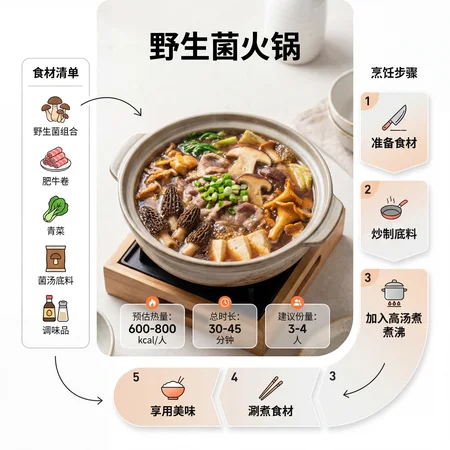
"Prompt Description": "This is a universal recipe infographic generation template. Simply replace the content within the {} placeholders to generate a modern magazine-style infographic for any dish."
"Core Concept (Dish Name)": "【Insert dish name {prompt} here】"
"Positive Prompt":
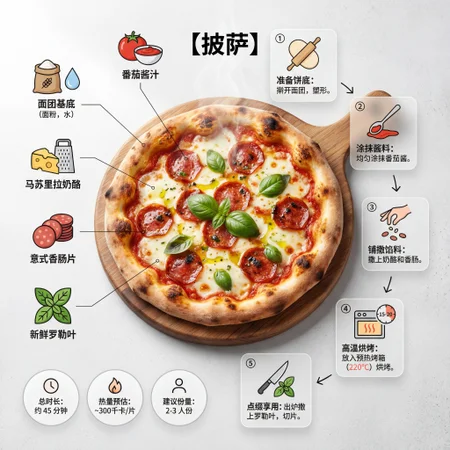
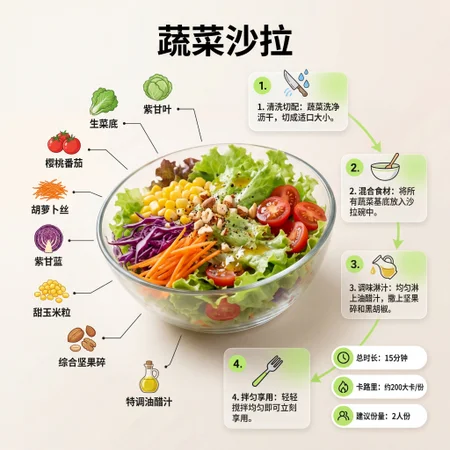
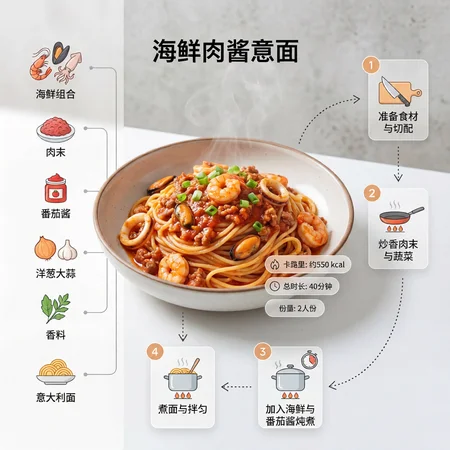
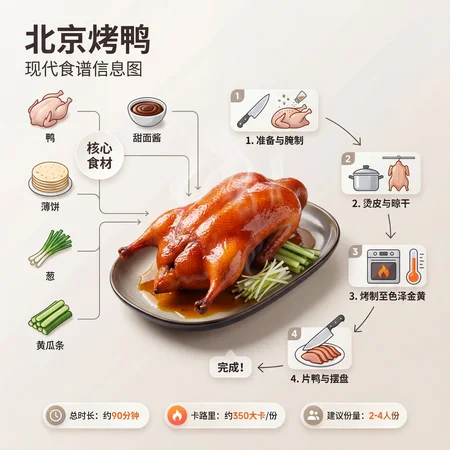
"A minimalist, modern-style recipe infographic. The absolute focal point of the image is the finished dish: {prompt}.
Appearance Description: {Insert visual details of the dish here. If unsure, leave blank to allow AI creative freedom—e.g., vibrant red-glossy glaze, rich savory sauce, steaming hot, served in an elegant vessel, garnished with finely chopped scallions}.
The dish is presented at a slightly angled, mouthwatering perspective, positioned prominently as the central visual element.
Layout & Composition Design
Dynamic, magazine-inspired layout with all elements organically arranged around the hero dish—breaking away from rigid top-down flat-lay conventions.
Hero Visual (Finished Dish): Occupies the visual center with premium food photography lighting and hyper-realistic texture that evokes appetite.
Ingredient Showcase: Clean, refined micro-illustrations or icons depict key ingredients required for {prompt} (AI auto-selects typical ingredients such as specific meats, vegetables, and seasonings). Arranged in grouped modules, checklist format, or radial diagrams, visually linked to the main dish via subtle connecting lines.
Cooking Steps Section: Numbered panels, directional arrows, or fluid guide lines illustrate the cooking process, forming a clear visual pathway encircling the main dish. Functional mini-icons (e.g., knife for chopping, pot for cooking, flame for heat level, timer for duration) are integrated at relevant steps.
Supplementary Info (Optional): Minimalist badges or speech bubbles near the dish display estimated calories, total prep + cook time, and recommended serving size—rendered in a clean, understated style.
Visual Style & Details
Seamlessly blends high-end food magazine typography with lifestyle photography aesthetics. Features bright, natural food color palettes; soft yet realistic shadows; crisp vector icons; modern, highly legible typography. Step panels utilize subtle color gradients or trendy frosted glass (glassmorphism) effects. Key data points (e.g., time or calories) are highlighted with a bold accent color.
Composition Priority Order:
Finished dish (most detailed and dominant)
Cooking step flow
Ingredient display
Textual support information
Ample negative space (white space) must be preserved to ensure the design feels light, sophisticated, clutter-free, and effortlessly readable. Background features soft, natural studio lighting over a minimal textured backdrop, evoking a premium editorial aesthetic."
"Negative Prompt":
Cluttered layout, overcrowded text, unrecognizable ingredients, dim or murky background lighting, excessive decorative elements, low-resolution output, watermarks, spelling errors, distorted perspective, unnatural food coloring, overly cartoonish style, irrelevant non-food objects, flat/2D-looking design, chaotic visual hierarchy.
"Parameter Settings":
Aspect Ratio: 1:1 (optimized for social media)
Image Quality: Ultra-high-definition detail (Ultra-sharp), 8K resolution, commercial-grade food photography quality, razor-sharp vector edges, no watermark
Click this link to generate instantly:
https://www.runninghub.ai/ai-detail/2014333549637279745/?inviteCode=rh-v1292
Hey everyone! I’ve discovered an absolute gem—RunningHub, an AI-powered platform for image and video creation!
Every day, developers from around the world publish hundreds of fun, practical AI applications built on ComfyUI—perfect for both entertainment and productivity, all in one place.
To claim your free credits:
Click the avatar icon in the top-right corner
Go to Invite Code
Enter the code: rh-v1292
You’ll instantly receive 1,000 RH Coins, plus an extra 100 coins every day just for logging in!
Don’t miss out—start creating with AI today! 🎁