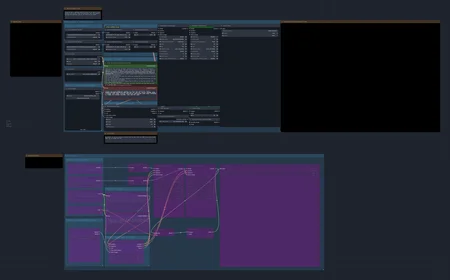
📽️ BXR - I2V Ultra Quality - Wan2.2 - NSFW
Authored by: BXR
This high-performance Image-to-Video (I2V) workflow is optimized for the Wan 2.1 / 2.2 architecture. It is specifically tuned to achieve realistic skin textures, complex fluid physics, and sleek bioluminescent fantasy aesthetics on 12GB VRAM hardware like the RTX 3080. The system features a triple-engine sampling matrix and a dedicated cinematic post-processing pipe.
🛠️ Required Model Assets
1. Diffusion Models (Lightspeed Variants)
High V9: DasiwaWAN22I2V14BLightspeed_synthseductionHighV9.safetensors
Low V9: DasiwaWAN22I2V14BLightspeed_synthseductionLowV9.safetensors
2. LoRA Stack (DR34ML4Y V2)
High V2: DR34ML4Y_I2V_14B_HIGH_V2.safetensors — Recommended Start: 0.30
Low V2: DR34ML4Y_I2V_14B_LOW_V2.safetensors — Recommended Start: 0.30
3. Essential Components
Text Encoder: umt5_xxl_fp8_e4m3fn_scaled.safetensors
🚀 The Triple-Engine Sampling Matrix
Toggle between these three engines based on your scene requirements:
1. "SWEATY REALISM" (Action & Fluid Physics)
BEST Option overall - Default
Best For: Raw, handheld-camera looks with intense skin texture and organic movement.
Sampler:
euler_ancestral| Scheduler:normalSteps: 14–16 | CFG: 4.0 | LoRA Strength: 0.7
2. "VOID / GLOSSY" (Fantasy & 3D)
With further testing this is an issued option, will update as I find an improvement
Best For: Smooth, glass-like obsidian skin and bioluminescent purple glows.
Sampler:
dpmpp_2m| Scheduler:karrasSteps: 20–25 | CFG: 4.0 | LoRA Strength: 0.5
3. "CINEMATIC DETAIL" (The 8K Look)
With further testing this is an issued option, will update as I find an improvement
Best For: High-fidelity slow motion and intricate tattoo/pore detail.
Sampler:
dpmpp_2m_sde| Scheduler:karrasSteps: 20 | CFG: 4.0 | LoRA Strength: 0.5
🛡️ VRAM Optimization & Safety (RTX 3080 Baseline)
Adhere to these rules to prevent "neon burn" artifacts on 12GB cards:
Weight Dtype: Always use
fp8_e4m3fnin the model loader to manage the 14B model size.Resolution Match (I2V): Video Output MUST match Input Image aspect ratio exactly (e.g., 640x960).
CFG Limit: Keep at 4.0; higher values cause neon burns and deep-fried pixels.
🚫 Physics & Anatomy Guard (Negative Prompt) Use this block to prevent "leaking" eyes and fluid clipping issues:
(cum in eyes:1.6), (milky eyes:1.5), (blind:1.4), (cataracts:1.4), (eye discharge:1.4), (fluid clipping through skin:1.5), (internal fluid:1.4), (cum in hair:1.3), (mesh glitch:1.3), (bad collision:1.3), (floating fluids:1.3), (static:1.5), (still image:1.5), (frozen:1.5), (noise:1.4), (grain:1.4), (static noise:1.4), (loop failure:1.3), (morphing:1.3), 色调艳丽,过曝,静态,细节模糊不清,字幕,风格,作品,画作,画面,静止,整体发灰,最差质量,低质量,JPEG压缩残留,丑陋的,残缺的,多余的手指,画得不好的手部,画得不好的脸部,畸形的,毁容的,形态畸形的肢体,手指融合,静止不动的画面,杂乱的背景,三条腿,背景人很多,倒着走
🎬 Post-Processing Pipeline
The workflow concludes with a high-end finishing stage:
Frame Interpolation: Uses FL RIFE (rife49) with a 2x-3x multiplier to smooth motion to 32+ FPS.
Upscaling: Employs 4x-UltraSharp.pth model for final resolution enhancement.
🛠️ Troubleshooting Guide
Deep Fried / Neon Orange Artifacts: Reset CFG to 4.0. Ensure you are not pairing
euler_ancestralwithkarras.Slow Render Speeds (>150s/it): Your GPU is likely offloading to System RAM. Change
weight_dtypetofp8_e4m3fnto fit the model in VRAM.Fluids Leaking from Eyes: Ensure the Anatomy Guard is active; specifically
(milky eyes:1.5)and(cum in eyes:1.6).
* I am not involved in the production of any of the models mentioned in this workflow. These are just what I built my workflow to use.