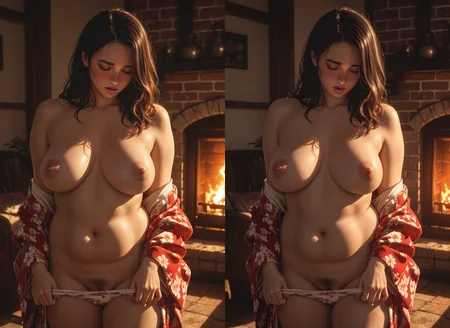
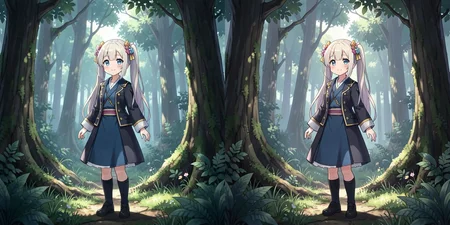
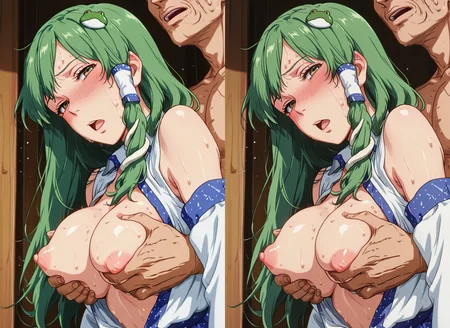
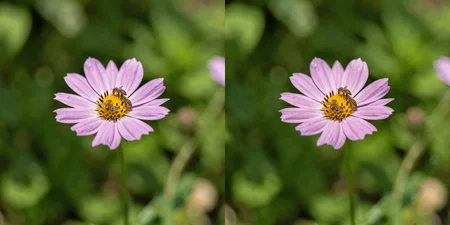
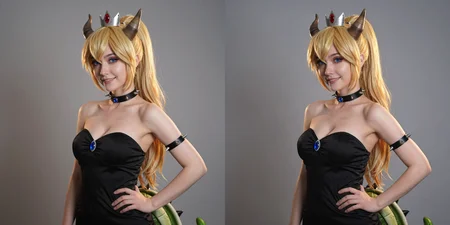
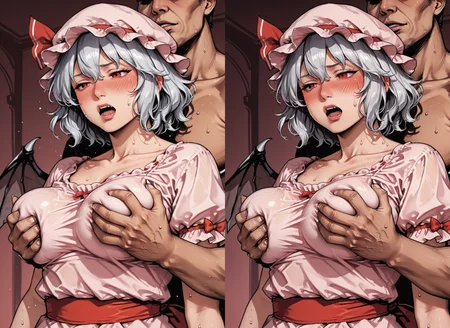

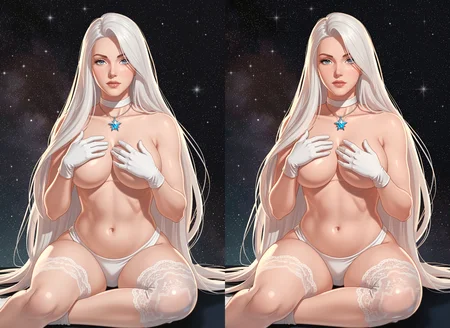
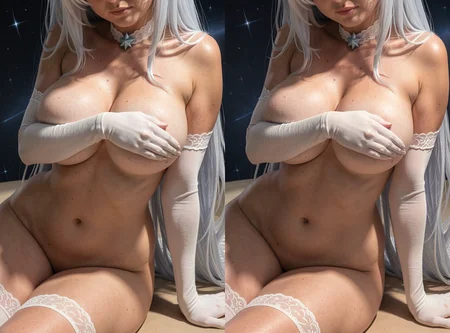
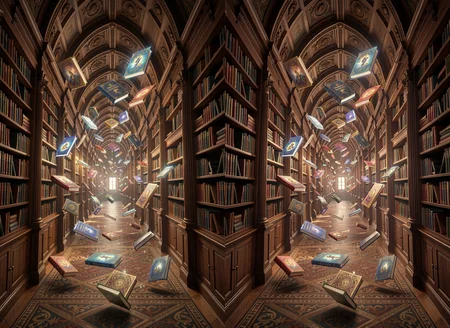
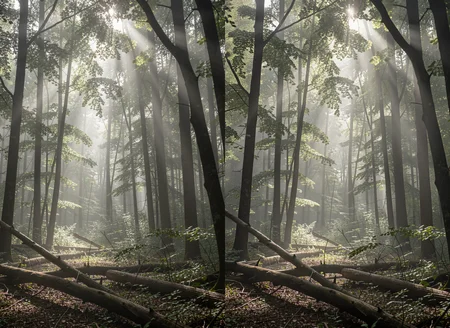
This LoRA is specifically designed for the Flux.2 Klein 9B architecture to facilitate high-quality SBS (Side-by-Side) stereoscopic transformations. It has been trained to understand the perspective shift required to generate a corresponding "Right Eye" view from a "Left Eye" input, or to generate full stereoscopic pairs for VR headsets and 3D displays.
Technical Specifications
Model Base: Flux.2 Klein 9B (Distilled-style base)
Linear Rank: 32 (optimized for spatial geometry)
Optimizer: AdamW8Bit
Learning Rate: 0.0001
3D Viewing Guide
Default Mode: Parallel SBS (Left on Left, Right on Right). This is ready out-of-the-box for VR Headsets.
To view with Cross-Eye: If you don't have a headset, simply swap the Left and Right image connections in the final node of the workflow.
How to Use
Recommended Weight: 2 to 2.5 (Use 2.2 for the most accurate 3D shift).
Aspect Ratio: Any
Prompting:
sbs_stereo, generate right eye view.
Applications
Perfect for VR experiences (Quest 3, Apple Vision Pro, etc.).
Ideal for Virtual Environments and panoramic 3D artwork.
Can be used in Img2Img workflows to convert 2D photos into stereoscopic pairs.
🚀 HOW TO USE (EASY MODE)
The ComfyUI workflow is embedded directly into the preview images!
Download the main showcase image from this page.
Drag and drop that image file directly into your ComfyUI workspace.
⚠️ CAUTION: The training is very precise. If you crank the LoRA weight past 2.5, the model’s sentient side takes over—it might stop generating VR rooms and just generate a hyper-realistic photo of your girlfriend standing in the doorway asking why you’re still up at 3:00 AM.
Description
FAQ
Comments (41)
This lora doesn't even make the images stereoscopic, even the examples aren't stereoscopic. The klein model can actually create stereoscopic images without a lora, with the correct prompt.
Could you elaborate on which prompt you mean?
He is right examples aren't stereoscopic. This lora is a scam.
@velanteg No, you are both wrong. While not perfect, the example images ARE stereoscopic. Your confusion probably stems from the fact that they are not cross-view stereograms, they are parallel-view stereograms. You must look through the image, rather than crossing your eyes.
If you take one of these example images, and swap the left and right, you would then be able to view them by crossing your eyes.
@tsunamix yes please enlighten me as well
@velanteg they are my friend, what device are you using, it is not meant for crossed eyed.
They are all 3d stereoscopic and working awesomely in my meta quest 3.
@tayg0 You can tell just by looking at them that any perspective change is minimal and not drastic, with many elements not changing at all between images. That can create a pseudo 3D effect that people might mistake for 3D, but not a proper one. Your eyes sort of ignore the inconsistencies and get confused about it being 3D, but it's simply not. I could take the same single image and just paste it beside the same image and in many cases, people will even confuse that as being stereoscopic, because there is a slight perspective change not in the image, but simply from your eyes physically viewing the same image from slightly different perspectives. This is how a lot of people get fooled into thinking something is stereoscopic that isn't.
@pawanps009986 Both images literally same, there no 3d perspective.
No, you can clearly look at the images and see the occlusion it obviously works? As for the comment to use without the lora I'd love to see an example.
my Oculus says oherwise. so, show your headset view or shut up.
@velanteg Tell me you don't own a VR headset without telling me you don't own a VR headset.
No, the output is definitely stereoscopic. But it is for a flat screen, suitable for a 3D TV or projector (as well as a headset), Such images tend to have subtle stereoscopic effects, as the camera is some distance away from the subject.
Compare with this screenshot from a non-AI 3D SBS flat video (SFW screenshot of a very NSFW video):
https://pasteboard.co/A1EEP6ktpoNX.png

I'd love to have something that could generate panoramic 180 degree stereoscopic VR from 2D images or videos, with the camera position within arms' reach of the subject.
VRTV for Google Cardboard can display all these formats (with a phone and inexpensive headset).
I am tempted to generate a left eye and a right eye image, combine them, and see how strong the effect is.
@plk I'm genuinely confused, did you even try viewing the examples? If you can't view parallel stereograms than pop them into an image editor and swap the sides. You are simply incorrect, and I just am not sure why you are so confidently incorrect.
While the perspective shift in the example images is on the lower side and obviously not perfect, it is obviously present in the examples, and more than sufficient to produce an unmistakable and convincing stereoscopic effect.
Heck, In my experience, depending on image, strength, and seed, it is even capable of those larger perspective shifts you desire.
Nice, thanks!
Thank you for trying out.
This works much better than I expected! I'd make a point of mentioning in your description that they can definitely be used to generate cross-eye images, the user would just have to swap the left and right images.
Thanks for the feedback! Glad it's exceeding expectations. You're absolutely right—it's a great tip for those without a headset. I've updated the description to include instructions on how to swap the images for cross-eye viewing!
@velanteg 你用vr眼镜看就知道什么是神奇,3D效果很棒
wow i'm blown away by this, i was expecting the usual meh depth that looked super fake but this has some fantastic depth like the forest pic for example. So you have something like this for wan by any chance?
you mean for video?
Yes, there is something for Wan I2I, but not I2V. Wan has some pretty advanced spatial understanding, so it does the best job for making something stereoscopic and coherent based on simply moving the camera in its own 3D space, however, dedicated T2I models like Klein and Qwen can get better details, even if they're not as spatially perfect (though, I have to say that I like the results of Klein more than Qwen). Both Wan and the Edit loras are absolutely great at making SBS 3D though. Here's the link to the Wan lora:
https://civitai.com/models/1988265/comfyui-ddd-2d-to-3d-stereoscopic-conversion-and-3d-stereoscopic-generation
@Jellai Thanks
thanks this is really cool! This is better than the depthanywhere implementation by samseen since it resamples and doesn't just blur
Thank you! You nailed exactly why I wanted to train this. Instead of just using a depth map to 'warp' or blur the existing pixels, I wanted the model to actually resample and re-render the right-eye view. This preserves the sharpness and fine details that standard depth-warping filters usually lose. I'm so glad you noticed the difference!
Awesome LoRA! My attempt to use it in my existing workflow failed, but in OP's workflow from the cover image the LoRA works surprisingly well. Thanks so much!
Thank you! I’m glad the workflow worked out for you. Enjoy the 3D!
works beautifully, using Oculus 2.
That’s awesome to hear! Thanks for testing it out!
Can confirm - great 3d effect on Oculus Quest 2!Pro tip for SKYBOX users:
If your SBS picture in SKYBOX looks too wide/stretched, just add _fullsbs to the filename
How do I get Skybox to recognize photos from my PC via AirScreen? It just tells me it's incompatible.
Amazing! It seems to be able to handle reflections and refraction too, which is quite an achievement and makes it a much better option than IW3. I'm very impressed!
For anyone that is saying this lora doesn't work, it's possible you're making the same simple error as I did.
I always rename loras when downloading them, just for my own sanity. In the case of this workflow, that will cause a problem if you don't tweak the Power Lora Loader to reflect how you've renamed the lora.
If you have renamed your lora even by a single character, make sure to open the subgraph node (click on the top right of the Image Edit node), then change the lora in the "Power Lora Loader" node at the top to exactly match the name you are using for this lora.
I like to think of myself as reasonably smart but this one caught me out and, for a brief moment, made me think this lora doesn't work at all.
P.S. leaving the default lora strength of 2.5 has more "wow" factor but you'll probably want to drop it down to 2.0-2.2 to look more realistic. The OP pretty much says this - and they're right!
I'm doing something wrong. The option to add the Lora SBS isn't showing up even though I'm dragging the image into Configui. When I use my frequently used workflow, it only generates one image, but it's supposed to display both, which isn't happening. I hope you can help me; I just need the workflow, which I hope you can share.
The Quick Fix
On the Image Edit node, look at the top right corner of the node box. There is a small button/icon there that toggles the view modes.
Click that button, and it will take you to what you want to see.
@pawanps009986 The solution was helpful!! Thank you so much.
The effect works great, but I'm not sure if I'm using the right app in Quest 2 to view it. I need a recommendation for which app would work best for viewing in VR. Is there a specific app for viewing 3D photos? I have Quest 2. Skybox was mentioned, and when I use it with AirScreen and drag photos from my PC, it says it's not compatible. It works in Virtual Desktop, but in long photos, it cuts off the model's head, and the image isn't complete. If the original photo is square (1:1), it displays correctly, although it still crops some parts. When using a virtual desktop, how do you get the photo to display completely? It cuts off part of my image, and if I change the zoom, it messes up the effect.
I am using immergallery, try that, its good.
@pawanps009986 Thanks, I'll try it.
If you download and swap left and right view, you can view these on your regular monitor by crossing your eyes and lining them up so each eye sees a different half.
Without the swap, the depth will be inverted.
Nice job on this. But what is that second trigger-term for? If i only want one image i can disable the LoRA.
This looks very promising, but it's not running for me. The error seems to be that the reference conditioning box is not getting any data. The two referenceLatent nodes are complaining about missing conditioning, and the VAE encode node is missing pixels and VAE.
I used the workflow embedded in your girl-in-forest image. This one was referencing a v2 of your lora, but the download actually gave me a v4. I just replaced it. Is that the issue?
Details
Files
SBS_lora_v4.safetensors
Mirrors
SBS_lora_v4.safetensors
SBS_lora_v4.safetensors
SBS stereoscopic - Klein9B - sbs_stereo, generate right eye view.safetensors
SBS stereoscopic VR - Klein9B - sbs_stereo, generate right eye view,2.2.safetensors
SBS stereoscopic - Klein9B - sbs_stereo, generate right eye view.safetensors
SBS stereoscopic VR - Klein9B - sbs_stereo, generate right eye view,2.2.safetensors
154-SBS_lora.safetensors