


Note: I spend a lot of time on these to make sure they are top notch. If you have ANY issues, I'm very responsive. hit me up and I'll resolve them for you.
For Qwen Image Edit, please use this workflow: https://civarchive.com/models/2263383?modelVersionId=2781495
A complete user and troubleshooting guide inclusing a list of common error messages can be found here https://civarchive.com/articles/24678/how-to-use-my-workflows-a-comprehensive-breakdown
也有中文说明
Instagram: https://www.instagram.com/synth.studio.models/
Buy me a☕ https://ko-fi.com/lonecatone
This represents many of hours of work. If you enjoy it, please 👍like, 💬 comment , and feel free to ⚡tip 😉
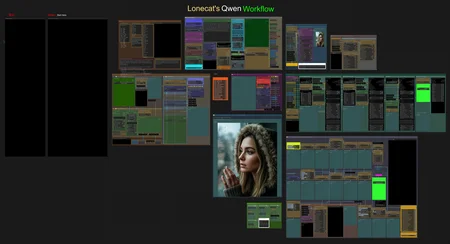
This is an all in one workflow:
Controlnet: background remove, Canny & Depth
I2I prompt assist
QwenV2 Prompt enhancer.
Florence and Qwen prompt assist
Ultimate Upscaler for prescaling and hi res fix
Detailing Suite for face, hands, eyes, and expressions
Seed VR2 Upscaler to get 4k on low VRAM
Massive Post Production Suite
Smart Noise scrubber
Full tutorial available.
也有中文说明

Description
FAQ
Comments (8)
Yay! Love Qwen, but needed updated workflows. I’ll check it out tonight ☺️
Let me know what seettineg work. Never messed with it before
Aw darn I really wanted to run it but I ran into issues, like for one, my MX lab nodes are broken. I really miss having those sliders. Maybe I need to change my version of Python, or I dunno. I'm on 3.10.11. I got a bunch of incompatible versions when I tried to upgrade transformers.
@MGHerder There's another set of sliders. I'll find it for you tonight. Can't remember who
@lonecatone23 I mean I can just plug in a primitive or a literal int or float wherever needed but that's not the issue, even after doing that when I ran it, it crashed pretty soon and gave a whole list of things that weren't compatible versions. Or maybe I need to update ComfyUI
@MGHerder I'm running on the latest version. You sound like you need an update of everything
n1!
suggestion; maybe add a ZIT pass instead of ultimate sd upscale to increase skin texture quality :)
What's the point of using Qwen if I use ZIT? I don't use ultimate upscaler for Realism, and ZIT just makes images noisy and blurry. They stand out llike a sore thumb. Nobody is fooled by images that look like they were shot on an IPhone 3