

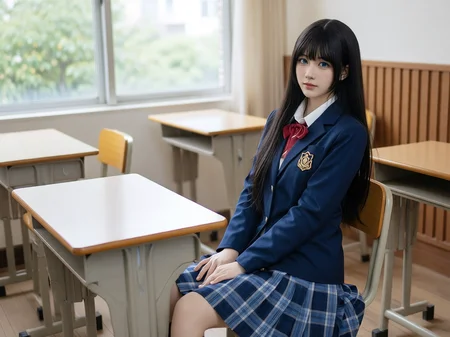

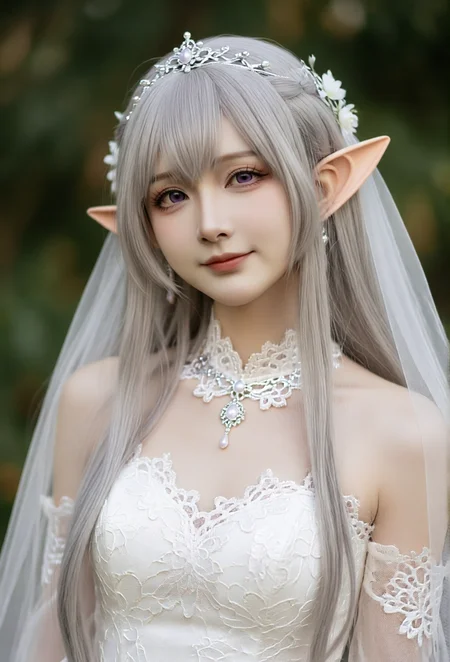
You can click on the link below to try it out directly. If the effect is good, you can deploy it locally
https://www.runninghub.ai/post/2028813392890306561/aiDetail/?inviteCode=rh-v1475
Fan benefits,register to get 1000 points,daily login 100 points,play 4090!Experience the super power of 48G.
Realism Bridge & Expression Fixer (Qwen-Edit 2511)
This is a high-performance utility LoRA designed to solve the most common problem in style transfer: the loss of character emotion and expression. Trained on the Qwen-Image-Edit-2511 architecture, this model acts as a "Expression Anchor." While it converts any input (Anime, 3D, Digital) into a photorealistic style, it focuses intensely on maintaining a 1:1 facial expression consistency.
Why use this LoRA?
Expression Lock: Say goodbye to the "generic face" look. It preserves the subtle nuances of the original character's emotions.
Stackable Enhancement: Designed to be used alongside other realism LoRAs. It works perfectly as a "booster" when paired with models like Anything to Real Characters 2511.
Style Versatility: Seamlessly bridges the gap between stylized source images and realistic photographic outputs.
Technical Specifications
Trigger Word:
turn_realistic_preserve_expression_1to1LoRA Weight:
1.0(Adjust between 0.6 - 1.0 depending on the strength of your base model).Sampling Steps:
Standard: Use the default steps of your base model (typically 20-30).
With Acceleration LoRAs: If you are using Lightning, Turbo, or Hyper LoRAs, simply use their recommended low-step settings (e.g., 4-8 steps).
Description
FAQ
Comments (2)
效果非常棒!
it works best for preserving facial expressions when used at a weight of around 0.3. Lower weights fail to retain the expressions, while higher weights start altering background, lighting, and other details. Hope this helps with tuning. Thanks!