
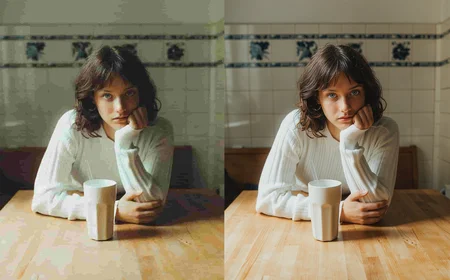
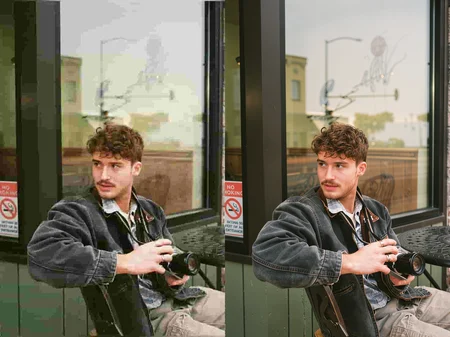
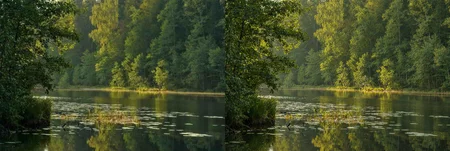
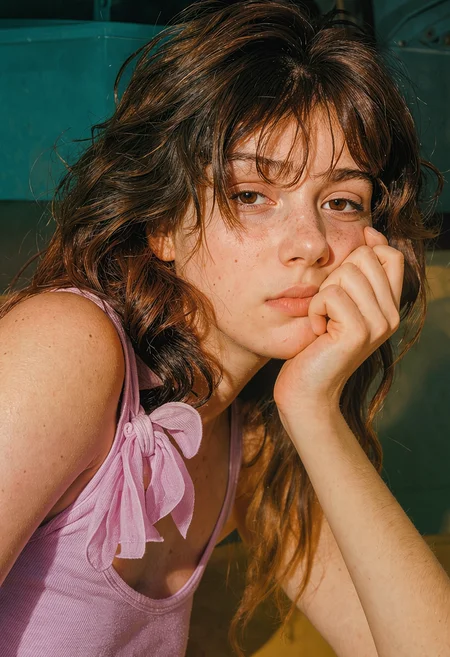
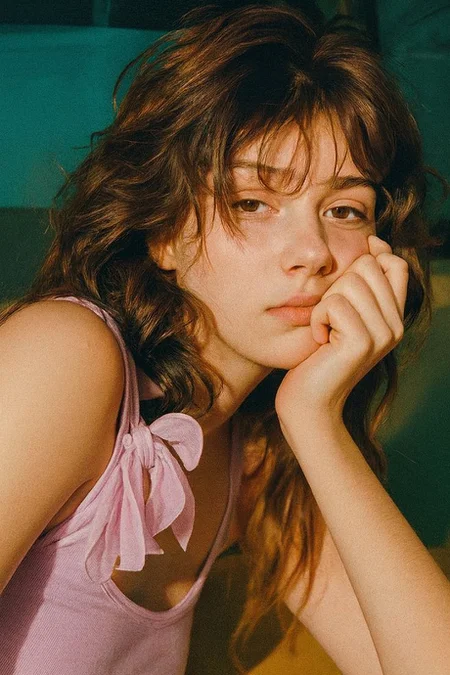

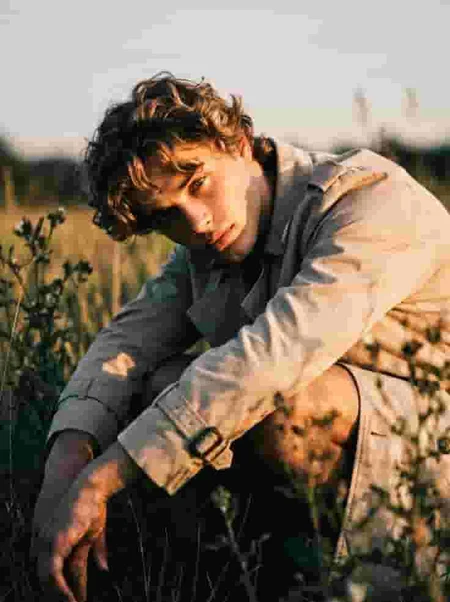
This is a flux2-klein experiement, the original model can restore images on its own but i found it lacked alot of things like adding new detail thus this lora, this was trained on alot of high quality images + heavily compressed jpeg pairs and also slightly blured images, its good at heavy jpeg compression, and light to heavy blur, it adds back high frequency detail detail, removes soft edges, it may color balance a little,
Here’s the workflow Json link if needed
https://drive.google.com/file/d/1OAyojvAmGHeGz2n8ASKuylR-9hQ9HgT5/view?usp=drivesdk
Can generate very large images aswell 4MP,
IMPORTANT / Keep in mind
Use the fast variant with 4 steps, the more steps you add the more detail itll have but max 12, i find youll get way better result with 4 steps and not 20 or more with the base model
It dose work well with normal quality images, light and heavy jpeg compression, blur, its very good at keeping faces
Was trained on a variaity of images but mainly of men
PROPMT
Please use this exact prompt for best results:
restore the image quality, remove any compression artefacts, remove any haze and soft edges, enrich the original with new intricate detail in all textures and surfaces createing a professional photorealistic photograph with natral lighting and skin texture.
Description
FAQ
Comments (31)
is the suggested prompt correct?
it says "natral" maybe you mean "natural"
thank you.
There are actually multiple typos/misspellings in the required prompt: "artefacts", "createing", "natral".
Have these typos been used during training?
The metadata shows the only tag used was "Restore the quality in this image, add back realistic fine detail", but then again I have noticed metadata being missing or sparse recently.
lol sorry yea didnt realise
@kitten_wizard yes true, but i find the longer caption better, i mean i havent tested it much tho
@gooners_united Lmfao yea, I mean I wasn’t really thinking about the spelling just testing what works
it's schizo prompting anyway. flux doesn't see a difference between "skin texture" and "natural skin texture"
Can you upload an image with a workflow attached please?
i used the normal flux2 klein workflow comfyui gives you, just add a load lora only node paste the caption, load your image, then i usually resize to the desired dimentions, cfg 1, steps 4-8, thats pretty much it,
@Loochi1 The normal one, or the image edit one?
Because from what I tried even with a low de-noise using the split sigmas denoise node and the normal workflow it was still changing the image way to much.
Only way I was able to get it to some what work was with the Klein image edit workflow and even then it had issues.
@willywizard Okay I’ll upload a workflow soon, and yea it’s image edit workflow, and your not ment to lower denoise with this one, keep it at 1,
@Loochi1 workflow
@Loochi1 Pls bro, we need the workflow. Thaks for ur Lora!!!
@Loochi1 Workflow please :)
I don’t think he’s going to, so just use the default comfy Klein image edit workflow and add the Lora. That’s basically all there is to it, just confused the crap out of me for a little bit because I forgot that it was a thing, and how to set it up.
@willywizard I tried that earlier but the default workflow never had a model noodle to plug into the LoRA, what are you seeing on your default template?
@willywizard lol I’m sorry I kinda forgot about this, soz I’ll do it now but it’s nothing special
@willywizard Okay here’s the link to it https://drive.google.com/file/d/1OAyojvAmGHeGz2n8ASKuylR-9hQ9HgT5/view?usp=drivesdk
@Loochi1 what is Lachhhhhhh__kle9b__Blur-removeV1flux9b_000001920.safetensors' not in ['Flux2-Klein-Image-RestoreV1.safetensors ?
@Loochi1 thank you from all of us. I will try it out as well
Excellent LoRA! I get great results with it.
Could u pls send ur workflow?
I've tried some of the other options for upscaling/detailing and all of them will create a sharper image but will invent too much detail except for this one. I'm impressed.
Seems to work better for me if the jump between resolutions is moderate. .3 MP to 1 MP or 2 MP looks pretty good, but at 3 MP it begins to focus too much on finer details and gives the image a pastel look.
is there any plan for v2. this is great LoRa but i have issues with up-scaling with the subject as female.. mostly the hands and legs are hairy.
yes definately, within this or next week
@Loochi1 thanks for you reply... waiting to try that out once released
fantastic work! the best one I've tried so far!
I tried this for watermark removal and it delivered remarkably well. Was there any such examples in the training data?
no i dont think so, mostly jsut complression and blur artefacts etc, but i think flux klein can remove watermarks pretty well on its own
You have some spelling mistakes in the prompt, is this normal?
This is amazing! It can restore very blurry pics without specific prompt.
By far my most used Klein LORA. Would jump ship immediately to Krea if you trained one for it.
Details
Files
Flux2-Klein-Image-RestoreV1.safetensors
Mirrors
Flux2-Klein-Image-RestoreV1.safetensors
Flux2-Klein-Image-RestoreV1.safetensors
Flux2-Klein-Image-RestoreV1.safetensors
Flux2-Klein-Image-RestoreV1.safetensors
lora_upscale.safetensors
Flux2Klein9b_Image_Restore_v1.safetensors
Flux2-Klein-Image-RestoreV1.safetensors
Flux2-Klein-Image-RestoreV1.safetensors
Flux2-Klein-Image-RestoreV1.safetensors
Flux2-Klein-Image-RestoreV1.safetensors
klein-upscaler.safetensors
Flux2-Klein-Image-RestoreV1.safetensors
35-Flux2-Klein-Image-Restore.safetensors
Ultimate_Upscaler.safetensors
Blur-removeV1flux9b_000001920.safetensors
Flux2-Klein-Image-RestoreV1.safetensors
Flux2-Klein-Image-RestoreV1.safetensors
Klein-Image-RestoreV1.safetensors
Flux2-Klein-Image-RestoreV1.safetensors
Ultimate Upscaler Klein-9b-V.1.safetensors
Available On (1 platform)
Same model published on other platforms. May have additional downloads or version variants.