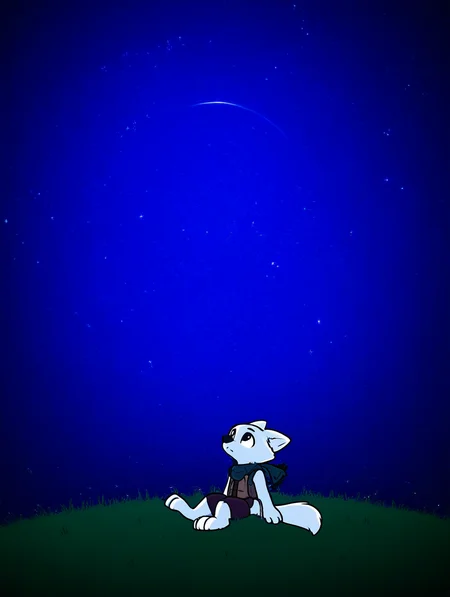
A new LoRA Appears!
This time: a style LoRA.
This is a virtual artist "cadrito" based on a merge from several different artists that have similar cartoony styles.
Cadrito is Spanish for "small cadre" (small group).
Though this is a style LoRA: it is not really consistent when generating a style. But... it is designed to generate a particular style of cartoon which is more thicc and fluffy and, because it was created with a particular artist that does a lot of scalies: it is a bit biased in creating scalies. This was not intentional, but it came out that way.
This model was trained on a vPred noob-based model, but not noob itself. It has not been tested in other models, but it should be able to generate cartoony characters so long as the model is noob-based. vPred models work better, but epsilon-pred models should work also.
You don't need to invoke the artist tag "cadrito" in order to get the toony style. However: it was trained to use the tag. If you use it: the effect will be stronger.
Put NSFW tags in the negative if you don't want to see NSFW.
Usage:
The higher the LoRA weight: the more cartoony it should look. The base checkpoint you use this with heavily influences the style, but a cartoony style is still possible.
Using "worst quality" in the negative massively changes the style. Lower the weights if you use it "(worst quality:0.3)" so that you can get the cartoony feel from the LoRA. Keeping "worst quality" in full weights still gives off a toony style, but it truly does reduce the intended style.
You can chain both versions of the LoRA that will result in a cartoony effect (I recommend this at lowered strengths that add to 1 (for example: 0.5+0.5, 0.7+0.3), and I recommend doing this in any model other than the original NoobAI vPred.
On vPred models:
Euler sampler is the safest bet in Automatic1111-based (A1111) UIs like [re]Forge.
DPM++2M sampler is safest in ComfyUI. It is a bit more unstable in A1111, but it can generate nicer, crisper images.
On epsilon-pred models:
Automatic1111-based (A1111) UIs like [re]Forge are able to generate with most samplers without issue.
On all models:
SGM-Uniform scheduler is recommended for most generations.
Normal scheduler is recommended for HiResFix.
25 steps or more will produce a cohesive image.
33 steps is safe.
42 steps is recommended.
The simpler the desired image the safer it is to generate with less steps.
There are multiple style tags that were trained into this LoRA...
outline thickness:
thick outline - so the outline be thick
thin outline - to the outline not be thick (you can place either on the negative, but I haven't seen the outline get thicker by putting thin outline into the negative)
sketch - to get a sketch-like image
outline style:
soft outline - to get a fuzzy outline
pixelated outline - this will make an outline that is pixelated... it might also generate an image that is pixelated... you might need to put this one in the negative if you get pixel art without wanting to.
textured outline - this is an outline that is less fuzzy, but not solid (works nice with thin outlines)
Outline colors:
The LoRA was intended to generate images the line-art of the character to be colored differently, however... the resulting model only changes the "sticker" outline and not the actual line-art. (I was able to do this effect with another version of the LoRA, but that one has a few issues, which is why I don't publish it).
black outline - the most basic outline color (this does not add the sticker effect)
[colored] outline - works with most colors (especially in vPred). Change [colored] with the color you want. "yellow outline", "white outline", "red outline", etc.
gradient outline - does not work as intended, but it was trained with it and it works sometimes (the outline changes colors smoothly). Requires that you specify which colors you want as a gradient ("red outline, green outline, gradient outline")
Hatching:
You may want to switch to the "Laplace" scheduler (if you have it) so you can generate better hatching images.
hatching-\(texture\) - to add basic hatching (diagonal lines that are artistically used to represent shadows). If you don't want hatching: you can place this in the negative.
crosshatching - to add more complex hatching (may or may not work, but it was trained on it @w@)
Shading:
The LoRA is able to generate a few shading styles. If the LoRA is not producing the particular style of shading that you want (it produces soft shading): put the undesired shading in the negative.
If the LoRA is not producing colors at all: specify a color and it should generate with color. You may need to place "monochrome" and "lineart" in the negative for it to produce fully-colored images. The colors come out better when not produced in the Laplace scheduler.
flat colors - base colors with no shading
cel shading - anime-style shading (simple shading)
soft shading - more complex shading
monochrome - images with 2 colors (pairs well with "white background" and "lineart")
lineart - images that only show the outlines.
high contrast - images that use a reduced color palette (pairs well with "black background")
Backgrounds:
This LoRA tries to simplify everything, including the background. It might not even generate a background unless one specifies it.
white background - for generating a simple white background (...this LoRA might be incapable of actually generating a white background, but this particular tag would still need to be placed in the negatives in order to generate more complex backgrounds).
[colored] background - for generating backgrounds of a specific color ("blue background", "green background", "tan background", "grey background", "black background", etc)
gradient background - for generating simple gradient backgrounds. It works better if you specify the gradient colors ("purple background", "orange background", "gradient background")
simple background - for generating a simple background... simple.
detailed background - pairs well with an actual scene or with scene elements like "beach", "tree", "forest", "city", "building", "farm", "barn", "indoors", "outdoors", etc.
blurred background - same as above, but the background looks more cinematic. It might not pair well with this style unless the LoRA's strength is lowered or unless it is paired with tags that destroy the style... like "best quality" or "masterpiece" or "worst quality" in the negative prompt.
Suggestions:
This model generates (what is known in the industry as) "hyper-deformed characters". This LoRA (to the best of my knowledge) was trained with 18+ characters. It is very capable of generating NSFW (a significant portion of the data was NSFW, though it is not really intended for generating NSFW). Please be responsible and don't do anything you shouldn't do with it. The characters look cute, but they are intended to be 18+ unless otherwise prompted/stated. We are all responsible adults here. Don't do anything you would regret doing. That is not the purpose of this.
For full-body images specify toe count ("3 toes", "4 toes", "5 toes") and/or use "feet", "hooves", "hindpaw" and "pawpads" tags.
For a more cartoony styles use "toony", paired with "big eyes" or "huge eyes".
For a more serious, yet still toony look: describe the character with a bit more detail. And if it turns too serious: add "toony" to the prompt and make sure "cadrito" is also in the prompt.
Some models require you to add "furry" to the prompt when generating furry characters (this LoRA was mostly trained with furry data and is intended to generate furry characters).
For the checkpoints that are capable of generating different styles: this model might enhance generations of already present toony styles (though it was not intended for that, but it is an interesting side-effect).
The model was trained with a lot of pairs data (two characters interacting). It is capable of doing multiple characters in the scene, but it might not be able to distinguish much unless one uses CLIP region separators like "Regional Prompter" or ComfyUI's regional conditioning nodes. These work better with lower LoRA weights, especially if multiple LoRAs are being used.
Description
This version of the LoRA was trained on NoobAI-vPred. It will still work on epsilon models. You might get varying results if you change the strength. You can actually get varying styles if you vary the strength along with the underlying checkpoint you are using to get interesting results. :3