

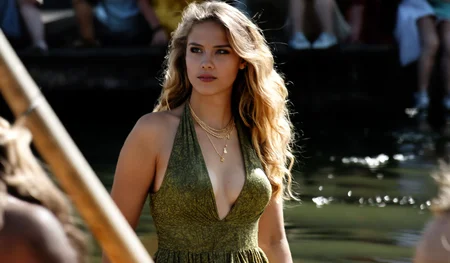
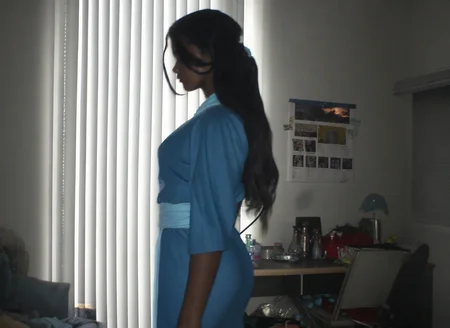


--base1_v3
Actually, there are some minor but visible fixes, mostly stylistic. The old problem with certain expressions still exists, but maybe it will be fixed in the next version. Also skin texture not enough detailed (i think i'll made just a lora with nicegirls for new anima, this should be fast fix)
--base1_v2
To be completely honest, I trained this model on this specific caption format while I was pretty drunk, so it is what it is lol. I'm not even entirely sure how it works under the hood, and I didn't have enough time to thoroughly test everything out. Also, please don't come at me calling me retarded or saying "it doesn't work like that" - just chill, I'm just experimenting here. Hopefully, you guys can help me with that and test.
Anyway, here is a mini-guide on how it's supposed to work (written by Gemini):
To achieve maximum realism, analog grit, or authentic casual smartphone aesthetics, you should follow the exact prompt structure the model was trained on.
📐 The Prompt Formula:
[Prefix Tags] + [Natural Language Description] + [Suffix Tags & Score]
Prefix Tags (The Setup): Set the camera type, lighting, safety, and shot style at the very beginning.
Core Description (The Scene): Describe the subject, clothing, pose, and background using natural English sentences (avoid messy tag-soup).
Suffix Tags (The Quality & Era): Close your prompt with the simulated year of the photo and the quality score.
📋 KEYWORDS TO COPY-PASTE
1. Camera & Tech Prefixes:
@smartphone_photo— Casual, modern mobile look with subtle computational processing.@compact_digital_photo— Early 2000s "point-and-shoot" digicam vibe.@film_photo— Authentic analog look with rich organic textures and grain.@vhs_screencap— Retro video tape style with scanlines.@dslr_photo— Clean, professional camera rendering.
2. Lighting & Style Prefixes:
@available_light— Soft, natural indoor/outdoor daylight.@direct_flash— Harsh, flat flash (perfect for late-night party vibes or digicam looks).@candid_photo— Caught-on-camera, unposed, natural moments.@posed_photo— Deliberate posing.@mirror_reflection— Perfect for mirror selfies.@underexposed/@overexposed— For dramatic low-light or high-contrast shots.
3. Safety Blocks:
@sfwor@nsfw(choose depending on your target generation)
4. Era & Quality Suffixes (Put at the very end!):
Years:
@1995,@2000,@2005,@2010,@2020,@2025Scores:
score_5,score_6,score_7,score_8,score_9(can be used in negative)
💡 Tip: Use score_8 or score_9 for high definition and clean details. Use score_6 or score_7 combined with @smartphone_photo or @compact_digital_photo if you want a grittier, intentionally imperfect lo-fi look!
📸 EXAMPLE PROMPTS
Modern Smartphone Selfie:
@smartphone_photo @sfw @amateur_photo @candid_photo @available_light A close-up portrait selfie of a 20-year-old woman with neon green hair and heavy eyeliner. She is looking at the camera with a neutral expression. The background is a blurry minimalist bedroom. @2025 score_8
Retro Digicam Flash (Vibe from 2005):
@compact_digital_photo @sfw @amateur_photo @posed_photo @direct_flash An overexposed snapshot of a young woman posing in a cluttered room at night. Harsh flash lighting, red-eye effect, visible digital noise, and washed-out colors. @2005 score_7
Analog Film Portrait (Cosplay):
@film_photo @sfw @amateur_photo @candid_photo @available_light A medium shot of a young woman cosplaying Princess Zelda, sitting inside aP.S.: still WIP, i plan extend dataset and train more
--preview3
I'm also sharing a new experimental version of UltraReal FineTune Anima, this time trained on Anima_preview3.
This version was made because several people asked for a preview3-based release. In some cases it can produce better results than the preview1 version, especially depending on the prompt, but in other cases preview1 may still look better or behave more consistently.
So I don't really consider this a strict upgrade — it's more like an alternative version. Try both and use whichever one works better for your workflow and your prompts.
Model Features:
Based on Anima_preview3
Trained in the same way as preview1 release
Still highly prompt-sensitive
Some improvements in certain styles and generations
Some possible regressions compared to the preview1 version
Still Experimental / WIP
Special thanks to the Reddit donor who supported the project — your donation was one of the reasons I decided to retrain this for preview3 as well.
P.S.: in my flow i use custom sampler and scheduler, u can take it here https://github.com/WASasquatch/RES4SHO
--preview1
Hey everyone. I'm sharing my new experimental full finetune of the Anima_Preview1.
For this version, I collected a completely new dataset from scratch - it's entirely different from the one I used for my Flux.1 finetune.
Model Features:
🎛️ Highly Prompt-Sensitive: The stylistic range is quite diverse, but the final output relies heavily on your specific prompting.
📸 Analog & Digital Aesthetics: It can produce a wide variety of looks, from distinct analog grain to "high-quality" digital photos (well, as high-quality as it gets for a 1MP retro resolution).
⚡ Optimized: I've included Q8 and Q6_K_M quants for easier inference.
Honestly, I really love the image quality you can squeeze out of such a small model. However, this is still very much a WIP (Work in Progress).
I would love to hear your feedback and see your generations.
Also, NSFW capabilities weren't harmed
Description
FAQ
Comments (17)
woah!
OMG This is insane. This is the model with the most prompt adherence I've ever used. Better than SDXL, Flux and even Qwen. They have prompt adherence but really weaker. Also, you can use this to uncensor this model: https://huggingface.co/DavidAU/Qwen3-0.6B-heretic-abliterated-uncensored
what do you need to uncensor? nothing is censored anyways?
so hyped for the new nicegirls lora, your cooking brother
v3 is much better than v2. Now, I can easily recall most of a character's traits by using the character name followed by their series, whereas v2, even with all traits added, still easily lost character characteristics.
I think qwen VAE just sucks for skin texture.
Btw, maybe your right. Cause i have smooth skin on qwen2509 and 2512 too
@Danrisi Yea, its a real issue of the qwen vae. In comparisons with flux and other vaes it just gets way mushier by default. With flow-matched models only thing we can really do is go hard on the low noise with beta57 or some other scheduler more tweaked for adding detail.
@deitychaser @Danrisi There is this finetuned version of the wan2.1 vae (which works with anima): https://huggingface.co/spacepxl/Wan2.1-VAE-upscale2x , according to the author it helps with hair and skin detail. Haven't tested it much myself but maybe worth looking into
@Degenerator123 This is just for latent upscaling, not initial inference. I know the VAE. But I just use nvidia's super RTX upscale node. Its just as fast (like under a second) and is pixel upscaling which I like more.
the total idea of "vae" is sucks.
@deitychaser Can you give link for that nvidia's super RTX upscale forflow? Thank you!
@MasterArt here https://github.com/Comfy-Org/Nvidia_RTX_Nodes_ComfyUI
this better than zit \realistic' ? it just will understands prompts or with limits ? tell me true answer please
Fun model but may be quite messy. Early 2000s vibe may be adding some quality loss. Waiting for new update. Thank you for your work OP!
well work.
Seems to be the most flexible/real model i've seen yet! It follows prompt to the specifics.
I found that gen settings i used for other anima models didn't work out, but after testing for a while the ideal settings for me were:
CFG 2, Scheduler 'sgm_uniform', sampler 'euler_a', OMG Real Lora at .9, TurboANIMA Lora at 1, 8- steps in 416w 608h.
A simple non-ai 2x upscale at the end.