


Apply a friendly, warm style to your Anima illustrations.
(See the Krea 2 version or the Moss version for more examples and inspirations!)
LoRA strength
Use it at 0.9 strength with Anima Turbo.
Playing with the strength between 0.7 and 1.0 is highly recommended! Go too low and it drifts toward more of a serious comic style. Go too high and it gets wayyyy over the top - fun, but unstable.
The Krea Aesthetic 1.1 model wants this LoRA at 1.0 strength, and Krea Base wants it at 0.8 or even lower. Why? Life is a mystery :)
Playing with the style
No trigger word, just describe the scene.
If you are using other heavily style-trained LoRAs or checkpoints, the friendly sketch style might fade. Try starting the prompt with "an illustration of" or "a friendly sketch" or both
Using your prompt to specify happiness, laughing, smiling etc. gets the best results - it's built to be friendly! But of course you can use it other ways too
By its nature it aims to produce a fun result with some visual descriptors: "high waisted riding breeches" or "a bandeau top with thick diagonal blue and white stripes" - just enough to give it something to work with.
Description
My first Anima attempt. I definitely found this trickier to train than Krea 2, but it's fun pumping out images in seconds with Anima Turbo!
FAQ
Comments (7)
I love this idea. It's such a warm and friendly concept, I'll look forward to trying it.
I notice almost example images , having " looking at nowhere " problem . Is it because the dataset or simply because how Anima interpret western toon style ? I`ve been trying several model ( with western toon style ) and it seem those have same problem.
can you explain to me ?
I had a similar comment on my Krea 2 version! But, I'm not sure I get it. Do you have an example of something without this problem, so I can compare? Then I might understand better
@arsibalt I had commented on your Krea 2 version. This is a recent example from the Anima LORA: https://files.catbox.moe/v7qgnd.png
Probably 50% of the time or so the characters seem to just be staring off into space. It's not a bad look, per se, but it definitely seems to be something that's baked into the training data.
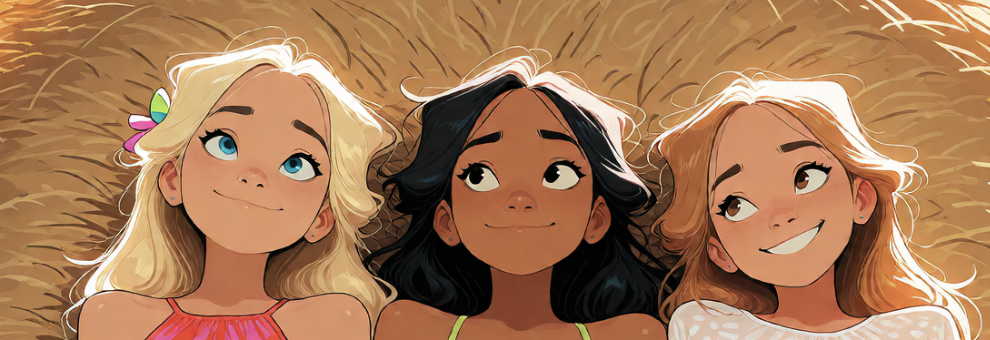
@Ahemso got it, thank you - in your example two of them are looking at the blonde but the blonde is looking at who-knows-what. I'm not sure honestly! I'd suspect training image selection or captioning, but... my training set does caption where the subject is looking. Also, I compared my internal checkpoints of a captioned and non-captioned training run; they both do this. Curious!
Details
Available On (1 platform)
Same model published on other platforms. May have additional downloads or version variants.