


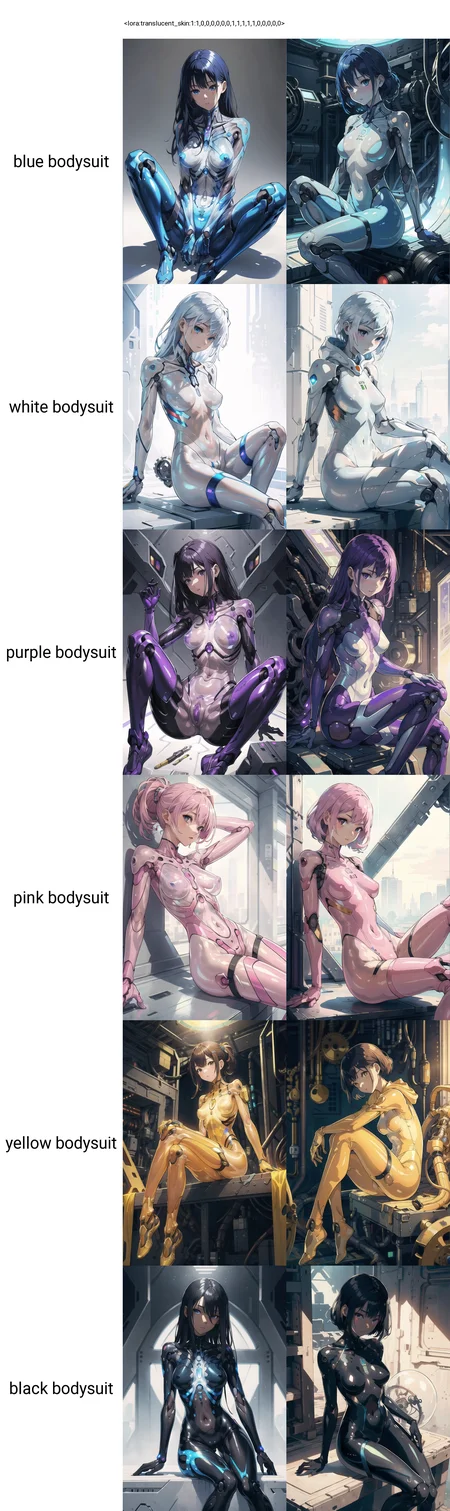


Description
Through translucent skin, you can see mechanical parts inside.
How to use
Use "translucent skin" to trigger. For more useful prompts, see my examples.
You can use a model weight larger than 1, for example, <lora:xxx:1.3>.
Note that you need to rename your lora file or change the lora name in prompTs to get it work.
Negative words like "horror" should be removed, I think.
This is a pruned lora model, you may need to update your stable diffusion webui to the latest version.
CLIP SKIP 1
Description
FAQ
Comments (15)
What model did you use for the sample?
Dark Sushi Mix 大颗寿司Mix | Stable Diffusion Checkpoint | Civitai
But you can use whatever model you like. I've tested it on many models and it works.
@lwh9346 Works beautifully with Dark sushi. But on other models, it's a shame
@gagag Try to use a model weigh larger than 1. I think 1.3 works for most models.
It is difficult to output a suit that looks similar to the sample image. :(
Yes, in most models, this lora just improves the quality of bodysuit. Maybe you can try either https://civitai.com/models/24779/dark-sushi-mix-mix this model or novel AI model. I'll try to fix this later.
Try this on AbyssOrangeMix2:
<lora:translucent_skin:1.3>masterpiece, best quality, 1girl, translucent skin, purple bodysuit, space, mechanical, skeleton
easynegative
512*768
Yes, this model can use a weight larger than 1 to get more effects.
@lwh9346 Unfortunately, testing on AOM2 hard / Anything V3 and V5 did not give satisfactory results.
Maybe my AI making skills are lacking.
@shirokokawaii Make sure youre using the latest version of stable diffusion. I pruned the model, this may cause some problems. And remember to rename the lora file you download.
哪个模型能跑出例图的效果啊?
to get the same results use the same lora as him.
用了大颗寿司,也调了权重,lora肯定是触发了的,别的设置照搬你的,但还是跑不出来一样的效果
clip skip 调成1