New and custom content here: https://aicollective.ghost.io/
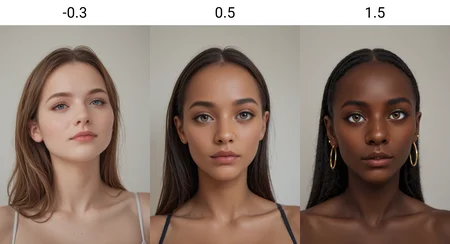
this slider has been working excellent for me, you can also fine tune it pretty well to your desired skin tone. Helpful for checkpoints where getting images of black people is difficult.
Illustrious
Finally made Illustrious version, should function very well without much impact on images.
Pony
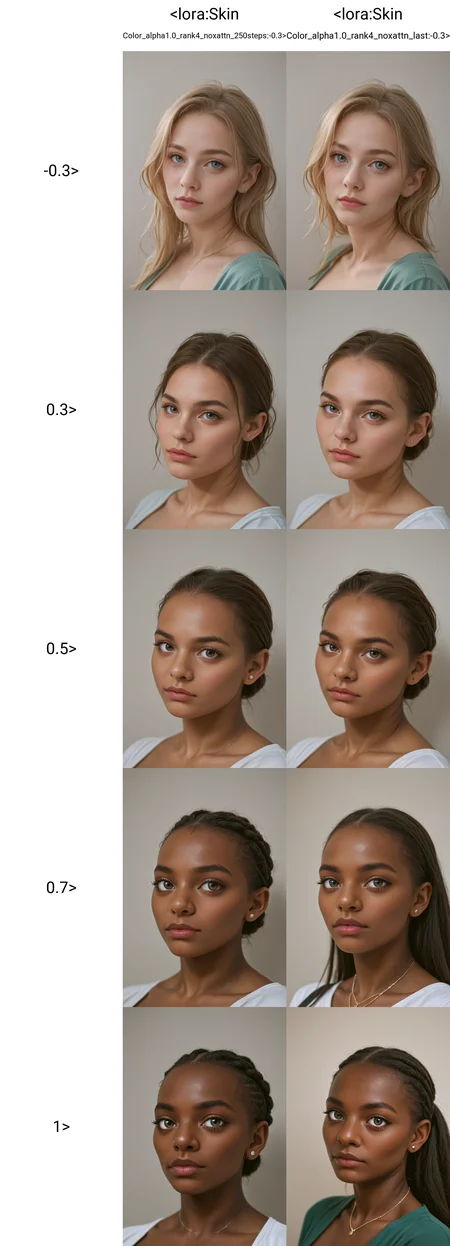
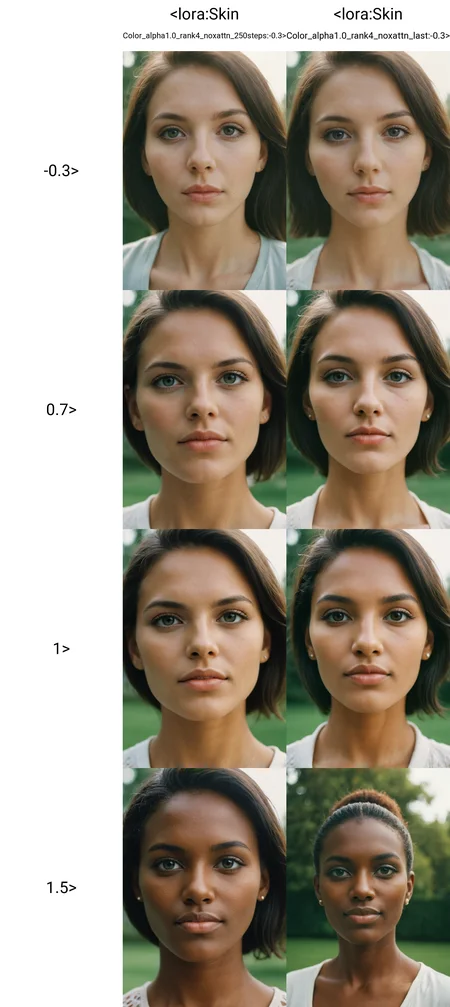
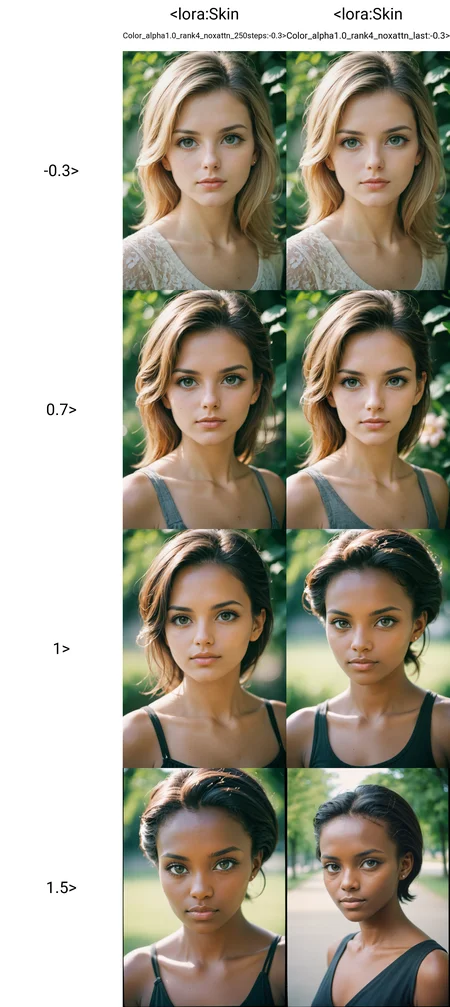
This slider also have minimal effect on generation unless you use high or low weights, but I found -0.3 to 1 to be sufficient for most use cases. Works with SDXL as well, but needs higher weights.
I will attach both the 250 iteration and 1000 iteration version as they give slightly different results and I can't decide which one i like more.
As always any feedback and posted images are appreciated :)
Description
V1 -250 Iterations :)
FAQ
Comments (20)
Great job! May I ask if you can make an age or body size slider that I would like to use to complement your other Lora
any chance that can be used with sdxl model ?
This lora is amazing!!! I feel the 250its version works best for my generations, thank you so much!
Works nicely - thanks!
Wish there was a one that wouldn't lead to race change though.
Wanted to make some dark brown elves but they ended up looking African.
Maybe, one could make synthetic data for the next version? But I'm not sure if you just make pics of one type of person by tweaking this to keep the face mostly the same..
Thanks for the feedback! these are made without dataset, just two prompt at either end of the spectrum that runs for x amount of iterations. Might be possible to make that happen though
Great job, what are scripts you use to train lora?
Thanks for the feedback! You can read about the training here: https://civitai.com/articles/5472/slider-training-guide
@Topplok2 tks bro, greattt
Nice, I've been looking for something like this. The 250 version seems to work better
Great work, really useful. I have a question:
If I have two subjects (e.g male + female), how do I focus only one of them? Or does it apply to all?
For example when I set the strength to 1.2, both the male and female are of darker skin, even when stating "caucasian male, white male, etc"
Many thanks!
Why can't I download the lora?
My initial experience with this is that it is still a chore overcoming the AI. I can watch live previews of the generation and it starts out with the prompted skin tone, then slowly but surely keeps making it lighter and lighter until it is no longer dark at all.
And I can't pin it to anything specific. I try adding interracial prompt, but that seems to be charged with dark man / light woman (won't give me vice versa). If I attempt to negative prompt dark man it won't do a dark woman either. If attempt to prompt a light man it will override all female descriptions and make both of them light.
I wonder if my depth map has baked into it that the female is lighter than the male, but that shouldn't be the case and it still doesn't matter even when I put emphasis on my prompts rather than controlnet.
I feel like I either need trigger words for male and female skin specifically, or entirely seperate loras dedicated to one or the other.
I have made experience that the prompt itself plays a significant role, especially the hair color, the body features that rarely are present in dark-skinned (photos, not necessarily people), the country (if you specify it), like african, thai, south amerika would yield darker skin with the same settings.
On top of that some models are generally working better with white skin than others. If you are not successful with your current model, just try out a different one. Some models react stronger on placement of keywords at a certain position. I have found that lora are ignored with such models when you place the keyword at the bottom. You can also try increasing the guidance value. On the on-site generator I have used values up to 9 if the prompt gets complex.
Similar if you have created a face using a Lora with certain prompt text, changing the text sometimes leads to be part of the face getting changed slightly back to some "default". I have more stable values when I add more generic words like "cute", "athlete", or just even "skinny" or "curvy". Hair color also tends to change face features from a more african / south asian style to a more nordern style on some models.
It's simply that the base model lacks the variety of training data for different skin types in variable scenarios. Some models can technically do a darker skin color but only under very specific conditions/prompts. It's frustrating the lack of skin tone variety. No effort at all to make light skin tones as this is the default for almost all models.
Some models seem to lack the concept of darker skin tones altogether. For example you could prompt a character it recognizes that has darker skin tones and you can tell it knows the character by facial features but it turns them white anyway. In that case, even a lora might not be enough--especially when combined with other loras that compete for the final output.
there's a "bleached" lora that I use and set to about 0.7 and it helps a lot with making white male with non white female. I haven't tried this lora yet so I don't know how it will interact but it's been great for the WMBF images and vids I've made.
OMG thank you so freaking much for this! After a while some of these loras start making me so mad at the world lmao. I popped this slider in and BAM, fixed my situation. The sad part is, if I let off this lora with anything lower than a full 1.0 the fair skin characters pop right back in. That's how bad It is with some of the loras out there. Again.......thank you. You've saved me from going bald! lol
Details
Files
Skin Color_alpha1.0_rank4_noxattn_250steps.safetensors
Mirrors
Skin Color_alpha1.0_rank4_noxattn_250steps.safetensors
Skin Color_alpha1.0_rank4_noxattn_250steps.safetensors
Skin Color_alpha1.0_rank4_noxattn_250steps.safetensors
Skin Color_alpha1.0_rank4_noxattn_250steps.safetensors
Skin Color_alpha1.0_rank4_noxattn_250steps.safetensors
Skin Color_alpha1.0_rank4_noxattn_250steps.safetensors
SkinColorSlider_v1_250steps.safetensors
Skin Color_alpha1.0_rank4_noxattn_250steps.safetensors
Skin Color_alpha1.0_rank4_noxattn_250steps.safetensors
肌色.safetensors
Skin Color_alpha1.0_rank4_noxattn_250steps.safetensors
SLIDER_PONY_SKIN_COLOR.safetensors
Available On (1 platform)
Same model published on other platforms. May have additional downloads or version variants.